

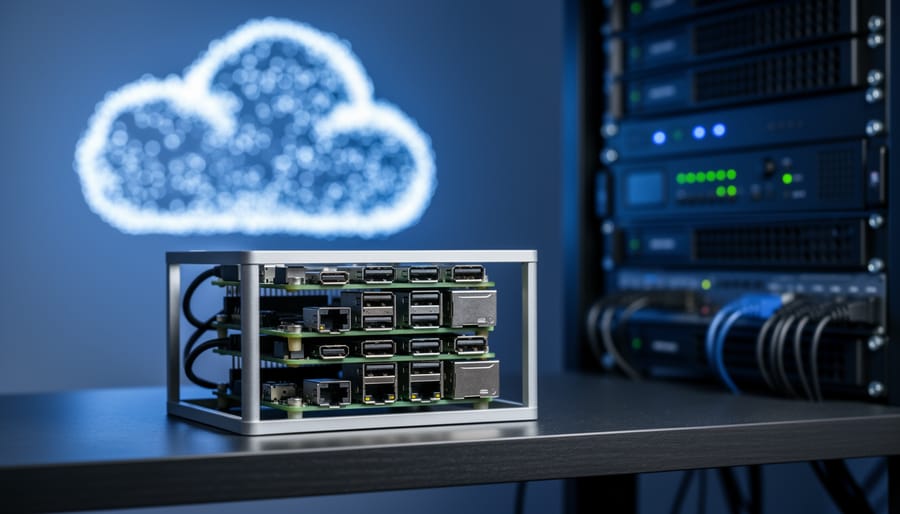
A hybrid cloud environment combines private infrastructure (like your home lab or on-premises servers) with public cloud services (such as AWS, Azure, or Google Cloud) into a single, coordinated computing architecture. Instead of choosing between keeping everything local or moving entirely to the cloud, you get the flexibility to run workloads where they make the most sense based on cost, performance, security, and compliance requirements.
For Raspberry Pi enthusiasts, this concept opens up practical possibilities that seemed out of reach just a few years ago. Your cluster of Pi boards can function as the private edge of a hybrid setup, handling local processing, data collection, and real-time tasks while seamlessly connecting to cloud resources for storage, backup, machine learning inference, or compute-heavy jobs that exceed what your Pis can handle alone.
The appeal goes beyond technical curiosity. Organizations of all sizes use hybrid clouds to balance control with scalability, but the same principles apply to home labs and educational projects. You might run a home automation system on local Pis for speed and privacy, then sync data to cloud storage for analysis. Or develop and test containerized applications locally before deploying them to production cloud environments.
This article breaks down how hybrid cloud environments work from both conceptual and technical angles, explores different architectural patterns you’ll encounter, and shows specific ways to integrate Raspberry Pi devices into your own hybrid setup. Whether you’re building your first homelab or expanding an existing cluster, understanding hybrid cloud fundamentals helps you make smarter decisions about where your workloads should live.
What a Hybrid Cloud Environment Means
A hybrid cloud environment is exactly what it sounds like: a computing setup that mixes two or more types of infrastructure to create a unified, flexible system. Instead of relying entirely on cloud services or keeping everything local, you combine on-premises hardware with public and private cloud resources. These components work together as a single ecosystem, sharing data and applications across the different platforms.
Think of it like having both a home workshop and access to a professional manufacturing facility. You keep some tools and projects at home where you have direct control, but you can tap into the larger facility when you need specialized equipment or extra capacity. For Raspberry Pi enthusiasts, this might mean running a cluster of Pi devices at home while connecting them to AWS or Google Cloud for storage, analytics, or additional processing power.
The “hybrid” part is crucial because it is not just about having multiple systems. It is about integration. Your local hardware and cloud services communicate through APIs and management tools, letting you move workloads between environments based on what makes the most sense. You might process sensor data locally on a Raspberry Pi for speed, then send the results to the cloud for long-term storage and visualization.
- Public Cloud
- Computing services offered by third-party providers like AWS, Azure, or Google Cloud, where resources are shared among multiple customers and accessed over the internet.
- Private Cloud
- Dedicated cloud infrastructure used exclusively by one organization, either hosted on-premises or by a third party, offering greater control and customization.
- On-Premises Infrastructure
- Physical hardware and servers that you own and operate in your own location, such as a Raspberry Pi cluster in your home lab.
- Workload
- A specific computing task or application, like running a web server, processing data, or hosting a database.
- Orchestration
- The automated coordination and management of multiple systems and services, determining where and when workloads run across your hybrid environment.
This differs from a pure cloud approach, where everything runs on someone else’s servers, and from a purely local setup, where you are limited by your own hardware. Hybrid environments give you control over sensitive data on your Pi devices while accessing cloud scalability when you need it. You get the best of both worlds: local responsiveness and cloud flexibility.
How Hybrid Cloud Environments Work
The Connection Layer
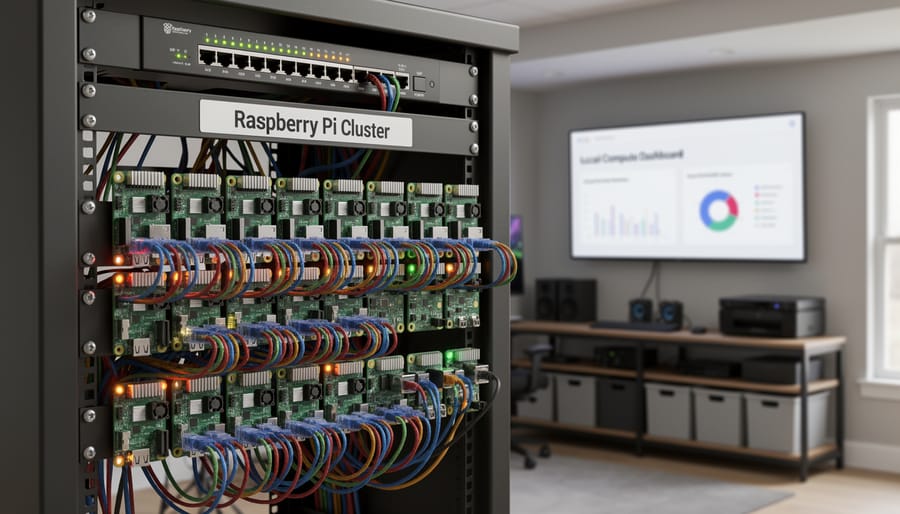
At the heart of any hybrid cloud setup sits the connection layer, the infrastructure that bridges your local hardware to remote cloud services. For Raspberry Pi enthusiasts, this typically means establishing secure communication channels between your Pi devices and cloud platforms like AWS, Azure, or Google Cloud.
VPNs (Virtual Private Networks) are the most accessible starting point. They create encrypted tunnels between your Pi cluster and cloud resources, allowing secure data transfer over regular internet connections. Tools like WireGuard or OpenVPN run efficiently on Raspberry Pi hardware and provide the encrypted link your hybrid environment needs.
APIs (Application Programming Interfaces) handle the actual communication between systems. Cloud providers expose APIs that your Pi applications call to upload sensor data, trigger cloud functions, or retrieve processed results. Your Python scripts or containerized applications use these APIs to send requests and receive responses, making your local and cloud infrastructure work as one system.
For more demanding setups, dedicated connections like AWS Direct Connect or Azure ExpressRoute offer lower latency and higher bandwidth, though these are less common in hobbyist projects due to cost. Most Pi-based hybrid environments run perfectly well on VPN connections paired with well-designed API calls.
Workload Distribution and Orchestration
Orchestration platforms like Docker and Kubernetes determine where workloads run based on resource availability, performance requirements, and predefined policies. When you containerize an application, you package it with all dependencies into a portable unit that can execute on your Raspberry Pi cluster or in the cloud without modification. This containerization portability means you write code once and deploy it anywhere.
In practice, Kubernetes manages this distribution automatically. You might run lightweight containers for sensor data collection on Pi devices at the edge, while CPU-intensive analytics run in the cloud. The orchestrator monitors resource consumption and can shift workloads dynamically. For instance, if your Pi cluster handles image processing during off-peak hours but struggles during the day, Kubernetes hybrid cloud configurations can automatically offload overflow tasks to cloud instances.
You set rules defining which services stay local (latency-sensitive operations, data that shouldn’t leave your network) and which can migrate to the cloud (batch processing, archival storage). The orchestration layer enforces these policies while balancing cost and performance, making hybrid cloud accessible even for hobbyist projects.
Components of a Hybrid Cloud Setup

A hybrid cloud setup consists of five core components working together. Understanding each piece helps you design a system that matches your needs and budget, especially when starting with Raspberry Pi hardware.
On-Premises Hardware
Your local infrastructure forms the foundation. For Raspberry Pi enthusiasts, this might be a single Pi 4 or 5, a cluster of multiple boards running Kubernetes, or a mix of Pi devices alongside a dedicated NAS or mini PC. The key is having physical hardware you control that handles local processing, storage, or both. A basic setup could be as simple as one Pi running Docker containers, while more ambitious projects might involve four or five Pis in a cluster providing genuine compute capacity.
Public Cloud Providers
These are the commercial platforms that handle your cloud-side workloads. AWS, Google Cloud, and Microsoft Azure are the major players, each offering free tiers that work well for hobbyist projects. AWS Lambda pairs nicely with Pi-based IoT sensors, Google Cloud’s Compute Engine provides flexible virtual machines, and Azure IoT Hub integrates smoothly with edge devices. You pick based on which services match your project requirements and which free tier offers the best value for experimentation.
Networking Infrastructure
This is what connects your local hardware to the cloud. At minimum, you need a stable internet connection and a router. For anything beyond basic experiments, you’ll want to configure VPN tunnels using WireGuard or OpenVPN to create secure connections between your Pi and cloud resources. Some projects benefit from dynamic DNS services to maintain consistent access to home-based Pis, while larger setups might justify a dedicated internet line or static IP address.
Essential Components Overview
- Container runtime (Docker or Podman) to package applications consistently across local and cloud environments
- Orchestration platform (Kubernetes, K3s, or Docker Swarm) to manage where workloads run
- Identity and access management to control which services can communicate and share data
- Monitoring tools (Prometheus, Grafana) to track performance across both environments
- Backup solution to replicate critical data between local storage and cloud buckets
Management Software
You need tools that treat your local and cloud resources as a unified system. Portainer provides a web interface for managing Docker across multiple locations. Terraform lets you define infrastructure as code that works identically whether deploying to a Pi or to AWS. For simpler projects, even SSH access to your Pi combined with cloud provider CLIs gives you functional management, though proper orchestration tools make scaling easier as your hybrid environment grows.
Types of Hybrid Cloud Configurations
Four main hybrid cloud configurations suit Raspberry Pi projects, each solving different challenges for hobbyists and small-scale deployments.
Cloud bursting handles occasional capacity spikes by keeping regular workloads on your Pi cluster while overflow processing moves to the cloud. Imagine running a home weather station network on three Raspberry Pi 4s that normally process data locally. During severe weather events when data volume triples, your system automatically offloads analysis jobs to AWS Lambda or Google Cloud Functions. You maintain local control during typical operation but avoid buying extra hardware that sits idle 90% of the time. This works best for predictable peak periods, rendering video projects, batch image processing, or seasonal data analysis.
Development and testing environments separate your experimental work from production systems. You might run your actual IoT sensor network on local Pi devices while testing new code versions in Azure or DigitalOcean containers. This configuration protects your working projects from breaking changes and lets you test against different cloud services without reconfiguring physical hardware. Many Pi developers use this approach for trying Kubernetes deployments or experimenting with serverless functions before committing to local infrastructure changes. The cloud becomes your sandbox while Pis handle real operations.
Data residency models keep sensitive information on-premises while using cloud services for everything else. Your Raspberry Pi cluster stores personal data, security footage, or private documents locally, but leverages cloud platforms for non-sensitive tasks like public website hosting or email services. This matters if you’re building smart home systems that collect family activity data or running small business applications with customer information. The Pi stays inside your network perimeter as a data guardian while the cloud handles internet-facing workloads efficiently.
Edge computing with cloud backup processes data locally on Pi devices for speed, then syncs results to cloud storage for analysis and archiving. A motion-activated camera system using Pi Zero 2 W boards captures and analyzes footage at the edge within milliseconds, storing only flagged events in cloud buckets. You get instant local response times without bandwidth constraints, plus cloud-based long-term storage and machine learning analysis on accumulated data. This configuration shines for projects requiring real-time decisions, robotics, security systems, industrial monitoring, where network latency would break functionality.
Each configuration addresses specific needs. Choose cloud bursting for cost efficiency, dev/test separation for safety, data residency for privacy, or edge-with-backup for performance. Most mature Pi projects eventually combine elements from multiple models.
How Raspberry Pi Fits into Hybrid Cloud Strategies
Edge Computing with Pi and Cloud Services
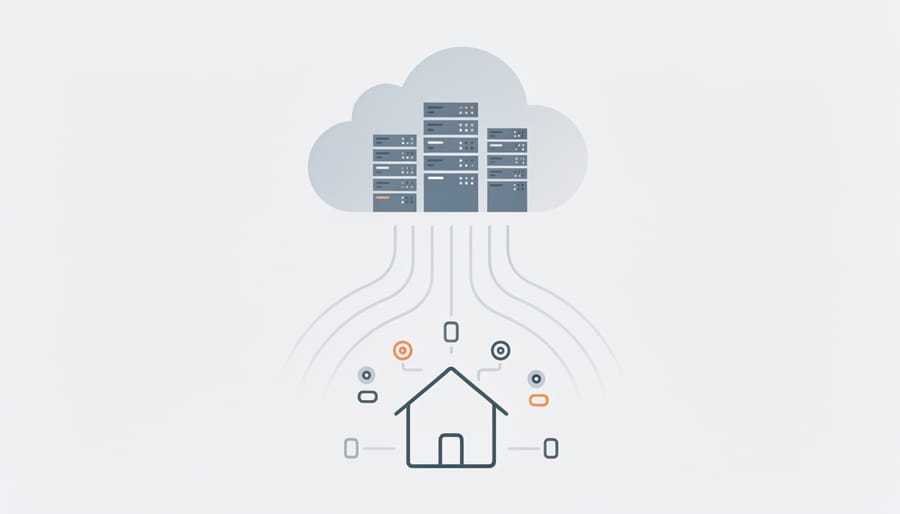
Here’s how edge computing works in practice with Raspberry Pi: imagine a Pi 4 monitoring your home’s temperature sensors, analyzing the readings locally to detect patterns, then uploading only summary data to AWS S3 every hour. The Pi handles real-time processing (fast response, no latency), while the cloud stores historical data and runs machine learning models to predict heating patterns over months. This split keeps your system responsive and your cloud bills low.
Another example: a Pi Zero 2 W running facial recognition on a security camera. It processes video frames locally, flags potential matches instantly, and sends just the flagged images to Google Cloud for verification and archival. The heavy lifting (training the recognition model) happens in the cloud where you have access to GPUs, but the time-sensitive work stays on the Pi. Hybrid cloud virtualization tools like Docker make it straightforward to deploy the same containerized app across both environments, ensuring your Pi-side code and cloud-side code work together seamlessly.
Building a Home Lab Hybrid Environment
Start with a Raspberry Pi 4 (4GB or 8GB) or Pi 5 as your local infrastructure node. Install a 64-bit version of Raspberry Pi OS Lite to minimize overhead, then set up Docker to run containerized applications. This forms your on-premises compute layer.
Choose a cloud provider with a generous free tier, AWS, Google Cloud, or Oracle Cloud all work well for experimentation. Create an account and launch a small virtual machine instance in the cloud. Install the same container runtime there to maintain consistency across environments.
For networking, set up WireGuard VPN to create a secure tunnel between your Pi and cloud instance. This allows them to communicate as if they’re on the same local network, regardless of your home internet connection. Configure static IP addresses within the VPN subnet for reliable connections.
Deploy a simple application split across both environments. Run a lightweight database (like SQLite or Redis) on the Pi for local caching, while hosting your web application frontend in the cloud instance. Use environment variables to point each component to the other.
Install Portainer on both the Pi and cloud VM for visual container management. This gives you a unified interface to monitor and control workloads across your hybrid environment.
Start with this basic two-node setup before expanding. You can add more Pi boards, introduce Kubernetes with K3s, or integrate cloud storage services once you’re comfortable with the fundamentals.
Common Questions About Hybrid Cloud Environments
How much does running a hybrid cloud setup actually cost?
For Raspberry Pi users, your main costs are the Pi hardware itself (roughly £50-80 per unit), cloud storage and compute fees (which can start at £5-10 monthly for modest usage), and your internet connection. Many cloud providers offer free tiers that work well for testing and small projects, making hybrid setups surprisingly affordable for hobbyists.
Is hybrid cloud too complicated for someone just starting with Raspberry Pi?
Starting simple makes hybrid cloud accessible. You can begin with just one Pi connected to a free-tier cloud storage service, then gradually add complexity as you learn. The hardest part is usually the initial authentication setup, but once that’s configured, managing the connection becomes routine.
Can a Raspberry Pi really work as on-premises infrastructure in a hybrid setup?
Absolutely. While a Pi won’t match enterprise servers in raw power, it handles many hybrid cloud roles effectively: edge processing, IoT data collection, local caching, and development environments. A cluster of Pi 4 or 5 boards can support substantial workloads when paired with cloud resources for heavy lifting.
Which cloud providers work best with Raspberry Pi projects?
AWS, Google Cloud, and Azure all support ARM architecture and offer good documentation for Pi integration. For beginners, Oracle Cloud’s always-free tier includes ARM-based instances that pair naturally with Pi hardware. Smaller providers like Linode and DigitalOcean also work well and often have simpler interfaces for hobbyists.
How do I handle security when connecting my Pi to the cloud?
Use encrypted connections (SSH tunnels or VPNs), never expose your Pi directly to the internet, implement API key rotation, and run applications in secure Docker containers to isolate workloads. Start with read-only cloud access for your first projects while you learn proper security practices.
What’s the best way to get started with hybrid cloud on Raspberry Pi?
Begin with a single practical project: set up a Pi to capture sensor data locally and push summaries to cloud storage every hour. This teaches you the connection mechanics, data synchronization, and basic orchestration without overwhelming complexity. Once that works reliably, expand to more sophisticated workload distribution.
The learning curve feels steeper than it actually is. Most beginners overthink the “hybrid” part and assume they need enterprise-grade knowledge to connect a Pi to cloud services. In reality, you’re just making API calls and moving files between two locations. Your Pi runs some code, a cloud service runs other code, and they talk to each other over HTTPS. That’s the essence of it.
Cost anxiety stops many hobbyists before they start, but the free tiers from major providers genuinely support real projects. You can run a functional hybrid environment for months without spending anything beyond your Pi hardware and home internet. The charges only accumulate when you scale up storage or compute time, and by then you’ll understand exactly what you’re paying for and why.
Security concerns are valid but manageable. Think of your hybrid setup like your home network: you wouldn’t leave your router’s admin panel open to the internet, and you shouldn’t expose your Pi’s SSH port either. Layer your defenses with VPNs, firewall rules, and proper authentication. Containers add another security boundary that makes experimenting safer.
Hybrid cloud environments aren’t reserved for Fortune 500 companies with million-dollar IT budgets. If you’ve got a Raspberry Pi and curiosity, you already have what you need to start experimenting. The beauty of this approach lies in its flexibility: you keep your sensitive data and latency-critical processing local on your Pi cluster while tapping into cloud resources when you need more horsepower or global accessibility.
The combination solves real problems that Raspberry Pi enthusiasts face daily. Your home lab can handle routine tasks and edge processing without racking up cloud bills, yet you still get cloud storage for backups and elastic compute for occasional heavy lifting. You’re not locked into either extreme, neither buying enterprise-grade local hardware you’ll rarely fully utilize nor moving everything to the cloud and losing the hands-on control that makes Pi projects rewarding.
Start small. Connect a single Raspberry Pi 4 running Docker containers to a free-tier cloud account. Set up one workload that splits processing between your Pi and cloud storage. Once you see how the pieces interact, you can expand: add more Pi nodes, experiment with Kubernetes orchestration, or architect more sophisticated data flows.
The infrastructure concepts you’ll learn building a hybrid setup at home translate directly to professional environments. You’re not just tinkering, you’re developing practical cloud architecture skills while keeping your projects affordable and under your control.