


Transform your Raspberry Pi into a powerful cloud computing hub by combining virtualization and cloud technologies. The convergence of these technologies unlocks unprecedented flexibility, allowing you to create multiple virtual machines on a single Pi while leveraging cloud resources for enhanced processing power. Virtualization benefits for Raspberry Pi extend far beyond simple resource optimization, enabling containerization, automated deployment, and seamless scaling of applications.
Today’s hybrid cloud solutions bridge the gap between local Pi computing and cloud infrastructure, offering the perfect balance of control and scalability. By implementing virtualization on your Raspberry Pi, you gain the ability to run multiple operating systems simultaneously, isolate development environments, and efficiently manage workloads across both local and cloud resources. This powerful combination transforms a modest Pi into a versatile computing platform capable of handling enterprise-grade applications while maintaining the cost-effectiveness and educational value that makes the Pi platform uniquely compelling.
Whether you’re a hobbyist exploring containerization or an educator building a learning environment, mastering Pi-based virtualization opens doors to cloud computing innovation without overwhelming complexity or cost.
Understanding Virtualization in the Pi Environment

Types of Virtualization for Pi
The Raspberry Pi supports several virtualization methods, each offering unique advantages for different use cases. Container-based virtualization, particularly using Docker, is one of the most popular approaches due to its lightweight nature and efficient resource usage. This method is ideal for running multiple isolated applications without the overhead of full virtual machines.
For those needing full system virtualization, QEMU (Quick Emulator) provides a robust solution that can emulate different CPU architectures. While it may run slower than native performance, QEMU offers excellent compatibility and flexibility for testing various operating systems and configurations.
KVM (Kernel-based Virtual Machine) is another option, though it’s limited to newer Pi models with 64-bit processors. When available, KVM provides near-native performance for running virtual machines, making it suitable for more demanding applications.
LXC (Linux Containers) offers a middle ground between full virtualization and containers, providing a lightweight way to run multiple Linux systems on your Pi. This method is particularly useful for development environments and testing different Linux distributions.
Each virtualization type has specific hardware requirements and performance implications, so choose based on your project needs and Pi model capabilities.
Resource Management Considerations
When virtualizing on the Raspberry Pi, managing resources effectively is crucial due to its limited hardware capabilities. Start by monitoring your Pi’s CPU usage, RAM consumption, and storage capacity using built-in tools like top or htop. This helps establish a baseline for your system’s performance.
Consider implementing lightweight virtualization solutions that minimize overhead. For optimal performance, allocate no more than 75% of available RAM to virtual machines, leaving sufficient memory for the host system. When running multiple VMs, use CPU pinning to assign specific cores to different virtual machines, preventing resource conflicts.
Storage management is equally important. Use efficient file systems like ext4 for VM storage, and implement thin provisioning to maximize available space. Monitor I/O performance regularly, as storage operations can become a bottleneck, especially when using SD cards.
Temperature management shouldn’t be overlooked. Add proper cooling solutions if you plan to run VMs continuously, as virtualization can increase CPU temperature significantly. Setting up automatic resource limits and implementing proper shutdown procedures helps prevent system instability and potential data loss.
Building Your Hybrid Cloud Infrastructure
Local Virtualization Setup
Setting up local virtualization on your Raspberry Pi begins with ensuring you have the right hardware and software components in place. First, confirm that your Pi model supports virtualization – the Pi 4 and newer models work best due to their improved processing power and memory capabilities.
Start by updating your Raspberry Pi OS to the latest version using ‘sudo apt update’ and ‘sudo apt upgrade’ commands. Next, you’ll need to enable hardware virtualization support in your boot configuration. This involves adding specific settings to the config.txt file located in the /boot directory.
For the best performance, consider implementing a KVM virtualization setup, which provides near-native performance for your virtual machines. Install the necessary packages using:
sudo apt install qemu-kvm libvirt-daemon bridge-utils virtinst virt-manager
After installation, configure your networking settings to allow virtual machines to communicate with both your local network and the internet. This typically involves setting up a network bridge and configuring your firewall rules appropriately.
Don’t forget to adjust your Pi’s memory split between the GPU and CPU in raspi-config, allocating more memory to the system for better virtualization performance. A minimum of 4GB RAM is recommended for running multiple virtual machines simultaneously.
Remember to monitor your Pi’s temperature during virtualization tasks, as running multiple VMs can increase system load. Consider adding additional cooling solutions if you plan to run resource-intensive virtual machines continuously.
Cloud Integration Strategies
Integrating your Raspberry Pi with cloud services creates powerful hybrid solutions that extend your local computing capabilities. The key to successful cloud integration lies in choosing the right combination of local and cloud resources while maintaining efficient communication between them.
Start by identifying which workloads should run locally versus in the cloud. Resource-intensive tasks like data analysis or machine learning can be offloaded to cloud services, while time-sensitive operations are better handled locally on your Pi. Popular cloud platforms like AWS, Google Cloud, and Azure offer specific IoT services that work well with Raspberry Pi devices.
To establish secure connections between your Pi and cloud services, implement proper authentication using API keys or certificates. Consider using lightweight protocols like MQTT for IoT applications or REST APIs for web services. These protocols minimize overhead and maintain reliable communication even with limited bandwidth.
Docker containers provide an excellent bridge between local and cloud environments. By containerizing your applications, you can easily move workloads between your Pi and cloud services while maintaining consistency. Tools like Docker Compose help manage multi-container applications across both environments.
For data synchronization, consider implementing a caching strategy where frequently accessed data remains local while less-used data lives in the cloud. This approach optimizes performance while managing storage constraints on your Pi.
Remember to monitor your cloud usage and costs. Many cloud providers offer free tiers suitable for small projects, but usage can quickly escalate. Set up monitoring tools and alerts to avoid unexpected charges while maintaining optimal performance across your hybrid setup.

Security and Performance Optimization
Security Measures
When implementing a hybrid virtualization setup with your Raspberry Pi, security should be your top priority. Start by implementing strong authentication mechanisms, including two-factor authentication for all cloud services and SSH key-based authentication for local access. Regular security audits and following container security best practices are essential for maintaining a robust security posture.
Encrypt all data in transit using SSL/TLS protocols, and implement network segmentation to isolate your virtualized environments. Set up a dedicated virtual network for your cloud communications, separate from your local network traffic. This approach minimizes potential attack surfaces and contains any security breaches.
Configure firewalls on both your Raspberry Pi and cloud instances, allowing only necessary ports and services. Regularly update and patch all systems, including the hypervisor, guest operating systems, and cloud service components. Implement logging and monitoring solutions to track system activities and detect potential security incidents.
For access control, use role-based permissions and maintain the principle of least privilege. Create separate user accounts for different services and limit root access. Regular backups of both local and cloud configurations ensure quick recovery in case of security incidents. Remember to encrypt sensitive data at rest and implement proper key management procedures.
Performance Tuning
When running virtualized environments on your Raspberry Pi, performance optimization becomes crucial for smooth operation. Start by allocating appropriate resources to each virtual machine, ensuring you don’t overcommit your Pi’s limited RAM and CPU. A good rule of thumb is to leave at least 25% of system resources available for the host system.
To optimize edge computing performance, consider using lightweight virtualization solutions like containers instead of full VMs where possible. Docker containers, for instance, share the host kernel and require fewer resources while maintaining isolation.
For cloud resources, implement caching mechanisms to reduce latency and network overhead. Use compression for data transfers between your Pi and cloud services, and consider implementing a CDN for frequently accessed content. Monitor network bandwidth usage and adjust your application’s communication patterns accordingly.
Storage performance can be improved by using high-quality microSD cards or external SSDs via USB 3.0. When working with cloud storage, implement local caching and batch operations to minimize I/O operations. Consider using memory-mapped files for frequently accessed data.
Regular monitoring and maintenance are essential. Use tools like htop or Docker stats to track resource usage and identify bottlenecks. Schedule resource-intensive tasks during off-peak hours and implement automatic scaling policies for cloud resources based on actual usage patterns.
Real-World Applications
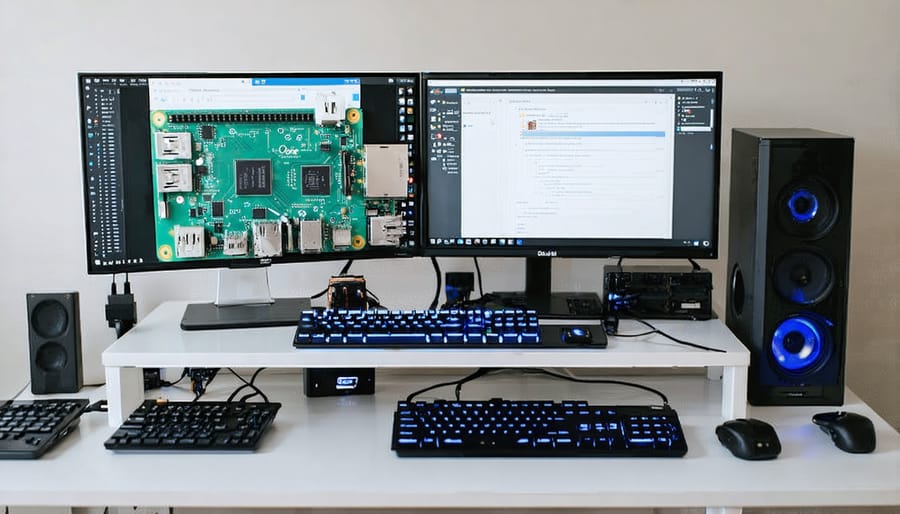
Home Lab Scenarios
Setting up a home lab environment is an excellent way to gain hands-on experience with virtualization and cloud technologies. A basic setup might include a Raspberry Pi running as a hypervisor to host multiple virtual machines, perfect for testing different operating systems or running isolated services. You can create a mini private cloud by connecting multiple Pis in a cluster, enabling you to experiment with load balancing and high availability configurations.
For a more advanced scenario, consider implementing a hybrid cloud setup where your Pi-based home lab connects to public cloud services like AWS or Azure. This allows you to practice cloud integration while maintaining control over sensitive data locally. You might run your web server and database locally while utilizing cloud storage for backups and content delivery.
Another practical scenario involves creating a containerized environment using Docker on your Pi. This setup enables you to run multiple isolated applications efficiently, perfect for hosting a personal wiki, monitoring system, and development environments simultaneously. You can further enhance this by implementing Kubernetes for container orchestration, though with appropriate resource considerations for the Pi’s capabilities.
Security-focused labs are also valuable, where you can practice implementing firewalls, VPNs, and access controls across your virtualized environment. This hands-on experience is invaluable for understanding both the technical and practical aspects of cloud security.
Small Business Applications
Small businesses can significantly benefit from Raspberry Pi-based hybrid cloud solutions, offering a cost-effective way to modernize their IT infrastructure. By combining local Pi servers with public cloud services, businesses can create a flexible and scalable environment that meets their specific needs without breaking the bank.
A typical small business setup might include a Raspberry Pi cluster handling local file sharing, backup services, and basic web hosting, while leveraging cloud services for more demanding applications. This hybrid approach allows businesses to maintain control over sensitive data locally while taking advantage of cloud scalability for public-facing services.
Key applications include:
– Local file server and backup solution
– Internal communication and collaboration tools
– Basic web hosting and development environments
– Network monitoring and security
– Point-of-sale systems
– Customer relationship management (CRM)
To implement this solution, businesses can start with a single Pi for basic services and gradually expand by adding more nodes as needed. Using container technologies like Docker makes it easy to deploy and manage applications across both local Pi servers and cloud platforms. This scalable approach enables small businesses to grow their IT infrastructure organically while maintaining tight control over costs.
The beauty of this setup lies in its flexibility – businesses can easily adjust the balance between local and cloud resources based on their changing needs and budget constraints.
Virtualization and cloud computing on the Raspberry Pi opens up exciting possibilities for learning, experimentation, and practical implementations. Through this exploration, we’ve seen how these technologies can transform a modest single-board computer into a powerful platform for hosting multiple virtual machines and connecting to cloud services.
To get started with your own virtualization journey, begin by testing simple containerization using Docker on your Pi. Once comfortable, progress to running lightweight VMs using QEMU or KVM. Remember to monitor your resource usage carefully and implement proper cooling solutions to maintain optimal performance.
For cloud integration, start small by connecting your Pi to a single cloud service, such as AWS or Google Cloud. As you gain confidence, expand your setup to create a hybrid cloud environment that leverages both local virtualized resources and cloud services. Keep security in mind by regularly updating your systems and implementing strong authentication measures.
The future of Pi-based virtualization looks promising, with continuous improvements in hardware capabilities and software optimization. Whether you’re using your Pi for education, home labs, or small business applications, the combination of virtualization and cloud technologies provides a flexible, cost-effective solution for modern computing needs.
Take the next step by choosing a project that matches your skill level and gradually build upon it. The Raspberry Pi community offers extensive support and resources to help you succeed in your virtualization endeavors.