


Containerization revolutionizes cloud computing by packaging applications and their dependencies into lightweight, portable units that run consistently across any environment. Much like the container technology evolution transformed global shipping, software containers standardize application deployment, making it faster, more reliable, and infinitely scalable. These self-contained environments eliminate the “it works on my machine” problem by ensuring applications run identically from development through production.
For Raspberry Pi enthusiasts, containerization opens up powerful possibilities for running multiple isolated services on a single device, from home automation servers to personal cloud storage solutions. Docker and Kubernetes have made container orchestration accessible even on ARM-based devices, enabling makers to build sophisticated, production-grade applications on modest hardware. This technology bridges the gap between hobby projects and enterprise-level deployment practices, making it an essential skill for modern developers.
What Makes Containers Different from Traditional Virtualization
Container Architecture Basics
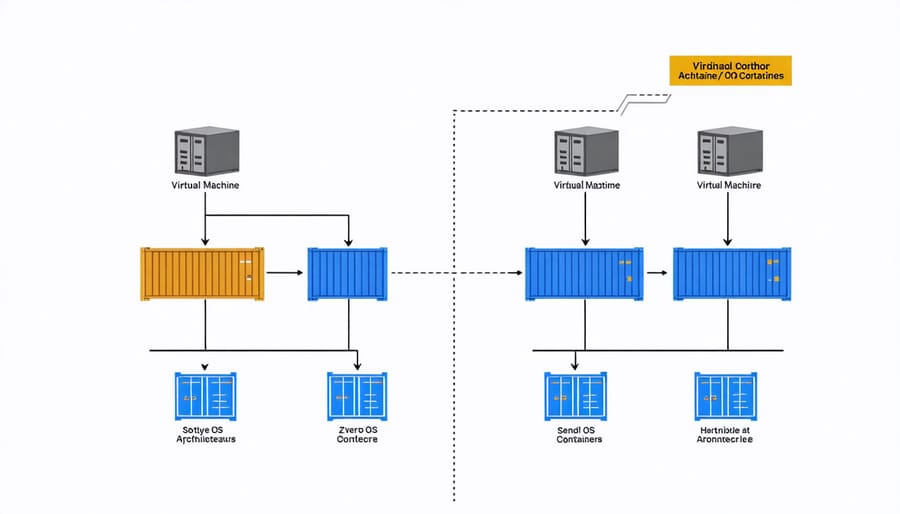
Container architecture on Raspberry Pi follows a layered approach, making it perfect for running lightweight applications. At its core, containers share the host Raspberry Pi’s operating system kernel but run in isolated environments. This design significantly reduces overhead compared to traditional virtual machines.
The basic structure consists of three main components: the container runtime (like Docker), container images, and the containerized applications. The runtime manages container lifecycle, while images serve as blueprints containing everything needed to run an application. These images are particularly optimized for ARM architecture, which is crucial for Raspberry Pi compatibility.
Each container includes necessary application files, libraries, and dependencies, all while maintaining isolation from other containers and the host system. This isolation is achieved through Linux kernel features like namespaces and cgroups, which control resource allocation and process visibility.
For Raspberry Pi users, this architecture offers several advantages: efficient resource usage, easy application deployment, and consistent behavior across different Pi models. The lightweight nature of containers makes them ideal for Pi’s limited resources, allowing you to run multiple applications without overwhelming your device.
Resource Benefits for Pi Projects
Containers offer significant containerization benefits for Pi projects by maximizing limited hardware resources. Through efficient resource allocation, containers allow multiple applications to run simultaneously without overtaxing the Pi’s CPU and memory. Each container shares the Pi’s kernel while maintaining isolation, reducing overhead compared to traditional virtualization. This approach is particularly valuable for Pi projects, where every bit of processing power counts. Containers also enable quick deployment and testing of applications, making it easier to experiment with different configurations without risking system stability. By containerizing applications, Pi enthusiasts can run more services on their devices while maintaining consistent performance and reliability.
Popular Container Solutions for Raspberry Pi
Docker on Raspberry Pi
Docker has revolutionized the way we deploy applications on Raspberry Pi, making it easier to manage and scale projects while efficiently utilizing the Pi’s resources. By running containerized applications, you can isolate different services and ensure consistent behavior across various Pi models and configurations.
Getting started with Docker on Raspberry Pi is straightforward – the platform offers official ARM-compatible images specifically designed for the Pi’s architecture. This compatibility means you can run multiple containers simultaneously, each containing its own environment and dependencies, without overwhelming your Pi’s limited resources.
One of the key advantages of using Docker on Raspberry Pi is the ability to create secure Docker containers that protect your applications and data. The containerization approach also simplifies updating and maintaining your projects, as you can easily swap containers without affecting the rest of your system.
For IoT projects and home automation setups, Docker containers provide an ideal solution for running multiple services like Node-RED, Home Assistant, or Pi-hole simultaneously. The lightweight nature of containers means you can maximize your Pi’s potential while maintaining stable performance and reliable operation.
Alternative Container Platforms
While Docker dominates the container landscape, several compelling alternatives offer unique advantages for different use cases. Podman stands out as a daemonless container engine that’s particularly suitable for Raspberry Pi projects, offering enhanced security through rootless containers and native systemd integration. It’s compatible with Docker commands, making it an easy transition for those familiar with Docker.
LXC (Linux Containers) provides a different approach, offering system containers that feel more like traditional virtual machines while maintaining the lightweight nature of containerization. This makes LXC an excellent choice for running multiple isolated Linux environments on your Raspberry Pi.
Other notable options include containerd, a lightweight runtime used by Kubernetes, and rkt (Rocket), which emphasizes security and simplicity. For Raspberry Pi enthusiasts working with limited resources, these alternatives can provide better performance and lower overhead compared to traditional Docker installations.
When choosing an alternative platform, consider factors like system requirements, community support, and compatibility with your existing workflows and tools.
Real-World Applications
Home Server Applications
Containerization has revolutionized home server applications, making it easier than ever to deploy and manage various services. Popular platforms like Plex Media Server, Home Assistant, and Nextcloud can be quickly deployed as containers, ensuring they run independently without conflicts. Using Docker containers, home server enthusiasts can set up a complete media streaming solution with Plex, Sonarr, and Radarr working seamlessly together.
For home automation, containers enable the smooth operation of platforms like Home Assistant alongside complementary services such as Node-RED and Mosquitto MQTT broker. These containerized solutions ensure that each service remains isolated, making updates and maintenance significantly more straightforward.
Network management tools like Pi-hole for network-wide ad blocking and Traefik for reverse proxy can also be containerized, providing essential infrastructure services without the complexity of traditional installation methods. For data backup and synchronization, containers running Nextcloud or Syncthing offer secure, self-hosted alternatives to cloud storage services.
The beauty of containerization in home server applications lies in its portability and ease of management. Using tools like Docker Compose, users can define their entire home server stack in a single configuration file, making it simple to back up, restore, or migrate services between different machines.
Development and Testing
Containers revolutionize the development process by creating consistent environments across different machines and platforms. When developers work on Raspberry Pi projects, they can package their applications along with all dependencies, libraries, and configuration files into a single container. This ensures that the application runs exactly the same way whether it’s on a development machine, testing environment, or production server.
Using containerization tools like Docker, developers can create a standardized development environment that matches the production setup. This eliminates the common “it works on my machine” problem and streamlines collaboration among team members. Each developer can pull the same container image and start working with identical configurations, regardless of their local setup.
For testing purposes, containers provide isolated environments where new features can be tested without affecting the main application. Multiple versions of an application can run simultaneously on the same Raspberry Pi, making it easier to perform A/B testing or validate updates before deployment.
Containers also simplify the continuous integration and continuous deployment (CI/CD) pipeline. Automated tests can run in containers that mirror the production environment, ensuring reliable test results and smooth deployments.
Best Practices for Pi Containerization
When containerizing applications on Raspberry Pi, following established best practices ensures optimal performance and reliability. Start by choosing lightweight base images specifically optimized for ARM architecture, such as Alpine Linux or Debian Slim, to minimize resource usage on your Pi’s limited hardware.
Always implement proper resource constraints in your container configurations. Set appropriate memory limits and CPU shares to prevent any single container from overwhelming your Pi’s resources. A good rule of thumb is to allocate no more than 75% of available RAM across all containers.
Multi-stage builds are particularly important for Pi containerization. This approach significantly reduces final image size by separating build dependencies from runtime requirements. Additionally, make use of Docker’s build cache by ordering your Dockerfile commands from least to most frequently changing.
Security should never be compromised. Run containers as non-root users whenever possible and regularly update base images to patch vulnerabilities. Consider implementing read-only file systems for production containers to prevent unauthorized modifications.
Keep your containers focused and minimal. Each container should serve a single purpose, making them easier to maintain and update. Use volume mounts for persistent data storage rather than storing data within containers, and implement proper logging mechanisms to monitor container health.
Remember to optimize your container networking. Use host networking mode when possible to reduce overhead, especially for performance-critical applications running on the Pi’s limited resources.
Containerization in cloud computing represents a revolutionary approach to application deployment and management, offering unparalleled flexibility and efficiency for developers and system administrators alike. By adopting containerization, organizations can significantly reduce infrastructure costs, accelerate deployment cycles, and ensure consistent application behavior across different environments. Whether you’re working with a Raspberry Pi for personal projects or managing enterprise-level applications, containers provide a standardized, portable solution that scales with your needs. The time is right to embrace containerization technology – start small with a basic container setup on your Pi, experiment with different configurations, and gradually expand your containerization strategy as you become more comfortable with the technology. The future of cloud computing is container-native, and getting started today will position you well for tomorrow’s technological landscape.