


Transform your Raspberry Pi cluster into a powerful edge computing platform with Kubernetes, bringing cloud-native capabilities to your local network. Edge computing with Kubernetes revolutionizes how we process data by moving computational power closer to data sources, reducing latency and bandwidth usage while enhancing privacy and control.
Modern IoT applications demand real-time processing and immediate response – capabilities that traditional cloud computing can’t always deliver efficiently. By deploying Kubernetes at the edge using Raspberry Pi devices, organizations can process data locally, maintain autonomous operations during network outages, and significantly reduce cloud computing costs.
The convergence of Kubernetes and edge computing on Raspberry Pi creates an ideal learning environment for experimenting with distributed systems. Whether you’re building a smart home monitoring system, implementing industrial IoT solutions, or developing edge AI applications, this lightweight yet powerful combination provides enterprise-grade orchestration capabilities in a cost-effective package.
This guide explores the practical implementation of Kubernetes edge computing on Raspberry Pi, from initial cluster setup to advanced deployment strategies, helping you harness the full potential of edge computing while maintaining the flexibility and scalability that Kubernetes is renowned for.
Why Edge Computing Matters for Raspberry Pi
Edge Computing Advantages
Edge computing brings several crucial edge computing performance benefits that make it particularly valuable for Raspberry Pi deployments. The most significant advantage is reduced latency, as data processing occurs closer to the source rather than traveling to distant cloud servers. This near-instantaneous response time is essential for real-time applications like IoT sensors, surveillance systems, and industrial automation.
Another key benefit is bandwidth optimization. By processing data locally, edge computing significantly reduces the amount of information that needs to be transmitted to central servers. This not only saves network resources but also helps manage costs, especially in scenarios with limited connectivity or expensive data plans.
Edge computing also enhances reliability and autonomy. Even if internet connectivity is interrupted, edge devices can continue operating independently, ensuring critical processes remain functional. This distributed approach to computing provides better scalability and resilience, making it ideal for Raspberry Pi clusters running Kubernetes in remote or challenging environments.
Raspberry Pi as an Edge Device
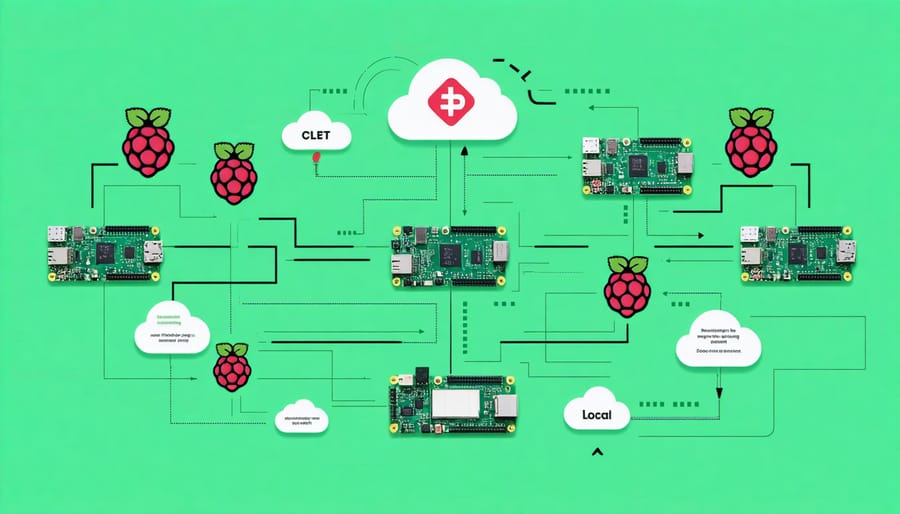
The Raspberry Pi’s compact size, low power consumption, and impressive computing capabilities make it an ideal candidate for edge computing deployments. With its ARM-based architecture and ability to run Linux-based operating systems, the Pi can efficiently handle containerized workloads while operating at the network edge. The device’s GPIO pins enable direct interaction with sensors and actuators, making it perfect for IoT scenarios where data processing needs to happen close to the source.
What makes the Raspberry Pi particularly suitable for Kubernetes edge computing is its cost-effectiveness and flexibility. A cluster of Raspberry Pis can be set up for a fraction of the cost of traditional server hardware, while still providing essential features like network connectivity, storage options, and processing power. The latest Raspberry Pi 4 model, with up to 8GB of RAM, can comfortably run lightweight Kubernetes distributions and manage containerized applications at the edge.
The device’s robust community support and extensive documentation make it easier for teams to troubleshoot issues and implement edge computing solutions. When combined with Kubernetes, Raspberry Pis can form powerful edge computing nodes that handle local processing, reduce latency, and minimize data transfer to central cloud services.
Setting Up Kubernetes on Your Raspberry Pi
Hardware Requirements
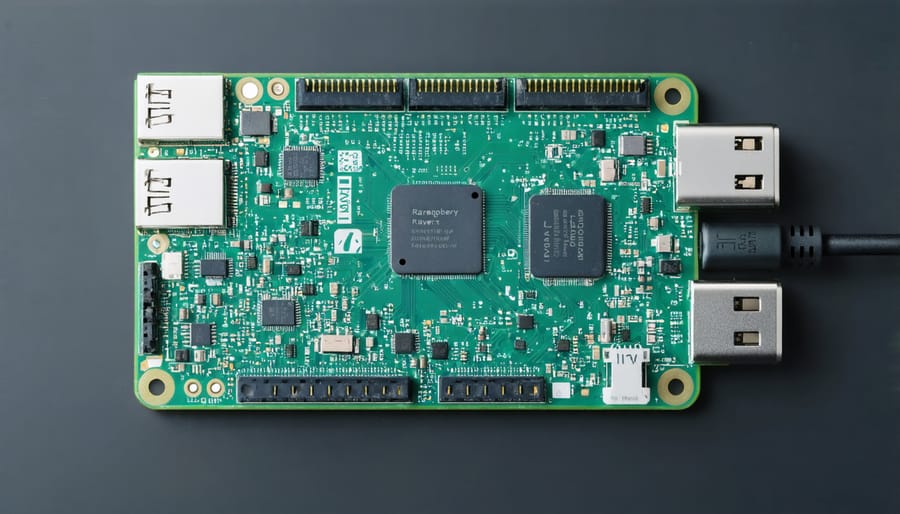
To implement Kubernetes for edge computing, you’ll need a minimum of three nodes: one master node and two worker nodes. For the master node, we recommend a device with at least 2GB RAM and a quad-core processor, such as a Raspberry Pi 4 Model B with 4GB or 8GB RAM. Worker nodes can function with 2GB RAM, though 4GB is optimal for better performance.
Storage requirements include a minimum of 32GB microSD card for each node, though 64GB is recommended for additional container storage. Use high-quality, Class 10 microSD cards to ensure reliable performance and longevity.
Networking hardware is crucial – you’ll need a reliable Gigabit Ethernet switch and Cat 6 cables for interconnecting nodes. While Wi-Fi is possible, wired connections provide better stability for your cluster. A dedicated power supply (5.1V/3A) for each Raspberry Pi is essential to prevent power-related issues.
For development and management, you’ll also need a separate computer running Linux, macOS, or Windows to serve as your control station. This machine should have sufficient processing power and memory to run management tools and handle cluster operations efficiently.
Installation Steps
To get started with Kubernetes edge computing on your Raspberry Pi cluster, follow these straightforward installation steps. Before proceeding, ensure you have completed the basic containerization setup on all your nodes.
First, install k3s on your master node by running:
“`bash
curl -sfL https://get.k3s.io | sh –
“`
Once completed, retrieve your node token from:
“`bash
sudo cat /var/lib/rancher/k3s/server/node-token
“`
For worker nodes, execute the following command, replacing [NODE_TOKEN] and [MASTER_IP] with your actual values:
“`bash
curl -sfL https://get.k3s.io | K3S_URL=https://[MASTER_IP]:6443 K3S_TOKEN=[NODE_TOKEN] sh –
“`
Verify your cluster setup by running:
“`bash
kubectl get nodes
“`
To enable edge computing capabilities, install the required components:
“`bash
kubectl apply -f https://raw.githubusercontent.com/kubeedge/kubeedge/master/build/crds/devices/devices_v1alpha2_device.yaml
kubectl apply -f https://raw.githubusercontent.com/kubeedge/kubeedge/master/build/crds/devices/devices_v1alpha2_devicemodel.yaml
“`
Configure your edge nodes by creating a config.yaml file:
“`yaml
kind: EdgeNode
metadata:
name: edge-node-1
spec:
kubernetes:
masterIP: “[MASTER_IP]”
nodeName: “edge-node-1”
“`
Finally, apply your configuration:
“`bash
kubectl apply -f config.yaml
“`
Monitor the deployment status using:
“`bash
kubectl get pods –all-namespaces
“`
These steps establish a basic Kubernetes edge computing environment on your Raspberry Pi cluster. Remember to adjust network settings and security configurations according to your specific requirements.
Common Setup Issues
When setting up Kubernetes for edge computing on Raspberry Pi, several common issues can arise during the initial configuration. Network connectivity problems often top the list, typically caused by incorrect IP configurations or firewall settings. To resolve these, double-check your network settings and ensure all nodes can communicate properly.
Memory constraints are another frequent challenge, as Kubernetes cluster management can be resource-intensive. Consider disabling unnecessary services and optimizing your container configurations to free up memory.
Container runtime errors may occur if Docker or containerd isn’t properly installed or configured. Verify that your container runtime is compatible with your Kubernetes version and properly initialized on all nodes.
DNS resolution issues can also impact cluster functionality. Ensure your DNS settings are correct and that CoreDNS is running properly. If pods can’t resolve domain names, check your kube-dns configuration and network policies.
Finally, watch for certificate-related problems, which often manifest during initial setup. Keep your certificates up to date and properly configured across all nodes to maintain secure cluster operations.
Edge Computing Applications with Kubernetes
IoT Data Processing
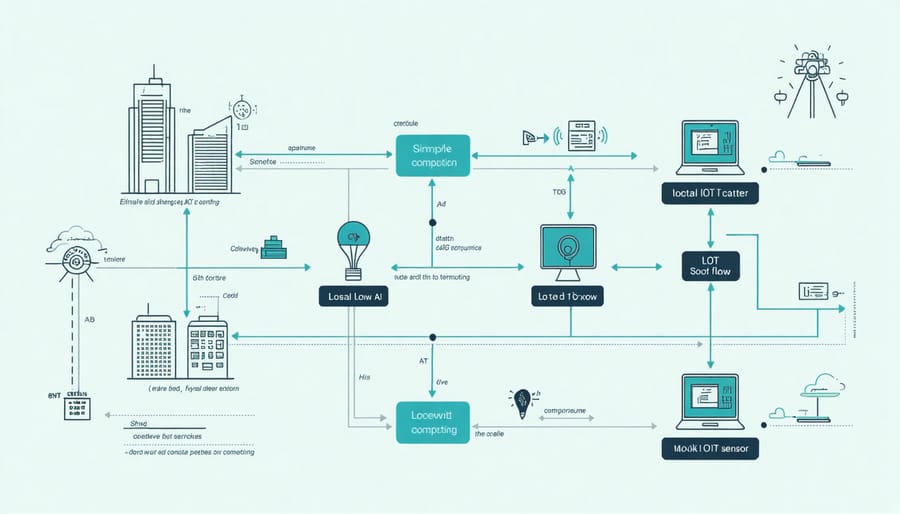
Processing IoT sensor data at the edge is crucial for reducing latency and bandwidth usage while ensuring real-time data analysis. In a Kubernetes edge computing setup, you can implement efficient data processing workflows using a combination of containerized applications and custom resources.
A typical IoT data processing pipeline on the edge starts with a data collector pod that interfaces directly with your sensors. This pod can be configured to gather data from various protocols like MQTT, CoAP, or simple REST APIs. For optimal performance, deploy these collector pods on worker nodes closest to the sensor networks.
To handle the incoming data stream, implement a lightweight message queue using tools like Redis or RabbitMQ. These queues act as buffers, preventing data loss during peak sensor activity. Follow this with processing pods that can filter, aggregate, and analyze the data locally. This approach significantly reduces the amount of data that needs to be sent to the cloud.
Consider implementing a time-series database like InfluxDB for temporary storage of processed data. This allows for local data retention and query capabilities while maintaining a small footprint suitable for edge devices. Use Kubernetes StatefulSets to manage these database instances, ensuring data persistence across pod restarts.
For critical alerts and anomaly detection, deploy lightweight machine learning models within your processing pods. These models can run inference at the edge, triggering immediate actions when necessary. Configure horizontal pod autoscaling based on CPU and memory metrics to handle varying sensor data loads efficiently.
Remember to implement a data retention policy that regularly archives or deletes processed data to prevent storage overflow on your edge devices. Only send summarized or critical data to your central cloud storage for long-term analysis and backup.
Local AI Processing
One of the most compelling applications of edge computing with Kubernetes is running machine learning models directly on edge devices. This approach enables real-time inference without the latency and bandwidth constraints of cloud-based processing. By deploying containerized ML models to edge nodes, organizations can process data closer to the source, ensuring faster response times and improved privacy.
For Raspberry Pi clusters running Kubernetes, popular frameworks like TensorFlow Lite and ONNX Runtime are excellent choices for edge AI processing. These lightweight versions of machine learning frameworks are specifically optimized for resource-constrained devices. You can package these models in containers and deploy them using Kubernetes, allowing for easy scaling and management across your edge network.
A typical setup involves pre-training models in the cloud, converting them to an optimized format, and deploying them to edge devices using Kubernetes deployments. This workflow enables applications like real-time image recognition, sensor data analysis, and predictive maintenance right at the edge. For example, a Raspberry Pi cluster could process camera feeds for motion detection or analyze IoT sensor data for anomaly detection without sending sensitive data to the cloud.
To optimize performance, consider using hardware acceleration when available. The Raspberry Pi 4’s ARM processor supports various optimization techniques, and tools like Edge TPU can further enhance ML inference speed. Kubernetes makes it easy to manage these deployments through resource allocation and scheduling policies, ensuring your AI workloads run efficiently across your edge infrastructure.
Performance Optimization Tips
When optimizing Kubernetes edge computing performance on Raspberry Pi clusters, it’s essential to focus on resource efficiency and container orchestration scaling. Start by implementing proper resource limits and requests for your containers to prevent any single pod from consuming excessive resources and affecting other workloads.
Use lightweight base images specifically optimized for ARM architecture. Alpine-based images are particularly effective for Raspberry Pi deployments, as they minimize resource overhead while maintaining functionality. Consider implementing horizontal pod autoscaling based on CPU and memory metrics to efficiently manage workload distribution.
Enable node-level monitoring using tools like Prometheus and Grafana to track system performance. This helps identify bottlenecks and optimize resource allocation. Configure proper network policies to minimize unnecessary traffic between pods and implement service mesh solutions only when required, as they can add significant overhead on resource-constrained devices.
Cache frequently accessed data at the edge nodes to reduce latency and network traffic. Implement proper storage classes that are optimized for SD card I/O operations, and use tmpfs for temporary storage needs to reduce wear on the SD cards.
Consider using taints and tolerations to ensure critical workloads are scheduled on nodes with appropriate resources. Implement pod anti-affinity rules to distribute workloads evenly across your cluster nodes, preventing resource contention on individual Pis.
To maintain optimal performance, regularly update your Kubernetes components and container images, but test updates in a staging environment first. Use rolling updates with appropriate health checks to ensure zero-downtime deployments. Finally, implement proper logging levels and rotate logs regularly to prevent storage exhaustion on your edge devices.
Kubernetes edge computing with Raspberry Pi offers an accessible entry point into the world of distributed computing and containerization. We’ve explored how this powerful combination enables efficient workload management, real-time processing, and reduced latency at the network edge. By following the setup guidelines and best practices outlined above, you can build a robust edge computing infrastructure that scales with your needs.
To take your edge computing journey further, consider experimenting with different workload types, implementing additional security measures, and exploring advanced Kubernetes features. Remember to regularly update your cluster components and monitor system performance. Whether you’re building a home lab or prototyping an enterprise solution, the skills you’ve learned here provide a solid foundation for more advanced edge computing projects.
Stay curious and keep exploring the endless possibilities of Kubernetes edge computing on Raspberry Pi!