

In the interest of transparency, we earn a commission on some purchases made through links on this site. As an Amazon Associate I earn from qualifying purchases.
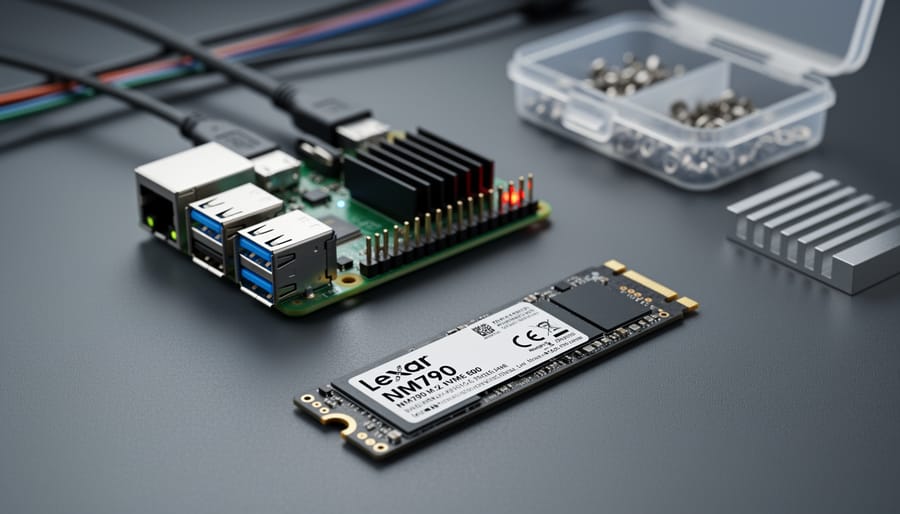
The Lexar NM790 M.2 NVMe SSD delivers PCIe Gen4 performance at a budget-friendly price point, making it a solid choice for Raspberry Pi 5 users who want to boost storage speed without overspending. Available in 1TB, 2TB, and 4TB capacities, this drive strikes a practical balance between cost and capability for most Pi projects, from home servers to media centers. If you’re running a Raspberry Pi 5 and looking to move beyond microSD cards, the NM790 offers read speeds that can transform your experience, but choosing the right capacity and understanding how it stacks up against alternatives like the Samsung 990 SSD or Western Digital options requires knowing what matters for your specific use case.
The challenge with NVMe drives for Raspberry Pi projects isn’t just picking the fastest spec sheet. You need to consider power draw (the Pi 5 has limits), physical fit with HAT boards or cases, and whether you’re paying for performance your project will actually use. A 4TB drive might seem appealing, but if you’re building a retro gaming console, you’d be better served by a smaller, lower-power option that leaves headroom for accessories.
This guide breaks down the NM790 lineup across all three capacities, compares it head-to-head with proven alternatives, and walks you through the buying criteria that actually matter for Pi projects. You’ll learn which capacity offers the best value, how the NM790 performs against drives like the WD_Black 4TB SN7100 NVMe Internal Gaming SSD Solid State Drive and the common mistakes that trip up first-time NVMe buyers on Raspberry Pi platforms.
Understanding NVMe Storage for Raspberry Pi Projects
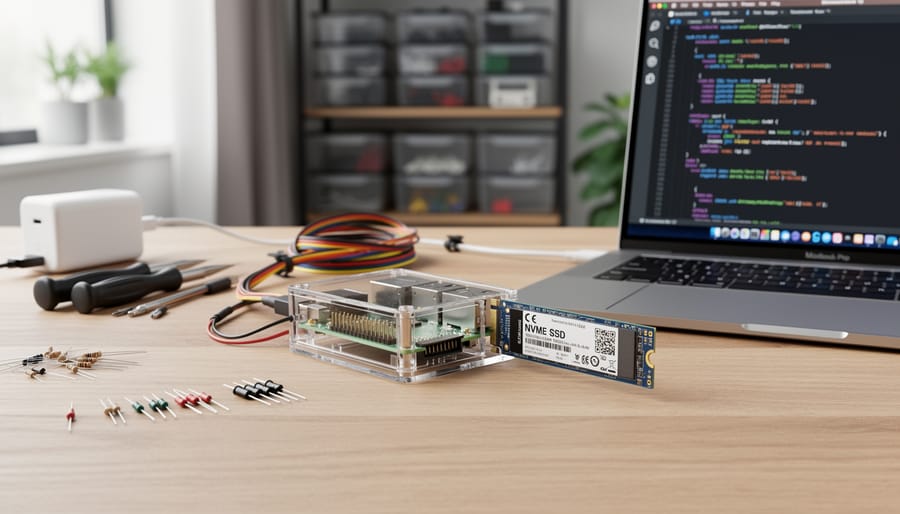
NVMe (Non-Volatile Memory Express) is a high-speed storage protocol that connects directly to your Raspberry Pi’s PCIe bus, delivering dramatically faster data access than SD cards or USB drives. Think of it as a dedicated express lane for your storage data, while older interfaces are stuck in stop-and-go traffic.
For Raspberry Pi users, NVMe represents a fundamental upgrade from microSD card limitations. SD cards typically max out around 90 MB/s read speeds and suffer from random I/O bottlenecks that make your Pi feel sluggish during multitasking. NVMe drives, by contrast, can deliver thousands of MB/s in sequential reads and handle many more operations per second, transforming how your Pi responds to everyday tasks.
The practical benefits stack up quickly when you move to NVMe:
- Boot times drop from 30-40 seconds on SD cards to under 10 seconds
- Application launches feel instant rather than stuttering through load screens
- Database queries and file operations complete 10x faster for data-intensive projects
- System updates and package installations no longer drag on for minutes
- Media servers stream high-bitrate content without buffering or transcoding delays
Not all Raspberry Pi models support NVMe equally. The Raspberry Pi 5 introduced native PCIe support through its HAT+ connector, making NVMe storage straightforward with official accessories. Earlier models (Pi 4, Pi 3) require USB-to-NVMe adapters, which limits you to USB 3.0 speeds rather than true PCIe performance. You’ll get better throughput than SD cards this way, but you won’t tap the full potential of Gen4 drives.
Mass storage accessories like the official M.2 HAT+ bridge the connection gap. These adapters handle the physical mounting and electrical interface, letting you boot directly from an M.2 2280 NVMe drive. Combined with a kernel speed boost and firmware updates, this setup turns your Pi into a proper workstation for compiling code, running AI models, or hosting development environments without the constant wait.
Key Factors When Choosing an NVMe SSD for Raspberry Pi
Choosing the right NVMe drive for your Raspberry Pi project requires balancing several interconnected factors. Get one wrong and you’ll either overspend on capabilities you can’t use or bottleneck your build with inadequate storage. Start with capacity, which should align with your actual data needs rather than aspirational ones. A media server streaming locally stored content needs far more storage than a DNS server or development environment. For basic projects, Pi-hole, lightweight containers, coding environments, 512GB is plenty. Media libraries, NAS builds, and machine learning workloads justify 1TB or 2TB, while intensive applications like Plex servers with large 4K collections push toward 4TB.
Performance specifications matter less than you might think for most Pi projects. The Raspberry Pi 5’s PCIe 2.0 interface caps real-world transfer speeds around 500 MB/s, meaning a drive rated at 7400 MB/s won’t deliver that headline figure. However, PCIe Gen4 drives still make sense because they handle random read/write operations better than older Gen3 models, which translates to snappier system responsiveness during multitasking. Don’t chase sequential speed numbers alone; look for drives with strong 4K random performance if you’re running databases or containerized applications.
| Capacity | Best For | Power Draw | Thermal Consideration |
|---|---|---|---|
| 512GB-1TB | Basic servers, dev environments, learning builds | 2-3W typical | Passive heatsink usually sufficient |
| 2TB | Media servers, NAS, multi-container setups | 3-4W under load | Heatsink recommended for sustained use |
| 4TB | Large media libraries, AI datasets, development archives | 4-5W peak | Active cooling may be needed in enclosed cases |
Form factor is non-negotiable: your Pi needs an M.2 2280 drive (22mm wide, 80mm long) to fit standard NVMe HATs and adapters. Single-sided drives with components on one PCB face work best for compact enclosures with tight clearances.
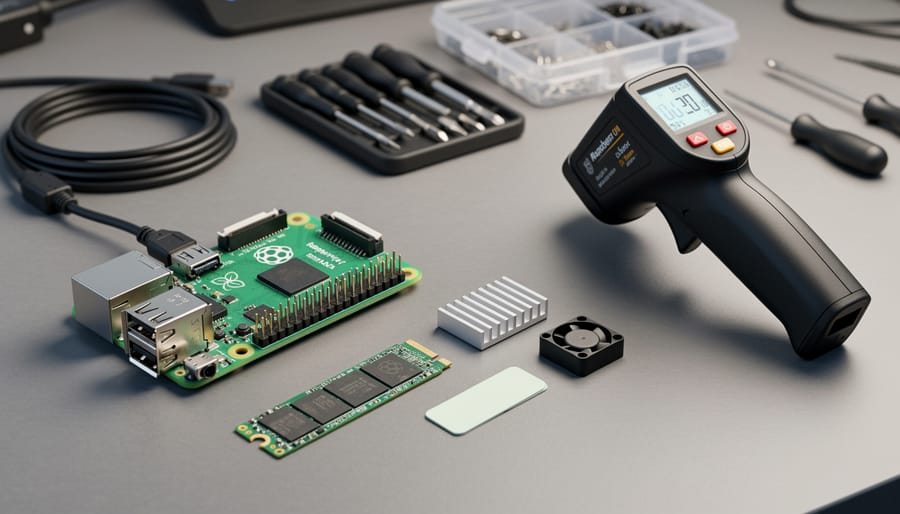
Thermal management becomes critical when you push these drives hard. NVMe SSDs throttle performance when they overheat, and enclosed Pi cases trap heat efficiently. Drives with integrated heatsinks handle burst workloads better, but sustained heavy writes, think torrenting or continuous recording, benefit from proper airflow. Check our cooling for speed strategies or explore active cooling tips if you’re building a performance-focused system.
Power consumption matters for battery-powered or solar projects where every watt counts. Most M.2 NVMe drives draw 2-5W under load, which is manageable for standard Pi power supplies but adds up quickly when you’re running off a battery bank. Budget realistically: entry-level 512GB drives start around $70-80, 1TB models run $80-110, and 2TB options land in the $150-180 range. The 4TB tier stretches to $220 but delivers the best cost per gigabyte for storage-hungry projects.
Comparing NVMe SSD Types and Form Factors
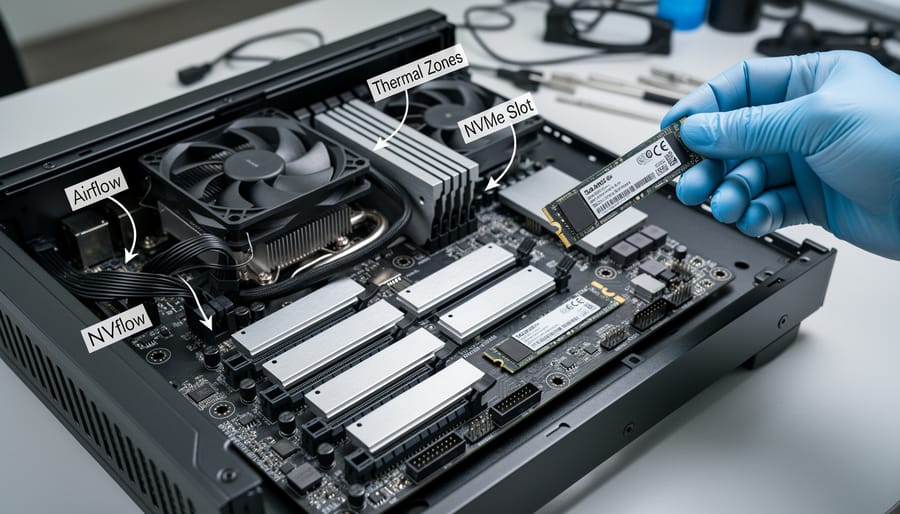
When you’re selecting NVMe storage for your Raspberry Pi, understanding the different drive types and configurations helps you match hardware to your project’s demands. The M.2 2280 form factor (22mm wide, 80mm long) is standard for Raspberry Pi NVMe accessories, but the variations within that spec matter more than you might expect.
The bare drive versus heatsink choice affects thermal performance directly. A bare NVMe drive runs hotter under sustained load, which can trigger thermal throttling during large file transfers or continuous write operations. If you’re building in an enclosure with limited case airflow a drive with an integrated heatsink maintains consistent speeds longer. For open-air setups or projects with intermittent storage access, bare drives work fine and cost less.
PCIe generation creates a performance ceiling. Gen3 drives typically max out around 3,500 MB/s read speeds, while Gen4 drives like the NM790 reach 7,400 MB/s. For a PCIe Gen4 comparison specific to Pi 5 applications, real-world benefits show up in database operations, video editing workflows, and container deployments where you’re moving gigabytes regularly. If you’re running a basic web server or RetroPie, Gen3 delivers plenty of headroom at lower cost.
| Drive Type | Best Use Cases | Thermal Characteristics |
|---|---|---|
| Bare Gen4 Drive | Open builds, budget-focused projects, light workloads | Runs warmer, may throttle in enclosed cases |
| Gen4 with Heatsink | Media servers, AI workloads, continuous operation | Better sustained performance, handles enclosed builds |
| Gen3 Drive | General computing, web hosting, retro gaming | Lower heat output, adequate for most Pi projects |
Capacity tiers from 512GB to 4TB determine project scope. A 512GB drive handles operating system, development tools, and modest datasets. Media servers streaming 4K content or storing a substantial Plex library justify 2TB or larger. AI experimentation with multiple model variants and training datasets pushes you toward 4TB territory. The price-per-gigabyte improves as you move up the capacity ladder, but only invest in space you’ll actually use within the next year.
Lexar 1TB NM790 SSD

The Lexar 1TB NM790 with heatsink sits in the sweet spot for most Raspberry Pi 5 projects. Its 7400 MB/s read and 6500 MB/s write speeds leverage the Pi 5’s PCIe Gen3 interface while leaving headroom for future upgrades, and the included heatsink keeps temperatures stable during sustained workloads without requiring additional thermal solutions.
What makes this drive particularly appealing for Pi builders is the pre-installed heatsink. Raspberry Pi cases often lack generous airflow, and the NM790’s low-profile aluminum spreader dissipates heat passively, maintaining consistent performance during long compile jobs or continuous media streaming. The M.2 2280 form factor fits standard Pi NVMe HATs and adapter boards without modification.
This capacity tier handles a surprisingly wide range of projects:
- Media servers with room for several hundred 1080p films or thousands of music files
- Docker container environments hosting multiple services simultaneously
- Development workstations with full Linux desktop environments and build tools
- Retro gaming stations storing extensive ROM libraries across multiple platforms
- AI and machine learning projects requiring dataset storage and model training space
The drive’s PCIe Gen4 x4 interface delivers more bandwidth than the Pi 5 can currently utilize, but that overhead translates to lower queue depths and reduced latency under load. Content creators using the Pi for video editing benefit from the sequential write speeds, which keep pace with 4K footage ingestion and timeline scrubbing.
With a 4.8 out of 5 rating from 1,295 customers, owners consistently praise the NM790’s reliability and thermal performance. The heatsink variant proves particularly popular among Pi enthusiasts who’ve experienced throttling with bare drives in compact cases. For makers stepping up from microSD cards or SATA SSDs, the performance jump is immediately noticeable in boot times and application responsiveness. The 1TB model strikes the right balance between capacity and cost for projects that demand speed without requiring multi-terabyte storage.
SAMSUNG 990 SSD
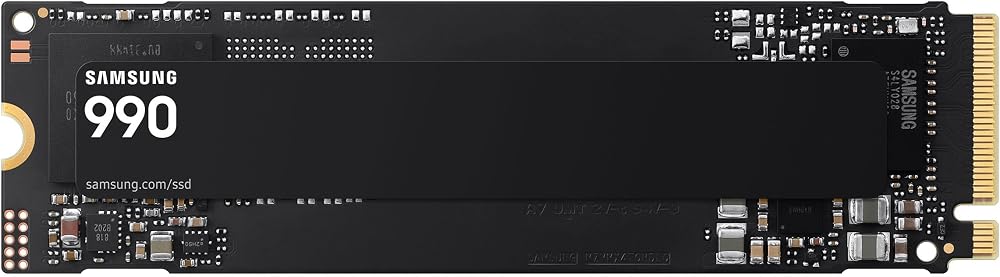
The Samsung 990 series represents a premium tier in the NVMe market, offering enterprise-grade reliability that Raspberry Pi builders should consider for projects where data integrity and consistent performance outweigh budget concerns. While the Lexar NM790 delivers exceptional value with its 7400/6500 MB/s speeds, the Samsung 990 brings a different set of strengths rooted in Samsung’s vertical integration, they manufacture their own controllers, NAND flash, and DRAM.
Performance differences between the Samsung 990 and NM790 are nuanced rather than dramatic for most Raspberry Pi workloads. Both use PCIe Gen4, and both will saturate the Pi 5’s available bandwidth in real-world scenarios. Where the Samsung 990 pulls ahead is sustained write performance under heavy load and more aggressive thermal throttling prevention, which matters if you’re running continuous logging, 24/7 network attached storage, or database-heavy applications on your Pi.
The 4.6/5 customer rating reflects Samsung’s track record for longevity. Users report drives lasting through years of constant operation with no performance degradation, a critical factor for headless Pi servers where drive replacement means significant downtime. The Samsung Magician software, while less useful on Linux-based Pi systems, does provide firmware updates that address potential issues before they become critical.
When does the extra investment make sense? Consider the Samsung 990 if your Pi project handles irreplaceable data without robust backup systems, if you’re building a commercial product where warranty support matters, or if you need predictable performance for time-sensitive tasks like home automation hubs. For learning projects, media servers with backed-up content, or experimental builds, the NM790 offers better cost per gigabyte without meaningful performance compromise. The Samsung premium buys peace of mind and proven endurance, not necessarily faster day-to-day operation on Raspberry Pi hardware.
Lexar 2TB NM790 NVMe SSD w/Heatsink
The 2TB NM790 with heatsink doubles your storage capacity while maintaining the same 7400/6500 MB/s read/write speeds that make the 1TB model attractive. This larger capacity tier transforms what you can build with your Raspberry Pi, particularly for projects that handle substantial data volumes over time.
Media server applications benefit immensely from the 2TB configuration. If you’re running Plex, Jellyfin, or Kodi on a Raspberry Pi 5, the extra terabyte means storing hundreds of hours of 1080p video locally without constant file management. The NVMe performance ensures smooth streaming to multiple devices simultaneously, while the integrated heatsink manages the thermal load during extended playback sessions in compact Pi cases.
Network-attached storage builds represent another sweet spot for this drive. A Raspberry Pi 5 with the 2TB NM790 can serve as a surprisingly capable home NAS, handling backup duties for several computers or storing a family photo library that spans years. The Gen4 interface keeps transfer speeds high when moving large files across your network.
AI and machine learning enthusiasts working with datasets, models, and training outputs will appreciate having room to experiment. Computer vision projects, language models, and dataset preprocessing all generate significant intermediate files. With 2TB available, you won’t constantly archive and restore data as you switch between experiments.
The heatsink proves its worth during sustained workloads. Whether you’re transcoding video, training models, or running database operations, the aluminum spreader keeps temperatures in check without requiring active cooling that would add noise and power draw to your Pi setup.
Customer satisfaction reflects the drive’s reliability at this capacity point. With a 4.8 out of 5 rating from 1,300 buyers, users consistently praise the combination of capacity, speed, and thermal management. The value proposition strengthens at 2TB, you’re getting double the storage for typically less than double the 1TB price, making this the capacity tier many Pi builders consider their baseline for serious projects.
SANDISK Optimus 5100 500GB NVMe SSD

The SanDisk Optimus 5100 500GB represents the budget-conscious entry point for Raspberry Pi builders ready to make the jump to NVMe storage without overspending on capacity they don’t yet need. This drive delivers PCIe 4.0 performance in the standard M.2 2280 form factor, making it compatible with the same HATs and adapters used by larger drives. While SanDisk doesn’t publish headline sequential speeds for this model, the PCIe 4.0 interface provides ample bandwidth for typical Pi workloads like web servers, retro gaming emulators, and learning projects where you’re experimenting with different operating systems.
The 500GB capacity hits a sweet spot for makers who want room to grow beyond microSD limitations but aren’t building media servers or storing large datasets. You can comfortably run multiple operating systems, install development tools, and keep a modest collection of project files without constantly monitoring free space. This size works particularly well for educational builds where you’re learning Linux administration, testing containers, or running lightweight databases.
With a 4.7 out of 5 rating from 218 customers and current in-stock availability, the Optimus 5100 shows the kind of reliability you want in a learning environment. Users consistently report stable performance and trouble-free operation, which matters more than benchmark numbers when you’re focused on completing projects rather than chasing maximum throughput. The drive handles the random read/write patterns of operating system tasks smoothly, delivering noticeably faster boot times and application launches compared to SD cards.
This drive makes the most sense if you’re building your first NVMe-equipped Raspberry Pi and want to test the waters before committing to larger, pricier options. It’s not the choice for serious media storage or AI workloads, but it excels as a reliable foundation for compact projects where 500GB covers your realistic needs.
Lexar ARES 512GB SSD M.2 2280 PCIe Gen4x4 NVMe 1.4

The Lexar ARES 512GB positions itself as a stepping-stone option within Lexar’s lineup, targeting Raspberry Pi builders who want Gen4 performance without jumping to the NM790’s higher capacities. It shares the same PCIe Gen4x4 NVMe 1.4 interface as its NM790 siblings, meaning it plugs into the same M.2 2280 slots and works with identical HATs and adapters on Pi 5 builds.
Where the ARES differs is in its focus on compact, budget-conscious projects. The 512GB capacity strikes a balance for single-purpose Pi applications, think retro gaming stations with moderate ROM libraries, lightweight home automation hubs, or learning environments where you’re experimenting with different operating systems but don’t need terabytes of headroom. If your project involves minimal media storage and stays within a specific scope, this drive delivers Gen4 speeds without paying for capacity you won’t use.
The 4.6 out of 5 rating from 404 customers suggests solid reliability in its intended role. Users appreciate the ARES for what it is: a competent entry point that doesn’t sacrifice interface standards or thermal performance. It won’t match the sustained throughput of larger NM790 models in write-heavy workloads, but for read-intensive Pi tasks like booting operating systems, loading applications, or serving files to a small network, the Gen4 interface still provides meaningful advantages over SATA alternatives.
This drive makes sense when you’ve mapped out your storage needs and know 512GB fits your project timeline. It’s ideal for first-time NVMe builders testing the waters, prototype builds where capacity requirements are predictable, or secondary Pi systems that complement a larger primary setup. Skip it if you’re planning media server work or data collection projects where storage needs tend to expand over time.
WD_Black 4TB SN7100 NVMe Internal Gaming SSD Solid State Drive

The WD_Black 4TB SN7100 sits at the premium end of the storage spectrum for Raspberry Pi builders who need massive capacity for demanding applications. This gaming-grade drive delivers sequential read speeds up to 7,250 MB/s and write speeds around 6,900 MB/s, placing it among the fastest PCIe Gen4 options available. While the SN7100’s gaming pedigree targets high-performance PC builds, its 4TB capacity makes it compelling for Raspberry Pi projects that handle enormous datasets, extensive media libraries, or multi-container development environments where storage constraints would otherwise force compromises.
The 4TB capacity transforms what’s possible on a Raspberry Pi 5. You can build a complete Plex media server with room for thousands of high-bitrate movies without rationing space, run multiple virtual machines for testing and development work, or maintain comprehensive local backups alongside your working files. The drive’s endurance rating and consistent performance under sustained workloads prove more relevant than peak gaming benchmarks when your Pi operates as a 24/7 home server or network-attached storage solution.
The impressive 4.6-star rating from over 6,600 customers reflects solid real-world reliability across diverse use cases, though few buyers deploy this drive specifically in Raspberry Pi projects. Most reviews focus on desktop gaming performance, but the underlying qualities, thermal stability, consistent speeds, and long-term durability, translate directly to Pi applications. At current pricing, the 4TB model costs roughly twice what you’d pay for the 2TB NM790, making it a clear choice only when you genuinely need the extra capacity rather than chasing performance upgrades alone.
Lexar Thor Pro

The Lexar Thor Pro 1TB positions itself as a performance-focused alternative within Lexar’s lineup, delivering up to 6,000 MB/s read speeds through its PCIe Gen4 NVMe interface. While this makes it slightly slower on paper than the NM790’s 7,400 MB/s peak, the Thor Pro’s strength lies in sustained workloads rather than burst performance, a characteristic that matters when your Raspberry Pi is handling continuous data operations like video editing buffers, database queries, or compiling large codebases.
The M.2 2280 form factor maintains compatibility with the same NVMe HATs and adapters you’d use for the NM790, making it a drop-in alternative for builders already committed to the Lexar ecosystem. With a 4.7 out of 5 rating from 208 customers, the Thor Pro has earned solid marks from users who appreciate its reliability during extended sessions. This makes it worth considering for projects where your Pi runs intensive tasks over hours rather than minutes, think media transcoding servers or development environments where you frequently upgrade your OS and rebuild containers.
The trade-off comes down to your specific use case. If you’re building a general-purpose Pi with mixed workloads, the NM790’s higher peak speeds offer better value. But for sustained-write scenarios, continuous logging, real-time data capture, or heavy development work, the Thor Pro’s thermal design and performance consistency justify the comparison. It’s currently in stock, giving it an edge when availability matters for time-sensitive builds. Consider it when your project demands steady throughput over flashy benchmark numbers.
Lexar NM790 1TB Internal SSD

The bare Lexar NM790 1TB (model LNM790X001T-RNNNG) delivers identical 7400/6500 MB/s read/write performance to its heatsink-equipped sibling but ships without any thermal solution. This version suits Pi builders who plan their own cooling strategy or work with cases that include integrated heatsink contact pads. The drive uses the same PCIe Gen4x4 NVMe 1.4 controller and M.2 2280 form factor, so it drops into any standard NVMe adapter or HAT designed for Raspberry Pi 5.
The 4.7/5 rating from 1,278 customers reflects satisfaction with the drive’s balance of speed and value, though some Pi users report the need for supplementary cooling under sustained workloads. Tom’s Hardware describes the NM790 as an all-around excellent PCIe 4.0 NVMe SSD that works great in laptops, desktops, or PS5, and those attributes translate directly to Raspberry Pi applications where thermal headroom allows. For enclosed builds or projects that tax the drive continuously (video editing, database operations), the heatsink version offers simpler peace of mind.
Choose the bare model when you’re integrating a custom cooling solution, using a case with built-in thermal pads, or running lighter workloads where passive convection suffices. The performance ceiling remains unchanged, but you take responsibility for managing heat in exchange for potential cost savings and flexibility in tight installations where a pre-attached heatsink might interfere with adjacent components or case clearances.
Common Mistakes to Avoid When Buying NVMe for Raspberry Pi
The wrong storage drive can cripple a Raspberry Pi project before it starts. Many builders rush into purchasing an NVMe SSD without checking crucial compatibility details, leading to wasted money and frustrating troubleshooting sessions.
The most common error is buying the wrong form factor. The Lexar NM790 and most Pi-compatible drives use the M.2 2280 standard (22mm wide, 80mm long), but some builders accidentally order 2242 or 2260 drives that won’t fit standard NVMe HATs and adapters. Always verify the 2280 specification before checkout.
Power requirements trip up even experienced makers. High-performance drives can draw more current than a Raspberry Pi 5’s PCIe slot supplies under load, causing random disconnects or boot failures. Check your chosen SSD’s power consumption specifications and ensure your power supply delivers adequate amperage. The official Raspberry Pi 27W power adapter is the baseline; anything less invites instability.
Thermal management becomes critical in enclosed cases. A bare NVMe drive like the standard Lexar NM790 can throttle performance when temperatures climb, particularly during sustained writes. If your project involves a closed case without airflow, either choose a model with an integrated heatsink or budget for a separate thermal solution. Ignoring this leads to inconsistent performance that’s maddeningly difficult to diagnose.
- Verify M.2 2280 form factor compatibility with your specific NVMe HAT or adapter
- Confirm your power supply provides sufficient amperage for both Pi and SSD under load
- Plan thermal management before installation, especially for enclosed builds
- Check your Pi model supports NVMe (Pi 5 native, Pi 4 requires USB adapter)
- Match capacity to actual project needs rather than buying maximum storage
- Verify PCIe generation support between drive, adapter, and Pi model
Capacity mismatches waste money in both directions. A 4TB drive for a basic RetroPie station is overkill, while a 512GB model will choke a media server within months. Calculate your actual storage needs with headroom rather than guessing. Finally, remember that only the Raspberry Pi 5 has native PCIe support through its HAT connector. Earlier models require USB-based adapters, which eliminate the speed advantage of PCIe Gen4 drives entirely.
Main Options Compared
When building a Raspberry Pi 5 with NVMe storage, you’re choosing between three core capacity tiers, each serving distinct project scales. The 512GB-1TB range handles everyday Pi applications, media streaming, home automation, and development environments, with the Lexar NM790 1TB and Samsung 990 representing the sweet spot for most makers. Both deliver PCIe Gen4 speeds around 7,400 MB/s read, but the Samsung commands a premium for its proven reliability in mission-critical builds while the NM790 offers comparable performance at better value.
The 2TB tier expands headroom for media servers, NAS projects, and AI workloads where dataset size matters. The Lexar NM790 2TB maintains the same 7,400/6,500 MB/s performance as its 1TB sibling, essentially doubling capacity without sacrificing speed, a straightforward upgrade path.
At the top end, 4TB drives like the WD_Black SN7100 target advanced Pi applications with massive media libraries or multi-boot development setups. These gaming-grade drives bring sustained performance under heavy loads, though they stretch budgets and may exceed the thermal envelope of compact Pi cases without active cooling.
The practical trade-off is simple: match capacity to your largest anticipated project rather than current needs, but don’t overspend on performance your Pi can’t fully utilize.
Frequently Asked Questions
Only the Raspberry Pi 5 and Compute Module 4 natively support NVMe drives through PCIe interfaces. Earlier models like the Pi 4 need USB-to-NVMe adapters or HAT boards to connect M.2 drives, which limits speed to USB 3.0 bandwidth (around 400 MB/s). If you’re running a Pi 5, you’ll need an M.2 HAT or compatible board like the official Raspberry Pi M Key HAT to mount the drive, while older models require either USB adapters or specialized expansion boards that convert USB to M.2.
Do all Raspberry Pi models support NVMe storage?
No. Only the Raspberry Pi 5 and Compute Module 4 have native PCIe support for NVMe drives. Earlier models like the Pi 4 require USB-to-NVMe adapters that cap speeds at USB 3.0 bandwidth.
How much capacity do I really need for my Pi project?
For basic projects and learning builds, 512GB works fine. Media servers and retro gaming setups benefit from 1-2TB, while AI workloads, development environments, and large media libraries justify 2-4TB.
Is PCIe Gen4 worth it for Raspberry Pi?
On Pi 5, yes. The PCIe Gen3 interface limits theoretical speeds, but Gen4 drives like the NM790 still deliver real-world performance gains over Gen3 models and offer better value in 2026.
Do I need a heatsink with my NVMe drive?
For enclosed cases or sustained workloads (file transfers, video encoding, database operations), a heatsink prevents thermal throttling. Open-air setups with passive airflow can often skip it, but it adds reliability.
Gaming SSDs work perfectly with Raspberry Pi. There’s nothing “gaming-specific” beyond marketing, they’re just consumer NVMe drives with the same M.2 2280 form factor and PCIe interface. The WD_Black and similar gaming-branded drives often feature better endurance ratings and sustained write performance, which benefits Pi projects with heavy disk activity. Just verify the drive uses PCIe Gen3 or Gen4 NVMe protocol and the 2280 form factor.
Installing an NVMe drive on Pi 5 requires the M.2 HAT or compatible board. Power down your Pi completely, attach the HAT to the GPIO header or dedicated PCIe slot (depending on the accessory), insert the M.2 drive at a slight angle into the HAT’s slot, then secure it with the included standoff screw. You’ll need to configure the Pi’s boot order in the EEPROM settings to prioritize NVMe over the SD card, which you can do through raspi-config or by editing the boot configuration file before first boot. The entire physical installation takes under five minutes once you have the right HAT.
Choosing the right NVMe SSD for your Raspberry Pi comes down to matching storage capacity and performance to your project’s demands. The Lexar NM790 series delivers exceptional value across its 1TB, 2TB, and 4TB range, combining PCIe Gen4 speeds with proven reliability that over 4,000 customers have rated highly. Whether you’re building a media server, development workstation, or AI project, the NM790 offers the performance headroom Pi 5 users need without the premium pricing of enterprise alternatives.
Start by honestly assessing your capacity requirements. A 1TB drive handles most projects comfortably, while 2TB suits media libraries and multitasking builds. Reserve 4TB for extensive data collection or professional development environments. Consider thermal management early: the heatsink models provide peace of mind in enclosed cases, though bare drives work fine with adequate airflow.
The beauty of NVMe on Raspberry Pi is how it transforms project potential. Faster boot times, snappier application launches, and smoother multitasking unlock capabilities that microSD cards simply can’t deliver. Pair a quality drive with the right HAT or adapter, verify your Pi model’s compatibility, and you’ll experience a noticeable upgrade in responsiveness. Your choice of storage shapes every interaction with your Pi, so invest wisely in a drive that grows with your ambitions.