

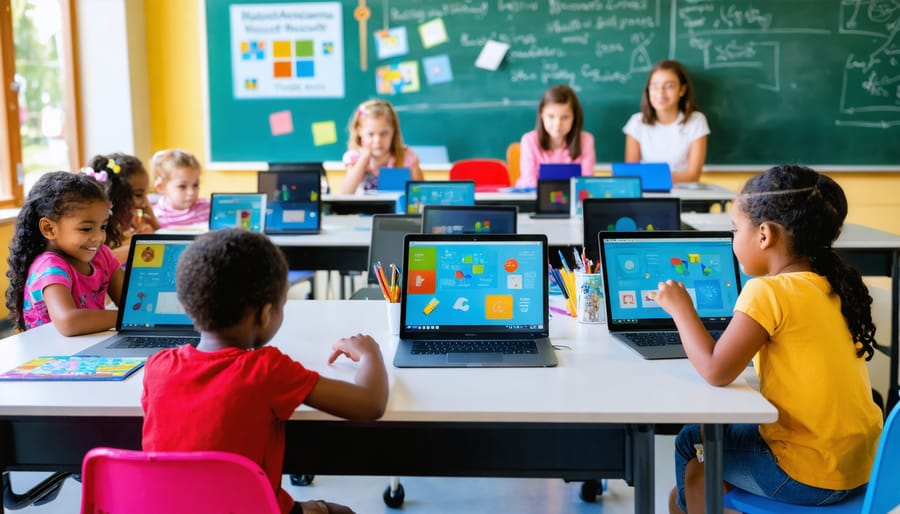
Transform your school’s technology landscape through free computer programs that are revolutionizing educational access across America. Major tech companies, government initiatives, and non-profit organizations now offer comprehensive solutions to bridge the digital divide, providing students with essential tools for modern learning.
Leading programs like Microsoft’s Tech for Schools and Google’s Education Grants deliver not just hardware, but complete ecosystems including software, training, and technical support. Schools receiving these resources report up to 40% improvement in student engagement and measurable gains in STEM performance within the first academic year.
The impact extends beyond traditional subjects – students develop crucial digital literacy skills, programming capabilities, and project management experience that prepare them for future careers. With 65% of tomorrow’s jobs requiring advanced digital skills, these free computer initiatives serve as a gateway to student success in the modern workforce.
For administrators and educators ready to embrace this digital transformation, the process has become streamlined and accessible. From single-classroom solutions to district-wide deployments, various programs now cater to institutions of all sizes and needs, making technology integration more achievable than ever.
Why Single-Board Computers Are Perfect for Schools
Cost-Effective Learning
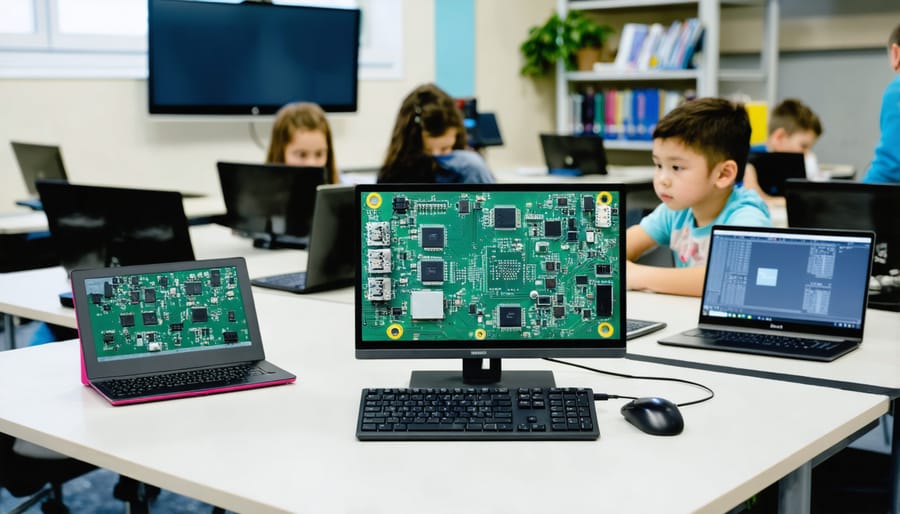
When comparing costs with traditional computer labs, single-board computers offer remarkable savings while delivering desktop-level computing power. A typical school computer can cost between $500-$1000, while devices like the Raspberry Pi start at just $35. For a classroom of 30 students, this translates to potential savings of up to $29,000 – funds that can be redirected toward other educational resources.
Beyond initial hardware costs, these computers consume significantly less power, reducing electricity bills by up to 90% compared to traditional desktop setups. Their minimal maintenance requirements and durable design mean fewer replacement costs over time. Additionally, many educational software options are freely available through open-source communities, eliminating expensive licensing fees.
Schools can further maximize value by using these devices for multiple purposes – from basic programming classes to creating innovative STEM projects, robotics labs, and digital media centers. This versatility ensures a higher return on investment while providing students with hands-on experience in various technology fields.
Real-World Programming Experience
Students gain invaluable hands-on experience through structured programming activities and practical project applications using these free computers. They start with basic Python programming, creating simple games and animations that build confidence while teaching fundamental coding concepts. As they progress, students explore physical computing by connecting LED lights, sensors, and buttons to their single-board computers, learning how software interfaces with hardware in real-world scenarios.
These hands-on experiences extend beyond individual projects to include team-based challenges where students collaborate on solving real-world problems. For example, classes have created automated greenhouse monitoring systems, weather stations, and even simple robots. These projects not only reinforce programming concepts but also develop critical thinking and problem-solving skills.
Teachers report that students show increased engagement when working with physical computing devices, as they can immediately see the results of their code in action. This immediate feedback loop helps maintain student interest and makes abstract programming concepts more concrete and understandable.
Available Programs and Resources
Grant Programs
Several grant programs are available to help schools acquire computers and technology equipment at no cost. The U.S. Department of Education offers multiple competitive grants through the Educational Technology State Grants program, which schools can apply for annually. These grants typically range from $5,000 to $50,000 and can be used for purchasing computers and related equipment.
The E-rate program, administered by the Federal Communications Commission, provides discounts of up to 90% on eligible telecommunications services and internet access for eligible schools. While this program doesn’t directly fund computer purchases, it frees up budget resources that can be allocated to hardware acquisition.
Many large technology companies also offer grant programs specifically for educational institutions. Companies like Google, Microsoft, and Apple provide both monetary grants and equipment donations through their educational initiatives. The Digital Wish Foundation matches schools with corporate donors and provides grant-writing assistance to increase success rates.
To apply for these grants, schools should:
– Maintain updated technology plans
– Document specific needs and implementation strategies
– Form a dedicated grant-writing team
– Meet application deadlines precisely
– Include measurable outcomes in proposals
– Partner with local businesses for matching funds
Regular monitoring of grant opportunities through resources like Grants.gov and the Foundation Center can help schools identify new funding sources as they become available.
Corporate Sponsorship Opportunities
Major tech companies have established robust educational support programs, offering schools valuable opportunities to acquire computer hardware and software. Companies like Google, Microsoft, and Apple lead these initiatives with comprehensive donation programs. Google’s Chrome Education program provides Chromebooks and educational software to qualifying schools, while Microsoft’s Shape the Future program offers significant discounts on Windows devices and free access to Office 365 Education.
Dell’s Learning Labs program specifically targets underserved communities, providing not just hardware but also essential technical support and training resources. Similarly, HP’s Education Edition program works directly with schools to create customized technology solutions that fit within their budgets and educational objectives.
Local tech companies often participate in smaller-scale but equally impactful sponsorship programs. These typically involve direct partnerships with nearby schools, offering both equipment donations and valuable mentorship opportunities. Many corporations also implement matching gift programs, where they double or triple their employees’ charitable donations to educational institutions.
To maximize chances of securing corporate sponsorship, schools should prepare detailed proposals highlighting their specific needs, implementation plans, and expected educational outcomes. Building relationships with corporate social responsibility departments and attending educational technology conferences can open doors to these opportunities. Schools can also explore partnership possibilities through local chambers of commerce and technology industry associations.
Implementation Strategies
Getting Started Guide
Starting a free computer program for your school requires careful planning and execution. Begin by forming a dedicated team of teachers and IT staff who will oversee the implementation process. This team should assess your school’s current technology infrastructure and identify specific needs.
Next, research and identify suitable programs that align with your requirements. Major initiatives like Google’s Computer Science Education Program or Microsoft’s Shape the Future offer various opportunities. Create a detailed proposal outlining your school’s needs, intended use cases, and implementation timeline.
When setting up lab environments, consider factors like space requirements, power supply, internet connectivity, and security measures. Develop a maintenance schedule and assign responsibilities for ongoing system updates and troubleshooting.
Training is crucial for success. Schedule professional development sessions for teachers to familiarize them with the new equipment. Create user guides and documentation for both staff and students, ensuring everyone understands proper usage protocols and safety guidelines.
Establish clear policies for computer use, including internet safety guidelines, acceptable use policies, and equipment care instructions. Implement a tracking system to monitor computer usage and maintenance needs.
Finally, create a feedback loop to gather input from teachers and students about the program’s effectiveness. Regular evaluations help identify areas for improvement and ensure the program continues to meet educational objectives. Remember to document successful outcomes and challenges to help refine the program over time.
Curriculum Integration Ideas
Integrating free computers into your curriculum opens up exciting possibilities across multiple subjects. In computer science classes, students can learn basic programming through Scratch or Python, creating simple games and animations. For mathematics, interactive tools like GeoGebra can make geometry and algebra more engaging, while spreadsheet applications help teach data analysis and statistics.
Science teachers can utilize these computers for virtual lab simulations and data collection projects. Students can connect sensors to measure temperature, light, or motion, creating real-world experiments that combine technology with scientific inquiry. These activities can even lead to exploring advanced AI applications as students progress.
Language arts classes benefit from word processing tools and collaborative writing platforms. Students can create digital storytelling projects, maintain class blogs, or participate in online writing workshops. For social studies, students can access interactive maps, historical databases, and create multimedia presentations about different cultures and time periods.
Art and music teachers can introduce digital creation tools, allowing students to explore graphic design, digital photography, and music composition. Consider creating a “tech rotation” schedule where different classes can access the computer lab for specific project-based learning activities.
For maximum impact, develop cross-curricular projects that combine multiple subjects. For example, students could create a digital museum exhibit that incorporates historical research, creative writing, digital art, and basic coding. This approach helps students understand how technology integration applies across different fields while building essential digital literacy skills.

Success Stories
The success of single-board computer initiatives in schools has been nothing short of remarkable. Take Lincoln Elementary in rural Minnesota, for instance, where a program starting with just 30 Raspberry Pi computers transformed their technology education. Within one year, their students’ coding proficiency increased by 65%, and attendance in STEM-related after-school programs doubled.
In the UK, Thornton Academy made headlines when they equipped their entire Year 7 class with micro:bit computers. The results were impressive: 89% of students reported increased interest in programming, and teachers noted significant improvements in problem-solving skills across multiple subjects, not just computer science.
A particularly inspiring case comes from PS 119 in Brooklyn, New York. Through a combination of grants and community support, they implemented a comprehensive single-board computer program reaching 400 students. The school reported a 40% increase in girls participating in coding activities and saw their students win three regional robotics competitions within two years of the program’s launch.
In developing regions, these initiatives have been equally impactful. A rural school in Kenya partnered with a tech nonprofit to receive 100 refurbished single-board computers. This led to the creation of a student-run tech club that now develops solutions for local agricultural challenges, including an automated irrigation system that’s being implemented by nearby farms.
Martinez Middle School in California took an innovative approach by integrating single-board computers across their curriculum. Science classes use them for data collection and analysis, while art classes employ them for digital creation projects. Their cross-disciplinary approach resulted in a 35% improvement in overall student engagement and a 28% increase in standardized test scores in STEM subjects.
These success stories share common elements: strong teacher training programs, community support, and clear implementation strategies. Schools that achieved the best results typically started with pilot programs in specific grades or subjects before expanding. They also emphasized hands-on learning and real-world applications, making technology education both practical and engaging for students.
The journey to equip schools with free computers is more accessible than ever before, with numerous programs and initiatives available to support educational institutions. By leveraging these opportunities, schools can create dynamic learning environments that prepare students for the digital future while managing budget constraints effectively.
From corporate donation programs to government initiatives and non-profit organizations, the pathways to acquiring free computers are diverse and adaptable to different school needs. The key is to be proactive in researching and applying for these programs while developing a clear implementation strategy that aligns with educational objectives.
Remember that success in obtaining and implementing free computers requires dedication, planning, and community engagement. Start by assessing your school’s specific needs, identifying suitable programs, and preparing compelling applications that highlight your institution’s vision for technology integration. Build relationships with potential donors and organizations in your area, and don’t hesitate to reach out to schools that have successfully implemented similar programs.
Take action today by exploring the resources mentioned in this guide and starting your application process. The digital divide in education can be bridged one computer at a time, and your school could be next to benefit from these valuable opportunities. Your students deserve access to modern technology, and with the right approach, free computer programs can help make that a reality.