

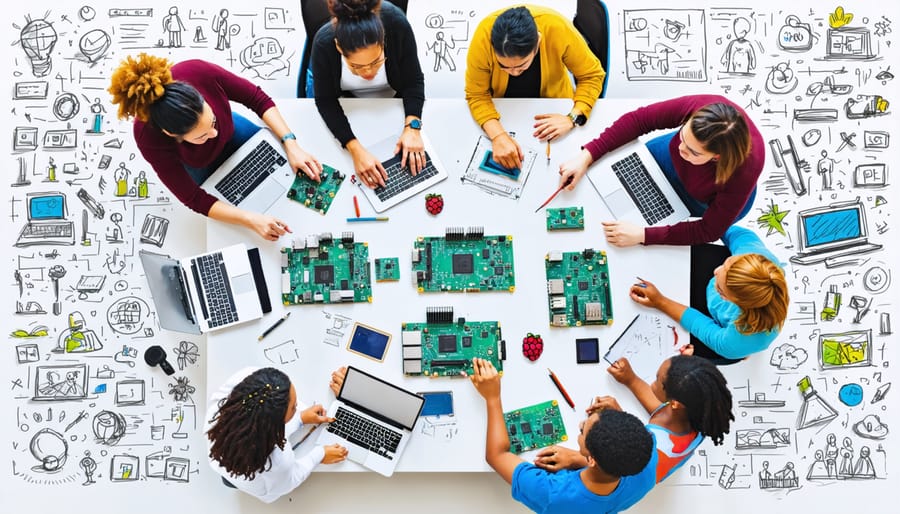
Transform community tech education through DEI-focused Raspberry Pi workshops that break down traditional barriers to STEM learning. By combining hands-on programming exercises with inclusive teaching methods, these interactive sessions create pathways for underrepresented groups to explore computing fundamentals. Set up collaborative coding stations using Raspberry Pi’s affordable hardware platform to demonstrate that technology education can be both accessible and engaging for diverse audiences.
The intersection of DEI principles and practical tech skills offers a powerful framework for authentic learning experiences. Workshop facilitators guide participants through project-based activities designed to accommodate different learning styles, technical backgrounds, and cultural perspectives. From building simple LED circuits to creating community-focused applications, each module emphasizes both technical competency and inclusive collaboration.
Our approach leverages Raspberry Pi’s versatility to create customizable learning environments where participants feel represented and empowered. These workshops don’t just teach coding – they foster dialogue about technology access, cultivate leadership skills, and build confidence across diverse community groups. Through intentional design and culturally responsive teaching methods, DEI workshops using Raspberry Pi technology become catalysts for lasting change in tech education.
Setting Up Your Raspberry Pi for Interactive Workshops
Essential Hardware Components
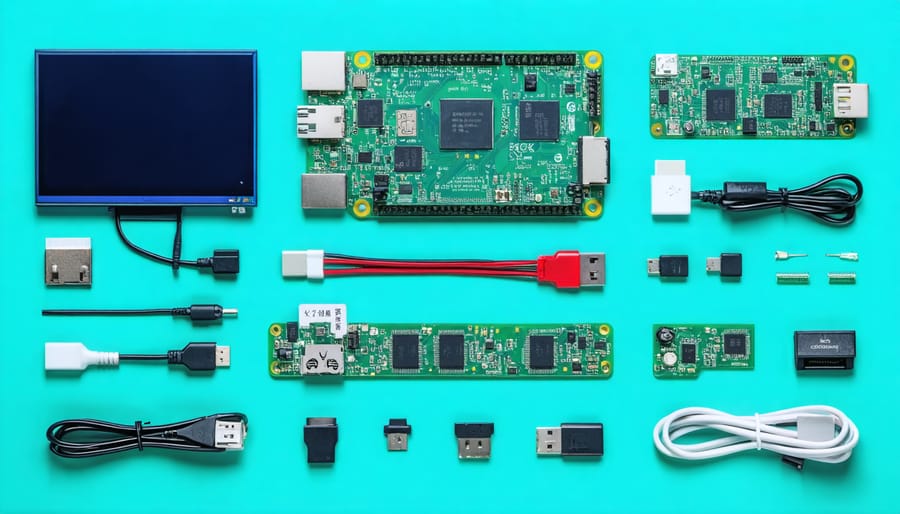
To run effective d.e.i. workshops, you’ll need reliable hardware components that can support interactive learning experiences. The Raspberry Pi 4 Model B (4GB or 8GB RAM) serves as the ideal foundation, offering sufficient processing power for workshop activities. For optimal visibility during group sessions, we recommend a 7-inch official Raspberry Pi touchscreen display or a standard HDMI monitor with at least 1080p resolution.
Essential input devices include a wireless keyboard and mouse combo for facilitator use, plus additional USB keyboards and mice for participant stations. Consider having at least one set per two participants to encourage pair programming and collaborative learning.
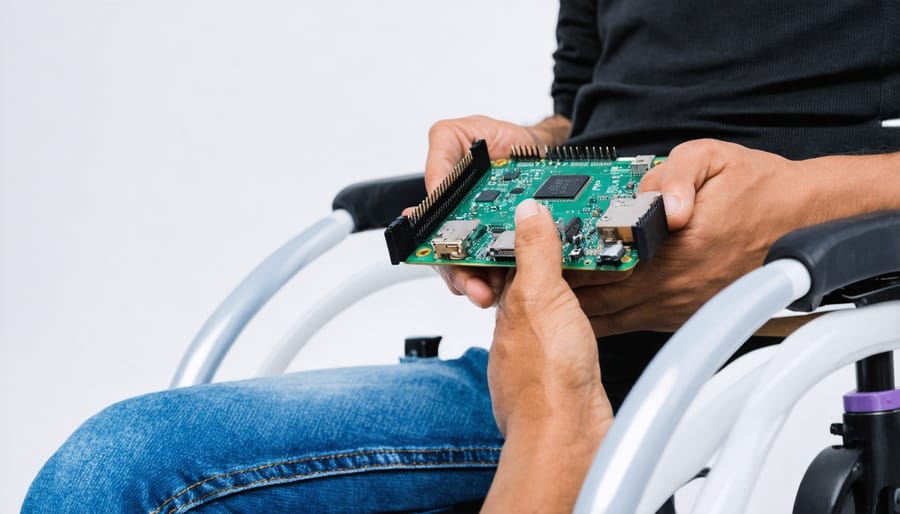
For enhanced accessibility, include adaptive input devices such as large-print keyboards or trackballs. Having a mix of standard and specialized hardware ensures all participants can engage comfortably with the workshop materials.
Don’t forget backup power supplies and appropriate cables (HDMI, USB-C, and power adapters) for each station. We suggest having at least one spare of each component to quickly address any technical issues that might arise during workshops.
Software Installation and Configuration
Before starting your DEI workshop setup, ensure you have all the necessary software components installed and properly configured. Begin by downloading the latest Raspberry Pi OS from the official website and flashing it to your microSD card using the Raspberry Pi Imager tool.
Once you’ve prepared your SD card, connect to your Raspberry Pi and update the system by running ‘sudo apt update’ followed by ‘sudo apt upgrade’ in the terminal.
Install Python 3 and pip if they’re not already included in your OS distribution:
sudo apt install python3 python3-pip
Next, set up the required Python libraries for the workshop activities:
pip3 install numpy pandas matplotlib scikit-learn
For interactive elements, install Jupyter Notebook:
pip3 install jupyter
Configure your workshop environment by creating a dedicated project folder:
mkdir dei_workshop
cd dei_workshop
Finally, test your installation by launching Jupyter Notebook and ensuring all dependencies are working correctly:
jupyter notebook
Remember to document your configuration settings and create a requirements.txt file to help workshop participants replicate the setup seamlessly.
Interactive Workshop Activities Using Raspberry Pi
Collaborative Coding Exercises
Collaborative coding exercises serve as powerful tools for breaking down barriers and fostering inclusive learning environments. These hands-on activities encourage participants to work together on open source Raspberry Pi projects, creating opportunities for meaningful interaction across diverse skill levels and backgrounds.
Start with pair programming exercises where participants take turns as “driver” (typing code) and “navigator” (reviewing and suggesting improvements). This approach helps build communication skills and demonstrates how different perspectives can lead to better solutions. Consider rotating pairs frequently to maximize interaction and knowledge sharing among all workshop participants.
Create coding challenges that require diverse thinking styles and approaches. For example, have teams work on accessibility-focused projects like screen reader compatibility or voice-controlled applications. This not only produces useful solutions but also raises awareness about designing technology for all users.
Implement “code review circles” where small groups collectively review and improve each other’s code. This practice helps overcome imposter syndrome by showing that everyone, regardless of experience level, can contribute valuable insights. Encourage participants to share their unique problem-solving approaches and cultural perspectives that influence their coding decisions.
Set up debugging exercises where teams must collaborate to identify and fix issues in pre-written code. This builds trust and demonstrates how diverse viewpoints can lead to faster problem resolution. Remember to celebrate both successful solutions and learning moments, creating an environment where mistakes are viewed as growth opportunities.

Digital Storytelling Projects
The Raspberry Pi serves as an excellent platform for digital storytelling projects that amplify diverse voices and perspectives within your community. By combining the Pi’s multimedia capabilities with user-friendly interfaces, participants can create compelling narratives that showcase their unique experiences and cultural backgrounds.
To get started, configure your Raspberry Pi with recording equipment like the Pi Camera Module and USB microphones. Install content creation tools such as OpenShot for video editing and Audacity for audio processing. It’s essential to create clear documentation for participants to follow during the workshop.
Set up workstations where small groups can collaborate on their stories. Encourage participants to share personal narratives, cultural traditions, or community experiences through various media formats. The Pi’s affordability and accessibility make it an ideal tool for breaking down technological barriers and ensuring everyone has a voice.
Consider implementing a structured workflow:
– Story planning and storyboarding
– Media capture (photos, videos, audio)
– Basic editing and assembly
– Adding subtitles or translations
– Creating a shared digital archive
Once complete, showcase the stories through a community screening or online platform. This not only celebrates diversity but also builds technical skills and confidence among participants. The resulting collection of stories becomes a valuable resource for future DEI initiatives and community engagement.
Accessibility-Focused Projects
Accessibility-focused projects serve as powerful tools for teaching empathy and understanding while developing practical technology skills. Start with a screen reader simulation exercise where participants use Raspberry Pi to create and test basic web interfaces both with and without proper accessibility markup. This hands-on experience demonstrates the importance of alt text, ARIA labels, and semantic HTML.
Create a color blindness awareness station using Python scripts that process live camera feed to simulate different types of color vision deficiency. Participants can experience firsthand how color choices impact user experience and learn to design with accessibility in mind.
Set up a keyboard navigation challenge where teams must complete common computing tasks without using a mouse. This activity highlights the importance of keyboard shortcuts and proper tab ordering in interface design. Complement this with a project to build custom adaptive switches using the Pi’s GPIO pins, demonstrating how hardware modifications can make technology more accessible.
Include a session on creating audio descriptions for visual content, using the Pi’s text-to-speech capabilities. Participants can practice writing effective descriptions and implement them using simple Python scripts. Finally, organize a collaborative project where teams audit and improve the accessibility of a sample website or application, applying the principles learned throughout the workshop.
Remember to provide accommodation options during these activities, ensuring all participants can engage meaningfully regardless of their own accessibility needs.
Troubleshooting Common Workshop Challenges
Technical Issues and Solutions
When running DEI workshops with Raspberry Pi hardware, several common technical challenges may arise. One of the most frequent issues involves network connectivity issues, particularly when multiple devices are connecting simultaneously. To resolve this, ensure your router can handle the expected number of connections and consider using a dedicated access point for workshop participants.
Display problems are another common hurdle, especially when connecting Raspberry Pis to various monitors or projectors. Keep a collection of different adapters (HDMI, VGA, DVI) on hand, and test connections before the workshop begins. If screens remain blank, try forcing specific resolution settings in the config.txt file.
Software-related challenges often include package installation errors or system freezes during workshops. Maintain an offline repository of essential packages to avoid dependency issues, and create backup SD card images of properly configured systems. This allows quick recovery if problems occur during sessions.
For interactive elements, audio problems can disrupt engagement. Test speaker connections beforehand and adjust audio settings through raspi-config. Keep USB speakers as backup options for larger spaces where built-in audio might not suffice.
Remember to document all technical solutions in a troubleshooting guide specific to your workshop setup, enabling quick resolution of common issues as they arise.
Engagement Strategies
To maintain active participation in DEI workshops using Raspberry Pi, create an inclusive environment where everyone feels comfortable contributing. Start with icebreaker activities that incorporate simple programming concepts, allowing participants to share their unique perspectives while learning basic tech skills.
Consider implementing pair programming exercises where participants rotate partners frequently. This approach helps break down social barriers and encourages knowledge sharing between different experience levels. Ensure that technical terminology is explained clearly, and provide reference materials in multiple formats to accommodate various learning styles.
Address diversity challenges by incorporating real-world examples that represent different communities and use cases. For instance, create projects that solve accessibility issues or develop applications that celebrate cultural diversity. Keep groups small enough for meaningful interaction, ideally 4-6 participants per Raspberry Pi station.
Monitor participant engagement actively and be prepared to adjust the pace or difficulty level as needed. Some participants may need extra support with technical concepts, while others might require more challenging exercises. Create a feedback loop by using digital tools to collect anonymous suggestions and concerns throughout the workshop.
Make sure to celebrate small wins and encourage collaboration over competition. This approach helps build confidence and creates a supportive learning environment where participants feel empowered to explore technology while sharing their unique perspectives and experiences.
DEI workshops powered by Raspberry Pi offer a unique opportunity to bridge technological gaps while fostering inclusive learning environments. Throughout this guide, we’ve explored how these innovative workshops can create meaningful impact across diverse communities and skill levels.
The key to successful implementation lies in careful preparation, thoughtful content design, and a genuine commitment to inclusivity. Remember that the technical setup should support your workshop goals rather than overshadow them. Start small with basic projects and gradually expand as your community grows and develops more advanced skills.
When launching your DEI workshop program, focus on these essential elements:
– Create a welcoming environment that accommodates different learning styles
– Develop clear, accessible documentation for all skill levels
– Establish feedback mechanisms to continuously improve the workshop experience
– Build a support network of mentors and participants
– Maintain flexibility in your approach to address diverse needs
The beauty of using Raspberry Pi for DEI initiatives is its versatility and affordability, making technology education more accessible to underrepresented groups. Whether you’re teaching basic coding concepts or advanced electronics, these workshops can help break down barriers and create opportunities for everyone to participate in the tech community.
Don’t forget to measure and celebrate success along the way. Track participant engagement, gather testimonials, and document progress to demonstrate the impact of your workshops. This data can help secure additional resources and support for future programs.
As you begin implementing these workshops, remember that creating an inclusive tech environment is an ongoing journey rather than a destination. Stay committed to the principles of diversity, equity, and inclusion while remaining open to feedback and adaptation.
Take the first step today by starting small and scaling gradually. Your efforts in creating these workshops can contribute to building a more diverse and equitable tech community for tomorrow. The impact of your initiative may extend far beyond the workshop sessions, inspiring participants to pursue further education and careers in technology.