

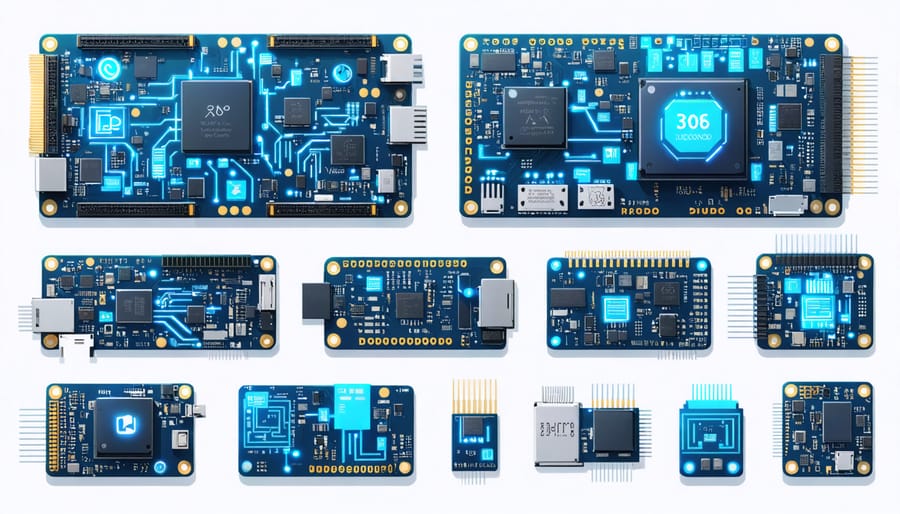
Single board computers with x86 architecture revolutionize edge computing by delivering desktop-class computing power in compact, energy-efficient packages. Unlike ARM-based alternatives, x86 SBCs offer native compatibility with standard PC software, making them ideal for AI/ML development, legacy applications, and industrial automation. These powerful mini-computers bridge the gap between traditional development boards and full-sized workstations, providing enterprise-grade performance without the bulk or expense of conventional hardware.
Modern x86 SBCs feature Intel and AMD processors capable of handling demanding workloads, from real-time data processing to complex machine learning algorithms. With support for standard operating systems like Windows and Linux, developers can leverage familiar tools and frameworks while benefiting from the portability and flexibility of embedded systems. The combination of x86 architecture’s robust instruction set with compact form factors creates unprecedented opportunities for edge computing, IoT applications, and portable development environments.
Choose these versatile platforms to accelerate AI/ML projects, streamline prototyping processes, and deploy sophisticated applications at the edge. Their standardized architecture, extensive software compatibility, and impressive processing capabilities make them invaluable tools for modern technological innovation.
Why x86 Architecture Matters for AI Development
x86 vs ARM for Machine Learning
When it comes to machine learning applications, both x86 and ARM architectures offer distinct advantages. X86 platforms generally provide superior raw processing power and better compatibility with established ML frameworks like TensorFlow and PyTorch. This means faster training times and smoother development workflows, especially when working with complex models.
ARM-based boards, while typically more energy-efficient, may require additional steps for framework compatibility. However, recent developments in ARM-optimized ML libraries have significantly narrowed this gap. The Raspberry Pi 4, for example, now handles many ML tasks admirably through platforms like TensorFlow Lite.
For development ecosystems, x86 boards benefit from decades of software optimization and broader community support. This translates to easier troubleshooting and more readily available resources. ARM platforms counter with growing support from major cloud providers and specialized ML acceleration hardware.
The choice ultimately depends on your specific needs. For prototyping and learning, ARM boards offer an excellent price-to-performance ratio. However, if you’re working on computation-heavy models or need maximum compatibility with existing ML tools, x86 boards might be the better choice.

Native Support for Popular AI Frameworks
One of the biggest advantages of x86-based single board computers is their native support for popular AI frameworks. Unlike ARM-based alternatives, these boards can run TensorFlow, PyTorch, and other machine learning libraries without the need for complex cross-compilation or architecture-specific builds.
TensorFlow and PyTorch installations work straight out of the box on x86 platforms, allowing developers to leverage the full capabilities of these frameworks. This means you can use pre-trained models, create custom neural networks, and deploy AI applications without worrying about compatibility issues or performance limitations.
Other frameworks like Caffe, ONNX Runtime, and Intel’s OpenVINO toolkit are also optimized for x86 architecture, providing excellent performance for inference tasks. Many of these frameworks take advantage of x86-specific instructions and optimizations, resulting in faster training and inference times compared to ARM-based alternatives.
For developers working with computer vision or natural language processing, popular libraries like OpenCV and NLTK also benefit from native x86 support, making these boards ideal for AI prototyping and development.
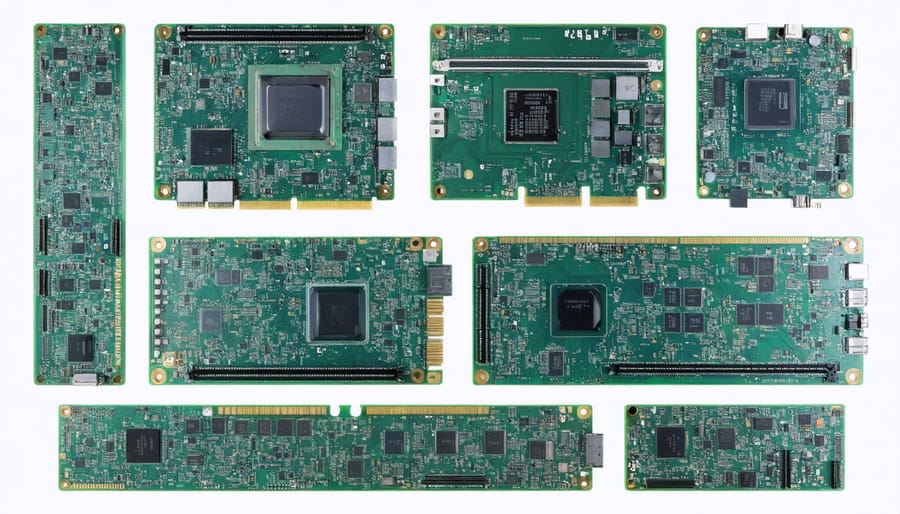
Top x86 Single Board Computers for AI Projects
Budget-Friendly Options Under $200
For those seeking affordable computing solutions, several x86 single board computers offer excellent value under $200. The Atomic Pi stands out as a compelling option, featuring an Intel Atom processor, 2GB RAM, and built-in storage for around $35. This board provides genuine x86 compatibility at a price point competitive with ARM-based alternatives.
Another notable choice is the LattePanda Alpha, which typically sells for around $179 and comes with an Intel Celeron processor. It offers 4GB of RAM and supports full Windows 10 functionality, making it ideal for those transitioning from traditional PCs to embedded systems.
The UP Board series also deserves mention, with their entry-level models starting at approximately $149. These boards feature Intel Cherry Trail processors and are particularly well-suited for IoT projects and basic AI applications.
For makers on an extremely tight budget, the Rock Pi X offers x86 architecture starting at just $99. While it may have more modest specifications, it’s perfect for learning Linux systems and basic programming tasks.
Remember that these budget options still provide real x86 architecture benefits, including compatibility with standard PC software and development tools. They’re excellent starting points for experimenting with x86-based projects without significant financial investment.
Mid-Range Development Boards
Mid-range x86 development boards strike an excellent balance between performance and cost, making them ideal for serious developers and enthusiasts working on demanding projects. These boards typically feature Intel Core i3 or i5 processors, 4-8GB of RAM, and improved connectivity options compared to entry-level alternatives.
Popular options in this category include the UP Squared Pro and UDOO BOLT V8, which offer significant processing power for running complex applications and development environments. These boards usually come with built-in Intel HD Graphics, supporting multiple displays and enabling smooth multimedia performance.
What sets these boards apart is their ability to run full desktop operating systems like Windows 10 and Linux distributions without compromise. This makes them excellent platforms for software development, testing, and deployment. They often include features like M.2 slots for NVMe storage, Gigabit Ethernet, and USB 3.0 ports, providing the flexibility needed for professional development work.
The enhanced processing capabilities make these boards particularly suitable for AI/ML development, containerization, and virtualization tasks. While they command higher prices than basic boards, typically ranging from $200-400, they offer significantly better value for developers who need reliable performance for resource-intensive applications.
Remember that these boards often require active cooling solutions and draw more power than entry-level alternatives, so factor these considerations into your project planning.
High-Performance Solutions
For demanding AI and machine learning applications, several high-performance x86 single board computers stand out from the crowd. The UDOO BOLT V8, powered by AMD Ryzen Embedded V1000 SoC, delivers desktop-class performance in a compact form factor, making it ideal for intensive AI model training and inference. With support for up to 32GB of DDR4 RAM and PCIe expansion capabilities, it handles complex neural networks with ease.
Another premium option is the UP Squared Pro, featuring Intel Core processors and built-in Intel Movidius neural compute engines. This combination provides exceptional AI acceleration while maintaining relatively low power consumption. The board’s dual Gigabit Ethernet ports and multiple USB 3.0 connections ensure smooth data transfer for real-time AI applications.
The LattePanda Alpha, equipped with Intel Core m3 processors, offers a balance between performance and portability. Its integrated Arduino coprocessor makes it particularly suitable for AI-powered robotics and automation projects. The board supports Windows 10 and Linux, providing flexibility in development environments.
These high-end boards typically include advanced features like M.2 slots for NVMe storage, hardware-level security features, and robust power management systems. While they command higher prices than entry-level alternatives, their superior processing power and reliability make them worthwhile investments for professional AI development and research applications.
Setting Up Your x86 SBC for AI Development
Essential Software Setup
Setting up your x86 single board computer begins with choosing the right operating system. Unlike ARM-based boards, x86 SBCs can run standard desktop Linux distributions and Windows, giving you more flexibility. Ubuntu Desktop and Linux Mint are excellent starting points, offering robust package management and extensive software repositories.
For development work, you’ll want to install essential programming tools. Start with a good code editor like Visual Studio Code or Sublime Text, which provide excellent support for multiple programming languages. Python developers should install pip for package management, along with popular data science libraries like NumPy and Pandas.
Docker is particularly valuable for x86 SBCs, allowing you to run containerized applications without compatibility issues. Install Git for version control, and consider setting up an SSH server for remote access to your board.
For monitoring system resources, install htop and CPU-X. These tools help you track performance and ensure your applications run efficiently. If you’re planning AI/ML projects, installing TensorFlow or PyTorch is essential – x86 architecture often provides better compatibility with these frameworks compared to ARM alternatives.
Remember to configure your system’s boot options through the UEFI/BIOS interface, especially if you’re dual-booting or need specific hardware configurations. Many x86 SBCs also benefit from installing appropriate drivers for optimal performance of onboard components.
Performance Optimization Tips
To maximize your x86 single board computer’s performance for AI workloads, start by optimizing your operating system settings. Enable performance mode in your power settings and disable unnecessary background services to free up system resources. Consider using lightweight Linux distributions specifically optimized for AI development.
Memory management is crucial for AI tasks. Configure your swap space appropriately – a good rule of thumb is to set it equal to your physical RAM for intensive workloads. Implement zRAM compression to make better use of your available memory without significant performance penalties.
Take advantage of AI acceleration techniques by utilizing your board’s built-in hardware features. Many x86 boards support Intel’s OpenVINO toolkit, which can significantly boost inference performance. Enable CPU extensions like AVX2 when available, and ensure your AI frameworks are compiled to use these optimizations.
Storage performance can be a bottleneck for AI tasks. Use fast storage devices and consider creating a RAM disk for temporary files during model training. If your board supports it, enable TRIM for SSDs and adjust the I/O scheduler to deadline or noop for better performance.
Temperature management is essential – ensure proper cooling to prevent thermal throttling. Consider adding a small fan or heat sink if your board runs hot during intensive computations. Monitor CPU frequencies and temperatures using tools like lm-sensors to maintain optimal performance levels.
Real-World Applications and Use Cases
X86-based single board computers have found their way into numerous real-world SBC applications, particularly in AI and machine learning projects. One notable example is their use in edge computing solutions for retail analytics, where these devices process customer behavior data and generate real-time insights using computer vision algorithms.
In the industrial sector, companies are deploying x86 SBCs as smart manufacturing controllers. These systems monitor production lines, analyze sensor data, and make automated decisions to optimize manufacturing processes. The x86 architecture’s compatibility with existing industrial software makes these implementations particularly effective.
Educational institutions have embraced x86 SBCs for AI research and teaching. Universities often create compact AI development labs using these boards, allowing students to work on machine learning projects without the need for expensive workstations. The ability to run standard x86 development tools and frameworks makes them ideal for learning environments.
Smart home enthusiasts are using x86 SBCs to create sophisticated home automation hubs. These systems handle multiple tasks simultaneously, from processing security camera feeds with AI-based motion detection to managing smart device networks. The x86 architecture’s processing power enables smooth handling of complex automation scenarios.
Digital signage is another area where x86 SBCs shine. Businesses use these boards to power interactive displays with AI-enhanced features like facial recognition for personalized advertising and gesture control interfaces. The compatibility with Windows and Linux operating systems makes content management straightforward.
Healthcare organizations have implemented x86 SBCs in portable diagnostic equipment. These devices run AI algorithms for preliminary medical image analysis and patient monitoring, providing healthcare professionals with quick insights while maintaining mobility and cost-effectiveness.
Choosing the right x86 single board computer for AI development doesn’t have to be overwhelming. Throughout this article, we’ve explored how these powerful devices offer distinct advantages over ARM-based alternatives, particularly when it comes to machine learning and artificial intelligence applications.
For those just starting their AI development journey, entry-level x86 SBCs like the UP Board or LattePanda provide an excellent balance of performance and affordability. These boards offer native compatibility with popular AI frameworks and tools while maintaining a compact form factor similar to traditional maker boards.
More advanced developers should consider higher-end options like the UDOO BOLT or UP Xtreme, which provide desktop-class performance for demanding AI workloads. The key is to match your board’s capabilities with your specific project requirements, considering factors like processing power, memory capacity, and thermal management.
Remember to factor in your development environment needs – many x86 SBCs support full Linux distributions and Windows, making them incredibly versatile for different AI frameworks and tools. Additionally, consider the available community support and documentation when making your choice, as these resources can be invaluable during development.
Whether you’re building a computer vision system, training machine learning models, or developing natural language processing applications, an x86 SBC can provide the perfect platform for bringing your AI projects to life. Start with your project requirements, consider your budget, and choose a board that gives you room to grow as your skills advance.