

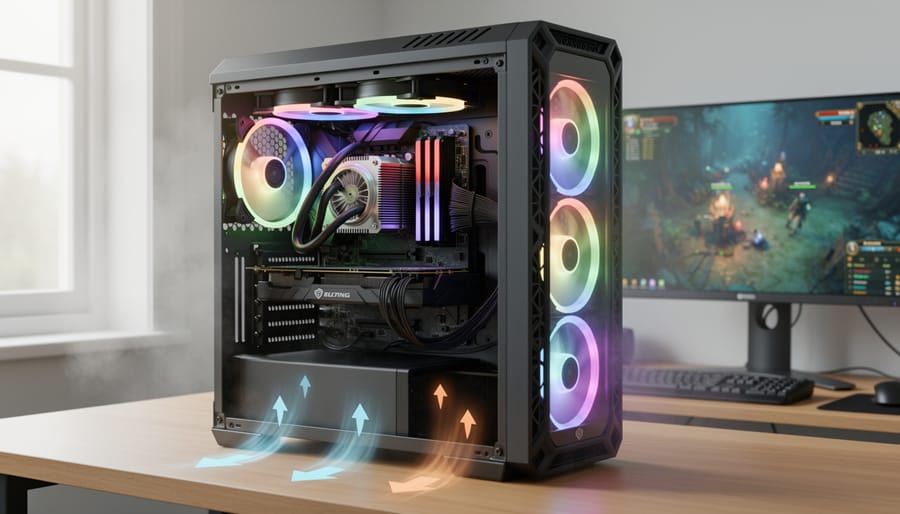
For modded Minecraft servers in 2026, Ubuntu Server 22.04 LTS is a widely used choice on Linux platforms, combining reasonable resource efficiency with straightforward maintenance. Reported comparisons between distributions vary with hardware, kernel version, Java tuning and modpack, so no single distribution can be presented as the fastest for every server.
If you’re researching which of the best Minecraft servers seem worth trying to host, the distribution choice matters more than most guides acknowledge. An unoptimised OS can leave background processes holding memory that would otherwise be available to the Java heap, which can contribute to lag spikes when player counts peak. How much it costs depends on the installation and the services left enabled.
The difference between distributions is not only a matter of raw benchmarks. Ubuntu Server’s kernel scheduler is generally reported to handle sudden CPU bursts predictably, while a rolling-release distribution such as Arch Linux may show a small baseline advantage in exchange for more frequent updates and configuration maintenance. Published figures differ between sources and setups, so any single number is indicative rather than measured here.
Here’s the reality: your distribution choice needs to match your technical comfort level and available maintenance time. A perfectly tuned Gentoo installation will outperform Ubuntu in controlled conditions, but if you lack the expertise to optimize Java garbage collection flags and systemd service priorities, that theoretical advantage evaporates fast.
This guide breaks down five leading Linux distributions across the dimensions that actually impact modded server performance: memory overhead, disk I/O efficiency, network stack optimization, maintenance burden, and compatibility with popular server software like Paper and Forge. We’ll show you which platform fits your specific scenario, whether you’re running a private pack for friends or managing a 50-player community server.
At a Glance: How the Top Three Linux Platforms Compare

The reality for resource-intensive mod packs across different Linux environments is that each platform makes distinct trade-offs between how many services it runs by default, how much control it gives you, and how much hands-on work you’ll need to invest. Understanding these differences upfront saves hours of troubleshooting when your carefully assembled mod pack starts stuttering under load.
| Platform | Release Model | Default Services | Setup Complexity | Best For |
|---|---|---|---|---|
| Ubuntu Server | Fixed LTS releases | Most out of the box | Low | First-time server hosts |
| Debian | Fixed stable releases | Fewer by default | Medium | Long-term dedicated servers |
| Arch Linux | Rolling release | Only what you install | High | Performance-focused admins |
What separates these platforms in practice is how many services they run by default and how much initial setup effort they ask for. Arch installs the fewest components and tracks the newest kernels, which is where any throughput edge would come from, though it asks the most of the administrator. Ubuntu runs more services out of the box and compensates with straightforward installation processes and extensive documentation tailored specifically to Minecraft hosting. Debian splits the difference, offering Ubuntu-style stability with fewer default services at the cost of slightly more manual configuration. On a machine with plenty of RAM to spare for Java, these base system differences matter less than on constrained hardware.
What Each Platform Brings to Your Minecraft Server
Ubuntu: User-Friendly Stability with Regular Updates
Ubuntu strikes an appealing balance for Minecraft server administrators who want performance without spending days configuring their system. Built on Debian’s foundation, Ubuntu benefits from Canonical’s enterprise support and a release schedule designed specifically for server stability.
The LTS (Long Term Support) releases receive five years of security updates and maintenance, which matters when you’re running a server that hosts your community’s world saves and needs to stay online reliably. Ubuntu Server 24.04 LTS ships with sensible defaults that suit Java applications out of the box, so no extensive tweaking is required to get a modded server running smoothly.
What makes Ubuntu particularly popular for Minecraft hosting is its massive community. When you encounter a mod conflict or need to optimize Java garbage collection, you’ll find dozens of current tutorials and forum threads addressing your exact scenario. The apt package manager makes installing and updating Java runtimes straightforward, and PPAs provide access to newer versions when specific mods demand them.
Ubuntu doesn’t chase bleeding-edge kernel versions like Arch, but for most modded servers, this stability proves more valuable than marginal performance gains. You spend less time troubleshooting system updates and more time actually managing your server.
Debian: The Rock-Solid Foundation
Debian’s reputation as the foundation beneath Ubuntu and countless other distributions isn’t just trivia, it directly shapes how it performs as a Minecraft server platform. The project’s unwavering commitment to stability means every package undergoes extensive testing before reaching the stable repositories, typically resulting in release cycles spanning two to three years rather than the six-month cadence you’ll find elsewhere.
This conservative approach translates to servers that simply run. Debian’s stable-release policy limits changes to security updates, which is what lets a modded Minecraft server run for months with no attention beyond routine patching. The platform ships with minimal pre-installed software, giving you maximum control over what consumes system resources alongside your server process.
The trade-off arrives when you need newer Java runtimes or kernel optimizations. Debian stable prioritizes proven reliability over cutting-edge features, which means you’re often running packages that are months or even years behind upstream releases. For server administrators who value predictability and minimal intervention over accessing the latest performance tweaks, this isn’t a limitation, it’s exactly the point. The system won’t surprise you with breaking changes after routine updates, and mod pack compatibility remains consistent across extended periods.
Debian’s minimal bloat philosophy particularly benefits lower-specification hardware, where every megabyte of RAM counts toward maintaining stable TPS under player load.
Arch Linux: Bleeding-Edge Performance and Customization
Arch Linux takes a fundamentally different approach to server deployment: you start with almost nothing and build exactly what you need. Unlike the pre-configured environments of Ubuntu or Debian, Arch gives you a minimal base system and the freedom to add only the components essential for your Minecraft server. This stripped-down philosophy translates directly to less system overhead, fewer background services consuming RAM and CPU cycles that could otherwise go to your mod pack.
The rolling release model means you’re always running the latest kernel versions and optimizations. When Intel releases microcode updates that improve thread scheduling, or when the Linux kernel gains better memory management for Java workloads, Arch users get access within days rather than waiting months for the next Ubuntu LTS point release. Arch systems are reported to show tighter TPS consistency on comparable hardware and mod configurations, particularly with demanding packs that stress chunk generation and entity processing.
But this performance edge comes with real maintenance demands. Rolling updates occasionally break dependencies or require manual intervention during package conflicts. You’ll need comfort with command-line configuration, systemd service management, and troubleshooting when an update disrupts your server setup. Arch rewards technical competence with exceptional performance; it punishes inexperience with downtime and frustration.
Performance Head-to-Head: How Each Platform Handles Demanding Mod Packs
Raw Server Performance and TPS Consistency

When running demanding mod packs with 150+ mods, kernel version and process scheduling make measurable differences in how smoothly your Minecraft server handles tick processing. Arch Linux’s rolling-release model tracks the latest mainline kernels (often 6.10+), and newer kernel schedulers such as EEVDF are designed to prioritize latency-sensitive threads like a Java server’s main loop more effectively. That design is where any throughput edge during intensive chunk generation and entity-heavy scenarios would come from.
Ubuntu’s LTS releases run slightly older but thoroughly tested kernels, and they are widely reported to handle tick lag well once unnecessary background services such as snapd auto-updates are disabled. The distribution ships with more default processes, which take memory before the Minecraft server even starts, and disabling unattended-upgrades during peak hours helps avoid update-driven lag spikes on poorly configured servers.
Debian stable runs the most conservative kernel versions, sometimes a full year behind Arch, yet delivers rock-solid consistency because there’s virtually no background activity competing for CPU cycles. Debian is reported to hold TPS steady on large modded servers for long periods, though initial chunk generation can take marginally longer than on newer kernels.
The practical difference is small. On a heavy mod pack with a high concurrent player count, Arch is generally reported a little ahead of Ubuntu LTS, with Debian stable close behind, but all three sit within a narrow band and no specific tick rate is claimed here for any of them. Whatever gap exists narrows considerably once Java garbage collection is tuned properly, which matters far more than kernel version for most modded servers.
Memory Management and Resource Efficiency
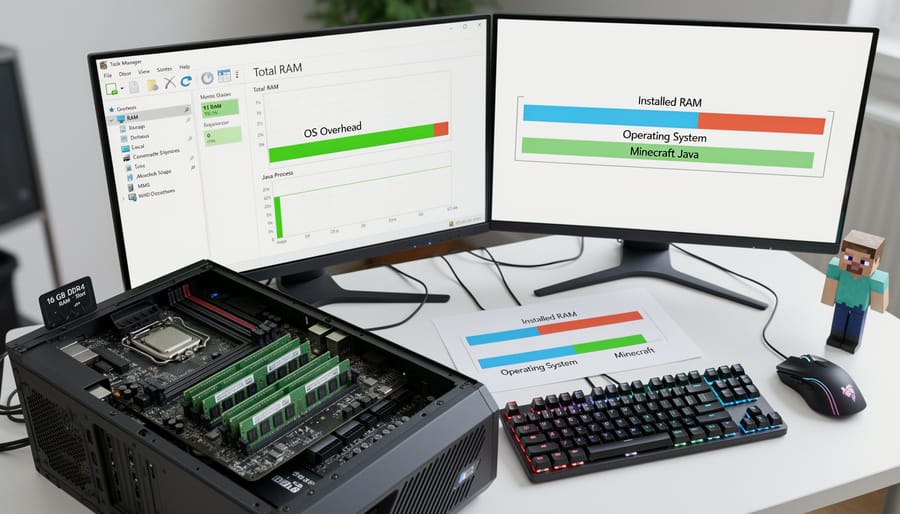
Memory management separates serious server hosts from those who’ll struggle with 20 players online. The base OS footprint matters most when you are allocating most of the machine’s RAM to Java and need every megabyte to count.
Ubuntu ships the largest set of default services of the three. A fresh server install already has memory committed before you launch anything, primarily due to systemd services, snap daemon processes, and update managers running in the background. This overhead won’t cripple a dedicated server box, but it chips away at available memory that could buffer chunk generation or smooth out garbage collection spikes.
Debian runs leaner by default. A minimal server installation starts fewer services, leaving more headroom for your Minecraft process. Fewer background services mean less competition for RAM during those critical moments when your mod pack triggers a major GC pause while loading a player into a dimension.
Arch takes minimalism furthest: a bare server setup runs almost nothing you did not ask for. You install only what you actually need, which translates directly to more available memory for Java heap allocation and the crucial off-heap buffers that prevent server stuttering.
The practical impact shows when running memory-hungry mod packs. A leaner base system leaves more RAM free for your Java process, which on a constrained machine can be the difference between steady ticks and periodic lag spikes as the system swaps under pressure.
Package Management and Server Software Installation
Getting server software up and running reveals stark differences in each platform’s package management philosophy. Your choice here significantly affects both initial setup time and long-term maintenance burden.
Ubuntu’s apt package manager offers the smoothest path for most users. The default repositories include Java, though typically an older LTS version. For recent Java releases, you can add the official OpenJDK PPA with a single command, then install the runtime through apt. Minecraft server JAR files aren’t in repositories, you’ll download those directly from your mod pack provider, but all dependencies install cleanly through apt. Snap packages provide an alternative route for containerized Java versions, though this approach is commonly reported to carry slightly higher overhead.
Debian takes a more conservative stance. Its stable repositories contain older Java versions that lag behind Ubuntu’s already-cautious offerings. This stability proves valuable for servers you won’t touch for months, but setting up current Java means either adding backports repositories or compiling from source. Once configured, apt handles updates predictably with minimal surprises. The trade-off: initial setup demands more manual intervention.
Arch’s pacman package manager typically offers the latest Java releases in official repositories within days of release. Installation is straightforward, pacman handles dependencies automatically, and the Arch User Repository (AUR) provides community-maintained packages for specialty server tools. Rolling updates mean your Java runtime stays current without manual repository additions, though you’ll want to monitor breaking changes that occasionally affect server compatibility.
All three require manual Minecraft server updates regardless of package manager, since mod packs live outside standard repositories.
Long-Term Maintenance and Update Cycles
Long-term maintenance affects whether your modded Minecraft server becomes a weekend project or a stable platform you can rely on for years. Each distribution handles updates differently, and those differences directly impact how often you’re troubleshooting compatibility issues versus actually playing.
Ubuntu’s LTS releases give you five years of security updates on a predictable schedule. Ubuntu’s LTS point releases arrive roughly every six months and, by Canonical’s published policy, carry hardware-enablement and security updates rather than breaking changes, so existing Minecraft setups typically keep working across them. You can defer major upgrades until your mod pack naturally needs updating anyway. The trade-off is you’re often running Java versions and kernel optimizations that are several months behind bleeding-edge, though for most modded servers this matters less than uptime consistency.
Debian stable takes this further with release cycles spanning two to three years between major versions. Once your server is configured and working with your chosen mods, it essentially runs untouched except for security patches. This approach excels when you’re hosting a specific mod pack version long-term and don’t want surprise compatibility breaks. The downside hits when you actually need newer software, backporting or using third-party repositories becomes necessary, adding complexity.
Arch’s rolling model means you’re updating packages constantly. You get immediate access to performance improvements and the latest Java builds, but you’re also the first to encounter compatibility issues when a system library update conflicts with a mod’s dependencies. Expect to monitor update logs and occasionally roll back packages. For administrators who check their server daily anyway, this works. For set-and-forget operators, it creates unnecessary risk.
Community Support and Troubleshooting Resources
When mod conflicts crash your server at 3 AM, the quality of available help makes the difference between a quick fix and hours of frustration.
Ubuntu dominates for Minecraft-specific support. Dedicated server guides, pre-written optimization scripts, and active forums where “modded Minecraft on Ubuntu” questions get asked and answered are all easy to find. The Ubuntu community wiki includes step-by-step tutorials for popular mod loaders, and most Minecraft hosting tutorials default to Ubuntu commands. Search any error message with “Ubuntu Minecraft” and you’ll typically find someone who’s solved it.
Debian offers solid general Linux documentation but fewer Minecraft-specific resources. The official Debian wiki excels at system administration fundamentals, yet Ubuntu guides often need adapting since the communities overlap significantly. Troubleshooting requires more general Linux knowledge, you’re solving problems at the system level rather than following Minecraft server recipes.
Arch provides the most comprehensive technical documentation through its legendary wiki, covering everything from Java tuning to memory management. However, Minecraft-specific content is scattered across forum threads and user contributions. The Arch User Repository includes helpful scripts, but expect to piece together solutions yourself.
Best community resources by platform:
- Ubuntu: Minecraft Forum server administration section, r/admincraft with Ubuntu flair, DigitalOcean community tutorials
- Debian: Official Debian wiki for fundamentals, adapted Ubuntu guides for Minecraft-specific issues
- Arch: Arch Wiki for deep technical knowledge, AUR helper scripts, specialized performance-focused forum threads
For mod conflict resolution specifically, Ubuntu’s larger user base means someone has likely documented your exact issue. Arch users troubleshoot deeper but solve novel problems faster when standard fixes fail.
How the Platforms Compare on Popular Mod Packs
The comparisons below summarise how Ubuntu Server, Debian and Arch Linux are commonly reported to behave under three demanding mod packs. They are not measurements taken for this article, and no single test rig stands in for every server: CPU generation, available RAM, storage type, Java version and garbage-collection settings all move the result, so treat the pattern as indicative rather than as figures you should expect to reproduce.
All The Mods 9 is the most demanding of the three. Reports generally place Arch Linux slightly ahead on tick consistency under heavy chunk loading and automated machinery, with Ubuntu close behind and Debian a little further back, and they generally describe the gap between all three as small. Where an advantage is attributed to Arch, it is usually credited to its newer kernel and scheduling. No specific tick rate is claimed here for any platform.
FTB Inferno is usually described as following a similar pattern with a little more headroom on all three platforms, because it carries fewer dimension-heavy mods. RLCraft, despite its reputation for difficulty, is generally reported to run comfortably on all three at modest player counts, because its demands come more from mob AI and world generation than from complex machine networks.
Memory efficiency separates the three less than the distribution choice might suggest. Debian’s lighter base system leaves marginally more RAM to the server process, but the difference is usually modest compared with Ubuntu, and Arch generally sits between them. Proper Java garbage-collection tuning makes more difference than the distribution does, and it applies equally to all three.
The clearest differences tend to appear during server startup and mod loading. Arch’s faster I/O scheduling is often reported to shorten startup times compared with Debian, with Ubuntu in between; the size of the difference depends on storage and configuration. For servers that restart frequently or run development test cycles, this adds up. For stable production servers that run continuously, startup speed becomes largely irrelevant.
Who Should Choose Which Platform
Ubuntu: Best for Getting Started Quickly
Ubuntu strikes the ideal balance for most Minecraft server operators, especially if you’re setting up your first dedicated Linux host or prioritizing minimal downtime over squeezing out every last frame. The distribution’s six-month release cycle, and LTS versions supported for five years, means you get modern Java runtimes and kernel improvements without the constant tinkering Arch demands. Ubuntu’s pre-configured defaults handle Java garbage collection sensibly out of the box, and the extensive package repositories mean installing Paper, Forge, or Fabric takes minutes rather than hunting down dependencies.
The real advantage shows when you need to test stability after adding a new mod pack: Ubuntu’s predictable update schedule and massive community documentation make troubleshooting straightforward. If you’re running a server for ten friends on a spare desktop or a small VPS, Ubuntu’s defaults get a modded server running with very little tuning and leave you more time to play instead of wrestling with system administration. Any performance gap versus Arch rarely matters when your priority is keeping the server accessible and stable week after week.
Debian: Ideal for Set-and-Forget Server Operators
Debian is the platform you install once and revisit only when absolutely necessary. We recommend it for administrators who value predictable behavior over having the latest features, particularly those managing servers for established communities where mod pack stability trumps experimenting with cutting-edge updates.
The platform excels when you’re running dedicated server hardware, whether a spare desktop, rented VPS, or home server, and need the system to maintain consistent performance across months without requiring weekly attention. Debian’s multi-year release cycles mean your server software stack stays frozen at tested versions, eliminating surprise incompatibilities when a mod pack expects specific Java behavior.
This stability becomes crucial for servers hosting legacy mod packs or communities resistant to constant updates. If you’re supporting a pack from 2024 that requires Java 17 and specific library versions, Debian locks those dependencies in place rather than pushing you toward newer releases that might break compatibility.
Choose Debian if you’re comfortable with command-line administration but prefer spending time managing your community rather than troubleshooting system updates. It rewards hands-off operation, making it less suitable for those who want immediate access to performance optimizations landing in newer kernels.
Arch Linux: Maximum Performance for Hands-On Administrators
Arch Linux can suit hands-on administrators running heavy modded servers, because the latest kernels and current Java builds may improve TPS consistency and chunk generation under load. A rolling release keeps a server current with scheduler and memory-management changes that can benefit resource-intensive mod packs, often before they reach stable distributions. The gain in any particular case depends on the hardware and the modpack.
This advantage comes with expectations. Arch requires you to build your server environment from the ground up through the command line, which means understanding package dependencies, configuring services manually, and staying alert to update announcements. Rolling updates occasionally introduce breaking changes, a kernel bump might conflict with a specific Java version your mod pack requires, or a library update could need manual intervention. You’ll troubleshoot these situations yourself, often consulting the Arch wiki and piecing together solutions from forum threads.
Choose Arch if you’re comfortable reading documentation, managing pacman updates weekly, and occasionally rolling back packages when something breaks. The performance ceiling is genuinely higher, but you’re trading convenience for that edge. If squeezing out every frame of server performance and running the latest JVM optimizations matters more than hands-off stability, Arch delivers, just be ready to maintain it actively.
Quick Setup Guide: Optimizing Your Chosen Platform for Minecraft
Once you’ve chosen your Linux platform, a few targeted optimizations can significantly boost your modded Minecraft server’s performance. These steps apply across Ubuntu, Debian, and Arch, with platform-specific notes where configurations differ.
Start by installing the right Java runtime. For 2026 modded servers, Java 17 or Java 21 are the standard choices depending on your mod pack requirements. Ubuntu and Debian users can install OpenJDK through apt (`sudo apt install openjdk-17-jre-headless`), while Arch users will find it in the official repositories with pacman. The headless version excludes GUI components you don’t need on a server, freeing up resources.
Memory allocation matters more than raw capacity. Set your minimum heap size equal to your maximum to prevent Java from constantly resizing memory pools, which causes stutter. For a heavily modded server with 150+ mods, allocate 6-8GB: `java -Xms6G -Xmx6G -jar server.jar`. Leave at least 2GB free for the operating system and background processes.
Enable Java’s G1 garbage collector with optimized flags. Add these to your start script: `-XX:+UseG1GC -XX:MaxGCPauseMillis=130 -XX:+UnlockExperimentalVMOptions -XX:G1NewSizePercent=28`. These settings reduce lag spikes during garbage collection cycles by spreading the work across shorter intervals.
Disable unnecessary system services that consume CPU cycles. On Ubuntu, snap services often run in the background; consider purging snapd if you’re not using it. Debian users benefit from the minimal base, but check for unneeded daemons with `systemctl list-unit-files –state=enabled`. Arch installations start lean, so focus on preventing desktop environment components from installing alongside server packages.
Create a dedicated user account for running Minecraft rather than using root, which improves server security and isolates potential issues. Set file permissions appropriately and consider using systemd service files to manage automatic startup and crash recovery.
Finally, adjust swappiness to prevent the kernel from swapping server memory to disk. Set `vm.swappiness=10` in `/etc/sysctl.conf` to keep your server’s working memory resident in RAM, maintaining consistent TPS even under load.
What Each Option Is
Before diving into performance comparisons, it’s essential to understand what these Linux platforms actually are and how they differ fundamentally. Each represents a distinct approach to operating system design and maintenance, which directly impacts how they handle server workloads.
Ubuntu is a user-focused distribution built on Debian’s foundation but enhanced with regular release cycles, professional support, and pre-configured software stacks. Canonical, the company behind Ubuntu, targets both desktop users and enterprise servers, which means you get well-tested packages and extensive documentation. The LTS (Long Term Support) versions receive five years of security updates, making them particularly attractive for long-running game servers.
Debian functions as the bedrock for many distributions, including Ubuntu itself. It prioritizes stability over cutting-edge features, using a meticulous testing process before releasing packages. Debian runs on a volunteer-driven model rather than corporate backing, resulting in a minimal, no-frills system that gives administrators complete control. Its longer release cycles mean fewer disruptive updates but potentially older software versions.
Arch Linux takes the opposite approach with a rolling release model where updates arrive continuously rather than in version jumps. You build the system from a minimal base, installing only what you need. This gives you access to the latest kernel optimizations and software versions immediately, which can boost performance for resource-intensive applications. However, this also means more frequent updates and the occasional compatibility issue that requires hands-on troubleshooting. For those wanting to monitor performance metrics closely, Arch’s flexibility lets you strip away unnecessary services that might consume system resources.
Pros and Cons
When you run a Minecraft server with heavy mod packs on Linux, your platform choice creates distinct trade-offs worth considering before you commit to a gaming server build.
Pros
- Ubuntu delivers immediate performance with minimal configuration, letting you host modded servers within an hour of installation.
- Debian’s stability means you can run the same mod pack versions for years without forced platform updates disrupting your server.
- Arch gives you access to the newest kernel optimizations and Java versions, which may yield better TPS on comparable hardware.
- All three platforms handle typical 10-20 player modded servers competently on mid-range hardware, making any choice viable for most use cases.
Cons
- Ubuntu’s snap packages and background services consume RAM that could otherwise go to your Minecraft process.
- Debian’s older package versions sometimes require manual Java updates to support the latest server software and mods.
- Arch’s rolling updates can break configurations if you don’t actively monitor changes, risking unexpected downtime.
- Platform-hopping after initial setup wastes hours reconfiguring what already works, rarely delivering performance gains worth the migration effort.
These practical realities matter more than benchmark numbers when you’re maintaining a server players depend on. The platform that matches your maintenance schedule and technical comfort level will outperform a theoretically faster option you struggle to keep running smoothly.
Common Questions About Linux Platforms for Modded Minecraft Servers
Running a modded Minecraft server on Linux raises practical questions that most administrators encounter during setup or optimization. The answers often depend on your specific situation, but certain patterns emerge across different platforms and configurations.
Can I run a modded Minecraft server on a Raspberry Pi?
While technically possible, Raspberry Pi hardware struggles with anything beyond very light mod packs due to limited RAM and CPU power. Even the Pi 5 with 8GB RAM can barely handle 20-30 mods for a single player, and performance degrades rapidly with more players or demanding mods. For serious modded servers, you need at least a modern x86 CPU with 8GB dedicated RAM.
Which Java version performs best for modded Minecraft?
Java 17 or 21 generally deliver the best performance for modern mod packs, particularly with newer garbage collection algorithms like ZGC or Shenandoah. Most 1.16.5+ mod packs require Java 17 minimum, while 1.20+ often need Java 21. Older mod packs targeting 1.12.2 or earlier typically perform best on Java 8.
How much RAM do I actually need for a modded server?
Plan for 6-8GB for moderate mod packs with 5-10 players, 10-12GB for heavy packs with 100+ mods, and 16GB+ for kitchen-sink packs or larger player counts. The operating system needs 1-2GB on top of what you allocate to Minecraft, so a 16GB system can comfortably run a 12GB server allocation.
Can I switch Linux platforms without losing my world and configurations?
Yes, your world data and server files are platform-independent. Simply back up your entire server directory, install the same Minecraft server version and mods on the new platform, then copy your world folder and configuration files back. The main consideration is ensuring you install the same Java version to avoid compatibility issues with specific mods.
Beyond these common concerns, platform choice affects troubleshooting in ways that aren’t immediately obvious. Ubuntu’s large community means you’ll find specific Minecraft server optimization guides and forum threads for nearly any issue. Debian users often need to adapt Ubuntu guides, which usually works fine but occasionally requires hunting down different package names. Arch users benefit from the wiki’s comprehensive documentation, though you’re expected to understand the underlying systems rather than following step-by-step tutorials.
Storage configuration also matters more than many realize. Mod-heavy servers benefit significantly from running on SSDs rather than spinning drives, regardless of Linux platform. The difference shows up in chunk generation, world loading times, and reducing stutter when players explore new areas. If you’re running a budget setup with limited SSD space, keep the world files and server jar on the SSD while moving logs and backups to slower storage.
Network configuration stays consistent across platforms, but firewall setup varies. Ubuntu includes ufw by default, making port forwarding straightforward for beginners. Debian typically needs manual iptables configuration unless you install ufw separately. Arch leaves firewall setup entirely to you, which offers flexibility but requires understanding the basics of packet filtering. Regardless of platform, you’ll need port 25565 open (or your custom port) and should consider rate limiting to prevent connection flooding.
After examining how Ubuntu, Debian, and Arch Linux handle resource-intensive modded Minecraft servers, your choice ultimately comes down to what you value most. For the majority of server administrators, Ubuntu is the sweet spot: solid performance with excellent community resources and straightforward maintenance. You’ll get your server running within an hour and maintain reliable TPS even with demanding mod packs.
Where Arch has an edge, it comes from cutting-edge kernels and minimal overhead, and it arrives with genuine trade-offs. If you’re comfortable with rolling updates and occasional troubleshooting sessions, chasing that edge can be worth it. For most friend-group servers, though, it won’t outweigh Ubuntu’s convenience.
Debian earns its place when you’re planning a set-and-forget installation. The longer release cycle means fewer surprises, and the stability-first philosophy keeps your server running predictably for months on end. It’s particularly valuable if you’re hosting on hardware that needs to stay reliable while you focus elsewhere.
Regardless of which platform you choose, proper configuration matters more than the underlying distribution. All three can handle 150-plus mods with acceptable TPS when you optimize Java arguments, allocate memory correctly, and prevent ransomware and other security issues with sensible firewall rules. Start with the platform that matches your technical comfort level and server goals, then focus on the optimization steps we’ve covered to get the performance your players expect.