

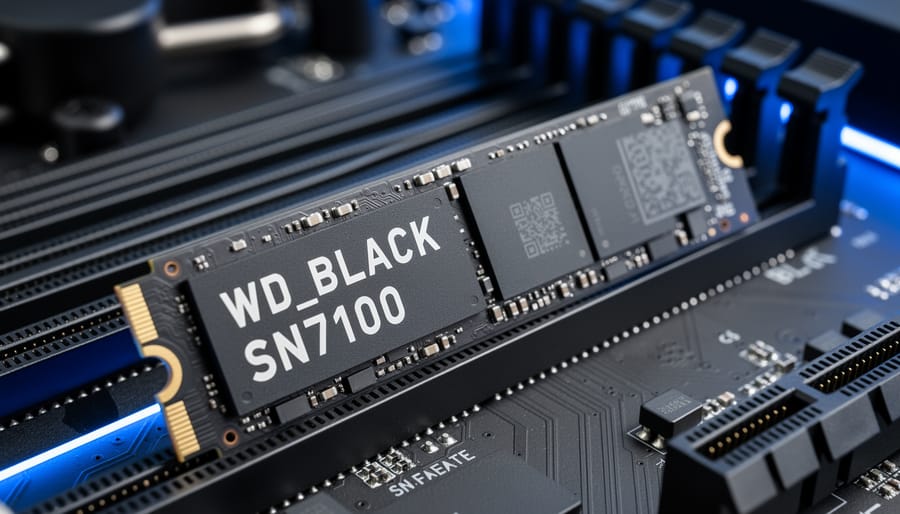
The Western Digital WD_BLACK SN7100 NVMe SSD delivers PCIe Gen 4 x4 performance with sequential read speeds reaching 7,250MB/s and write speeds up to 6,900MB/s, making it a compelling choice for builders who need fast storage without jumping to the latest (and pricier) Gen 5 technology. Available in capacities up to 4TB, this M.2 2280 drive slots into most modern motherboards and even works with Raspberry Pi 5 setups using the proper adapter, though you’ll need to weigh whether your projects can actually take advantage of these speeds.
What sets this drive apart in the crowded Gen 4 market is its balance of proven performance and capacity options. The flagship 2TB and 4TB models push close to the theoretical limits of PCIe 4.0, while smaller 500GB and 1TB variants provide entry points for budget-conscious builders. You’re getting storage that can handle everything from operating system duties to high-speed game libraries, video editing scratch disks, or demanding Raspberry Pi applications like network-attached storage servers.
This buying guide cuts through the marketing specs to help you choose the right capacity, verify compatibility with your specific hardware (particularly important for Raspberry Pi enthusiasts), and avoid common pitfalls like thermal throttling in compact builds. Whether you’re upgrading an aging SATA SSD or comparing Gen 4 options for a new build, understanding what the SN7100 actually delivers versus what you need will save both money and headaches.
What Makes the WD_BLACK SN7100 Stand Out
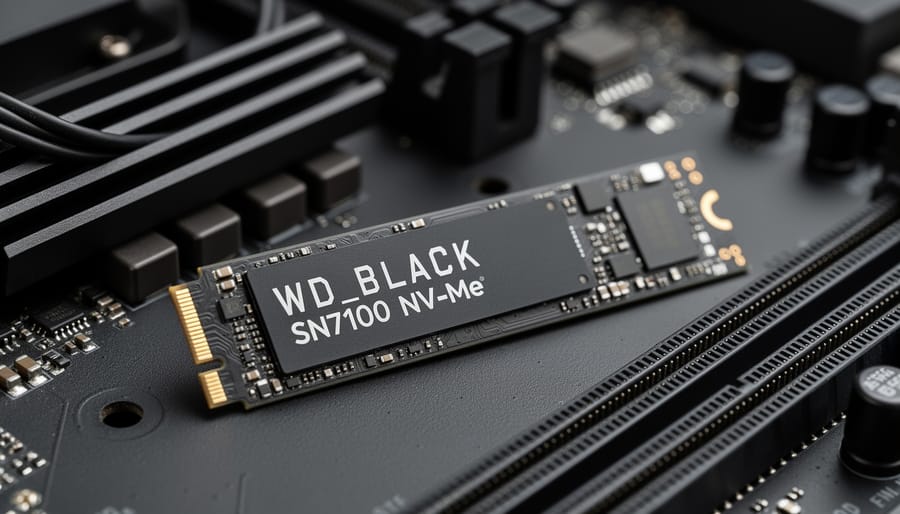
The WD_BLACK SN7100 delivers flagship Gen 4 speeds without the thermal throttling headaches that plague many high-performance drives. Its PCIe Gen 4 x4 interface pushes sequential reads up to 7,250MB/s and writes to 6,900MB/s, putting it near the top of what Gen 4 can deliver before you need to jump to Gen 5 hardware.
What separates this drive from typical Gen 3 options is the raw throughput difference. A standard Gen 3 drive tops out around 3,500MB/s read speeds. The SN7100 effectively doubles that ceiling, which translates to noticeably faster boot times, application launches, and file transfers when you’re moving large datasets or 4K video files. For Raspberry Pi 5 users running intensive workloads or multiple virtual machines, that speed gap means smoother performance under load.
The M.2 2280 form factor fits most desktop motherboards, many laptops, and storage expansion solutions for mini PCs. Build quality feels solid, with Western Digital’s engineering focused on sustained performance rather than peak numbers that collapse after a few seconds. The drive maintains its advertised speeds across longer operations, which matters when you’re compiling code, rendering projects, or running database operations.
Thermal management is where the SN7100 shows practical design choices. It runs cooler than many competitors at similar speeds, reducing the need for elaborate heatsink solutions. You’ll still want airflow in tight builds, but it won’t turn your M.2 slot into a hotspot.
The 1095-day limited warranty gives you three years of coverage, standard for consumer NVMe drives in this class. That warranty period reflects Western Digital’s confidence in the drive’s endurance ratings, though serious workstation users should verify the total bytes written specification matches their write intensity.
For compatibility, the drive works in any PCIe Gen 4 or Gen 3 slot, though you’ll only see the full speed advantage with Gen 4. It’s backward compatible, so it won’t brick older systems, just run at Gen 3 speeds if that’s what your motherboard supports.
SN7100 Capacity Options: Which Size Is Right for You
The SN7100 ships in four capacities, 500GB, 1TB, 2TB, and 4TB, each targeting different workloads and budgets. Choosing the right size means balancing immediate needs against future expansion, because upgrading later means migrating data and reinstalling software.
| Capacity | Best For | Typical Projects | Performance Notes |
|---|---|---|---|
| 500GB | Light users, single-purpose builds | Boot drives, basic Raspberry Pi projects | Slightly lower write speeds than larger models |
| 1TB | Hobbyists, dual-boot systems | Development environments, media streaming setups | Good balance of cost and performance |
| 2TB | Content creators, gamers | Video editing, game libraries, virtual machines | Full 7,250MB/s read speeds maintained |
| 4TB | Power users, professional workflows | Large media archives, database servers, multi-tenant systems | Maximum write endurance rating |
The 500GB model suits users who need fast boot times and run lean operating systems. It works for Raspberry Pi projects where you’re storing configuration files and lightweight applications rather than large datasets. You’ll run out of space quickly if you plan to store video files or game libraries.
For most hobbyists, the 1TB variant hits the sweet spot. It gives you room to experiment with multiple Raspberry Pi projects simultaneously, store a reasonable game collection, or maintain a development environment with several virtual machines. This capacity leaves breathing room without paying for storage you won’t use.
The 2TB option makes sense if you work with 4K video, maintain extensive photo libraries, or want to build a NAS where multiple users will access shared storage. This size maintains the drive’s full 6,900MB/s write speeds under sustained workloads, unlike smaller capacities that may throttle earlier when their SLC cache fills.
Power users running database servers, handling RAW photo workflows, or managing Docker containers across multiple projects should consider the 4TB model. This capacity provides headroom for years of growth and typically offers better price-per-gigabyte value than buying two smaller drives later. The larger NAND array also spreads write operations across more cells, potentially extending the drive’s lifespan in write-intensive scenarios.
One practical consideration: larger capacities run slightly warmer under heavy load because they activate more NAND chips simultaneously. If you’re installing the drive in a thermally constrained system like a compact PC case or Raspberry Pi enclosure, verify your cooling setup can handle sustained writes before maxing out capacity.
Key Factors to Consider Before Buying
Before you commit to the WD_BLACK SN7100, you need to verify that your system can actually use this drive, and use it properly. A Gen 4 NVMe SSD delivers its advertised speeds only when your hardware supports it, and a drive throttling from heat or compatibility issues is money wasted.
Physical compatibility comes first. The SN7100 uses the standard M.2 2280 form factor (22mm wide, 80mm long), which fits most modern motherboards and laptops. Check your M.2 slot type: you need a PCIe slot, not SATA. If you’re building around a Raspberry Pi 5, you’ll need an M.2 HAT or adapter since the Pi doesn’t include native M.2 slots. Measure physical clearance too, some laptop chassis and compact motherboards have tight tolerances around the M.2 slot that might conflict with heatsinks or nearby components.
The PCIe generation matters significantly. This drive requires a PCIe Gen 4 x4 slot to reach its full 7,250MB/s read and 6,900MB/s write speeds. It’ll work in Gen 3 slots, but you’ll be capped at Gen 3 speeds (around 3,500MB/s). Check your motherboard specifications or CPU documentation to confirm Gen 4 support. For Raspberry Pi projects, the Pi 5’s PCIe Gen 2 x1 interface will bottleneck this drive substantially, so you’re not getting the premium performance you’re paying for.
- M.2 2280 form factor with PCIe interface (not SATA)
- PCIe Gen 4 x4 slot for full 7,250MB/s speeds
- Adequate cooling (heatsink or active cooling for sustained loads)
- Power supply capable of handling peak NVMe draw
- Endurance rating appropriate for your write workload
- 1095-day limited warranty coverage verification
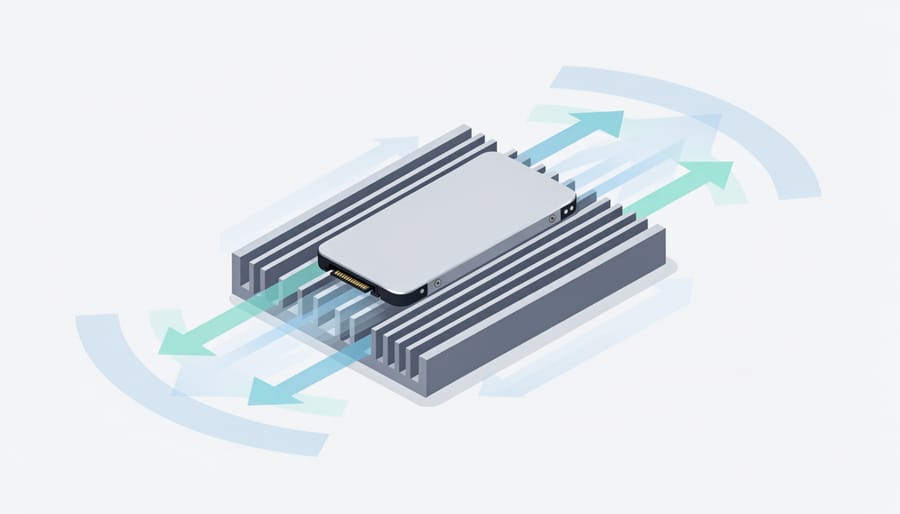
Thermal management isn’t optional for Gen 4 drives. The SN7100 generates considerable heat under sustained writes, and most NVMe controllers throttle performance when they hit thermal limits. Desktop motherboards often include M.2 heatsinks, but verify yours does or plan to add one. Laptops are trickier since airflow is limited, monitor temps during heavy use and watch for throttling. For Raspberry Pi setups with adapters, you’ll likely need aftermarket cooling since most HATs don’t include thermal solutions.
Power draw is usually fine but worth checking. The SN7100 pulls roughly 7-9W under peak load, which is standard for Gen 4 drives but higher than Gen 3 options. This matters for battery-powered laptops where every watt counts, and for Raspberry Pi builds where the power supply budget is tight. If you’re running a Pi 5 with multiple peripherals, calculate total power draw to ensure your PSU can handle it.
The warranty runs 1095 days (three years) for parts, which is standard for this class of drive. Register your purchase with Western Digital after buying to activate warranty coverage. Keep your receipt and verify the drive’s serial number matches the packaging, counterfeit drives occasionally appear at third-party sellers. The warranty doesn’t cover data loss, so back up anything critical regardless.
Who Should Buy the WD_BLACK SN7100
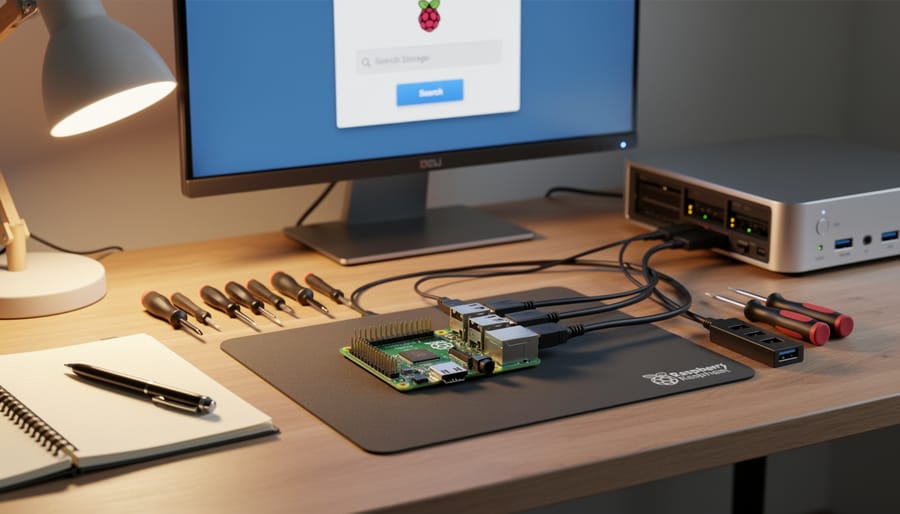
The SN7100 targets users who need genuine Gen 4 performance without overpaying for flagship-tier speeds they won’t actually use. If you’re upgrading a Raspberry Pi 5, this drive delivers the bandwidth to saturate the Pi’s PCIe Gen 3 x1 interface (with appropriate M.2 HAT adapters) while offering headroom for future projects. The 7,250MB/s read speeds exceed what the Pi can currently utilize, but you’re still getting enterprise-grade reliability for development work, media servers, or computing clusters.
PC builders seeking balanced performance will appreciate the SN7100’s position between budget Gen 3 drives and premium Gen 5 options. The 6,900MB/s write speeds handle OS drives, application loading, and game installations efficiently without the thermal challenges of higher-tier drives. Content creators working with 4K video editing, RAW photo libraries, or audio production get consistent transfer rates that reduce project loading times, particularly when working with the larger 2TB or 4TB capacities.
Gamers benefit most when pairing the SN7100 with DirectStorage-compatible titles or running multiple large installations simultaneously. The drive eliminates loading screens in modern games while offering enough capacity for expansive libraries. Developer environments with frequent compile cycles, containerized workflows, or virtual machine deployments see measurable improvements over Gen 3 alternatives.
Skip the SN7100 if you’re running budget builds where a Gen 3 drive costs significantly less and your workload doesn’t stress sequential speeds. Users with extremely write-intensive workflows like constant 8K video recording or database servers might need drives with higher endurance ratings. Similarly, if your motherboard only supports PCIe Gen 3, you’re paying for Gen 4 capabilities you can’t access, choose a Gen 3 drive instead and allocate savings elsewhere.
The SN7100 hits the performance-per-dollar sweet spot for users who actually need Gen 4 bandwidth and will notice the difference in their daily workflows.
Common Mistakes to Avoid When Buying
Buying the wrong SN7100 variant or overlooking compatibility can cost you time and money. Here are the critical mistakes to sidestep before clicking “purchase.”
Assuming Any M.2 Slot Will Work
The SN7100 requires a PCIe Gen 4 x4 M.2 slot for its full 7,250MB/s read speeds. Many buyers slot it into Gen 3 systems without realizing they’ll cap out at roughly 3,500MB/s, half the drive’s potential. Check your motherboard or Raspberry Pi specifications before ordering.
Beyond generation compatibility, measure physical clearance. Desktop boards usually have room for the standard M.2 2280 form factor, but compact builds and some laptops have tight spaces where heatsinks or nearby components create interference. Confirm your case allows proper airflow around the drive.
Skipping Thermal Management Planning
Running the SN7100 without adequate cooling throttles performance when temperatures climb during sustained writes. Some buyers install the drive and wonder why speeds drop after a few minutes of heavy use. Plan for either a motherboard heatsink, an aftermarket cooler, or verify your laptop has built-in thermal solutions before installation.
Choosing Capacity Based on Current Usage Alone
Picking a 500GB model because “I only use 300GB now” ignores how quickly project files, game libraries, and system updates grow. Within six months, you’ll face storage pressure. Factor in at least 18-24 months of projected needs, and remember that SSDs perform best when they’re not completely full, leave 20% free space as overhead.
Ignoring Warranty Registration
Western Digital’s 1095-day limited warranty only protects you if you register the drive and keep proof of purchase. Buyers who toss receipts or skip registration find themselves without coverage when issues arise. Register immediately after installation, and store your receipt digitally with a 1-2-3 backup approach.
Purchasing from Unauthorized Sellers
Third-party marketplace listings sometimes offer suspiciously low pricing on “new” drives that turn out to be refurbished, counterfeit, or grey-market imports with no valid warranty. Stick with verified retailers like Newegg Canada or Best Buy Canada where warranty claims won’t hit a dead end. The small savings aren’t worth the risk of receiving a drive with unknown write cycles or no manufacturer support.
Installation and Setup Tips
Installing the WD_BLACK SN7100 requires careful attention to compatibility and thermal management, regardless of your target system. Most installations follow a straightforward process, but a few critical steps can prevent performance throttling and potential hardware conflicts.
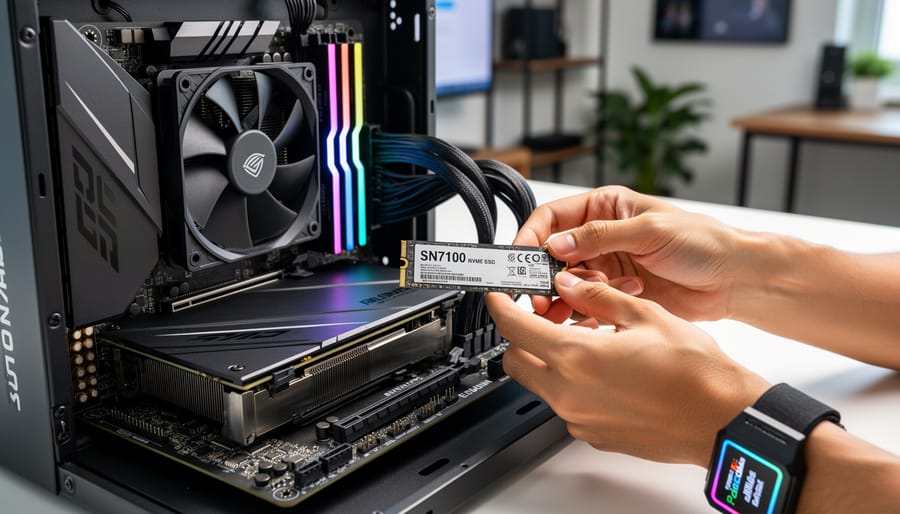
For desktop PC installations, power down completely and discharge residual electricity by holding the power button for five seconds. Locate an available M.2 2280 slot on your motherboard, preferably one that supports PCIe Gen 4 for full performance. Remove the securing screw, align the SN7100’s notch with the slot’s key, insert at a 30-degree angle, and press down gently until the drive sits flush. Many motherboards include thermal pads or heatsinks for M.2 slots. If yours doesn’t, consider adding a third-party heatsink since sustained writes at 6,900MB/s generate significant heat that can trigger thermal throttling.
Laptop installations vary more. Verify your specific model supports M.2 2280 drives before purchasing. Most modern laptops use bottom-panel access, but some require keyboard removal. Apply any included thermal pads carefully, ensuring full contact without air gaps. Laptop installations often have tighter thermal constraints, so monitoring temperatures after installation matters more than in desktop builds.
For Raspberry Pi 5 users, direct M.2 installation requires the official M.2 HAT+ adapter. The Pi 5’s PCIe Gen 2 interface won’t reach the SN7100’s maximum speeds, but you’ll still see substantial improvements over microSD cards. Follow the Pi Foundation’s specific installation instructions for the HAT+ to avoid damaging the delicate FPC connector.
After physical installation, boot into your system BIOS to confirm the drive appears. Download Western Digital’s Dashboard software to check for firmware updates, which can improve stability and performance. For Windows systems, the drive should be recognized automatically. New drives require initialization through Disk Management: right-click the disk, select “Initialize Disk,” choose GPT partition style for modern systems, then create a new simple volume and format with NTFS or your preferred file system.
Run a quick benchmark after setup to verify you’re achieving expected speeds near 7,250MB/s read performance, confirming proper installation and thermal management.
Where to Buy the WD_BLACK SN7100
Finding the WD_BLACK SN7100 through authorized retailers ensures you receive a genuine product with valid warranty coverage. As of 2026, the drive is available in stock at major Canadian retailers including Newegg Canada and Best Buy Canada, with both offering multiple capacity options up to 4TB.
When purchasing, verify the retailer is an authorized Western Digital seller. Major electronics chains and established online retailers typically qualify, but buying from unknown third-party marketplace sellers increases the risk of receiving counterfeit or grey-market drives that may lack proper warranty support. Check that the product listing includes the 1095-day limited warranty period for parts, a key indicator of legitimate stock.
Compare return policies before purchasing. Retailers vary in their return windows for storage devices, with some restricting returns once packaging is opened. Best Buy and similar chains generally offer more flexible return options than marketplace sellers, giving you recourse if the drive encounters early issues or proves incompatible with your system.
Pricing fluctuates significantly between retailers and capacity tiers. The 500GB model typically costs substantially less than the 2TB or 4TB variants, but check current pricing directly as promotional periods create opportunities for better value on larger capacities. Avoid deals that seem dramatically underpriced compared to other retailers, as these often indicate grey-market or refurbished stock being sold as new.
Register your warranty immediately after purchase using the serial number on the drive label. This establishes your purchase date and ensures warranty claims process smoothly if issues arise.
Main Options Compared
When selecting an SN7100, you’re primarily choosing between capacity tiers that share identical Gen 4 performance characteristics. The 500GB model suits budget-conscious builders handling basic tasks, while the 1TB variant hits the sweet spot for most Raspberry Pi 5 and gaming PC builds, offering ample room for operating systems and frequently-used applications. The 2TB configuration works well for content creators managing moderate video libraries or developers running multiple virtual machines. At the top end, the 4TB option targets power users with extensive media collections or professional workflows requiring local storage for large datasets.
All capacities deliver the same 7,250MB/s read and 6,900MB/s write speeds, so your decision hinges on storage needs rather than performance differences. Compare this to other PCIe Gen4 SSD options where higher capacities sometimes unlock faster speeds, the SN7100 maintains consistent performance across its range. Consider how much space your current projects consume, then add 30-40% headroom for future growth. For Raspberry Pi applications, 1TB typically provides years of capacity without overspending on storage you won’t use.
The WD_BLACK SN7100 stands as a compelling Gen 4 NVMe option for 2026, delivering genuine performance gains with its 7,250MB/s read speeds while offering flexibility through capacity options up to 4TB. Whether you’re building a high-performance PC, upgrading storage for content creation, or exploring advanced Raspberry Pi projects, this drive provides the speed and reliability that modern workflows demand.
Your purchasing decision ultimately hinges on three critical factors: selecting the right capacity for your workload, verifying compatibility with your system’s M.2 slot and physical clearances, and matching the drive’s capabilities to your actual use case. Don’t chase maximum capacity if 1TB meets your needs, and don’t overlook thermal management in compact builds where heat becomes a real constraint.
Is the SN7100 compatible with Raspberry Pi 5?
While the SN7100 uses the M.2 2280 form factor, compatibility depends on whether you’re using an adapter that supports PCIe Gen 4 NVMe drives with the Raspberry Pi 5’s PCIe interface. Verify your specific adapter’s specifications before purchasing.
What’s the warranty period for the SN7100?
Western Digital provides a 1095-day limited warranty for parts, covering roughly three years of use.
Does the SN7100 work in PCIe Gen 3 slots?
Yes, the drive is backward compatible with Gen 3 slots, though you’ll be limited to Gen 3 speeds rather than the full 7,250MB/s performance the drive offers in Gen 4 configurations.
What cooling does the SN7100 need?
For sustained high-performance workloads, use a heatsink or ensure your motherboard includes M.2 thermal solutions to prevent thermal throttling during intensive operations.
The drive’s currently available through retailers like Newegg Canada and Best Buy Canada, though you should verify current availability and specifications directly before committing to a purchase. Take time to assess whether this Gen 4 performance level genuinely benefits your specific applications versus more budget-friendly Gen 3 alternatives. If your workflow involves large file transfers, video editing, or database operations where those extra megabytes per second translate to real time savings, the SN7100 justifies its position in your build. If you’re running lighter tasks, honest evaluation of your needs saves money without sacrificing meaningful performance.