

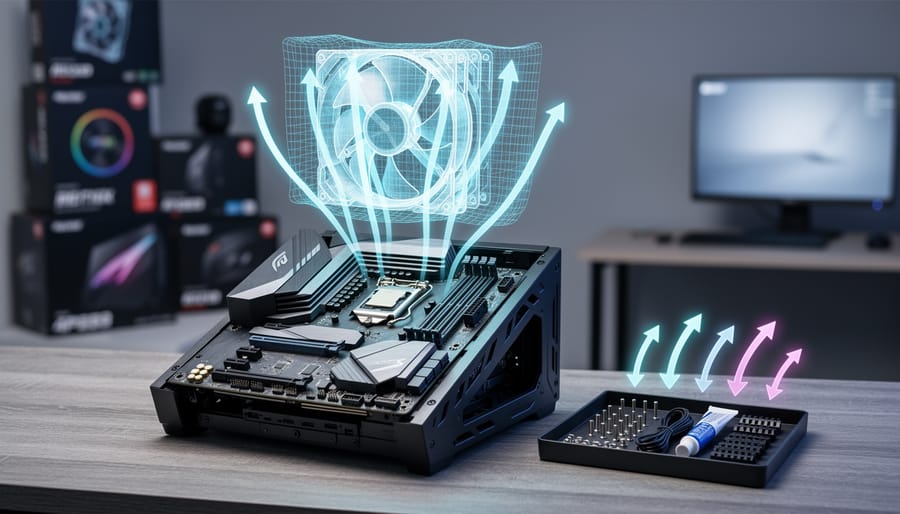
PCPartPicker remains the most reliable build planner for compatibility checking and multi-retailer price aggregation, but recent gaps in Canadian retailer coverage and the arrival of feature-rich alternatives like BuildCores and DropReference mean the right tool now depends on whether you prioritize pricing breadth, visual planning, or beginner-friendly community support.
We tested all three platforms by assembling identical mid-range builds and comparing how each handles compatibility warnings, pricing transparency, and ease of use. PCPartPicker delivered the most comprehensive compatibility filtering and included shipping, taxes, rebates, and discounts in its price guidance, though we noticed blank pricing entries on the Canadian version despite listings from Amazon Canada, Newegg Canada, and Vuugo. BuildCores impressed with its 3D building interface and airflow visualization, offering a spatial perspective that PCPartPicker’s list-based approach can’t match. DropReference stood out for its community-driven recommendations and alert system, speaking directly to first-time builders who need hand-holding through component selection.
The real shift happening in September 2026 is that builders no longer face a one-tool-fits-all scenario. If you’re chasing the lowest verified price across multiple storefronts and need rock-solid compatibility checking, PCPartPicker still leads. If you want to visualize thermals and case fit before purchasing, BuildCores’ Pro features justify the learning curve. And if you’re a newcomer who values community feedback over raw data, DropReference offers the guided experience that helps avoid costly mismatches.
This comparison breaks down each platform’s strengths across compatibility handling, retailer coverage, interface design, and pricing accuracy so you can confidently choose the tool that matches your build complexity and experience level.
Pcpartpicker vs Buildcores vs Dropreference Terms to Know
- Compatibility Checking
- Automated validation that ensures selected components will physically fit together and function properly in a build. PCPartPicker pioneered this feature by filtering incompatible parts as you select components, while BuildCores enhances it with modular parts logic and DropReference simplifies it for beginners.
- Pricing Guidance
- Real-time aggregation of component prices across multiple retailers, including shipping, taxes, rebates, and discounts. PCPartPicker tracks pricing from retailers like Amazon Canada, Newegg Canada, and Vuugo, though Canadian users have reported gaps in availability.
- Airflow Visualization
- 3D modeling feature that shows how air moves through a PC case based on fan placement and component positioning. BuildCores introduced this capability to help builders optimize cooling performance before purchasing parts.
- Community Configurator
- A build planning interface designed around shared knowledge and user support rather than just technical specifications. DropReference exemplifies this approach by providing beginner-friendly guidance and alert systems driven by community input.
- Modular Parts
- Component categories that break down complex hardware into smaller, interchangeable elements for more granular compatibility checking. BuildCores expanded traditional part categories to include new component types and modular approaches that improve build accuracy.
These terms represent the core concepts that differentiate modern build planning tools from simple part lists. Understanding compatibility checking explains why these platforms prevent costly mistakes, while pricing guidance clarifies how tools track deals across retailers. The newer features, airflow visualization, community configurators, and modular parts, reflect how BuildCores and DropReference are pushing beyond PCPartPicker’s established framework. When evaluating which tool fits your needs, consider which of these capabilities matters most for your specific build scenario.
Key Details to Know
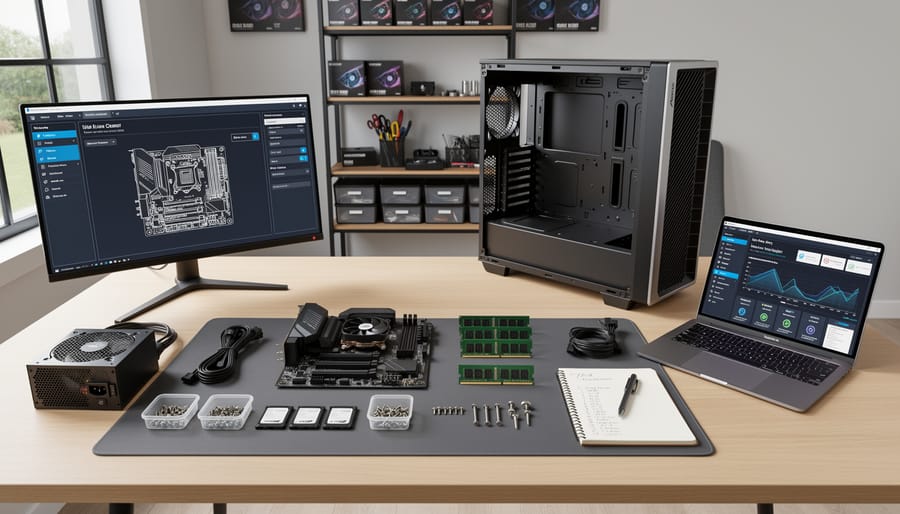
Here are the essential points to understand before comparing PC build planning tools:
- PCPartPicker remains the most comprehensive option for pricing guidance across multiple retailers, but Canadian users frequently encounter missing price data despite support for Amazon Canada, Newegg Canada, and Vuugo.
- BuildCores distinguishes itself through 3D visualization and airflow modeling, allowing builders to see spatial relationships and thermal performance before purchasing components.
- DropReference targets first-time builders with community-driven configuration assistance and alert systems that notify users about compatibility issues and community recommendations.
- All three platforms perform automated compatibility checking, but they differ significantly in how they present that information and guide users through the selection process.
- Pricing on PCPartPicker includes shipping, taxes, rebates, and discounts when displayed, providing a more accurate total cost estimate than basic MSRP comparisons.
- The choice between platforms depends primarily on whether you prioritize comprehensive price tracking, visual build planning, or community support for learning.
These tools address different pain points in the PC building process. PCPartPicker excels at ensuring you get compatible parts at competitive prices, BuildCores helps visualize how components fit together physically and thermally, and DropReference simplifies decision-making for newcomers through community guidance. Understanding these core differences helps you select the tool that matches your experience level and planning priorities.
Quick Comparison: PCPartPicker, BuildCores, and DropReference at a Glance
We tested all three platforms by building identical mid-range gaming configurations to see how they handle part selection, pricing, and compatibility verification. The differences became clear quickly: PCPartPicker delivered the most comprehensive pricing data across Canadian retailers including Amazon Canada, Vuugo, and Newegg Canada (though we encountered some blank price fields), BuildCores impressed us with its 3D workspace and airflow modeling, and DropReference streamlined the beginner experience with community-driven guidance.
| Tool | Standout Features | Pricing & Retailers | Visualization | Best For |
|---|---|---|---|---|
| PCPartPicker | Automated compatibility filtering, comprehensive part database | Multi-retailer pricing with shipping, taxes, rebates; occasional Canadian gaps | List-based interface | Deal hunters, experienced builders |
| BuildCores | 3D building interface, airflow visualization, modular parts system | Pricing guidance with fewer retailer integrations | Full 3D workspace with thermal modeling | Visual learners, airflow-focused builders |
| DropReference | Community configurator, beginner-friendly alerts, simplified selection | Community-verified pricing recommendations | Clean, accessible interface | First-time builders, community-oriented users |
The core strength each platform brings determines which workflow fits your build planning style. PCPartPicker wins on retailer coverage and pricing depth, BuildCores provides spatial planning tools that matter for cooling optimization, and DropReference removes intimidation factors for newcomers through community support and alerts.
What Each Build Planning Tool Offers
PCPartPicker: The Established Compatibility and Pricing Standard
PCPartPicker launched as the first mainstream tool to solve a problem every builder faces: knowing whether your chosen components work together before you buy. At its core, the platform offers automated compatibility filtering that flags issues like mismatched sockets, RAM clearance conflicts, and insufficient power supply wattage. You select parts from dropdown menus organized by category, CPU, motherboard, graphics card, storage, and the system continuously checks for incompatibilities as you build.
We tested PCPartPicker’s pricing aggregation across multiple configurations and found it pulls real-time data from major retailers, presenting the lowest available price for each component. The platform includes shipping costs, taxes, applicable rebates, and any active discounts in its calculations, giving you a true out-of-pocket estimate rather than sticker prices. This transparency helps when comparing builds across different budget tiers.
For Canadian users, PCPartPicker supports Amazon Canada, Newegg Canada, and Vuugo. However, we observed what community discussions confirm: pricing data for Canadian retailers can appear incomplete, with some components showing blank price fields. This gap affects deal-tracking reliability north of the border, though the compatibility checking remains consistent across regions. US users enjoy broader retailer coverage and more complete pricing datasets, making PCPartPicker particularly strong for American builders who prioritize finding the best deal across multiple storefronts.
BuildCores: 3D Visualization Meets Advanced Planning
BuildCores distinguishes itself through a visual-first approach that transforms the traditional parts-list workflow into an interactive 3D building experience. We found the platform’s 3D interface particularly valuable for understanding physical component relationships, seeing how a large CPU cooler interacts with RAM placement or how case airflow paths develop catches spatial conflicts that spreadsheet views miss.
The airflow visualization feature stands out as BuildCores’ most practical innovation. During our testing, the visual airflow modeling helped identify intake-exhaust imbalances and predict thermal bottlenecks before purchasing parts, something neither PCPartPicker nor DropReference addresses. This matters for compact builds or high-performance systems where cooling optimization directly affects component longevity and noise levels.
BuildCores has expanded its component database with over 300 new models and introduced categories beyond traditional PC parts, making it more versatile for builders who integrate specialized hardware. The modular parts approach improves compatibility checking by breaking components into sub-elements (cooler mounting systems, case panel configurations), catching fit issues that basic dimension checks overlook.
BuildCores Pro adds advanced features for power users, though the free tier provides sufficient functionality for most standard builds. The improved compatibility system cross-references physical dimensions, mounting standards, and clearance requirements more granularly than competing platforms, reducing the risk of ordering incompatible components.
DropReference: Community-First Configuration for Beginners
DropReference takes a fundamentally different approach from PCPartPicker and BuildCores by prioritizing community guidance over comprehensive databases or visual tools. The platform functions as a community configurator that translates technical specifications into accessible language, making it particularly valuable for first-time builders who find traditional part lists overwhelming.
We found DropReference’s strength lies in how it frames component selection around real builder experiences rather than raw specs. Instead of presenting hundreds of motherboard options with cryptic model numbers, the platform surfaces community-recommended configurations with explanations of why specific combinations work well together. This curated approach reduces decision paralysis for newcomers who might otherwise struggle to distinguish between similar components.
The alert system stands out as DropReference’s most practical feature for builders on a budget or waiting for specific parts. Users can set notifications for price drops, stock availability, or new community recommendations, which proves especially useful when planning builds around sales cycles or component launches.
Where DropReference falls short is breadth, the community-curated model means fewer total configurations and less coverage of niche or specialty components. Builders pursuing unique form factors or specialized cooling solutions will likely need to supplement DropReference with PCPartPicker’s compatibility checker or BuildCores’ visualization tools.
Feature Comparison: Where Each Tool Excels
Pricing and Retailer Coverage
PCPartPicker maintains the most comprehensive retail integration among the three platforms, pulling real-time pricing from multiple vendors to surface the lowest available cost for each component. We found that its pricing methodology accounts for shipping, taxes, manufacturer rebates, and ongoing discounts, providing a complete cost picture rather than just base MSRP. This depth makes it invaluable for builders tracking down the best deals, particularly in the United States where retailer coverage is extensive.
Canadian users face a more constrained experience. PCPartPicker’s Canadian version officially supports Amazon Canada, Newegg Canada, and Vuugo, but pricing data for many components appears blank or missing. We observed that popular parts often show no price at all, forcing builders to manually check retailer sites, a significant limitation that undermines the platform’s core value proposition. This gap has fueled recent discussions comparing PCPartPicker to alternatives, contributing to renewed interest in the platform during 2026.
BuildCores takes a different approach, positioning itself as a planning and visualization tool rather than a price aggregator. It provides pricing guidance without the exhaustive multi-retailer tracking that defines PCPartPicker. For builders who prioritize 3D layout and airflow modeling over deal hunting, this trade-off is acceptable, but budget-conscious users will miss the granular price comparisons.
DropReference similarly emphasizes community-driven configuration support over comprehensive price tracking. Its alert system notifies users of significant price movements, which helps beginners who lack the time to monitor prices constantly, but it does not match PCPartPicker’s breadth of retailer coverage or the frequency of price updates.
Compatibility Checking and Part Selection
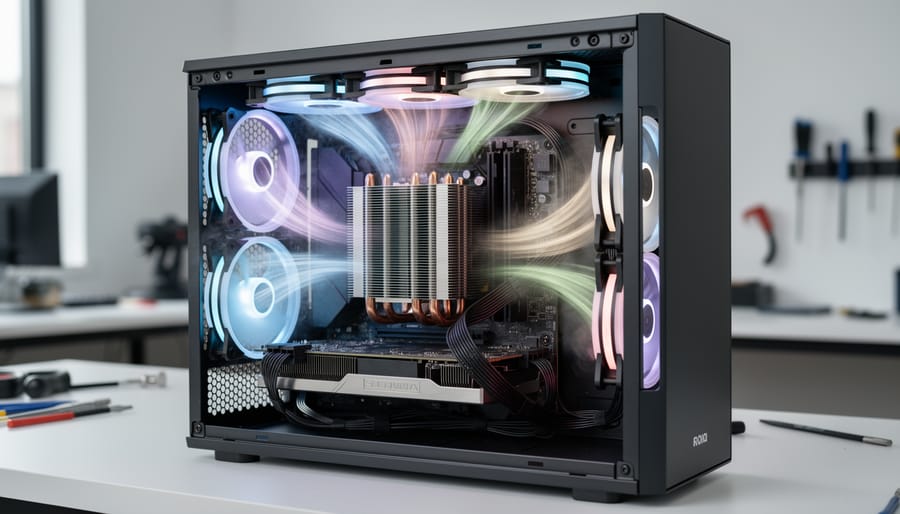
We tested all three platforms with deliberately mismatched component combinations, pairing AMD processors with Intel-only motherboards, oversized coolers with compact cases, and memory speeds exceeding board specifications, to evaluate how each system catches compatibility problems before you waste time or money.
PCPartPicker’s automated filtering remains the most comprehensive. As you select a CPU, the system instantly removes incompatible motherboards from view, then filters RAM options to match the chipset’s supported speeds and slots. The compatibility checker flags socket mismatches, clearance conflicts, and power delivery issues before checkout. For our test builds mixing Ryzen processors with Z790 boards, PCPartPicker immediately blocked the invalid pairing and displayed a clear explanation. The system handles complex scenarios like radiator clearance in ITX cases and multi-GPU power requirements, though it occasionally misses edge cases with newer component categories.
BuildCores’ improved compatibility system adds a modular parts approach that breaks components into subassemblies. When we placed a tower cooler in a low-profile case, the 3D visualization highlighted the physical conflict before the compatibility checker flagged the dimensional mismatch. This dual-layer validation caught spatial problems PCPartPicker’s database alone might miss, particularly with custom loop cooling and unconventional layouts.
DropReference simplifies compatibility for beginners by presenting pre-validated component groups rather than exposing every option upfront. The platform narrows choices to proven combinations within budget ranges, reducing decision paralysis. While this approach prevents most errors, it limits flexibility for builders who want full control over component selection.
Visualization and Build Planning Interface

PCPartPicker presents components in a spreadsheet-style list where builders select parts from dropdown menus and see a running price total. This approach prioritizes speed and data density, you can scan specs, compare prices across retailers, and spot compatibility warnings without visual distraction. The interface assumes you already know which case fits your motherboard form factor or whether your cooler has GPU clearance. For experienced builders who think in dimensions and spec sheets, the streamlined layout gets you from blank slate to parts list in minutes.
BuildCores takes the opposite approach with its 3D building environment. We tested the platform’s visualization tools and found them genuinely useful for spatial planning: you drag components into a virtual case, rotate the build to check clearances, and watch airflow patterns render as you adjust fan placement. The airflow visualization shows intake and exhaust paths, helping you identify hot spots before you buy parts. This matters most for compact builds where a few millimeters determine whether a cooler fits or whether front radiator fans block RAM slots. The trade-off is speed, 3D assembly takes longer than list-building, but you catch fitment issues that spec comparisons miss.
DropReference positions itself between these extremes with a configurator designed for first-time builders. The interface guides you through component selection with explanations and community-recommended builds as starting points. Instead of overwhelming beginners with every motherboard on the market, it narrows choices based on your stated budget and use case, then lets the community weigh in. The approach sacrifices the comprehensiveness of PCPartPicker’s pricing data and the spatial precision of BuildCores’ 3D modeling, but removes decision paralysis for newcomers who don’t yet know which specs matter.
Community Support, Alerts, and Learning Resources
PCPartPicker’s established community remains its strongest asset for troubleshooting and learning. The platform’s build forums host thousands of completed builds with detailed component lists, allowing builders to see real-world configurations and ask questions about specific compatibility issues. We found this depth particularly valuable when researching less common component pairings or unusual use cases, the collective experience of the user base often surfaces solutions faster than official documentation. However, the community primarily congregates around traditional PC builds, so builders working on specialized projects may find more specific help elsewhere.
BuildCores is cultivating its community as the platform expands. The Pro features include access to advanced planning tools and priority support, though the community size currently lags behind PCPartPicker’s established base. The 3D visualization tools naturally generate different types of community discussion, users share airflow optimization strategies and spatial planning insights rather than just part lists. For builders who value visual learning, this emerging community offers a fresh perspective on build planning conversations.
DropReference positions its alert system and community support as core features for beginners. The platform sends notifications about price changes and compatibility updates, reducing the monitoring burden for first-time builders. The beginner-focused community design speaks directly to newcomers with accessible language and guided troubleshooting, though the smaller user base means fewer contributed builds to reference. This approach works well for straightforward builds but may lack the deep expertise needed for complex configurations.
Specialized Features: Airflow, New Categories, and Alerts
BuildCores stands apart with its 3D airflow visualization, letting you see how case fans and component placement affect thermal performance before purchasing parts. We tested the airflow modeling and found it particularly valuable for compact builds where cooling clearance matters, the visual feedback helped us spot potential hotspots that flat part lists miss entirely. BuildCores also introduced new component categories beyond standard parts, expanding configuration options for specialized builds.
DropReference’s alert system monitors price drops and stock availability across tracked components, notifying you when parts hit your target budget. This real-time tracking proved useful during our builds when component availability fluctuated. The alerts integrate with the community configurator, so beginners receive notifications tied to recommended parts rather than needing to set up custom tracking themselves. Both platforms address gaps that PCPartPicker’s traditional list interface doesn’t cover, making them complementary tools rather than simple replacements.
Strengths and Limitations of Each Platform
Each platform brings distinct advantages and clear limitations that shape the builder experience. PCPartPicker’s decade-long track record means comprehensive retailer coverage and an extensive database, but that maturity comes at the cost of a dated interface and inconsistent pricing in some regions. BuildCores pushes visualization forward with 3D airflow modeling and modular part categories, yet its smaller community and newer feature set mean fewer completed builds to reference. DropReference prioritizes accessibility for newcomers through alerts and guided selection, though it sacrifices the pricing depth and retailer breadth that experienced builders expect.
PCPartPicker Pros
- Tracks prices across the widest range of retailers including Amazon Canada, Newegg Canada, and Vuugo
- Automated compatibility filtering prevents most component conflicts
- Established user base provides extensive build examples and forum support
- Pricing includes shipping, taxes, rebates, and discounts for accurate budget planning
PCPartPicker Cons
- Canadian pricing can be blank or missing, frustrating builders outside the US
- List-based interface offers no visual feedback on physical fitment or airflow
- Lacks community alerts for component availability or price drops
BuildCores Pros
- 3D building interface with airflow visualization helps optimize cooling best practices before purchasing
- Improved compatibility system handles modular parts and new component categories
- Spatial planning prevents physical clearance issues with oversized coolers or GPUs
- BuildCores Pro expands features for advanced builders
BuildCores Cons
- Smaller community means fewer completed builds and troubleshooting resources
- Pricing guidance less comprehensive than PCPartPicker’s multi-retailer tracking
- Learning curve steeper due to 3D interface complexity
DropReference Pros
- Beginner-focused design reduces intimidation for first-time builders
- Community alerts notify users about availability and configuration issues
- Guided selection process prevents common mistakes
DropReference Cons
- Limited retailer coverage compared to PCPartPicker
- Lacks advanced features like airflow modeling or detailed system monitoring integration
- Community size still growing, reducing available build examples
The trade-offs become clearest when you match platform limitations against your project priorities. If you’re tracking every dollar across Canadian retailers and need confidence that parts will physically fit, PCPartPicker’s pricing depth outweighs its visual gaps. For builders optimizing airflow in compact cases or planning custom loops, BuildCores’ visualization justifies its narrower pricing scope. First-time builders benefit most from DropReference’s guardrails, even though they’ll miss the deal-hunting tools veterans expect.
Who Should Choose Which Tool
Choosing the right build planning tool comes down to your specific priorities and building context. PCPartPicker remains the strongest choice for builders in the United States who prioritize comprehensive pricing data and automated compatibility checking across a wide range of retailers. The platform’s extensive price tracking, which includes shipping, taxes, rebates, and discounts, makes it invaluable for budget-conscious builders hunting deals or planning builds with tight financial constraints. If you’re working within a specific budget and need to track price fluctuations across multiple vendors, PCPartPicker’s established retailer network delivers the most complete picture.
Canadian builders face a more complex decision. While PCPartPicker supports Amazon Canada, Newegg Canada, and Vuugo, pricing gaps remain common, with blank or missing prices appearing frequently. If you’re building in Canada and find PCPartPicker’s coverage insufficient for your needs, consider using it alongside BuildCores or DropReference rather than abandoning it entirely. The compatibility checking alone justifies keeping it in your workflow, even if you verify pricing elsewhere.
Visual learners and builders planning compact or high-performance systems benefit most from BuildCores. The 3D building interface with airflow visualization helps you understand spatial constraints and cooling dynamics before purchasing parts. If you’re planning a small form factor build, a custom loop, or any configuration where component placement and airflow significantly impact performance, BuildCores’ modeling capabilities justify the steeper learning curve. The platform’s expanded component categories and modular parts approach also suit builders working with specialized hardware or non-standard configurations, including hybrid systems that might incorporate single-board computers for NAS storage planning or other auxiliary functions.
First-time builders struggling with technical terminology should start with DropReference. The community-oriented approach, beginner-focused guidance, and alert system create a supportive environment for learning. If you value step-by-step guidance and access to experienced builders who can answer questions, DropReference reduces the intimidation factor that often stops newcomers from attempting their first build. The trade-off is less comprehensive pricing data, but for beginners, confidence and community support often matter more than tracking every retailer.
Advanced builders with specialized needs might use multiple tools in combination. We found that starting with PCPartPicker’s compatibility checking, then visualizing the build in BuildCores, and cross-referencing community feedback on DropReference creates the most complete planning workflow. No single platform excels in every dimension, and combining their strengths addresses more use cases than relying on one alone.
Common Questions About PC Build Planning Tools
The shift toward visual planning tools and community-driven platforms in 2026 has builders asking practical questions about how these services actually work day-to-day. We’ve gathered the most common concerns we hear from both first-time builders and experienced enthusiasts comparing these platforms.
Why are PCPartPicker Canadian prices sometimes blank?
PCPartPicker’s Canadian version relies on a smaller pool of retailers, primarily Amazon Canada, Newegg Canada, and Vuugo, and pricing can be blank or missing when parts are out of stock or not carried by these specific retailers. The platform includes shipping, taxes, rebates, and discounts in displayed prices, which means occasional gaps when real-time data isn’t available from supported stores.
Can I use multiple build planning tools together?
Absolutely, and many experienced builders do exactly that. You might use PCPartPicker for comprehensive price tracking and compatibility checking, then move to BuildCores to visualize airflow before finalizing your parts list, there’s no requirement to commit to a single platform.
Which tool is best for first-time builders?
DropReference targets beginners specifically with community-driven guidance and alerts, making it the most accessible starting point. BuildCores’ 3D visualization helps new builders understand spatial relationships and cooling, while PCPartPicker offers the most thorough compatibility filtering once you’re comfortable selecting components.
Do these tools work for specialized or hybrid builds?
Yes, though coverage varies, PCPartPicker handles standard desktop components, BuildCores has expanded into new component categories with modular parts support, and all three accommodate specialized workflows. For hybrid projects that integrate single-board computers or custom cooling, you’ll likely need to supplement with additional research and planning outside these platforms.
The learning curve differs noticeably across platforms. PCPartPicker presents a straightforward list-based interface that most builders grasp quickly, though the sheer volume of options can overwhelm newcomers. BuildCores requires more upfront time to understand the 3D workspace and airflow visualization controls, but that investment pays off when you’re planning cooling or dealing with tight case clearances. DropReference simplifies the initial selection process through community recommendations, trading some flexibility for beginner-friendly guidance.
Mobile access remains a mixed bag. PCPartPicker’s website works on mobile browsers but wasn’t designed for small screens, making detailed part comparison tedious on phones. BuildCores’ 3D interface practically demands a desktop or tablet for meaningful interaction. DropReference offers the most mobile-friendly experience, though you’ll still want a larger screen for final build review.
For export and sharing capabilities, PCPartPicker generates shareable build links that include pricing snapshots and compatibility notes, these get passed around forums and Discord servers constantly. BuildCores Pro expands sharing features, and DropReference emphasizes community collaboration through built-in sharing tools. All three let you export parts lists in various formats, though the specific export options differ by platform.
When planning any component-based project, including systems that incorporate single-board computers or custom configurations, running your selections through a digital ethics checklist helps identify potential concerns around data handling or power consumption before you commit to purchasing parts. This matters whether you’re building a standard desktop or a specialized hybrid system.
The accuracy of pricing guidance depends on what you mean by accurate. PCPartPicker shows real retailer prices but can’t predict sales or restock timing. BuildCores focuses less on exhaustive price tracking and more on planning features. DropReference provides community-sourced pricing context rather than automated tracking. For the most current deals, you’ll still need to check retailer sites directly before purchasing, these tools guide your planning, they don’t replace final price verification.
Choosing the right build planning tool comes down to your priorities and workflow. PCPartPicker remains the strongest option for comprehensive pricing data and automated compatibility checks, particularly for builders who need to track deals across multiple retailers and verify every component works together. BuildCores stands out when you need visual confirmation of component fit and airflow paths, making it invaluable for anyone planning custom cooling or working in compact cases where spatial relationships matter. DropReference serves beginners best, offering community guidance and alerts that reduce the intimidation factor of a first build.
We found that many experienced builders use multiple tools in combination. A typical workflow might start with BuildCores to visualize the layout and check airflow, move to PCPartPicker to find the best prices and verify compatibility, then consult DropReference’s community for build-specific advice or troubleshooting. This layered approach takes more time but reduces expensive mistakes.
Your primary need determines where to start. If budget constraints drive your decisions, PCPartPicker’s pricing guidance provides the foundation. If you’re planning airflow-sensitive configurations or need spatial confidence before ordering, BuildCores’ 3D interface prevents clearance issues. If you’re a first-timer who values community support over exhaustive data, DropReference’s beginner-focused approach builds confidence without overwhelming you.
The platform you choose shapes your build experience, but whether you’re assembling a gaming rig or a hybrid system that includes elements like security hardening for networked components, the fundamental approach remains consistent: match the tool to your skill level and priorities, verify compatibility, and don’t hesitate to cross-reference when the stakes are high.