

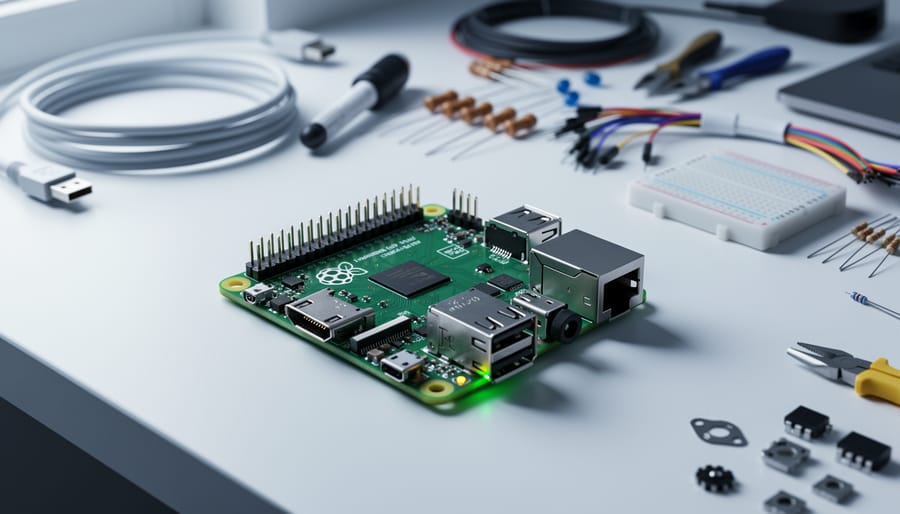
A Raspberry Pi is a small, affordable single-board computer roughly the size of a credit card that runs Linux-based operating systems and can power everything from retro gaming consoles to home automation hubs, weather stations, and robotics projects. Since its launch in 2012 by the Raspberry Pi Foundation, this miniature computer has sold tens of millions of units worldwide, democratizing computing education and empowering makers to build projects that were once the domain of expensive embedded systems.
Unlike traditional desktop computers housed in large towers, a Raspberry Pi packs all essential components onto one exposed circuit board: processor, memory, USB ports, video output, and GPIO (General Purpose Input/Output) pins that let you connect sensors, LEDs, motors, and countless other electronic components. This open architecture makes it perfect for learning programming, experimenting with hardware, and prototyping ideas without breaking the bank.
What makes the Raspberry Pi particularly appealing is its combination of low cost (models currently range from around $5 to $80), low power consumption, and surprising capability. You can use one as a standalone desktop computer for basic tasks, transform it into a media center, set up network-wide ad blocking, teach kids to code in Python or Scratch, or dive into physical computing projects that blend software with real-world hardware interaction.
This guide breaks down exactly how the Raspberry Pi works under the hood, walks you through the different models available in 2026 and what sets them apart, shows you real-world applications to spark ideas, and gets you started with your first project. Whether you’re a complete beginner curious about this tiny computer or someone ready to build something practical, you’ll find the clarity you need to move forward with confidence.
What a Raspberry Pi Is
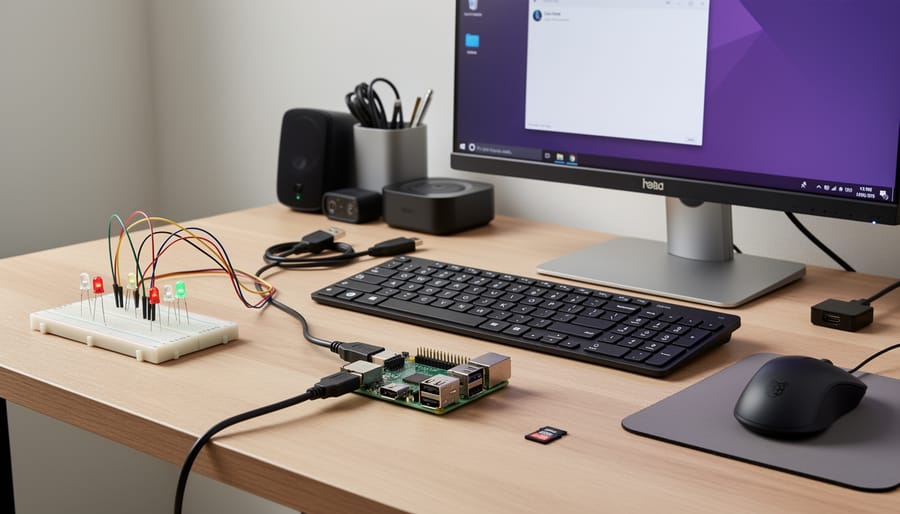
A Raspberry Pi is a small, affordable single-board computer about the size of a credit card. Unlike traditional desktop or laptop computers with separate components housed in a large case, a Raspberry Pi packs everything, processor, memory, graphics, and connectivity, onto one compact circuit board. Developed by the Raspberry Pi Foundation a UK-based charity, this device was created to make computing accessible and to encourage programming education worldwide.
The physical board measures roughly 85mm by 56mm, with visible components including USB ports, an HDMI output, GPIO pins along one edge, and a microSD card slot for storage. Prices start around $5 for the most basic Raspberry Pi Zero model and go up to approximately $80 for the flagship Raspberry Pi 5, making it dramatically cheaper than a conventional computer. This affordability has been central to the Foundation’s mission since the original model launched in 2012.
The Raspberry Pi occupies a unique middle ground in the computing world. It’s more capable than a simple microcontroller like an Arduino, it runs a full operating system (usually Linux-based), can browse the web, edit documents, and run complex software. Yet it’s more accessible and affordable than a traditional computer, with exposed components and GPIO pins that let you connect directly to sensors, motors, and electronics. This combination makes it ideal for learning programming, building DIY projects, and prototyping ideas without a significant financial investment.
What sets the Raspberry Pi apart is its versatility. The same device that teaches a child to write their first Python program can also run a home media center, control a robot, or host a small web server. It’s a genuine computer that invites experimentation.
How the Raspberry Pi Works
The Brain: System on Chip (SoC)
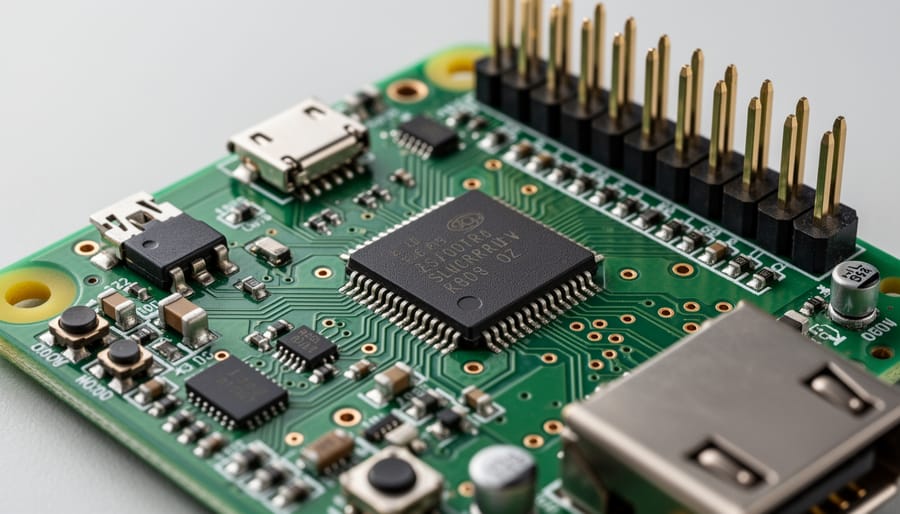
Think of the System on Chip as the Raspberry Pi’s nervous system packed into a single square processor about the size of a postage stamp. Rather than scattering components across a motherboard like traditional computers do, the SoC crams the CPU, GPU, RAM, and essential controllers onto one integrated circuit.
The CPU handles all the thinking work, running your operating system, executing programs, and processing commands. Sitting alongside it, the GPU manages everything visual, from rendering desktop graphics to decoding video streams. The RAM stores data your Pi needs right now, acting as a high-speed scratch pad between the processor and slower storage on your SD card.
These components share connections and resources on the same silicon die, which makes the Pi compact and power-efficient. Modern Raspberry Pi boards use ARM-based SoCs built by Broadcom (or Raspberry Pi’s own RP1 chip on the Pi 5), designed specifically for low power consumption. This integration explains why a computer small enough to fit in your pocket can still stream 4K video, compile code, or power robotics projects, everything needed for general computing lives within that single chip.
Power, Storage, and Connectivity
The Raspberry Pi draws power through a USB-C port on newer models (Pi 4 and 5) or micro-USB on older versions, typically requiring a 5V power supply delivering at least 3A for optimal performance. Unlike traditional computers with internal hard drives, the Pi boots and runs its operating system from a microSD card inserted into a dedicated slot on the underboard, this card serves as both storage drive and bootable media. Most users start with at least a 16GB card, though 32GB or larger provides more room for projects and data. Advanced users can also configure network boot to run the Pi without an SD card.
Connectivity options make the Pi remarkably versatile. Full-size models include multiple USB ports for keyboards, mice, and external storage, while dual micro-HDMI ports (or single full-size HDMI on Pi 3) connect to monitors or TVs for display output. Gigabit Ethernet provides wired network access, and built-in WiFi and Bluetooth handle wireless connections. The 40-pin GPIO header adds another layer of connectivity, letting you interface directly with electronic components, transforming the Pi from a simple computer into a bridge between software and the physical world.
The GPIO Pins: Hardware Interaction
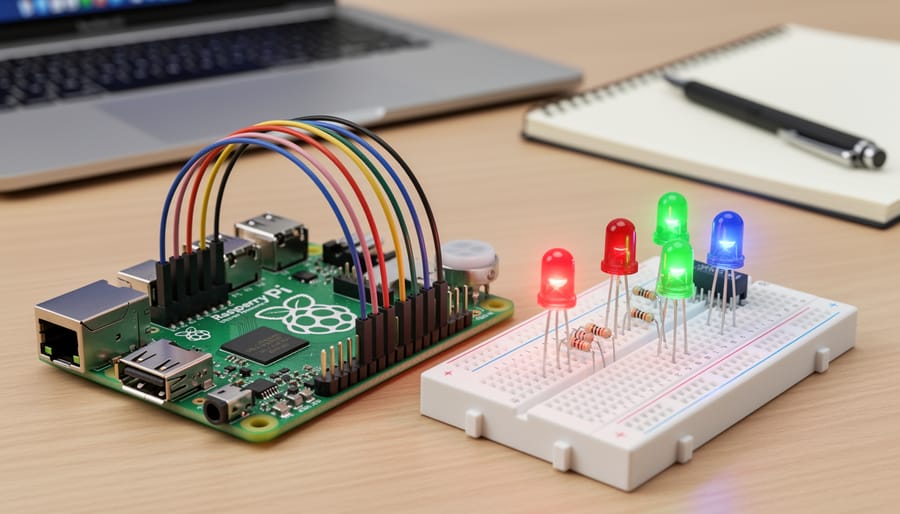
The GPIO (General Purpose Input/Output) pins are what truly set the Raspberry Pi apart from a standard desktop computer. These are the rows of metal pins protruding from the board, typically 40 pins on modern models, that let you connect electronic components directly to the Pi and control them through code.
Think of GPIO pins as physical bridges between software and hardware. Each pin can be programmed to send an electrical signal out (output) or receive one (input). Want to light an LED? Send power through an output pin. Need to read data from a temperature sensor? Configure a pin as input to receive that information.
The pins operate at 3.3 volts and can be controlled with simple Python commands. You can turn motors on and off, read button presses, gather environmental data from sensors, control servo movements for robotics, or build complex circuits, all without specialized hardware beyond the components themselves.
This direct hardware interaction makes the Pi ideal for physical computing projects and IoT applications. You’re not just running software; you’re making things move, light up, and respond to the real world.
Raspberry Pi Models and Variations
Full-Size Models
The full-size Raspberry Pi models represent the most powerful and versatile options in the lineup, designed for users who need maximum performance and connectivity. The Raspberry Pi 5, released in late 2023, stands as the flagship model in 2026. It features a custom ARM Cortex-A76 quad-core processor running at 2.4GHz, up to 8GB of RAM, and significantly improved graphics capabilities through the VideoCore VII GPU. This translates to desktop-like performance for many tasks, including web browsing, office work, and light media editing.
The Pi 5 includes dual 4K display outputs via micro-HDMI, Gigabit Ethernet, dual-band Wi-Fi 6, Bluetooth 5.0, and four USB ports (two USB 3.0, two USB 2.0). A notable addition is the PCIe 2.0 interface, allowing expansion with high-speed storage or other peripherals. The 40-pin GPIO header remains standard, ensuring compatibility with existing add-on boards.
The Raspberry Pi 4, still widely available, offers similar connectivity in a slightly less powerful package. With its quad-core Cortex-A72 processor and up to 8GB RAM, it handles most projects admirably at a lower price point. Both models run full desktop operating systems, support hardware video decoding, and provide enough processing power for simultaneous multitasking, making them suitable for everything from beginner Pi Zero projects scaled up to demanding applications like home servers or development workstations.
Compact and Specialized Models
The Raspberry Pi Zero series shrinks the platform down to roughly half the size of a credit card while maintaining essential functionality. Zero 2 W, the current mainstream variant, packs a quad-core processor, 512MB RAM, and wireless connectivity into a board measuring just 65mm × 30mm. It draws minimal power, under 1 watt in typical use, making it perfect for battery-powered projects or installations where space is critical. You’ll find Zero models embedded in wearables, camera rigs, digital signage, and portable emulation handhelds.
The Raspberry Pi Pico takes a different approach entirely. Rather than running a full operating system, Pico functions as a microcontroller, you program it directly for specific tasks. It excels at Raspberry Pi sensor projects real-time control applications, and electronics prototyping where instant response matters more than computational horsepower. At around $4, it undercuts even the Zero while offering dual-core processing and programmable I/O.
Choose Zero models when you need a complete Linux environment in minimal space. Opt for Pico when your project involves direct hardware control, tight timing requirements, or you want the simplicity of microcontroller programming without an operating system overhead.
Compute Module and Industrial Variants
The Raspberry Pi Compute Module takes the core technology of the standard Pi and repackages it into a compact form factor designed for integration into commercial products and industrial equipment. Unlike the familiar rectangular boards with exposed ports, Compute Modules are bare circuit boards roughly the size of a stick of RAM, mounting directly onto custom carrier boards through high-density connectors.
This design lets manufacturers build the Pi’s processing power into their own hardware without the bulk or consumer-oriented interfaces of retail models. You’ll find Compute Modules powering digital signage, industrial control systems, medical devices, and commercial IoT deployments where reliability and customization matter more than USB ports or HDMI outputs.
The current Compute Module 4 offers the same BCM2711 processor as the Raspberry Pi 4, with options for different RAM capacities and built-in eMMC storage instead of microSD cards. The eMMC storage proves more durable for industrial environments where constant read-write cycles and vibration would wear out standard cards. These modules also expose more GPIO pins and camera interfaces than consumer boards, giving engineers greater flexibility in their designs.
What You Can Do With a Raspberry Pi
Learning to Code and Tech Education
The Raspberry Pi transformed computer science education by putting a full programming environment into students’ hands for under $50. Schools and code clubs worldwide use it to teach Python, Scratch, and other languages without the budget strain of buying expensive computers for every learner.
What makes it ideal for education is the immediate feedback loop. Students write code and see physical results, an LED blinks, a robot moves, a sensor reads temperature. This tangible interaction makes abstract programming concepts click in ways that screen-only coding can’t match. A student learning Python can control GPIO pins to build a simple game controller or weather station within their first few projects.
The Raspberry Pi Foundation pre-loads educational software including Scratch for visual programming and Thonny for Python development. The platform runs the same professional development tools that working programmers use, so skills transfer directly to real-world applications. Teachers appreciate the active community providing free lesson plans, project tutorials, and classroom resources specifically designed for the Pi’s capabilities.
Home and DIY Projects
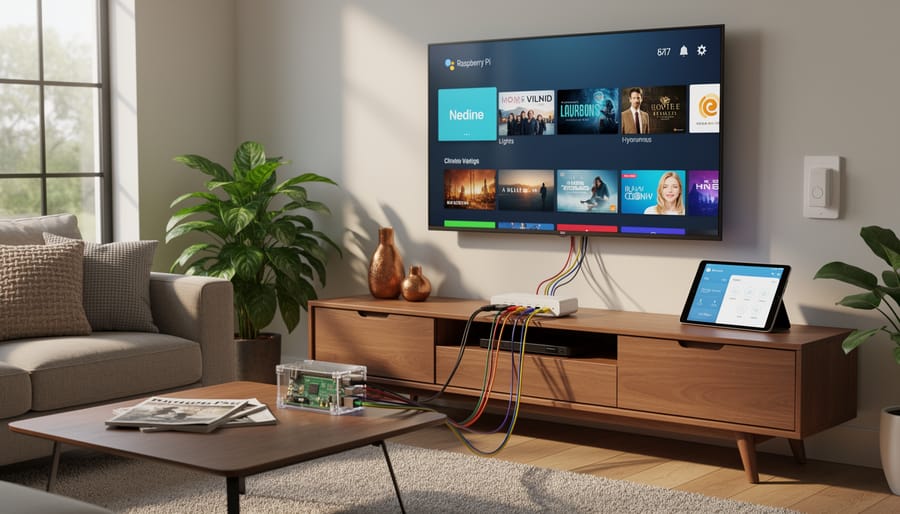
Home automation and everyday computing tasks represent some of the Raspberry Pi’s most popular real-world applications. You can transform the board into a full-featured media center by installing Kodi or Plex, which streams movies, TV shows, and music to any screen in your house. The Pi handles 4K video playback smoothly on recent models, and the setup takes under an hour.
Network-attached storage (NAS) is another practical project, attach external hard drives to create your own cloud storage accessible from anywhere, bypassing monthly subscription fees. Pi-hole blocks advertisements and trackers across your entire home network at the DNS level, speeding up browsing and protecting privacy without installing software on individual devices.
Smart home integration consolidates control of lights, thermostats, and security systems through platforms like Home Assistant or openHAB. The GPIO pins connect directly to sensors and relays, letting you build custom automation rules that commercial hubs can’t match.
Weather stations gather hyperlocal temperature, humidity, barometric pressure, and rainfall data using affordable sensor modules. The Pi logs measurements over time and can push alerts when conditions change. Security camera systems run motion-detection software that records footage to local storage, avoiding cloud service fees while maintaining complete control over your data.
These projects require minimal coding, most rely on installing pre-configured software images and adjusting settings through web interfaces.
Retro Gaming and Entertainment
The Raspberry Pi excels as a retro gaming platform, capable of emulating classic consoles from the 1980s and 1990s. RetroPie is the most popular software distribution, bundling multiple emulators into a single package that transforms your Pi into an all-in-one gaming console. It supports systems ranging from Atari and NES to PlayStation 1 and Nintendo 64, letting you play thousands of classic games through a simple, TV-friendly interface.
Setting up takes about an hour: flash RetroPie to a microSD card, connect controllers via USB or Bluetooth, and transfer legally-obtained game ROMs. The Raspberry Pi 4 and 5 handle most 16-bit and 32-bit era games smoothly, though demanding N64 and PSP titles may require the latest models for optimal performance. Alternative distributions like Recalbox and Lakka offer similar functionality with different interfaces.
Beyond gaming, the Pi serves as a capable media center. Kodi transforms it into a streaming hub for local video libraries, while LibreELEC provides a lightweight, Kodi-focused operating system optimized for media playback.
Advanced and Professional Uses
Beyond hobby projects, Raspberry Pi devices power professional prototypes and production systems. Engineers use them for IoT device testing and edge computing deployments, where the Pi collects sensor data and runs machine learning models locally before sending results to the cloud. In robotics, they serve as affordable control systems for autonomous vehicles, drones, and industrial manipulators, handling vision processing and navigation algorithms.
Manufacturing facilities deploy Raspberry Pis for industrial automation tasks like quality control monitoring, assembly line tracking, and predictive maintenance systems. The Compute Module variants fit into custom PCBs for commercial products. Small businesses and developers host lightweight web servers, database systems, VPN gateways, and continuous integration pipelines on Pi clusters, taking advantage of low power consumption and minimal hardware costs while maintaining acceptable performance for non-critical workloads.
Getting Started: What You Need
Starting with a Raspberry Pi requires just a few core components, most of which you likely already own. While the board itself costs between $35 and $80 depending on the model you choose, budget an additional $40 to $60 for essential accessories if you’re building from scratch.
Here’s what you absolutely need to get your Pi running:
- Raspberry Pi board, Choose based on your project needs and budget
- Official power supply, USB-C for Pi 5 and Pi 4 (5V/5A for Pi 5, 5V/3A for Pi 4); micro-USB for older models
- MicroSD card, 32GB minimum (Class 10 or UHS-I), though 64GB offers more headroom for projects
- Display with HDMI input, Any monitor or TV works; Pi 5 and Pi 4 use micro-HDMI ports
- USB keyboard and mouse, Wired versions simplify initial setup
- Case with cooling, Protects the board and prevents thermal throttling under load
The power supply deserves attention because underpowered adapters cause stability issues and random shutdowns. Stick with the official Raspberry Pi power supply or verified third-party options that meet the specific amperage requirements for your model. Using an old phone charger rarely works reliably.
For the microSD card, speed matters. A slow card makes the entire system sluggish since the Pi runs its operating system from this storage. Samsung EVO Plus and SanDisk Extreme cards offer good performance at reasonable prices in 2026. Flash the card with Raspberry Pi OS using the official Imager tool before first boot.
If you plan to set up VNC remote access you can skip the dedicated display after initial configuration and control your Pi from another computer. This setup saves desk space and works perfectly for headless projects like servers or automation hubs.
A case with built-in heatsinks or an active cooling fan prevents performance drops during intensive tasks. The Pi 5 especially benefits from active cooling, as it can throttle when temperatures exceed 80°C during sustained workloads.
Common Questions About Raspberry Pi
The Raspberry Pi community is large and welcoming, but newcomers often share similar questions before diving in. Understanding the practical realities of what this device can and can’t do helps set realistic expectations and ensures you start with the right project.
Can a Raspberry Pi replace my desktop computer?
For basic tasks like web browsing, word processing, and email, a Raspberry Pi 5 can serve as a functional desktop replacement. However, it struggles with resource-intensive applications like video editing, modern gaming, or running multiple demanding programs simultaneously, a traditional desktop remains necessary for power users.
What operating systems can I run on a Raspberry Pi?
The official Raspberry Pi OS (formerly Raspbian) is the most popular choice, but you can also install Ubuntu, various Linux distributions, Windows 10 IoT Core, and specialized systems like RetroPie for gaming or LibreELEC for media centers. Most users start with Raspberry Pi OS because it’s optimized for the hardware and includes helpful tutorials.
Do I need programming knowledge to use a Raspberry Pi?
No programming experience is required to set up basic projects like a media center or retro gaming console, these use pre-configured software with graphical interfaces. Learning to code unlocks the Pi’s full potential, but many users start with simple projects and pick up Python or other languages gradually through online tutorials.
How much does it cost to run a Raspberry Pi 24/7?
A Raspberry Pi 5 under typical load draws about 5-8 watts, costing roughly $4-7 per year in electricity if run continuously (based on average US electricity rates). Even older, less efficient models rarely exceed $10 annually, making them economical for always-on projects like home servers or network monitoring.
What’s the difference between Raspberry Pi and Arduino?
Raspberry Pi is a full computer with an operating system, capable of multitasking and running complex software, while Arduino is a simpler microcontroller designed for repetitive hardware tasks. Choose Raspberry Pi for projects requiring internet connectivity, video output, or complicated logic; choose Arduino for precise timing, low power consumption, or dedicated control tasks like reading sensors.
Is Raspberry Pi suitable for absolute beginners?
Yes, the Raspberry Pi was specifically designed for education and beginners. The official documentation is clear, the community forums are helpful, and thousands of step-by-step tutorials exist for common projects. Starting with a kit that includes all necessary components and following a simple first project like building a weather display or setting up a media center gives you hands-on experience without overwhelming complexity.
Beyond these basics, you’ll likely encounter minor troubleshooting as you learn, SD card compatibility issues, configuration tweaks, or figuring out which cables you need. These small hurdles are part of the learning process rather than barriers. The Pi’s popularity means nearly every problem you face has been solved by someone else, and a quick search usually leads to a forum post or video explaining the fix. This robust ecosystem of shared knowledge makes the Raspberry Pi far more accessible than its technical capabilities might suggest.
The Raspberry Pi has transformed from an educational experiment into a genuine computing powerhouse that anyone can afford and use. Whether you’re teaching a child to code, automating your home, building a retro gaming setup, or prototyping an IoT solution, this credit-card-sized computer delivers remarkable capability for its price point.
What sets the Raspberry Pi apart in 2026 isn’t just its hardware specifications or low cost. It’s the thriving ecosystem that surrounds it: millions of users worldwide, countless tutorials covering every imaginable project, and active forums where beginners and experts alike share knowledge freely. You’re never starting from scratch when you pick up a Pi.
If you’re new to Raspberry Pi, start simple. Set up a basic media center, try a beginner programming tutorial, or build something small that solves a problem in your daily life. The beauty of this platform is that you can start without any prior electronics experience and gradually expand your skills as your confidence grows. Each project teaches you something new, and mistakes cost little more than your time.
The barrier to entry remains refreshingly low: for less than the price of dinner out, you can own a fully functional computer that opens doors to programming, electronics, and countless creative possibilities. That’s the Raspberry Pi’s enduring promise, and it’s why the platform continues to inspire makers, students, and tinkerers more than a decade after its debut.