

Transform your Raspberry Pi Zero into a powerful computing platform by selecting the right operating system – a critical decision that impacts everything from power consumption to project performance. While compact enough to fit in your palm, this $10 computer can handle diverse Pi Zero projects when paired with the appropriate OS. Whether you’re building a retro gaming console, setting up a lightweight web server, or creating an IoT device, understanding your operating system options is crucial for maximizing the Pi Zero’s 1GHz single-core processor and 512MB RAM.
From stripped-down versions of Raspberry Pi OS to specialized distributions like DietPi and Alpine Linux, each operating system offers unique advantages for specific use cases. The key lies in balancing functionality with resource efficiency – choosing an OS that provides essential features while maintaining snappy performance on the Zero’s modest hardware. Let’s explore how to select, install, and optimize the perfect operating system for your Pi Zero project, ensuring you get the most from this remarkably versatile minicomputer.
Understanding Pi Zero’s Hardware Limitations
CPU and Memory Constraints
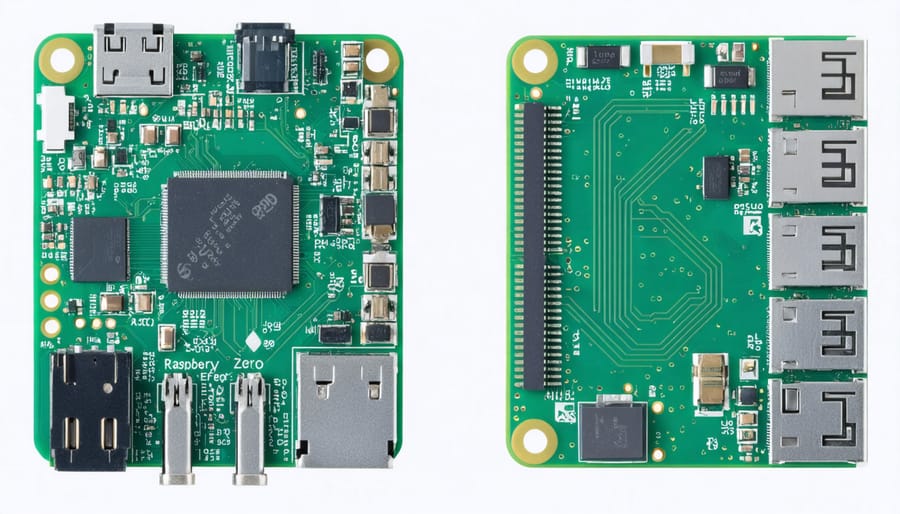
The Raspberry Pi Zero operates with modest hardware specifications that require careful consideration when choosing an operating system. At its core, the Pi Zero features a single-core 1GHz ARM processor and 512MB of RAM, which places certain constraints on its performance capabilities. These specifications, while sufficient for many projects, mean that resource-heavy operating systems or applications may run slowly or become unresponsive.
Memory management is particularly crucial, as the 512MB RAM limit can quickly become a bottleneck when running multiple applications or browser tabs. The processor’s single-core nature also means that multitasking capabilities are limited compared to more powerful Raspberry Pi models. However, these constraints don’t make the Pi Zero less valuable; rather, they encourage efficient programming and thoughtful resource allocation.
To get the best performance, it’s essential to choose an operating system specifically optimized for these hardware limitations. Lightweight distributions and minimal desktop environments can help maximize the available resources for your actual projects and applications.
Storage and Power Requirements
The Pi Zero requires a microSD card for storage, with a minimum capacity of 8GB recommended for most operating systems. For optimal performance, choose a high-quality Class 10 card from a reputable manufacturer, as the card’s speed directly impacts the system’s responsiveness. While 8GB is the minimum, a 16GB or 32GB card provides more flexibility for additional applications and data storage.
Power requirements for the Pi Zero are notably modest, typically drawing between 0.5 to 1.2 watts during normal operation. The device can be powered through its micro-USB port and requires a 5V power supply rated at 1.2A or higher for stable operation. Using a lower-rated power supply may lead to unstable performance or boot issues, particularly when connecting USB peripherals.
For portable projects, the Pi Zero can be powered using a power bank, making it ideal for mobile applications. However, ensure your power bank can provide stable 5V output for reliable operation.
Best Operating Systems for Pi Zero

Raspberry Pi OS Lite
Raspberry Pi OS Lite is the official lightweight version of the standard Raspberry Pi operating system, specifically optimized for devices with limited resources like the Pi Zero. This stripped-down variant excludes the desktop environment and graphical interface, making it perfect for headless applications and projects that don’t require a GUI.
Running at just under 500MB, this minimal OS delivers exceptional performance on the Pi Zero’s modest hardware. It includes essential command-line tools and utilities while maintaining full compatibility with the Raspberry Pi package repository. This means you can still install additional software as needed, but you’re starting with a lean foundation.
Key advantages of using Pi OS Lite include faster boot times, reduced memory usage, and improved overall system responsiveness. The OS is particularly well-suited for IoT projects, automated tasks, network services, and other headless applications where visual interface isn’t necessary.
For beginners, while the command-line interface might seem intimidating at first, the OS comes with excellent documentation and community support. Advanced users appreciate the flexibility to customize their setup without unnecessary bloat, making it an ideal choice for resource-conscious projects on the Pi Zero.
DietPi
DietPi stands out as an ultra-lightweight operating system specifically optimized for single-board computers like the Raspberry Pi Zero. With a minimal footprint of around 400MB after installation, it’s particularly well-suited for the Pi Zero’s limited resources. The OS strips away unnecessary components while maintaining essential functionality, resulting in significantly improved performance compared to standard Raspberry Pi OS.
What makes DietPi particularly attractive for Pi Zero users is its automated optimization system. Upon installation, it automatically configures various system settings for optimal performance, including CPU governor settings, memory management, and logging behaviors. This means less manual tweaking is required to get your system running efficiently.
The operating system comes with DietPi-Software, a streamlined installation tool that lets you easily add over 150 popular software options with minimal bloat. Whether you’re setting up a lightweight web server, media center, or IoT device, DietPi’s software collection covers most common use cases while maintaining system efficiency.
For Pi Zero projects where every bit of processing power counts, DietPi’s minimal resource usage leaves more headroom for your applications. The system typically uses less than 100MB of RAM at idle, making it an excellent choice for resource-constrained projects. Additionally, its lower power consumption can lead to better battery life in portable Pi Zero projects.
Alpine Linux
Alpine Linux stands out as an exceptional choice for the Pi Zero, primarily due to its remarkably small footprint and efficient resource usage. This lightweight distribution requires only about 130MB of storage space in its base installation, making it perfect for the Pi Zero’s limited resources.
What makes Alpine particularly attractive is its security-focused design and minimal approach to system components. Unlike many other distributions, Alpine uses the musl libc library and BusyBox utilities, resulting in a faster and more secure system. The distribution boots quickly and runs smoothly even on the Pi Zero’s modest hardware specifications.
For makers and developers, Alpine Linux offers a robust package management system called apk, which provides access to thousands of packages while maintaining the system’s lightweight nature. This makes it ideal for specific-purpose projects like network appliances, IoT devices, or headless servers.
Setting up Alpine on a Pi Zero requires some Linux experience, as it’s primarily managed through the command line. However, the trade-off brings exceptional performance benefits. The distribution’s small memory footprint leaves more resources available for your applications, and its active community provides excellent documentation and support for troubleshooting.
One notable advantage is Alpine’s container-friendly nature, making it perfect for running Docker containers on your Pi Zero, though with consideration for the device’s processing capabilities.
Specialized OS Options
Beyond the standard Raspberry Pi OS, several specialized operating systems cater to specific use cases, making the Pi Zero an incredibly versatile device. For media center enthusiasts, OSMC and LibreELEC offer streamlined solutions that transform your Pi Zero into a powerful entertainment hub, though they may require additional USB adapters for optimal performance.
RetroPie stands out for gaming enthusiasts, allowing you to emulate classic gaming consoles. While the Pi Zero’s processing power limits it to older systems, it handles 8-bit and 16-bit games remarkably well. DietPi presents a minimal Linux distribution perfect for server applications, using significantly less resources than standard distributions while maintaining essential functionality.
For IoT projects, Alpine Linux provides a security-focused, lightweight option that’s ideal for network-connected devices. Its small footprint makes it particularly suitable for the Pi Zero’s limited storage. MotionEyeOS transforms your Pi Zero into a surveillance system, offering a specialized distribution for security camera applications.
Weather station enthusiasts can benefit from Weather Station PI OS, while PirateBox OS creates a offline file-sharing and communication platform. These task-specific operating systems often perform better than general-purpose ones because they’re optimized for their intended use, making the most of the Pi Zero’s modest hardware capabilities.
Installation and Optimization Tips
Installation Process
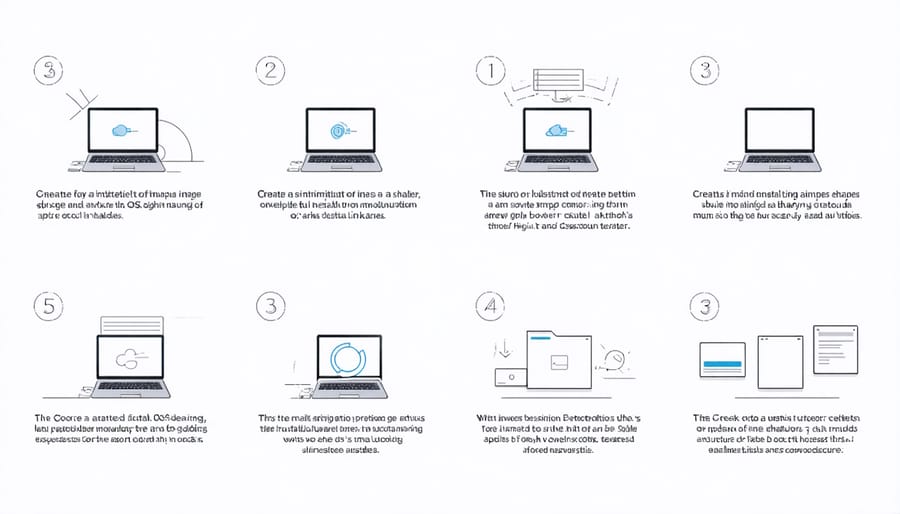
Installing an operating system on your Pi Zero is a straightforward process that begins with downloading the Raspberry Pi Imager tool from the official website. This user-friendly software streamlines the installation process and is perfect for following our beginner-friendly setup guide.
Start by inserting your microSD card into your computer using an appropriate adapter. Launch the Raspberry Pi Imager and select your chosen operating system from the list of available options. For Pi Zero, Raspberry Pi OS Lite is recommended due to its minimal resource requirements.
Click “Choose Storage” to select your microSD card, then click “Write” to begin the imaging process. The tool will format your card and write the OS files automatically. This typically takes 5-10 minutes, depending on your computer’s speed and the size of the OS.
Once complete, safely eject the microSD card and insert it into your Pi Zero. For headless setup (without a display), you’ll need to create two additional files on the boot partition: an empty file named ‘ssh’ to enable SSH access, and a ‘wpa_supplicant.conf’ file containing your Wi-Fi credentials.
Power up your Pi Zero, and the first boot will automatically expand the file system and configure basic settings. Initial boot may take several minutes as the system performs necessary optimizations.
Performance Tweaks
To maximize your Pi Zero’s performance, implementing key optimization techniques can make a significant difference. Start by disabling unnecessary services using terminal commands for optimization, which can free up valuable system resources. Focus on services you don’t regularly use, such as Bluetooth or printing services if they’re not essential to your project.
Consider adjusting your swap file settings to better balance memory usage. While the default settings work for most cases, reducing swappiness can improve performance for memory-intensive applications. Setting the GPU memory split to the minimum required for your display needs will allocate more RAM to the CPU, enhancing overall system performance.
Overclocking can provide additional performance gains, but approach this carefully on the Pi Zero. A modest overclock to 1000MHz is generally safe and can boost performance without significant stability risks. Always ensure proper cooling when overclocking.
For better storage performance, consider using a high-quality Class 10 microSD card and enabling tmpfs for temporary files. This reduces write cycles to your SD card and speeds up system operations. Additionally, removing unused packages and regularly cleaning package caches can free up valuable storage space and reduce system overhead.
Remember to disable GUI elements if you’re running headless applications, as this can significantly reduce resource usage and improve overall system responsiveness.
Common Pitfalls to Avoid
When setting up your Pi Zero’s operating system, several common pitfalls can hinder your progress. One frequent mistake is choosing an OS that’s too resource-intensive for the Pi Zero’s limited hardware. While full desktop environments might be tempting, they can lead to sluggish performance and system freezes.
Another common issue is using an incompatible power supply. The Pi Zero requires a stable 5V power source, and using a substandard power supply can cause random crashes or prevent the system from booting altogether. Always use a reliable power adapter rated at least 1.2A.
SD card problems often plague new users. Using low-quality or counterfeit SD cards can result in corruption and system instability. Additionally, failing to properly format the SD card before installation or not using the official Raspberry Pi Imager can lead to boot failures.
Network configuration issues frequently arise when users forget to configure WiFi settings before the first boot, especially crucial for headless setups. Remember to create the necessary wpa_supplicant.conf file and enable SSH before inserting the SD card.
Lastly, overclocking without proper cooling can cause system instability or permanent damage. While the Pi Zero can handle modest overclocking, ensure adequate ventilation and monitor temperatures if you decide to push the hardware beyond stock speeds.
The Raspberry Pi Zero’s compact size and versatility make it an excellent platform for various projects, but choosing the right operating system is crucial for optimal performance. Throughout this guide, we’ve explored the most suitable operating systems for the Pi Zero, from the lightweight Raspberry Pi OS Lite to specialized distributions like DietPi and RISC OS. Remember that the Pi Zero’s limited resources require careful consideration when selecting an OS, with an emphasis on lightweight options that maximize the device’s capabilities.
For beginners, we recommend starting with Raspberry Pi OS Lite, as it provides an excellent balance of functionality and resource efficiency. More experienced users might prefer DietPi or Alpine Linux for their minimal footprint and enhanced performance. Whichever OS you choose, ensure it aligns with your project requirements and technical expertise.
Keep in mind that regular updates and proper optimization are essential for maintaining smooth operation. By following the installation and configuration guidelines provided, you can create a stable and efficient environment for your Pi Zero projects, whether you’re building a retro gaming console, setting up a network server, or creating an IoT device.