


Digital wellness encompasses the mindful and intentional use of technology to enhance mental, physical, and emotional well-being in our increasingly connected world. As our lives become more intertwined with digital devices, maintaining a healthy relationship with technology has evolved from a luxury to a necessity. By understanding digital wellness, users can harness technology’s benefits while mitigating its potential negative impacts on sleep quality, productivity, and social connections.
This concept extends beyond simple screen time management, incorporating elements of digital literacy, cybersecurity awareness, and ergonomic practices. Whether you’re a tech enthusiast exploring Raspberry Pi projects or a professional navigating remote work environments, digital wellness principles provide a framework for creating sustainable, technology-enhanced lifestyles that prioritize human needs and values.
Achieving digital wellness requires a balanced approach: leveraging technology’s capabilities while establishing boundaries that protect our mental space and physical health. Through practical strategies and conscious technology use, individuals can create a healthier digital lifestyle that supports rather than hinders their overall well-being.
What Digital Wellness Really Means
Core Components of Digital Wellness
Digital wellness encompasses several key components that work together to create a balanced and healthy relationship with technology. The first essential element is mindful technology usage, which involves being conscious of how and when we interact with digital devices. This includes setting boundaries for screen time and practicing intentional engagement with digital content.
Device management forms another crucial component, focusing on organizing and optimizing our digital tools to reduce stress and increase productivity. This includes maintaining clean interfaces, organizing files efficiently, and ensuring devices run smoothly.
Digital security and privacy represent vital aspects of digital wellness, encompassing practices like strong password management, regular software updates, and careful consideration of data sharing. Additionally, digital communication hygiene involves maintaining healthy online relationships and communication patterns while avoiding digital overwhelm.
Physical wellness considerations make up the final core component, addressing ergonomic setup, eye strain prevention, and movement breaks during device use. These elements combine to create a comprehensive approach to digital wellness that promotes both technological efficiency and personal well-being.
The Tech-Life Balance
Finding the right tech-life balance is crucial in today’s digital-first world. While technology enhances our productivity and connectivity, it’s essential to maintain a healthy relationship with our devices. The key lies in balancing digital learning and personal well-being through mindful tech usage. This means setting boundaries for screen time, creating tech-free zones at home, and implementing digital sunset routines. By using tools like Raspberry Pi to automate digital wellness tracking and notifications, we can maintain awareness of our tech habits while maximizing the benefits of digital integration in our daily lives. The goal isn’t to eliminate technology but to create a sustainable harmony between our digital and physical experiences.

Digital Wellness in Practice
Screen Time Management
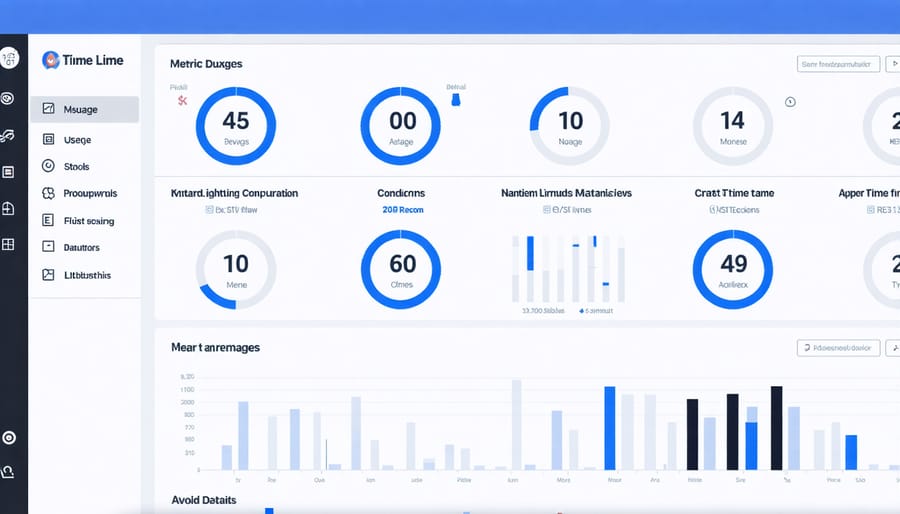
Effective screen time management is crucial in mitigating the negative impact of technology on daily life. The Raspberry Pi community has developed several innovative solutions to help monitor and control digital device usage. One popular approach involves creating a custom screen time tracking system using a Pi Zero W, which can monitor device usage across your network and provide detailed analytics.
Key management techniques include setting up automated screen breaks using Python scripts, implementing parental controls through network-level filtering, and creating custom notification systems that remind users to take regular breaks. The Pi’s GPIO pins can be utilized to build physical indicators, such as LED warning lights or small displays showing accumulated screen time.
For optimal results, combine these technical solutions with practical habits like the 20-20-20 rule (every 20 minutes, look at something 20 feet away for 20 seconds) and scheduled device-free periods. Using your Raspberry Pi to automate these practices can help establish a healthier relationship with technology while maintaining productivity and digital well-being.
Digital Boundaries
Digital boundaries are essential practices that help maintain a healthy relationship with technology while preventing digital overwhelm. These boundaries involve setting clear limits on device usage, creating designated tech-free zones, and establishing specific times for digital engagement and disconnection.
A practical approach to implementing digital boundaries includes using screen time monitoring apps, setting up Do Not Disturb schedules, and creating physical spaces where devices are not allowed, such as bedrooms or dining areas. The Raspberry Pi community has developed several open-source tools that can help manage these boundaries, including network-level content filters and time-tracking applications.
To establish effective digital boundaries, start by auditing your current technology usage patterns and identifying areas where excessive screen time may be affecting your well-being. Then, implement specific rules such as no-phone meetings, device-free meals, or digital sunset hours before bedtime. Regular review and adjustment of these boundaries ensure they remain relevant and beneficial to your digital wellness journey.
Remember that digital boundaries are personal and should align with your lifestyle, work requirements, and wellness goals. The key is finding a balance that allows you to harness technology’s benefits while maintaining your mental and physical health.
Implementing Digital Wellness with Raspberry Pi
Building a Digital Wellness Monitor
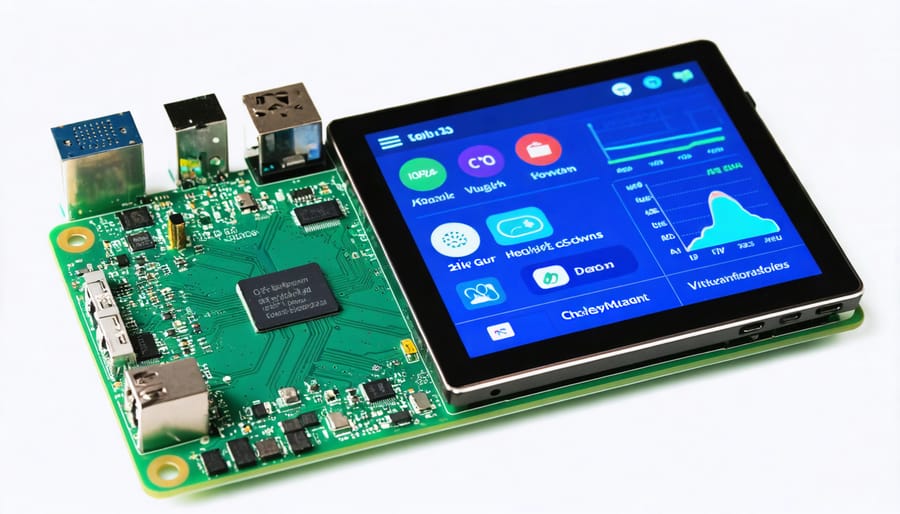
Let’s create a practical digital wellness monitor using a Raspberry Pi to help track and manage your digital habits. This project combines simple hardware components with Python code to provide real-time feedback about your digital behavior.
Start by connecting a small LCD display to your Raspberry Pi, which will serve as your wellness dashboard. You’ll also need a few buttons for interaction and a real-time clock module to track usage patterns accurately.
The monitor can track several key metrics:
– Screen time duration
– Number of app switches
– Notification frequency
– Active hours distribution
– Break reminders
Using Python’s psutil library, create a script that monitors system processes and user activity. The program should log data to a SQLite database and display daily statistics on the LCD screen. Add LED indicators that change color based on your digital wellness status: green for healthy usage patterns, yellow for moderate concerns, and red for excessive screen time.
To make the monitor more effective, implement a notification system that reminds you to:
– Take regular screen breaks
– Maintain proper posture
– Practice eye exercises
– Step away from devices
Customize the thresholds and alerts based on your personal digital wellness goals. You can also add features like weekly reports and trend analysis to help you understand your habits better and make informed decisions about your digital consumption.
Remember to house all components in a compact case that can sit unobtrusively on your desk, serving as a constant but gentle reminder of your digital wellness commitments.
Automating Digital Health Practices
Raspberry Pi offers an innovative approach to automating digital wellness routines, making it easier to maintain healthy tech habits. By implementing secure digital practices, you can create automated systems that monitor and manage your digital well-being.
Using a Raspberry Pi, you can develop custom scripts to track screen time, implement scheduled internet breaks, and manage notification filters. For instance, a simple Python script can monitor your daily device usage and automatically trigger “digital sunset” modes at predetermined times, gradually reducing screen brightness and blocking access to potentially distracting applications.
One practical implementation involves creating a network-wide content filter that automatically enforces digital wellness policies across all connected devices. This can include scheduled downtimes, website blocking during specific hours, and automated reminders for taking breaks.
Another useful application is setting up a wellness dashboard that displays real-time metrics of your digital habits. Using sensors and GPIO pins, your Raspberry Pi can even monitor your physical posture and ambient lighting conditions, sending gentle reminders when it’s time to adjust your workspace setup or take a break.
These automation solutions can be customized to fit individual needs, making digital wellness practices more sustainable and easier to maintain in the long run. The key is starting with simple automations and gradually building more complex systems as your needs evolve.
Digital wellness is more than just a concept – it’s a vital component of our modern lifestyle that deserves our attention and action. Throughout this article, we’ve explored how digital wellness encompasses mindful technology use, balanced screen time, and healthy online habits. The key takeaway is that achieving digital wellness doesn’t mean completely disconnecting from technology, but rather creating a harmonious relationship with our digital tools.
By implementing the strategies and tools we’ve discussed, including Raspberry Pi solutions for monitoring and managing digital habits, you can take control of your digital well-being. Start small by choosing one area to focus on, whether it’s setting screen time limits, creating tech-free zones, or using monitoring tools to track your digital consumption.
Remember, digital wellness is a personal journey, and what works for one person may not work for another. Be patient with yourself as you develop new habits, and don’t hesitate to adjust your approach as needed. Take the first step today by implementing one of the suggestions from this guide, and gradually build towards a healthier, more balanced digital lifestyle.