


Implement multi-factor authentication across all VDI access points to create an impenetrable first line of defense against unauthorized access. Encrypt all data transmission channels between virtual desktops and end-user devices using industry-standard protocols like TLS 1.3. Configure granular role-based access controls (RBAC) to enforce strict user permissions and maintain comprehensive virtual environment security standards. Deploy automated endpoint security solutions that continuously monitor virtual desktop sessions for suspicious activities and potential security breaches.
Modern VDI environments face increasingly sophisticated cyber threats, demanding robust security measures that protect both data and infrastructure. By implementing these critical security controls, organizations can significantly reduce their attack surface while maintaining operational efficiency. Regular security audits, combined with continuous monitoring and updates, ensure that VDI deployments remain resilient against emerging threats while supporting seamless remote work capabilities.
This comprehensive approach to VDI security creates a robust defense framework that balances strong protection with user productivity, enabling organizations to confidently scale their virtual desktop infrastructure while maintaining the highest security standards.
Understanding VDI Security Risks
Endpoint Security Challenges
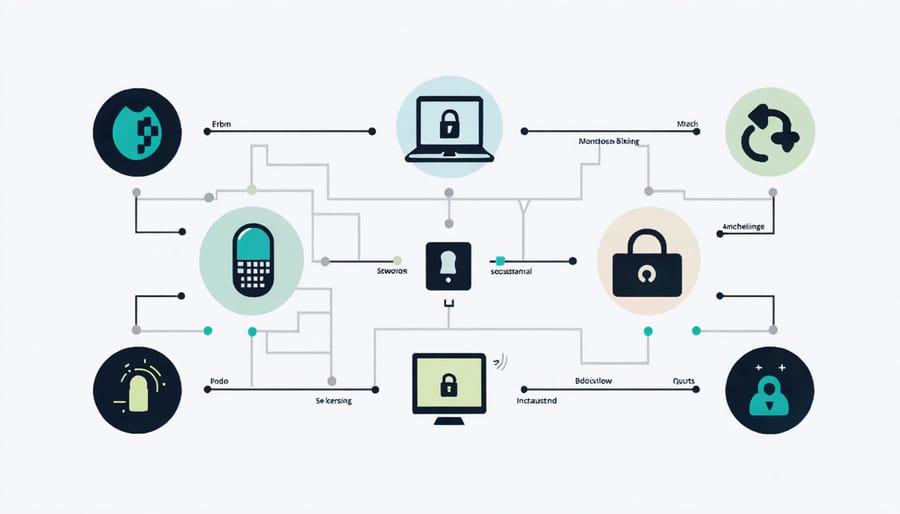
Endpoint security in VDI environments presents unique challenges due to the diverse range of devices accessing virtual desktops. The main security risks stem from unmanaged personal devices, potentially compromised peripherals, and varying levels of endpoint protection across different access points.
User devices, whether company-issued or personal, can become vulnerable entry points for malware and cyber attacks. Without proper endpoint protection, these devices might introduce security threats directly into the VDI environment. Common risks include outdated antivirus software, unauthorized USB devices, and unsecured network connections.
To combat these challenges, organizations need to implement strict device compliance policies and endpoint security measures. This includes enforcing device authentication, maintaining updated security patches, and implementing USB device control policies. Regular security scans of connecting devices and real-time monitoring of endpoint activities are essential.
Additionally, organizations should consider implementing zero-trust security models for endpoint access, requiring continuous verification regardless of device location or network. This approach helps maintain a strong security posture while allowing flexibility in device choice and remote access capabilities.
Network Vulnerabilities
Virtual Desktop Infrastructure faces several network-related vulnerabilities that require careful attention. The most common concerns include unauthorized network access, data interception during transmission, and potential DDoS attacks targeting VDI servers.
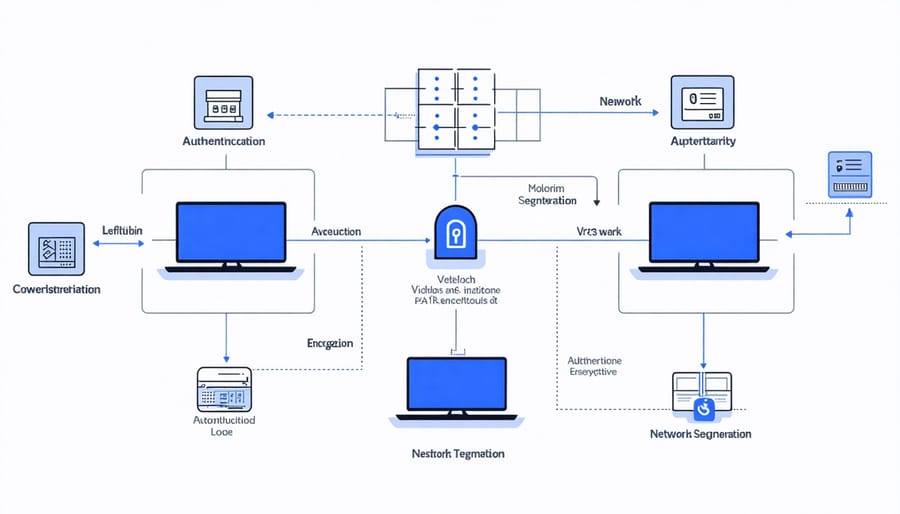
To mitigate these risks, implementing network segmentation is crucial, separating VDI traffic from other network activities. This approach prevents lateral movement in case of a security breach and contains potential threats to specific network segments.
Encryption plays a vital role in protecting VDI connections. Using secure protocols like TLS 1.3 for all VDI sessions ensures that data transmitted between endpoints and servers remains confidential and tamper-proof. Additionally, implementing strong authentication mechanisms at the network level, such as certificate-based authentication, adds an extra layer of security.
Network monitoring and traffic analysis tools are essential for detecting suspicious activities. Regular network vulnerability assessments help identify potential weak points before they can be exploited. Organizations should also consider implementing intrusion detection systems (IDS) and intrusion prevention systems (IPS) specifically configured for VDI environments to protect against network-based attacks.
Essential VDI Security Controls
Access Control and Authentication
Strong authentication and access control form the backbone of VDI security. Start by implementing multi-factor authentication (MFA) for all user access points, combining something users know (password), have (security token), and are (biometrics). Ensure passwords meet complexity requirements and are regularly updated through an enforced password policy.
Role-based access control (RBAC) should be established to limit user permissions based on job functions. This prevents unauthorized access to sensitive resources and reduces the risk of internal threats. Configure session timeout policies to automatically disconnect idle users, typically after 15-30 minutes of inactivity.
Single Sign-On (SSO) integration can enhance both security and user experience by reducing password fatigue while maintaining strict access controls. However, ensure that the SSO solution itself is properly secured and regularly audited.
For remote access, implement secure gateway solutions with SSL/TLS encryption. Consider using client certificates for an additional layer of authentication, especially for high-security environments. Geographic location-based access restrictions can also help prevent unauthorized access from suspicious locations.
Regular access reviews should be conducted to verify that user permissions remain appropriate and to quickly revoke access for departed employees. Monitor and log all authentication attempts, successful or failed, to detect potential security breaches early. This data should be integrated with your security information and event management (SIEM) system for comprehensive security monitoring.
Network Segmentation
Effective network segmentation is crucial for maintaining a secure VDI environment. By implementing logical network boundaries, organizations can contain potential security breaches and protect sensitive data from unauthorized access. Similar to containerization security practices, proper network isolation helps minimize the attack surface.
Start by creating separate VLANs for different VDI components: one for the connection brokers, another for virtual desktops, and a third for management traffic. This separation prevents lateral movement if a breach occurs. Additionally, implement strict access controls between these segments using firewalls and security groups.
Consider using microsegmentation techniques to create granular security policies at the individual desktop level. This approach allows for precise control over traffic flow and helps prevent unauthorized communication between virtual desktops.
Deploy intrusion detection and prevention systems (IDS/IPS) at network boundaries to monitor and block suspicious traffic patterns. Regular network traffic analysis helps identify potential security threats and ensures segmentation policies remain effective.
Remember to maintain separate authentication mechanisms for different network segments and implement strong encryption for all cross-segment communication. Regular security audits of network segmentation rules help identify and address any potential vulnerabilities before they can be exploited.
Data Protection Measures
Protecting sensitive data within your VDI environment requires a multi-layered approach encompassing both data in transit and at rest. For data in transit, implement end-to-end encryption using industry-standard protocols like TLS 1.3 or SSH. Configure your VDI environment to enforce strict encryption policies for all network communications between virtual desktops and external resources.
For data at rest, employ robust encryption solutions such as BitLocker for Windows environments or LUKS for Linux-based systems. Consider implementing container-based security measures to isolate sensitive data and applications, providing an additional layer of protection against unauthorized access.
Implement data loss prevention (DLP) policies to control how users can interact with sensitive information. This includes restricting file transfers, clipboard operations, and printing capabilities based on security clearance levels. Configure automatic backup solutions with encryption to ensure data recovery while maintaining security.
Enable detailed logging and monitoring of all data access attempts, and regularly audit these logs for potential security breaches. Use role-based access control (RBAC) to limit data access to authorized personnel only, and implement multi-factor authentication for accessing sensitive information. Regular security assessments and penetration testing should be conducted to identify and address potential vulnerabilities in your data protection measures.
Monitoring and Maintenance
Security Monitoring Tools
Effective security monitoring is crucial for maintaining a robust VDI environment, especially in modern setups that incorporate hybrid cloud virtualization. Essential monitoring tools should include Security Information and Event Management (SIEM) solutions to collect and analyze security events across your VDI infrastructure.
User behavior analytics (UBA) tools are vital for detecting unusual patterns that might indicate security breaches. These tools monitor login attempts, resource usage, and user activities to identify potential threats early. Consider implementing tools like Splunk or Microsoft Advanced Threat Analytics for comprehensive monitoring capabilities.
Network monitoring solutions such as Wireshark or SolarWinds help track traffic patterns and identify suspicious network activities. For endpoint protection, deploy tools that offer real-time monitoring of virtual desktops, including antivirus software specifically designed for VDI environments.
Performance monitoring tools like VMware vRealize Operations or Citrix Director provide insights into system health and security-related performance issues. These solutions help identify resource bottlenecks that could impact security measures.
Remember to configure automated alerts for critical security events and maintain detailed logs for compliance and audit purposes. Regular review of monitoring data helps identify security gaps and optimize your VDI security posture over time.
Regular Security Audits
Regular security audits form the backbone of a robust VDI security strategy. These assessments should be conducted at least quarterly, with more frequent checks for critical systems or those handling sensitive data. Begin by establishing a comprehensive audit checklist that covers user access controls, network configurations, patch management status, and security policy compliance.
During each audit, thoroughly examine user authentication logs, monitor unusual access patterns, and verify that multi-factor authentication is properly enforced across all VDI sessions. Pay special attention to privileged accounts and ensure their activities align with established security policies.
Implement automated scanning tools to identify vulnerabilities in your VDI environment, including outdated software versions, misconfigured security settings, and potential security gaps. Document all findings in detailed reports and maintain an audit trail for compliance purposes.
Assess your backup systems and disaster recovery procedures as part of the audit process. Test restore capabilities regularly to ensure business continuity in case of security incidents. Additionally, review and update security policies based on audit findings and emerging threats.
Consider engaging third-party security experts annually for independent assessments. Their external perspective can uncover blind spots in your security posture and provide valuable recommendations for improvement. Remember to maintain detailed records of all audit activities, remediation efforts, and policy updates to demonstrate ongoing compliance with industry regulations and internal security standards.
Incident Response Planning
A robust incident response plan is crucial for maintaining the security and integrity of your VDI environment. Start by creating a detailed documentation of your VDI infrastructure, including all access points, user roles, and critical assets. This baseline information will help you quickly identify anomalies during security incidents.
Establish a clear incident classification system that categorizes security events based on severity levels. For example, differentiate between minor issues like failed login attempts and major breaches such as unauthorized access to multiple virtual desktops. This classification helps prioritize response actions and allocate resources effectively.
Develop step-by-step response procedures for different types of incidents. Your plan should include:
1. Initial assessment and containment procedures
2. Communication protocols for stakeholders
3. Evidence collection and preservation methods
4. Recovery and restoration processes
5. Post-incident analysis and reporting
Implement automated response capabilities where possible. Configure your VDI system to automatically isolate compromised virtual desktops, terminate suspicious sessions, and alert security teams. This immediate response can significantly minimize damage during an active security breach.
Regular testing and simulation exercises are essential. Conduct tabletop exercises with your IT team to practice response procedures and identify potential gaps in your plan. Update your response strategies based on these findings and emerging threats.
Create a dedicated incident response team with clearly defined roles and responsibilities. Ensure team members have access to necessary tools and documentation, and maintain an up-to-date contact list for emergency communications.
Document lessons learned from each incident and use this information to improve your response plan. Consider maintaining a knowledge base of previous incidents, their resolution steps, and preventive measures implemented afterward.
Remember to align your VDI incident response plan with your organization’s overall security incident management framework. This ensures coordinated action across different IT systems and teams during security events.
Implementing robust security measures in your VDI environment is not just a recommendation – it’s a necessity in today’s evolving threat landscape. By following the best practices outlined in this guide, you can significantly enhance your VDI infrastructure’s security posture while maintaining optimal performance and user experience.
Remember that effective VDI security requires a multi-layered approach. Start with strong access controls and authentication methods, implement comprehensive endpoint security, maintain regular system updates and patches, and establish clear security policies. Don’t overlook the importance of network segmentation and monitoring – these elements form the backbone of a secure VDI environment.
Regular security audits and assessments should become part of your routine maintenance schedule. Keep your team trained on the latest security protocols and ensure they understand their roles in maintaining the system’s integrity. Remember that security is an ongoing process, not a one-time setup.
As virtual desktop infrastructure continues to evolve, stay informed about emerging threats and new security solutions. Regularly review and update your security measures to address new vulnerabilities and challenges. By maintaining vigilance and following these best practices, you can create a robust and secure VDI environment that protects your organization’s valuable data and resources while providing reliable and efficient virtual desktop services to your users.
Finally, document all security measures and create detailed incident response plans. This preparation will prove invaluable when responding to security incidents and ensuring business continuity.