


Virtualization-based security fundamentally transforms how organizations protect their digital assets by creating isolated, secure environments within virtualization environments. This technology leverages hardware-enforced isolation to establish protective barriers between critical system components, effectively containing and neutralizing potential threats before they can compromise the broader infrastructure. By separating the operating system’s most sensitive processes from regular operations, VBS creates an impenetrable fortress around crucial security functions, including credential management, kernel operations, and memory access controls. For enterprises facing increasingly sophisticated cyber threats, virtualization-based security represents a paradigm shift in defense strategy, offering a robust foundation for zero-trust architecture while maintaining operational efficiency. Modern organizations deploying this technology typically experience up to 60% reduction in successful malware attacks and significantly enhanced protection against memory-based exploits, making it an essential component of contemporary cybersecurity frameworks.
What Makes Virtualization-Based Security Different

Hardware-Level Protection
Virtualization-based security relies heavily on modern hardware virtualization features to create secure, isolated environments. This hardware-level protection is implemented through specialized CPU features like Intel VT-x and AMD-V, which enable the creation of secure memory regions that even privileged system software cannot access.
The CPU’s virtualization extensions create multiple privilege levels, allowing the hypervisor to operate at a higher privilege level than the operating system. This arrangement ensures that sensitive security operations remain protected from potential malware or compromised system components. Memory isolation is enforced through Second Level Address Translation (SLAT), which prevents unauthorized access to protected memory pages.
Additionally, modern processors include specific security features like Intel’s Total Memory Encryption (TME) and AMD’s Secure Memory Encryption (SME), which encrypt physical memory to protect against cold boot attacks and memory snooping. These hardware-based protections work in concert with VBS to create a robust security foundation that’s extremely difficult to compromise.
Isolation Benefits
Virtualization-based security creates robust isolation boundaries between different system components, significantly enhancing your system’s security posture. Similar to container isolation security, VBS establishes separate memory spaces and execution environments that prevent malicious code from spreading between isolated components.
Think of these boundaries as secure rooms in a building, each with its own access controls and security protocols. Even if one room is compromised, the others remain protected. This isolation ensures that critical system components, like security processes and credential storage, operate in their own protected spaces, completely separate from potentially vulnerable user applications.
VBS leverages hardware-based security features to enforce these boundaries, making them much more difficult to bypass than software-based solutions. This means that even if malware manages to infect your system, it can’t easily jump between isolated components or access sensitive data stored in protected memory regions. For system administrators and security professionals, this creates multiple layers of defense that significantly improve overall system security.
Core Components of VBS Implementation
Hypervisor-Protected Code Integrity
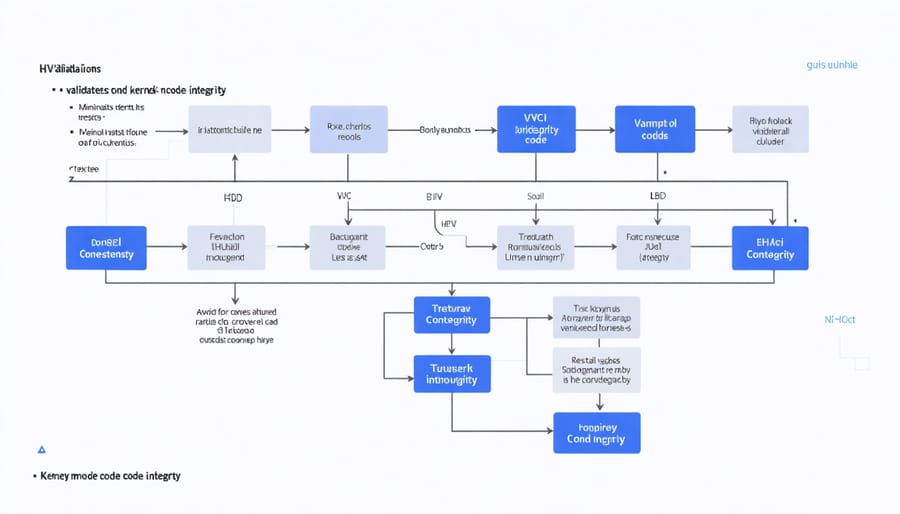
Hypervisor-Protected Code Integrity (HVCI) represents a crucial component of virtualization-based security that helps prevent malicious code modifications in memory. It works by leveraging the hypervisor to enforce memory restrictions and ensure that only properly signed code can run in kernel mode.
When HVCI is enabled, it creates a strict boundary between memory used for code and memory used for data. This separation prevents attackers from executing malicious code by modifying existing kernel-mode code or injecting new unsigned code into kernel memory. The system verifies the signatures of all kernel-mode drivers and binaries before they’re allowed to run, significantly reducing the attack surface.
HVCI operates by utilizing hardware-based virtualization features to create an isolated environment where code integrity checks are performed. This isolation ensures that even if an attacker gains system-level privileges, they cannot bypass these security checks or modify protected memory regions.
Key benefits of HVCI include:
– Protection against kernel-mode exploits
– Prevention of unauthorized driver loading
– Enhanced defense against rootkits
– Reinforcement of secure boot policies
While HVCI adds substantial security benefits, it requires modern hardware with virtualization support and may impact system performance slightly. Organizations should evaluate their security requirements and hardware capabilities before implementing HVCI as part of their security strategy.
Credential Guard
Credential Guard serves as a crucial component of virtualization-based security, specifically designed to protect sensitive authentication credentials from theft and misuse. This feature leverages hardware-based virtualization to create an isolated environment where credentials are stored, making them inaccessible to unauthorized processes and potential attackers.
When enabled, Credential Guard stores and processes credentials within a virtualized secure environment, separate from the regular operating system. This isolation prevents common attack techniques like Pass-the-Hash and Pass-the-Ticket, which typically exploit stored credentials in memory.
The protection mechanism works by creating a virtualized container that runs at a higher privilege level than the operating system itself. Even if malware compromises the operating system, it cannot access the protected credentials because they exist in this separate, secure environment. This setup effectively blocks both local and remote attack vectors that traditionally target credential theft.
Key security benefits include:
– Protection of domain credentials
– Secure storage of NTLM password hashes
– Kerberos ticket protection
– Prevention of unauthorized credential extraction
To implement Credential Guard effectively, systems must meet specific hardware requirements, including UEFI SecureBoot, CPU virtualization support, and TPM 2.0. While the feature adds an extra layer of security, it’s important to note that it should be part of a comprehensive security strategy rather than a standalone solution.
Setting Up VBS on Your Virtual Environment
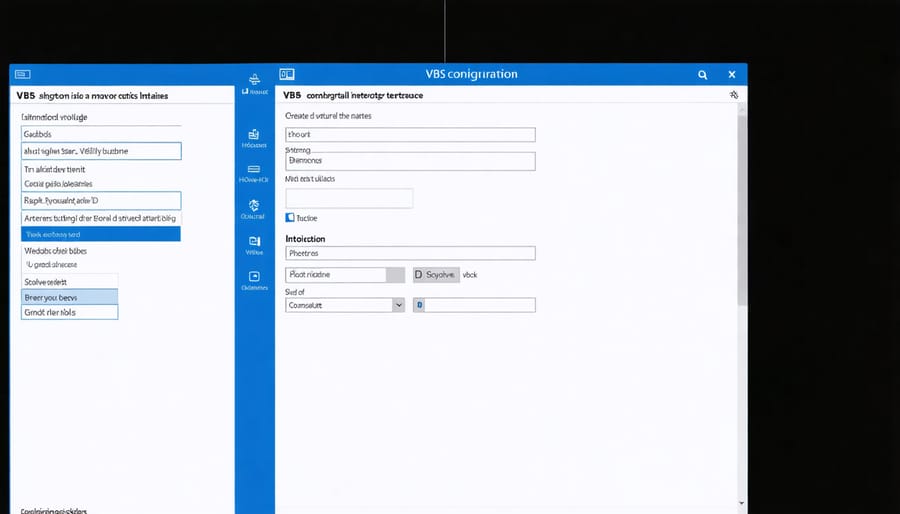
Enabling Virtualization-based Security (VBS) in your virtual environment requires careful preparation and configuration. Before proceeding with the virtual machine implementation, ensure your system meets the minimum requirements: UEFI firmware, a compatible CPU with virtualization support, and sufficient RAM (8GB recommended).
Follow these steps to set up VBS:
1. Enable CPU Virtualization in BIOS/UEFI
– Restart your computer and enter BIOS/UEFI settings
– Look for “Virtualization Technology” or “Intel VT-x/AMD-V”
– Enable the setting and save changes
2. Configure Windows Features
– Open Windows Features dialog (Control Panel > Programs > Turn Windows features on or off)
– Enable “Hyper-V”
– Check “Virtual Machine Platform”
– Enable “Windows Hypervisor Platform”
3. Enable Core Isolation
– Open Windows Security
– Navigate to Device Security > Core isolation details
– Toggle “Memory Integrity” to On
4. Configure Group Policy Settings
– Launch Group Policy Editor (gpedit.msc)
– Navigate to Computer Configuration > Administrative Templates > System > Device Guard
– Enable “Turn On Virtualization Based Security”
– Select “Secure Boot and DMA Protection” under “Select Platform Security Level”
5. Verify VBS Status
– Open PowerShell as administrator
– Run: systeminfo.exe
– Check “Virtualization-based security” status
After implementing these settings, restart your system. VBS features will initialize during boot. Monitor system performance initially, as VBS may impact certain applications. If you encounter compatibility issues, review running applications and adjust settings accordingly.
Remember to regularly update your system and security policies to maintain optimal VBS protection. For enterprise environments, consider implementing additional security measures through Windows Defender System Guard and configuring credential guard policies.
Common Challenges and Solutions
While virtualization-based security offers robust protection, users often encounter several common challenges during implementation and operation. Understanding these issues and their solutions can help ensure a smoother deployment process.
One frequent challenge is performance impact. VBS features like memory isolation and hardware-enforced stack protection can cause slight system slowdowns. To address this, start by optimizing your hardware configuration, ensuring you have sufficient RAM and modern processors that support virtualization features. Consider selective implementation of VBS features based on security needs rather than enabling everything at once.
Compatibility issues with legacy applications present another hurdle. Some older software may not function properly with VBS enabled. Create an application inventory and test compatibility before full deployment. For critical legacy applications, consider running them in isolated environments or gradually updating them to newer, compatible versions.
Driver conflicts can also occur, particularly with older hardware components. Keep all drivers updated to their latest versions and verify their compatibility with VBS features. If conflicts persist, work with hardware vendors to obtain VBS-compatible drivers or consider hardware upgrades where necessary.
Initial configuration complexity often intimidates users. Start with a pilot deployment on non-critical systems to gain familiarity with the settings. Document your configuration process and create standardized deployment procedures. This approach helps avoid common setup mistakes and ensures consistent implementation across your infrastructure.
Resource allocation problems may arise in heavily virtualized environments. Monitor resource usage carefully and implement proper capacity planning. Consider using dynamic resource allocation tools and establishing clear thresholds for system resources.
Boot time increases are another common concern. Optimize your startup applications and services, removing unnecessary items that may impact boot performance. Regular system maintenance, including disk cleanup and defragmentation, can help minimize these delays.
By anticipating these challenges and implementing appropriate solutions, organizations can maximize the benefits of VBS while minimizing potential disruptions to their operations.
Performance Impact and Optimization
Implementing virtualization-based security (VBS) features comes with certain performance implications that organizations should carefully consider. The primary impact is on system resources, particularly CPU and memory utilization. When VBS is enabled, it reserves a portion of system memory for secure operations and requires additional CPU cycles for virtualization overhead.
Typically, users can expect a performance impact of 5-10% in general computing tasks, though this can vary significantly based on workload type and system configuration. Memory-intensive applications may see a more noticeable impact, while CPU-bound tasks might experience minimal slowdown.
To optimize VBS performance while maintaining security benefits, consider these strategies:
1. Ensure your hardware meets recommended specifications, particularly CPU virtualization support and sufficient RAM (16GB minimum recommended for optimal performance)
2. Keep firmware and drivers updated to their latest versions, as manufacturers often include performance optimizations
3. Fine-tune VBS features by enabling only necessary security features rather than implementing all options
4. Monitor system performance regularly and adjust configurations based on workload requirements
5. Use performance monitoring tools to identify potential bottlenecks and optimize accordingly
Organizations can also implement a phased rollout approach, starting with non-critical systems to assess performance impact before wider deployment. Regular performance benchmarking before and after VBS implementation helps in maintaining optimal system efficiency while ensuring security requirements are met.
For systems with limited resources, consider using hardware-specific optimizations and potentially scaling back certain VBS features if performance degradation becomes unacceptable for critical workloads.
Virtualization-based security represents a crucial advancement in modern cybersecurity, offering multiple layers of protection for virtualized environments. By isolating critical system components and sensitive data, VBS significantly reduces the attack surface available to malicious actors. The implementation of VBS not only enhances system security but also provides better resource management and improved system performance through efficient isolation techniques. Organizations that adopt VBS benefit from increased protection against sophisticated cyber threats, better compliance with security regulations, and enhanced system reliability. As virtualization continues to dominate enterprise computing environments, implementing VBS becomes not just an option but a necessity for maintaining robust security posture and ensuring business continuity in an increasingly complex digital landscape.