

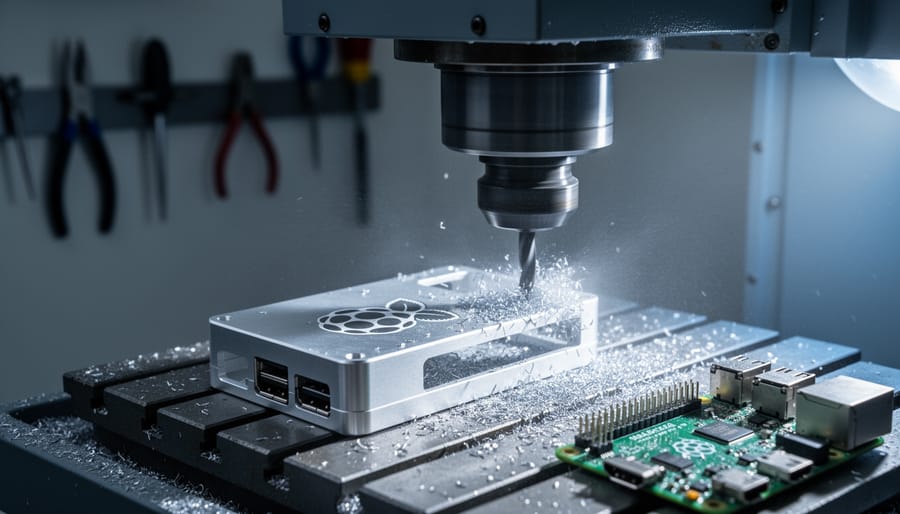
Picture a machine that can carve intricate metal components with micrometer precision, rotating and tilting a cutting tool through nine independent axes of movement simultaneously. That’s the power of 9-axis milling technology, and while it might sound like science fiction reserved for aerospace manufacturers, understanding this advanced CNC capability can transform how you approach Raspberry Pi projects.
A 9-axis milling machine combines traditional 3-axis movement (X, Y, Z) with additional rotational capabilities and secondary tool positioning, enabling it to create complex geometries in a single setup. For Raspberry Pi enthusiasts, this technology represents the pinnacle of what’s possible when manufacturing custom enclosures, heat sinks, mounting brackets, or specialized components that simply can’t be produced through conventional methods.
Most hobbyists will never own a 9-axis mill, but grasping how this technology works opens doors to smarter project planning. You’ll understand what’s achievable through professional manufacturing services, recognize when simpler 3-axis alternatives suffice for your needs, and appreciate the engineering behind professionally machined Pi accessories you might purchase.
This guide breaks down 9-axis milling from fundamental concepts to practical applications for Raspberry Pi projects. Whether you’re considering outsourcing custom component production, evaluating desktop CNC options for your workshop, or simply curious about how advanced manufacturing intersects with maker culture, you’ll gain actionable insights that elevate your approach to hardware projects without overwhelming technical jargon.
What Makes a 9-Axis Milling Machine Different
Breaking Down the Nine Axes
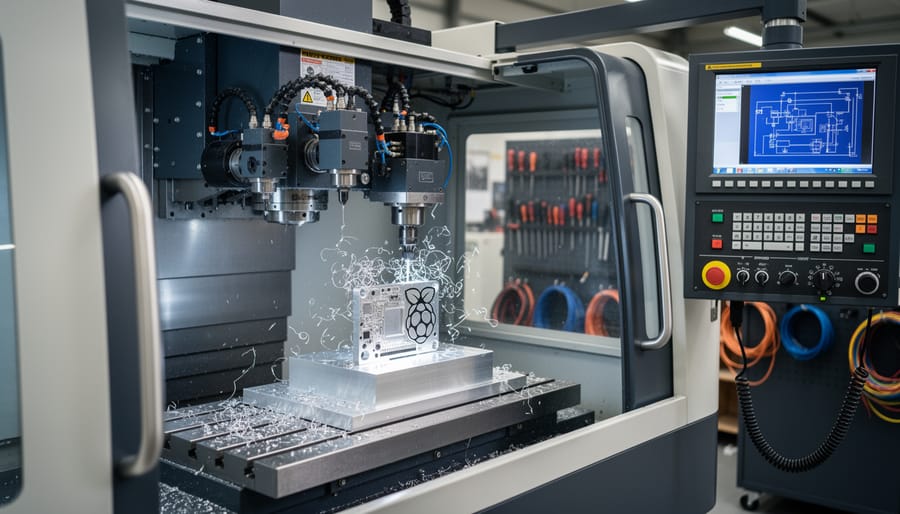
Imagine a traditional 3-axis CNC mill that moves in three directions: left-right (X-axis), forward-backward (Y-axis), and up-down (Z-axis). These three linear movements handle most basic machining tasks. A 9-axis machine takes this foundation and multiplies the possibilities by adding six more axes of movement, primarily rotational.
The additional axes typically include A, B, and C rotational movements. The A-axis rotates around the X-axis, B rotates around Y, and C rotates around Z. Here’s where it gets interesting: a true 9-axis system often includes dual work tables or tool heads that can move independently. Picture this: while one side machines a complex curve on your custom Raspberry Pi enclosure, the tool or workpiece can tilt, rotate, and reposition simultaneously across multiple planes.
Think of it like this simple visualization: hold a Raspberry Pi case in your hand. With a 3-axis machine, you’d need to stop, manually reposition the piece, and restart machining to access different angles. With 9 axes working together, the machine continuously adjusts both the cutting tool’s position and the workpiece’s orientation, accessing virtually any surface without stopping. This simultaneous multi-axis coordination means parts with undercuts, complex geometries, and intricate details can be machined in a single setup.
For Raspberry Pi projects, this translates to creating cases with internal channels, precisely angled mounting points, and integrated cooling features that would require multiple operations on simpler machines. The learning curve is steep, but understanding these fundamentals helps you appreciate what’s possible in modern manufacturing.
How This Compares to 3-Axis and 5-Axis Machines
Understanding the progression from 3-axis to 9-axis machines helps clarify what advantages each level brings to manufacturing Raspberry Pi components and accessories.
A 3-axis machine moves along X, Y, and Z coordinates, making it perfect for straightforward cuts and flat designs. For Raspberry Pi projects, this handles basic case panels, simple mounting brackets, and flat heatsinks effectively. Think of it as working with a tool that can only approach your workpiece from the top.
When you step up to 5-axis capabilities, you add rotational movement around two axes. This eliminates the need to manually reposition your workpiece multiple times during machining. For CNC milling for Pi components, this means creating more complex case designs with undercuts, angled ventilation ports, and curved surfaces in a single setup. You can machine intricate camera mounts or HAT standoffs without stopping to flip the piece around.
A 9-axis machine takes things further by adding independent movement to multiple components simultaneously. The primary advantage for Raspberry Pi manufacturing lies in production efficiency and complexity. You can machine multiple identical components in one cycle, create parts with extremely complex geometries requiring simultaneous multi-angle approaches, and maintain tighter tolerances across larger production runs.
For practical context, most hobbyist Raspberry Pi projects work perfectly fine with 3-axis machines. Enthusiasts producing small batches of advanced accessories benefit from 5-axis capabilities. The 9-axis level primarily serves commercial manufacturers producing thousands of units or creating specialized components with extraordinary precision requirements, like custom GPIO connectors or professional-grade industrial Pi enclosures with integrated sensor housings.
Precision Requirements for Raspberry Pi Components
Critical Tolerances for GPIO Access and Port Alignment
When manufacturing custom Raspberry Pi enclosures and components, certain areas demand absolute precision from a 9-axis milling machine. Let’s explore where tolerances matter most and what happens when accuracy falls short.
GPIO pin access represents the tightest tolerance requirement. The 40-pin header measures just 2.54mm between pins, meaning any misalignment over 0.5mm can block pins or prevent proper header insertion. I’ve seen cases where off-center GPIO cutouts forced users to file the opening manually, defeating the purpose of precision machining.
USB and HDMI port openings require similar attention. A Raspberry Pi 4’s dual micro-HDMI ports sit just 13mm apart. If your milling machine produces cutouts even 1mm too small, connectors won’t seat properly, causing intermittent connections or physical damage to ports during forced insertion. The USB-C power port is equally critical since misalignment can prevent proper power delivery, leading to frustrating boot failures.
Mounting hole alignment might seem forgiving, but it’s not. Raspberry Pi boards use M2.5 mounting holes positioned at precise 58mm x 49mm spacing. When holes misalign by more than 0.3mm, screws bind or cross-thread, potentially damaging the board’s mounting pads. I’ve witnessed boards crack from forced mounting due to poorly aligned holes.
SD card slot access deserves mention too. The microSD card extends slightly beyond the board edge, requiring clearance calculations within 0.2mm tolerances. Insufficient clearance makes card insertion difficult or impossible, while excessive material removal weakens structural integrity.
These real-world scenarios highlight why 9-axis capabilities and sub-0.1mm precision aren’t just specifications, they’re necessities for functional, professional-quality Raspberry Pi accessories.
Heat Dissipation Considerations
One of the most impressive advantages of 9-axis milling for Raspberry Pi enthusiasts is the precision thermal management it enables. When you’re designing custom cases or mounting solutions, heat dissipation can make or break your project’s performance and longevity.
Traditional manufacturing methods often leave gaps between heat sinks and case surfaces, reducing cooling efficiency. However, 9-axis machines create perfectly contoured ventilation channels and heat sink pockets with tolerances as tight as 0.01mm. This level of precision ensures maximum surface contact between your Pi’s heat sink and the case, dramatically improving heat transfer.
The multi-axis capability allows milling of complex airflow patterns that wouldn’t be possible with standard 3-axis equipment. Think curved ventilation channels that follow the natural convection path, or strategically positioned mounting points that don’t block airflow. You can even create custom heat sink designs with integrated mounting features machined in a single setup.
For practical applications, this means your overclocked Pi 4 or Compute Module can maintain optimal temperatures during intensive tasks. The precisely milled thermal pathways prevent hot spots and ensure consistent performance during extended operations like media servers or AI projects.
Advantages of 9-Axis Milling for Pi Component Manufacturing
Complex Geometries in a Single Setup
Nine-axis milling machines revolutionize how intricate components are manufactured by eliminating the constant need to reposition workpieces during fabrication. Traditional three-axis machines require operators to manually flip and adjust materials multiple times, introducing potential alignment errors with each move. In contrast, 9-axis systems combine simultaneous multi-directional movement, allowing the cutting tool and workpiece to rotate and pivot together in a choreographed dance of precision.
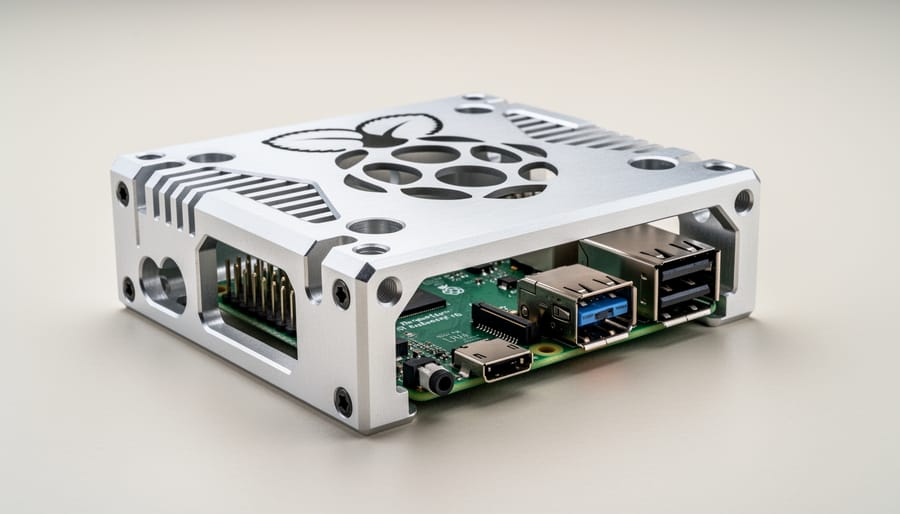
For Raspberry Pi enthusiasts, this capability opens exciting possibilities for hybrid case fabrication that would be nearly impossible with conventional methods. Imagine creating a curved aluminum case with integrated mounting bosses on the underside, precisely angled ventilation slots on multiple surfaces, and recessed ports that match your exact cable requirements—all machined in one continuous operation. The machine can carve complex internal geometries while simultaneously shaping external features, maintaining perfect alignment throughout.
This single-setup approach dramatically reduces production time. What might take hours across multiple repositioning operations can often be completed in under an hour. More importantly, it minimizes human error. Each time you move a workpiece manually, you risk introducing microscopic misalignments that compound across operations. Nine-axis machines maintain mathematical precision from start to finish, ensuring that mounting holes align perfectly with standoffs and that curved surfaces flow seamlessly into functional features like heat sink channels or camera mounts.
Better Surface Finish and Tighter Tolerances
When crafting custom Raspberry Pi cases or components, surface finish and dimensional accuracy can make the difference between a professional-looking project and an amateur attempt. This is where 9-axis milling machines truly shine.
The additional rotational and positioning axes allow cutting tools to approach your workpiece from virtually any angle. Instead of being limited to straight vertical or horizontal cuts, the machine can orient the tool perpendicular to curved or angled surfaces. This optimal tool positioning reduces vibration and chatter during cutting, which directly translates to smoother surface finishes that require minimal post-processing.
For Raspberry Pi enthusiasts, this means several practical benefits. Mounting holes align perfectly with GPIO pins without requiring manual adjustment. Ventilation slots maintain consistent spacing and depth across complex curved surfaces. Heat sink channels fit precisely without gaps that compromise thermal performance. The tolerances achievable with 9-axis machining can reach within 0.001 inches, ensuring that snap-fit designs actually snap together smoothly and that layered acrylic cases align seamlessly.
This precision matters not just aesthetically but functionally. A case with tight tolerances protects your Pi better from dust and physical damage while maintaining proper airflow. For projects requiring multiple identical units, like classroom sets or small production runs, 9-axis machining ensures each piece matches exactly, eliminating frustrating assembly issues caused by dimensional variations.
Reduced Production Time for Small Batches
For makers in the Raspberry Pi community who need custom components but don’t require mass production quantities, 9-axis milling machines offer a compelling advantage: drastically reduced setup and production times. Traditional multi-operation manufacturing processes might require repositioning a workpiece multiple times across different machines or setups, with each adjustment adding time and potential for dimensional errors. With a 9-axis machine, complex custom Pi cases, mounting brackets, or specialized enclosures can be machined in a single setup.
Think about creating a custom aluminum heatsink case for your Pi 5 with intricate ventilation patterns and precisely positioned mounting holes. On conventional equipment, this might require three or four separate setups. A 9-axis machine completes it in one continuous operation, typically reducing production time by 40-60% for complex parts.
This efficiency matters enormously for small fabrication shops and makerspaces serving the Pi community. They can economically produce runs of 10-50 custom components without the traditional setup costs eating into profitability. For hobbyists working with contract manufacturers, this translates to lower per-unit costs and faster turnaround times, making professional-quality custom components more accessible than ever before.
Real-World Applications: What You Can Make
Custom Aluminum Cases with Integrated Cooling
Here’s a fascinating real-world application that showcases 9-axis milling capabilities: aluminum cases designed specifically for Raspberry Pi boards with built-in thermal management. Unlike simple custom Pi cases, these sophisticated enclosures require complex machining that only multi-axis systems can achieve efficiently.
The challenge lies in creating intricate internal cooling channels that snake through the case body while simultaneously milling external heat-dissipating fins on the outside surface. Traditional 3-axis machines would require multiple setups and manual repositioning, risking alignment errors. A 9-axis machine handles this in one continuous operation, rotating and tilting the workpiece to access every angle needed for both the labyrinth-like internal passages and the precisely angled exterior fins.
These cases are particularly valuable for overclocked Raspberry Pi 4 and Pi 5 boards running demanding tasks like AI processing or media servers. The integrated cooling channels can accommodate liquid cooling systems or simply optimize passive airflow. While most hobbyists won’t manufacture these themselves, understanding this process helps you appreciate the engineering behind premium aluminum Pi enclosures available commercially and informs decisions when selecting thermal solutions for intensive projects.
Precision Camera Mounts and Gimbal Brackets
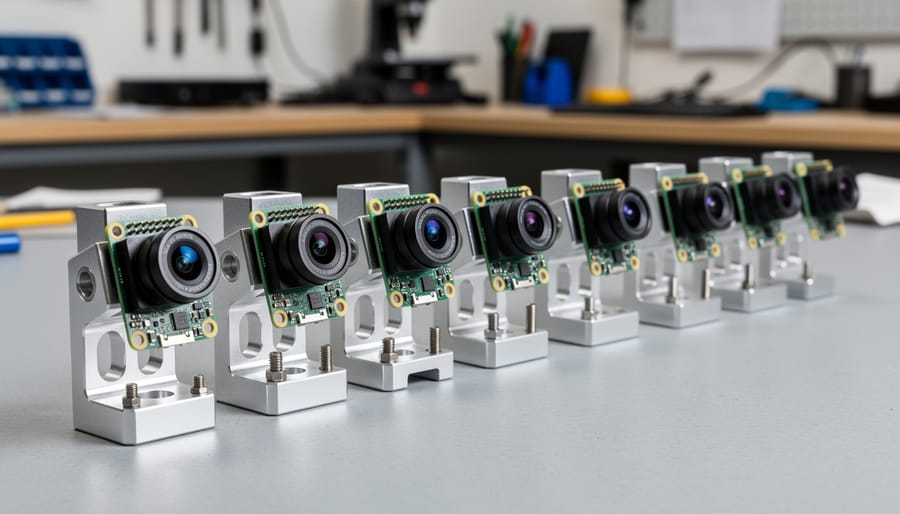
One of the most practical applications of 9-axis milling for Raspberry Pi projects is creating precision camera mounts and gimbal brackets. Traditional 3-axis CNC machines struggle with complex mounting angles, but multi-axis capability allows fabrication of mounting systems with perfect alignment across multiple planes in a single setup.
For Pi camera modules and sensor arrays, this precision matters tremendously. A 9-axis mill can machine intricate gimbal brackets with built-in adjustment mechanisms, mounting holes positioned within 0.01mm tolerance, and perfectly perpendicular surfaces that ensure your camera sensors align exactly as intended. This eliminates the frustration of wobbly mounts or misaligned optics common with 3D-printed alternatives.
The technology particularly shines when creating stabilization systems for drone projects or robotic vision applications. Complex geometries like multi-axis pivots, bearing seats, and cable management channels can be machined into a single aluminum or carbon fiber component. While most hobbyists won’t own 9-axis equipment, understanding these capabilities helps when commissioning custom parts from machine shops or evaluating off-the-shelf mounting solutions. When your project demands rock-solid stability and precise optical alignment, knowing that 9-axis precision exists opens doors to professional-grade results in your Raspberry Pi camera projects.
Cluster Computing Frames
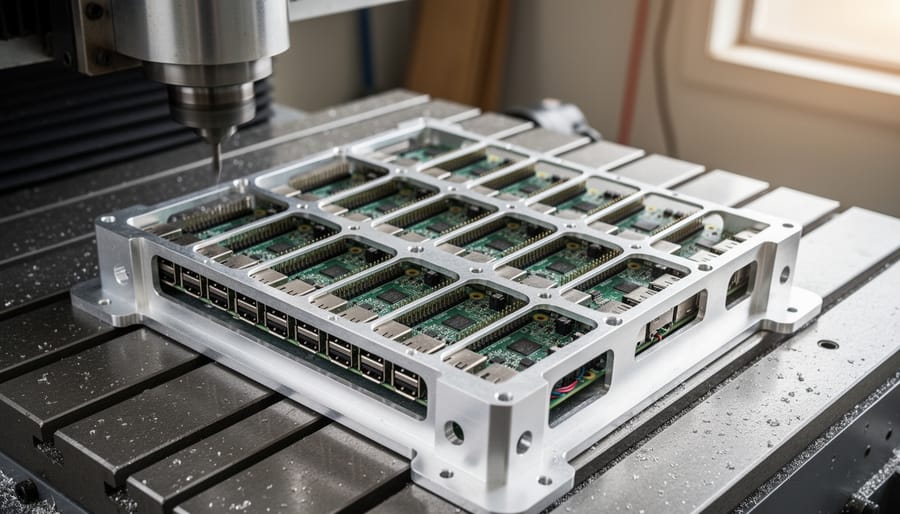
Building a Raspberry Pi cluster requires more than just connecting multiple boards together—proper physical alignment matters significantly for cooling, cable management, and long-term reliability. This is where 9-axis milling capabilities shine. Unlike standard 3-axis machines that can only cut in basic directions, 9-axis systems can create mounting frames with complex geometries and perfect precision.
For cluster computing projects, you’ll need frames that maintain exact spacing between Pi boards (typically 20-30mm for adequate airflow), provide consistent mounting hole alignment across dozens of positions, and incorporate features like cable routing channels or standoff mounts. A 9-axis machine can mill these features in a single setup, ensuring every dimension matches precisely across the entire frame.
The result? Your 10-node or 20-node cluster fits together perfectly, with uniform spacing that optimizes cooling performance and makes maintenance straightforward. While most hobbyists won’t personally operate these machines, understanding their capabilities helps when ordering custom frames from machining services or evaluating pre-made cluster cases. For DIY builders, traditional 3-axis CNC machines or even laser-cut acrylic can work for smaller clusters, though you’ll sacrifice some of the geometric complexity that 9-axis machining enables.
Cost and Accessibility: Is This Technology Within Reach?
Price Ranges and Market Options
Understanding the cost landscape helps set realistic expectations for your manufacturing projects. Industrial 9-axis milling machines typically start around $500,000 and can exceed several million dollars, placing them firmly in the professional manufacturing realm. These powerhouses are designed for aerospace and medical industries, handling complex titanium components and precision work that goes far beyond hobbyist needs.
For tech enthusiasts and makers, the good news is that 5-axis CNC mills (which handle most Raspberry Pi case and component manufacturing) are much more accessible. Desktop 5-axis machines range from $15,000 to $50,000, while high-quality 3-axis CNC routers start around $2,000 to $8,000. Many makerspaces and community workshops now offer access to these machines for hourly rates between $20-100, making prototyping affordable without major capital investment.
If you’re manufacturing custom Pi components or cases, consider that most designs work perfectly well with 3-axis machines combined with multiple setups. Services like PCBWay and Xometry offer one-off CNC machining starting under $100, letting you leverage professional equipment without ownership costs. This approach makes sense for low-volume projects while you develop your skills and determine whether investing in your own equipment aligns with your long-term goals.
Alternative Approaches: CNC Services and Makerspaces
You don’t need to invest hundreds of thousands of dollars in a 9-axis milling machine to benefit from this advanced technology for your Raspberry Pi projects. Several practical alternatives make these capabilities accessible to makers at every budget level.
CNC service providers offer the most straightforward solution. Companies like Protolabs, Xometry, and Sculpteo accept digital designs and handle the manufacturing process. Simply upload your CAD file for a custom Pi case or mounting bracket, receive an instant quote, and have professionally milled parts delivered to your door. These services typically work with various materials including aluminum, plastics, and even titanium, perfect for creating durable custom enclosures.
Local makerspaces and fab labs provide hands-on access to advanced CNC equipment without ownership costs. Many community workshops now feature multi-axis mills alongside precision manufacturing alternatives like laser cutters and 3D printers. Membership fees usually run between 50 and 150 dollars monthly, including training and machine time. This option lets you learn proper CNC operation while producing your custom components.
Online platforms like PCBWay and Ponoko bridge the gap between DIY and professional manufacturing. They offer competitive pricing for small batch production, making them ideal when you need multiple identical parts for a Pi project or classroom kit.
Start by researching local makerspaces through websites like Makerspace.com or contacting nearby universities with engineering programs. Many educational institutions welcome community members for reasonable fees, providing excellent learning opportunities alongside access to professional-grade equipment.
Getting Started: From Design to Finished Component
CAD Design Considerations
When designing parts for 9-axis machining, choosing the right CAD software makes a significant difference. Professional options like Fusion 360, Mastercam, and SolidCAM offer multi-axis toolpath generation, though they come with steep learning curves and costs. For hobbyists working on Raspberry Pi projects, FreeCAD provides a free alternative with basic multi-axis capabilities, while Fusion 360’s free personal license suits most maker needs.
Design with manufacturability in mind from the start. Consider tool access angles, since 9-axis machines excel at creating complex undercuts and internal features that traditional 3-axis mills cannot reach. Plan your part orientation to minimize setups and leverage the machine’s ability to rotate both the workpiece and cutting head simultaneously. This becomes especially valuable when creating custom Raspberry Pi enclosures with integrated mounting features or heat sink channels.
Keep wall thickness consistent where possible, typically above 1.5mm for aluminum parts. Avoid extremely sharp internal corners, as cutting tools have radius limitations. Design features that take advantage of continuous 5-axis cutting rather than indexed positioning to reduce cycle time.
For those interested in building your own CNC mill, start with simpler 3-axis designs before tackling multi-axis complexity. Export your CAD files in universal formats like STEP or IGES for better compatibility across different CAM software platforms.
CAM Programming Basics
Computer-Aided Manufacturing (CAM) software acts as the essential bridge between your digital 3D design and the physical movements of a 9-axis milling machine. Think of it as a translator that converts your blueprint into a language the machine understands—specific coordinates, cutting speeds, and tool movements.
When you import your design (perhaps a custom Raspberry Pi case or mounting bracket), the CAM software analyzes the geometry and calculates the most efficient path for the cutting tool to follow. For 9-axis machines, this becomes particularly fascinating. The software must coordinate nine simultaneous movements—three linear axes (X, Y, Z), three rotational axes (A, B, C), and three additional axes that might control secondary tools or workpiece positioning.
The process starts simple: you define your material type, select appropriate cutting tools, and set basic parameters like cutting depth and speed. The software then generates toolpaths—imagine drawing invisible lines in 3D space that the cutting tool will trace. With 9-axis capabilities, these toolpaths can approach your workpiece from virtually any angle, enabling complex undercuts and detailed features impossible with simpler machines.
Most modern CAM software includes simulation features, letting you preview the entire machining process before touching real material. This visualization helps beginners understand how simultaneous multi-axis movements create intricate parts, building confidence before committing to actual production runs.
Future Outlook: Where This Technology Is Heading
The future of 9-axis milling technology looks promising for the maker community, though we’re still a few years away from seeing these machines in home workshops. The trajectory mirrors what happened with 3D printing over the past decade. Industrial 3D printers once cost hundreds of thousands of dollars, but now capable desktop models are available for under $500. Multi-axis CNC machines are following a similar path.
Desktop 5-axis machines have already entered the prosumer market at around $10,000 to $30,000, making them accessible to serious hobbyists and small businesses. As this technology matures and becomes more affordable, we can expect desktop 6-axis and eventually 9-axis machines to emerge. Chinese manufacturers are particularly aggressive in bringing down costs while maintaining acceptable precision for hobby-grade work.
For Raspberry Pi enthusiasts, this evolution means exciting possibilities. Imagine designing custom Pi cases with complex cooling channels and integrated mounting points that would be impossible to create with traditional 3-axis milling. The ability to prototype mechanical components for robotics projects becomes far more accessible when multi-axis capabilities reach the maker community price point.
In the meantime, several developments are worth watching. Open-source CNC controller projects are adding multi-axis support, making it easier to build or modify machines. Makerspace facilities are beginning to invest in 5-axis and 6-axis equipment, providing community access to advanced manufacturing capabilities. Online services offering 9-axis milling are also becoming more competitive in pricing.
The key takeaway is that while 9-axis milling remains professional-grade today, the technology gap between industrial and maker-accessible tools continues to shrink. Staying informed about these advances helps you plan future projects and understand which manufacturing techniques might become available to you within the next five to ten years.
Nine-axis milling machines represent the cutting edge of precision manufacturing, offering transformative potential for creating complex Raspberry Pi components with exceptional accuracy. While these industrial powerhouses can craft intricate custom cases, heat sinks, and mounting brackets with tolerances measured in microns, it’s important to ground our expectations in reality. For most hobbyists and educators, direct access to 9-axis equipment remains cost-prohibitive, typically reserved for professional manufacturing facilities and specialized workshops.
However, understanding this technology empowers you to make smarter decisions about your projects. When evaluating component quality or considering custom manufacturing services, knowledge of 9-axis capabilities helps you assess what’s achievable and set appropriate expectations. If you’re ready to explore precision manufacturing for your Pi projects, start by researching local makerspaces that offer CNC access, investigating online manufacturing services for custom parts, or investing in entry-level 3-axis machines that provide excellent results for many applications. Even 3-axis CNC routers can produce impressive Raspberry Pi enclosures and accessories while you develop your skills. The key is matching technology to your actual needs, budget, and experience level rather than chasing specifications you may not require.