

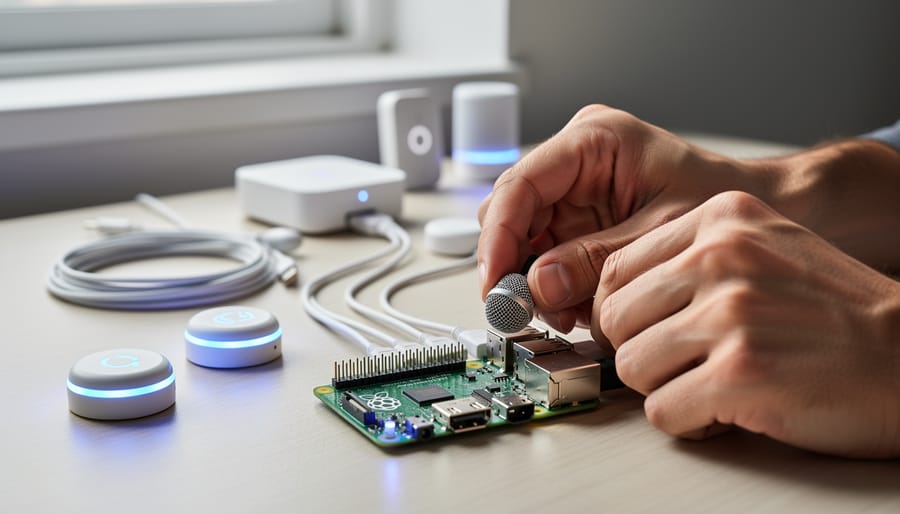
A customizable AI assistant is a voice-controlled or text-based digital helper that you can modify to fit your specific needs, from adjusting its personality and responses to training it on specialized tasks or integrating it with your preferred hardware and services. Unlike consumer products like Alexa or Google Assistant that operate within fixed parameters, customizable assistants give you control over the underlying code, data sources, and behavior.
This flexibility matters because standard voice assistants can’t always handle niche workflows, privacy requirements, or unique home automation setups. Building your own assistant means you decide what data it collects, which services it connects to, and how it responds to commands. For Raspberry Pi enthusiasts, this translates into practical projects: a voice assistant that controls your smart home without cloud dependencies, a personal research tool trained on your documents, or an educational device that teaches kids about AI without exposing them to commercial ecosystems.
The barrier to entry has dropped significantly. Modern frameworks and libraries designed for single-board computers let you deploy capable assistants on a Raspberry Pi 4 or 5 with surprisingly little coding experience. You’re no longer limited to accepting whatever features a tech company decides to ship.
This guide explains what makes an AI assistant truly customizable, walks through the core components that power these systems, categorizes the main types you can build, and outlines real applications where customization solves problems that off-the-shelf products can’t. Whether you want complete privacy, specialized knowledge domains, or simply enjoy tinkering with emerging tech, understanding how these assistants work opens up genuinely useful possibilities.
What a Customizable AI Assistant Really Means
A customizable AI assistant is a voice-controlled system you can modify, extend, and configure to match your specific requirements rather than accepting whatever functionality the manufacturer decided to include. Unlike commercial assistants such as Alexa or Google Assistant, which lock you into predetermined features and cloud-dependent architectures, customizable assistants let you choose which capabilities to enable, which services to connect, and how the system responds to your commands.
The key difference lies in access and control. Commercial systems treat you as an end user who can only toggle pre-built settings. Customizable assistants treat you as the designer. You can add new commands, change the wake word, integrate services that commercial platforms ignore, and decide whether voice data stays on your device or travels to remote servers. For Raspberry Pi enthusiasts, this means turning a $35 computer into a voice assistant that does exactly what you need, not what a corporation thinks you should want.
These systems typically come as open-source frameworks or platforms with developer APIs. You install the software on your hardware, configure the components, and build the functionality yourself through code, scripts, or modular plugins. Some require programming knowledge; others offer visual tools and configuration files that make customization accessible to hobbyists with basic technical skills.
- Customization
- The ability to modify an assistant’s features, commands, and behavior through code changes or configuration. This includes adding new skills, changing responses, and defining custom workflows.
- Personalization
- How the assistant adapts to individual users by learning preferences, recognizing voices, and adjusting responses based on past interactions and context.
- Voice Assistant Framework
- The underlying software structure that handles speech recognition, intent understanding, and action execution. Frameworks like Mycroft or Rhasspy provide the foundation you build upon.
- Natural Language Processing
- The AI technology that converts spoken words into text and interprets meaning, allowing the assistant to understand what you want even when you phrase requests differently.
- Local vs. Cloud Processing
- Where voice analysis happens. Local processing keeps everything on your Raspberry Pi for privacy but requires more capable hardware. Cloud processing sends audio to remote servers for faster, more accurate recognition but raises privacy concerns.
The practical impact matters more than technical definitions. With a customizable assistant, you control privacy by choosing whether to process voice locally or use cloud services. You pick which smart home devices to support, which languages or accents to optimize for, and which third-party services to integrate. Commercial assistants force you to wait for companies to add features you need. Customizable ones let you build those features yourself or install community-created additions that solve specific problems.
How Customizable AI Assistants Work
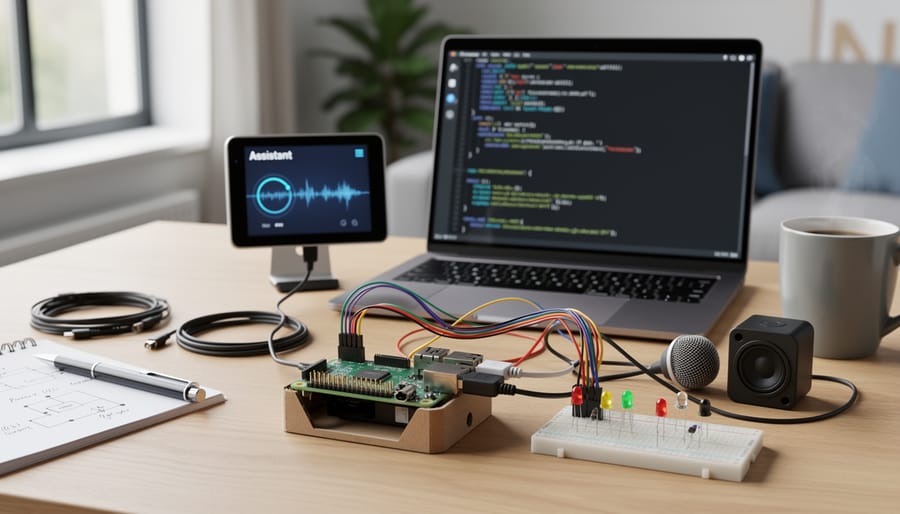
Speech Recognition and Natural Language Processing
Speech recognition forms the first critical layer in any voice assistant. When you speak a command, the system captures your audio through a microphone, then feeds that recording into an acoustic model that matches sound patterns to likely words. Modern systems use deep neural networks trained on thousands of hours of speech to handle this conversion with impressive accuracy.
The raw transcript alone isn’t enough. Natural language processing takes that text and extracts meaning through intent classification and entity recognition. If you say “turn on the kitchen lights,” the NLP component identifies “turn on” as the action intent and “kitchen lights” as the target entity. This parsing step determines what the assistant actually does with your request.
Customizable assistants let you train or fine-tune both layers for your specific needs. You can add vocabulary for technical terms, brand names, or specialized jargon that generic models miss. Voice recognition can adapt to regional accents, speech patterns, or even individual household members. Some Raspberry Pi frameworks allow you to retrain NLP models on your own command phrases, creating shortcuts and personalized language patterns that commercial assistants simply won’t recognize.
Personalization Engines and Learning Systems
Personalization engines form the intelligence layer that makes an assistant truly customizable. These systems continuously observe how you interact with your voice assistant, recording which commands you use most frequently, when you typically ask for certain information, and how you phrase requests. Over time, the assistant builds a behavioral profile that lets it anticipate your needs and adjust responses accordingly.
The learning happens through pattern recognition algorithms that identify correlations between context and user actions. If you consistently ask about weather before leaving for work at 7am, the assistant learns this routine. Machine learning models process this accumulated data to predict likely next actions and prioritize relevant information. On Raspberry Pi implementations, these personalization engines can run locally using lightweight models that update incrementally as you use the system.
Context awareness enhances this learning by tracking environmental factors like time of day, location within your home, connected devices currently active, and even your tone of voice. When you ask to “turn on the lights,” a well-trained personalization engine knows which room you mean based on where you typically are at that hour, without requiring you to specify every detail each time.
Action Execution and Integration
Once your customizable assistant understands what you want, it needs to actually do something. This is where action execution bridges the gap between voice commands and real-world results.
Most Raspberry Pi-based assistants connect to smart home devices through standard protocols like MQTT, Zigbee, or direct API calls to services like Home Assistant. You define rules that map specific intents to actions: saying “goodnight” might trigger a script that locks doors, dims lights, and sets the thermostat to your preferred sleep temperature.
The personalization comes from custom logic you write yourself. Unlike commercial assistants with fixed capabilities, you can integrate any API or service your Raspberry Pi can reach. Want your assistant to check local weather, update a spreadsheet, or trigger a camera based on your morning routine? You write the Python script or automation rule that makes it happen, tailoring every action to your specific needs rather than accepting what a manufacturer decided for you.
Different Types of Customizable AI Assistants
Open-Source Voice Assistant Frameworks
Open-source frameworks give you complete control over every aspect of your voice assistant, from wake word detection to response generation. Unlike commercial platforms, these systems run entirely on your hardware with full access to the underlying code.
Mycroft on Raspberry Pi remains the most established option, offering a modular architecture where you can replace individual components like speech recognition or text-to-speech engines without touching the core framework. You modify skills using Python, train custom wake words, and deploy everything locally without cloud dependencies.
Rhasspy takes a different approach, focusing on offline operation and precise control over intent recognition. It supports multiple speech-to-text engines that you swap based on accuracy needs and language requirements. The system excels at home automation scenarios where you define exact command patterns rather than conversational interactions.
Both frameworks integrate smoothly with existing Raspberry Pi projects through MQTT, GPIO pins, and standard APIs. You’ll find active communities sharing custom skills and technical solutions, making these platforms approachable even for those new to NLP success stories. The trade-off is steeper initial setup compared to commercial alternatives, but you gain complete ownership and customization freedom.
Platform-Based Customizable Assistants
Platform-based customizable assistants occupy a middle ground between locked commercial systems and fully open-source frameworks. These assistants provide developer APIs, plugin architectures, and configuration interfaces that let you modify behavior, add features, and integrate new services without touching the core codebase.
Google Assistant and Amazon Alexa both offer Skills and Actions development environments that enable custom voice commands, third-party service integration, and personalized workflows. While you cannot rewrite their underlying engines, you can build extensions that run on your Raspberry Pi and respond to specific triggers or intents you define. These platforms handle the heavy computational work of speech recognition and natural language understanding in the cloud, while your custom logic executes locally or through webhooks.
Home Assistant’s voice integration represents another approach: it connects to various speech recognition backends and lets you define custom intents, automation triggers, and response templates through YAML configuration files. You gain substantial personalization capabilities, teaching the assistant your specific vocabulary, connecting it to local devices, and creating context-aware automations, without writing low-level speech processing code. This makes platform-based solutions practical starting points for Raspberry Pi users who want customization without the complexity of building everything from scratch.
DIY and Hybrid Solutions
Hobbyists often build their own customized assistants by mixing commercial speech recognition APIs with self-hosted logic and personalization layers on Raspberry Pi. This hybrid approach lets you leverage powerful cloud services for transcription while keeping decision-making and data processing local.
A typical setup routes microphone input through Google Speech-to-Text or Whisper API for accurate transcription, then passes the text to a Python script running on the Pi. This script interprets intent, checks user preferences stored in a local database, and executes actions, switching lights, querying a home server, or reading calendar events. Personalization happens on-device: the Pi tracks patterns like your morning routine or preferred temperature settings without sending habit data to third parties.
This architecture balances convenience and control. You get reliable voice recognition without building acoustic models from scratch, yet retain full authority over how commands trigger actions and how user data shapes responses. It’s particularly useful for projects requiring specific vocabularies or niche integrations that commercial assistants don’t support, and it scales from simple command-response pairs to sophisticated context-aware systems that learn household rhythms over time.
Practical Uses and Applications
Smart Home Automation with Personal Context
A customizable AI assistant running on Raspberry Pi can transform basic smart home commands into genuinely intelligent automation by learning who’s home and what they typically need. Instead of manually adjusting lights every evening, the system observes that you dim the living room to 30% at 8 PM on weekdays but prefer full brightness when hosting friends on Saturdays. After a few weeks, it makes these adjustments automatically.
The real power emerges when the assistant recognizes individual family members. Voice recognition lets it know whether it’s you asking for “comfortable temperature” (22°C based on your preferences) or your partner (who prefers 19°C). Some Raspberry Pi implementations use motion sensors and phone presence detection to build context: when your teenager arrives home from school, the assistant unlocks the front door, turns on bedroom lights, and sets the thermostat to their preferred setting, all without explicit commands.
Security routines become similarly personalized. The system learns that delayed responses to morning alarms mean you’re sleeping in, so it postpones the armed security mode. These contextual behaviors make automation feel anticipatory rather than reactive, adapting to the rhythms of daily life rather than following rigid schedules.
Educational and Accessibility Projects
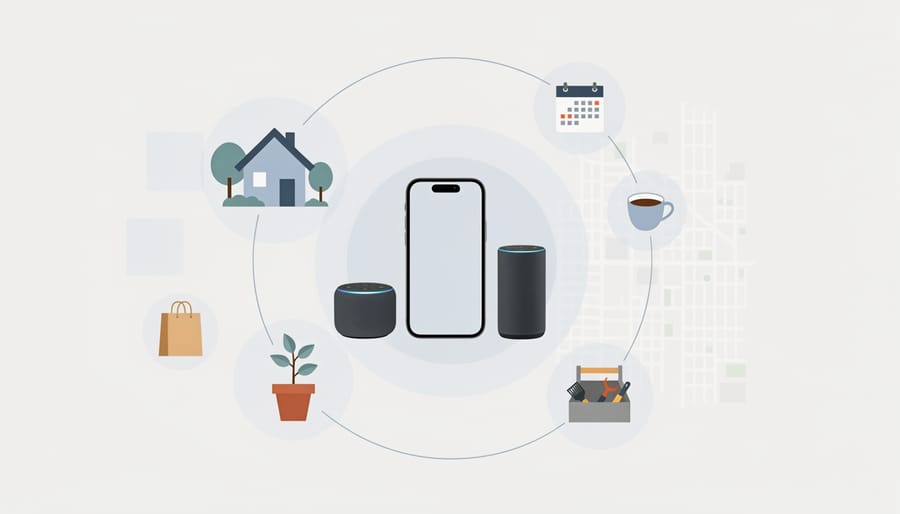
Customizable AI assistants running on Raspberry Pi excel in educational settings and accessibility applications precisely because they can adapt to individual learning styles, abilities, and needs. A speech therapy tool can adjust its pace and vocabulary complexity based on a child’s progress, while a language learning assistant modifies pronunciation exercises to focus on sounds the student finds challenging. These systems track individual performance patterns and reshape their responses accordingly, something generic commercial assistants cannot do.
For accessibility, customizable voice interfaces address specific disabilities without compromising on personalization. A vision-impaired user might build an assistant that describes household objects with custom labels and voice preferences they’ve trained, while someone with motor difficulties can configure hands-free control of specialized equipment through voice commands tailored to their speech patterns. Building a Google Assistant DIY project serves as an excellent starting point, but the real power emerges when you extend it with custom intents and personalized learning modules that address unique educational or accessibility requirements your standard assistant overlooks.
Privacy-Focused Personal Assistants
Privacy-conscious users can build truly private voice assistants on Raspberry Pi by processing all speech recognition and personalization locally, eliminating cloud dependencies entirely. A No-cloud AI assistant running frameworks like Rhasspy or Mycroft keeps voice recordings on-device, training personalization models from local interaction history without transmitting data to external servers. The Raspberry Pi 4 or 5 provides sufficient processing power for real-time speech recognition and intent parsing using lightweight models like Vosk or Pocketsphinx. These systems learn user preferences through on-device pattern matching and rule refinement, adapting to household routines and vocabulary while maintaining complete data sovereignty. This approach particularly appeals to users concerned about voice data collection or those operating in sensitive environments where external connectivity poses security risks.
Building Your Own Customizable AI Assistant on Raspberry Pi
Building your own customizable AI assistant on Raspberry Pi combines accessible hardware with flexible software frameworks to create a personalized voice interface that runs entirely under your control. The typical build requires a Raspberry Pi 4 (2GB RAM minimum), a USB microphone or HAT-based mic array, and a speaker or audio output device. You’ll also need a microSD card with at least 16GB capacity and a stable power supply.
Start by choosing your assistant framework based on your technical comfort level and customization needs. Rhasspy offers excellent speech recognition with local processing, while Mycroft provides a more structured development environment with extensive documentation. Both run well on Raspberry Pi hardware and support the personalization features we’ve discussed throughout this article. Install your chosen framework following its official documentation, ensuring you configure audio input and output correctly during initial setup.
The core configuration involves training the speech recognition system with your voice samples and defining custom intents that match your specific use cases. Create intent files that describe the commands you want your assistant to recognize, then map these intents to actions using Python scripts or built-in integrations. This is where personalization begins, you’re literally teaching the assistant to understand your vocabulary and respond to your unique needs rather than generic commands.
Hardware setup matters for quality results. Position your microphone away from the speaker to minimize echo, and consider a GPIO-connected LED indicator to show when the assistant is listening. If you’re building a voice assistant with ML capabilities, allocate extra processing resources and consider adding a Coral USB Accelerator for faster inference on complex models.
Test incrementally by starting with simple commands before adding personalization layers. Begin with basic queries and control functions, then gradually introduce learning components that track your preferences and adapt responses over time. This iterative approach helps you understand each customization layer and troubleshoot issues before they compound.
The real power emerges when you connect your assistant to home automation systems, custom APIs, and personal data sources that commercial assistants can’t access. Your Raspberry Pi becomes a truly personalized interface that grows smarter with use while keeping all processing and data local.
Common Questions About Customizable AI Assistants
What hardware do I need to run a customizable AI assistant?
A Raspberry Pi 4 with at least 2GB RAM handles most open-source voice assistant frameworks comfortably, along with a quality USB microphone and speaker. More demanding personalization features or faster response times benefit from 4GB or 8GB models.
Is building a customizable assistant too complicated for beginners?
Platform-based solutions like Mycroft offer straightforward installation scripts that beginners can follow with basic Linux knowledge. Full DIY builds require more technical skill, but the customization journey lets you start simple and add complexity as you learn.
How does privacy compare between custom and commercial assistants?
Self-hosted assistants running entirely on your Raspberry Pi keep all voice data local, with no recordings sent to external servers. This contrasts sharply with commercial alternatives that typically process audio in the cloud, raising important questions about voice assistant ethics and data collection practices.
Can a Raspberry Pi-based assistant match commercial performance?
Response times and accuracy lag behind cloud-powered assistants, particularly for complex queries or multiple accents. However, for specific tasks within your customized domains, a well-trained local assistant often performs better because it understands your unique context and vocabulary.
The privacy advantage deserves emphasis beyond simple data control. Building your own assistant means you decide what gets logged, how long recordings persist, and whether any information ever leaves your network. Families concerned about always-listening devices in bedrooms or offices find this control essential, even if it means accepting slightly slower wake-word detection or less sophisticated natural language understanding.
Customization difficulty scales with ambition. Installing a pre-built image and tweaking a few configuration files takes an afternoon. Creating custom voice commands for your smart home setup adds another weekend of work. Building entirely new skills with personalized learning models represents a months-long project. The framework you choose determines where on this spectrum you start, but all customizable assistants reward the effort with capabilities that generic products simply cannot offer.
Customizable AI assistants represent more than just another tech project, they give you genuine control over how you interact with your devices. Unlike locked commercial systems that treat every user the same, a personalized assistant you build on Raspberry Pi learns your preferences, respects your privacy, and evolves with your needs. The learning curve might seem steep at first, but that’s exactly where the value lies: understanding how these systems work makes you a better problem-solver and opens doors to countless project variations.
The Raspberry Pi ecosystem makes this experimentation accessible and affordable. You’re not locked into expensive hardware or subscription services, and the community support means you’ll find help when you hit obstacles. Start with a simple voice-controlled project, add personalization features gradually, and watch how context-aware responses transform a basic command interface into something that genuinely understands your household routines and preferences. The best customizable assistant isn’t the one with the most features, it’s the one tailored precisely to solve your specific problems and fit seamlessly into your daily life.