

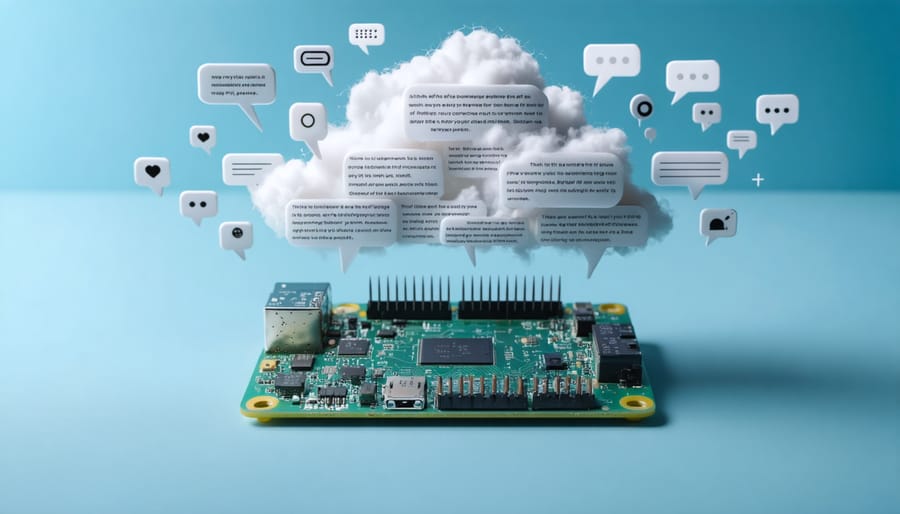
Natural Language Processing revolutionizes how machines understand and respond to human communication, powering everything from smart home devices to advanced AI systems. Transform your Raspberry Pi into a powerful NLP platform to build your own AI assistant, analyze sentiment in real-time, or create custom voice commands – all without relying on cloud services.
From chatbots that handle customer service to voice assistants that control smart home devices, NLP applications have become integral to modern technology. These systems process, analyze, and generate human language through sophisticated algorithms and machine learning models. By implementing NLP on edge devices like Raspberry Pi, developers can create responsive, privacy-focused applications that operate independently of internet connectivity.
Whether you’re a hobbyist exploring voice recognition or a developer seeking to implement advanced language processing capabilities, understanding NLP examples provides the foundation for creating intelligent, interactive systems. This guide explores practical implementations, from basic text analysis to complex conversation engines, with step-by-step instructions for bringing these capabilities to life on your own hardware.
How NLP Makes Voice Assistants Smarter

Speech Recognition and Text Conversion
Speech recognition and text conversion represent one of the most practical applications of NLP in everyday technology. Using popular libraries like SpeechRecognition in Python, you can easily transform spoken words into written text. A simple implementation might use your Raspberry Pi’s microphone to capture voice input and convert it to text in real-time.
For example, you can create a basic voice notes application using just a few lines of code. The system listens for voice input, processes the audio through an NLP model, and outputs accurate text transcriptions. Modern speech recognition systems can handle various accents, background noise, and even multiple speakers with impressive accuracy.
Popular voice assistants like Alexa and Google Assistant use similar principles, though with more sophisticated models. These systems not only convert speech to text but also analyze the context and intent behind the words. You can experiment with basic speech recognition on your Raspberry Pi using open-source tools like DeepSpeech or Vosk, which offer offline processing capabilities and don’t require constant internet connectivity.
The technology has become increasingly accessible, making it perfect for DIY projects and educational purposes.
Intent Recognition
Intent recognition is a crucial component in modern NLP systems, enabling devices to understand what users want to accomplish through their spoken commands. When building a voice assistant with machine learning, the system analyzes user input by breaking down phrases into intent categories and extracting relevant parameters.
For example, when a user says “Set an alarm for 7 AM tomorrow,” the NLP system identifies the primary intent as “set_alarm” while extracting “7 AM” and “tomorrow” as time parameters. This process involves pattern matching, contextual analysis, and machine learning algorithms that have been trained on thousands of similar commands.
Common intent categories include setting reminders, playing music, controlling smart home devices, or requesting information. The system maintains a confidence score for each potential intent, selecting the most likely match based on the input’s context and structure. Modern intent recognition systems can also handle variations in phrasing, allowing users to express the same intent in multiple ways, making the interaction more natural and user-friendly.
Real-World NLP Examples in Action
Command Processing
Command processing in voice assistants demonstrates the practical power of NLP in action. Take a common command like “Turn on the living room lights and set them to 50% brightness.” This seemingly simple request involves multiple NLP components working together. The system must first identify two distinct actions (turning on lights and setting brightness), understand the location specification (living room), and interpret the numerical value (50%).
More complex commands showcase advanced NLP capabilities. For instance, “Remind me to buy milk when I’m near the grocery store tomorrow afternoon” requires understanding temporal context (tomorrow afternoon), location awareness (near the grocery store), and action scheduling (setting a reminder). The NLP system breaks this down into actionable components while maintaining the semantic relationship between elements.
Contextual commands present another interesting example. When a user says, “Play the next one,” the system needs to understand the context of what’s currently playing. If it’s a music playlist, it’ll play the next song. If it’s a video series, it’ll play the next episode.
For Raspberry Pi enthusiasts, implementing basic command processing can start with simple pattern matching and gradually expand to more sophisticated natural language understanding. Popular libraries like spaCy and NLTK provide the tools needed to parse and process these commands, making it possible to build your own voice-controlled projects.
Context Understanding
Natural language processing systems excel at maintaining contextual understanding throughout conversations, making interactions feel more natural and meaningful. This capability is particularly evident in modern voice assistants and chatbots, where the system must remember previous exchanges to provide relevant responses.
Consider a conversation where you ask, “What’s the weather like?” followed by “How about tomorrow?” The NLP system understands that the second question refers to weather conditions, even though it’s not explicitly stated. This contextual awareness is achieved through various techniques, including state management and conversation history tracking.
On Raspberry Pi implementations, context understanding typically involves storing conversation tokens in temporary memory or a lightweight database. The system analyzes these stored interactions to maintain conversation flow and provide appropriate responses based on previous exchanges.
Key elements of context understanding include:
– Entity recognition and tracking
– Conversation state management
– Reference resolution (understanding pronouns like “it” or “that”)
– Topic maintenance and switching detection
For example, when a user says, “Turn on the lights in the living room” and then follows with “Make them brighter,” the system understands that “them” refers to the living room lights mentioned earlier. This natural flow of conversation is possible through careful context management and relationship mapping between conversation elements.

Natural Language Generation
Natural Language Generation (NLG) transforms structured data into human-readable text, enabling machines to communicate naturally with users. A prime example is the automated generation of weather reports, where raw meteorological data is converted into readable forecasts like “Expect scattered showers this afternoon with a high of 75°F.”
Voice assistants demonstrate NLG capabilities when providing contextual responses. For instance, when asked about nearby restaurants, they don’t just list names but generate complete sentences like “I found three Italian restaurants within walking distance. The closest one is Mario’s, which is currently open and has a 4.5-star rating.”
Smart home systems use NLG to create natural-sounding status updates. Instead of displaying “Temperature: 72°F, Humidity: 45%,” they might say “Your home is maintaining a comfortable temperature of 72 degrees with ideal humidity levels.”
Another practical application is automated email responses. NLG systems can generate personalized replies based on customer inquiries, maintaining a consistent tone while addressing specific concerns. For example, when processing a shipping status request, the system might respond with “Your package shipped yesterday and is expected to arrive on Thursday. You can track it using the following link…”
These examples showcase how NLG makes human-machine interactions more natural and engaging, particularly when implemented on platforms like Raspberry Pi for custom voice assistant projects.
Implementing NLP on Your Raspberry Pi
Required Hardware Setup
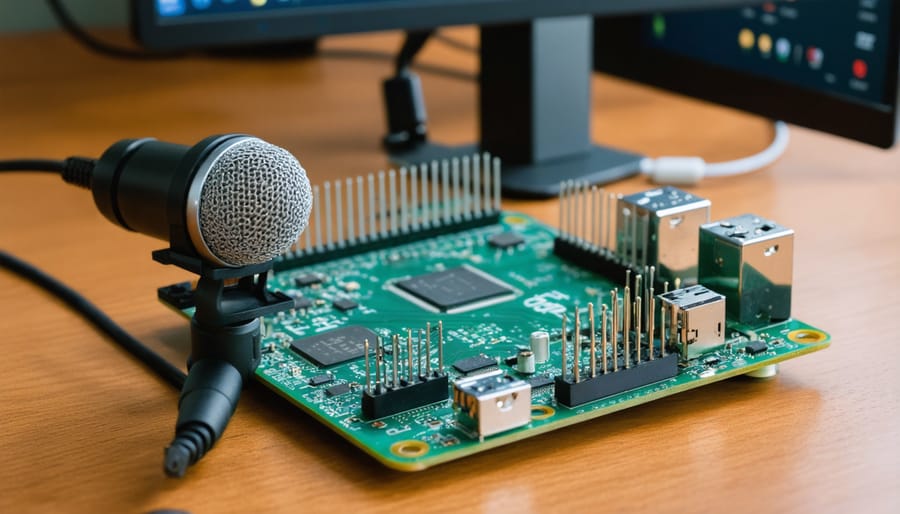
To get started with natural language processing projects, you’ll need a reliable hardware foundation. At the core of your setup should be a Raspberry Pi 4 with at least 4GB of RAM to handle the processing demands effectively. This powerful single-board computer provides the perfect balance of performance and affordability for NLP applications.
For voice input, you’ll need a quality USB microphone or a dedicated microphone HAT (Hardware Attached on Top) for your Raspberry Pi. The basic audio recording setup should include:
– A USB microphone with noise-cancellation capabilities
– A stable power supply (5V/3A recommended)
– A microSD card (32GB or larger)
– Speakers or headphones for audio output
– Ethernet connection or Wi-Fi adapter for network connectivity
For optimal performance, consider using a desktop microphone with a built-in pop filter to reduce unwanted noise. The microphone’s positioning is crucial – it should be placed approximately 6-8 inches away from the sound source in a relatively quiet environment.
Optional but recommended components include:
– A cooling solution (heatsinks or fan)
– A protective case
– A dedicated USB sound card for improved audio quality
– An external storage device for storing audio data
Remember to ensure all components are compatible with your Raspberry Pi model and that your power supply can handle the total power requirements of all connected peripherals.
Software Libraries and Tools
Several powerful NLP libraries are readily available for Raspberry Pi, making it an excellent platform for natural language processing projects. NLTK (Natural Language Toolkit) is perhaps the most comprehensive option, offering a wide range of tools for tokenization, stemming, and sentiment analysis. While it may run slightly slower on the Pi’s hardware, it remains a reliable choice for most applications.
For those seeking better performance, spaCy is an excellent alternative that’s optimized for efficiency. It excels at tasks like named entity recognition and dependency parsing, making it ideal for projects that require real-time processing. The lightweight nature of spaCy makes it particularly well-suited for the Pi’s resources.
TextBlob offers a more beginner-friendly approach, with an intuitive interface that simplifies common NLP tasks. It’s perfect for getting started with sentiment analysis and basic language processing on your Raspberry Pi. For those working with multiple languages, polyglot provides excellent support for non-English text processing.
If you’re specifically interested in voice recognition, the SpeechRecognition library integrates well with the Pi’s audio capabilities. Pair it with PyAudio for complete voice processing functionality. For machine learning-based NLP tasks, the lightweight FastAI library offers good performance without overwhelming your Pi’s resources.
Installation of these libraries is straightforward using pip, though some may require additional dependencies. Remember to check compatibility with your Pi’s Python version and operating system before installation. Most libraries include comprehensive documentation and example code to help you get started quickly.
Common Challenges and Solutions
While Natural Language Processing offers exciting possibilities, implementers often face several common challenges. One of the most frequent issues is handling ambiguous language and context. Words can have multiple meanings, and without proper context management, NLP systems may misinterpret user intentions. To address this, developers should implement context tracking and maintain conversation history to better understand user intent.
Another significant challenge is dealing with different accents, dialects, and speech patterns. This is particularly relevant when working with voice recognition systems on Raspberry Pi. The solution involves training your models with diverse datasets that include various accents and speaking styles. Additionally, implementing noise reduction algorithms and proper microphone setup can significantly improve recognition accuracy.
Text preprocessing can also be troublesome, especially when handling informal language, abbreviations, and emoticons. Creating robust preprocessing pipelines that clean and normalize text input is essential. This includes steps like removing special characters, converting text to lowercase, and handling contractions appropriately.
Resource constraints on embedded systems like Raspberry Pi can limit NLP performance. To optimize processing, consider using lightweight models, implementing efficient caching mechanisms, and utilizing edge computing where possible. You might also want to offload heavy processing tasks to cloud services when real-time response isn’t critical.
Language diversity presents another challenge, particularly for multilingual applications. The solution involves using language detection algorithms and maintaining separate language models. For Raspberry Pi implementations, you can use pre-trained multilingual models that balance accuracy with resource usage.
Errors in speech-to-text conversion can compound through the NLP pipeline. Implementing error correction mechanisms and fuzzy matching algorithms can help maintain accuracy. Regular model updates and fine-tuning based on user feedback will also improve system performance over time.
Natural Language Processing continues to revolutionize how we interact with technology, from simple chatbots to sophisticated AI assistants. As we’ve explored throughout this article, NLP applications on Raspberry Pi offer an accessible entry point into this fascinating field. The combination of affordable hardware and powerful NLP tools opens up endless possibilities for hobbyists and developers alike. Looking ahead, we can expect even more exciting developments in NLP technology, including improved language understanding, more accurate sentiment analysis, and enhanced voice recognition capabilities. Whether you’re building a smart home assistant or exploring machine learning projects, the foundations we’ve covered here will serve as valuable stepping stones. Remember, the key to success lies in starting simple and gradually expanding your project’s capabilities as you gain confidence and expertise.