

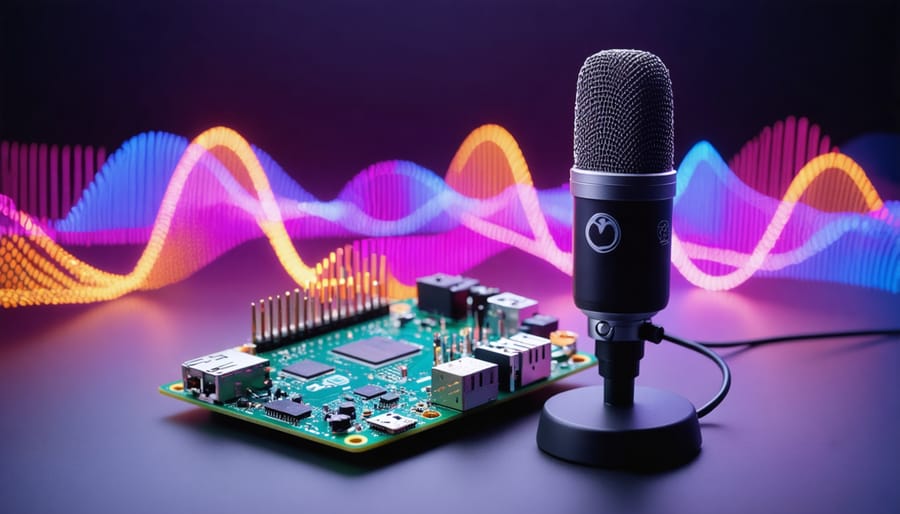
Voice interfaces are revolutionizing how we interact with technology, transforming everyday devices into intuitive companions that understand and respond to our natural speech patterns. From smartphones to smart home devices, these interfaces have evolved from simple command-response systems into sophisticated voice assistant with machine learning capabilities that can recognize emotions, understand context, and adapt to individual users’ speaking styles.
The convergence of advanced natural language processing, machine learning algorithms, and improved hardware has created voice interfaces that feel remarkably human-like in their interactions. These systems now power everything from virtual assistants like Siri and Alexa to specialized applications in healthcare, education, and industrial automation. For developers and hobbyists, this technology has become increasingly accessible, offering unprecedented opportunities to create custom voice-enabled solutions using affordable hardware like Raspberry Pi.
As we stand at the frontier of this voice-first revolution, understanding the fundamentals of voice interface technology isn’t just academic—it’s essential for anyone looking to build the next generation of interactive systems. Whether you’re a seasoned developer or an enthusiastic beginner, mastering voice interfaces opens up exciting possibilities for creating more natural, accessible, and engaging user experiences.
How Voice Emotion Detection Works

Key Voice Parameters for Emotion Analysis
Voice emotion analysis relies on several key parameters that work together to help systems understand the emotional state of speakers. Pitch, perhaps the most fundamental parameter, indicates the frequency of vocal sounds and can reveal emotions like excitement (higher pitch) or sadness (lower pitch). Variations in pitch, known as pitch modulation, are particularly telling – rapid changes often suggest heightened emotional states.
Tone quality, or timbre, helps distinguish between different emotional colorings in speech. For instance, a breathy tone might indicate intimacy or tiredness, while a harsh tone could suggest anger or frustration. The rhythm and pace of speech also carry emotional significance – faster speech patterns typically indicate excitement or anxiety, while slower patterns might suggest contemplation or sadness.
Volume and intensity variations provide additional emotional cues. Sudden increases in volume often correlate with anger or enthusiasm, while lower volumes might indicate fear or sadness. The analysis of speech energy distribution across different frequency bands can reveal subtle emotional nuances that might not be apparent to human ears.
Jitter and shimmer measurements examine the stability of vocal vibrations. Increased jitter (frequency variation) and shimmer (amplitude variation) often indicate stress or negative emotions. Modern voice analysis systems also consider speech formants – the resonant frequencies that help distinguish between different vowel sounds and can shift with emotional states.
These parameters form the foundation for emotion detection algorithms, enabling voice interfaces to understand and respond appropriately to users’ emotional states.
Processing Pipeline on Raspberry Pi
The processing pipeline for voice interfaces on Raspberry Pi follows a systematic approach to convert raw audio input into actionable commands. The journey begins with audio capture through a USB microphone or HAT board, which samples the incoming sound waves at a typical rate of 16kHz.
First, the captured audio undergoes preprocessing, where noise reduction and audio normalization techniques clean up the signal. The Raspberry Pi then segments the continuous audio stream into manageable chunks, typically 20-30 milliseconds in length, which overlap slightly to ensure no information is lost.
Next comes feature extraction, where the system analyzes the audio chunks for distinct characteristics like frequency distribution, energy levels, and mel-frequency cepstral coefficients (MFCCs). These features create a unique “fingerprint” of the spoken words.
The processed features then pass through the speech recognition model, which can be implemented using lightweight frameworks like PocketSphinx or Vosk, specifically optimized for Raspberry Pi’s limited resources. These models convert the audio features into text, making them ready for natural language processing.
Finally, the system interprets the recognized text through intent classification, matching it against predefined command patterns or feeding it into a language model for more complex interactions. This entire pipeline typically completes in under a second, providing responsive voice control for your Raspberry Pi projects.
Setting Up Emotion Detection on Your Pi
Required Hardware Components
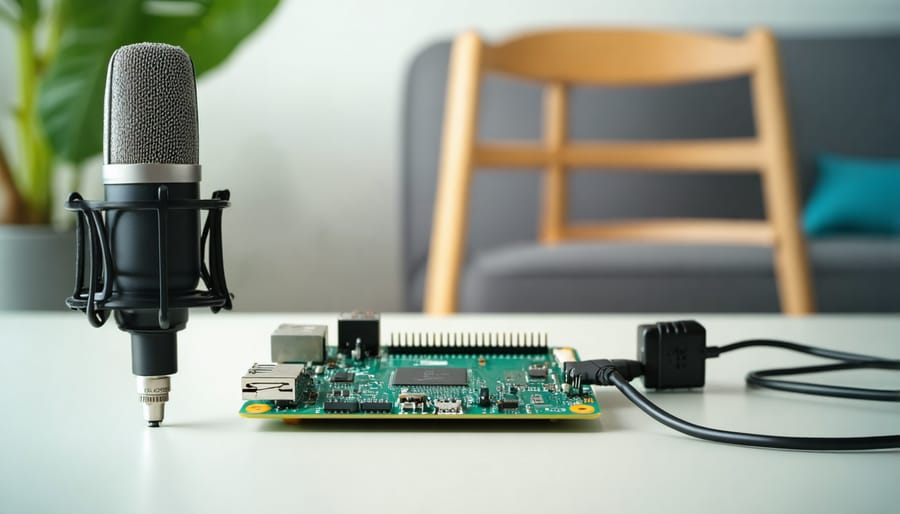
To create an effective voice interface, you’ll need specific hardware components that ensure reliable audio input and processing. The heart of the system is typically a Raspberry Pi 4, which provides the necessary computing power for voice processing tasks.
A quality microphone is essential for clear voice capture. The USB microphone options like the Blue Snowball or Samson Go are excellent choices for their plug-and-play compatibility and clear audio reproduction. For more advanced projects, consider setting up a complete audio recording setup using an I2S MEMS microphone or a USB audio interface.
Additional components that enhance voice interface performance include:
– A powered speaker or audio output device
– A USB sound card (if not using USB microphones)
– A stable power supply (minimum 3A recommended)
– A cooling solution to prevent thermal throttling
– Optional LED indicators for visual feedback
For optimal results, place the microphone in an environment with minimal background noise and echo. Consider using a pop filter or windscreen to reduce unwanted audio artifacts.
Software Libraries and Dependencies
Several open-source libraries and software tools make implementing voice interfaces accessible for Raspberry Pi enthusiasts. Python-based libraries like SpeechRecognition provide a robust foundation for voice input processing, while PyAudio handles audio stream management. For natural language processing, NLTK (Natural Language Toolkit) and spaCy offer comprehensive text analysis capabilities.
For emotion detection specifically, libraries like Librosa excel at extracting audio features, while OpenSMILE provides detailed acoustic analysis. TensorFlow and PyTorch are essential for implementing machine learning models that can recognize emotional patterns in speech. The SimpleAudio library offers straightforward audio playback functionality for system responses.
Popular speech-to-text engines like PocketSphinx work well on Raspberry Pi’s limited resources, while Google’s Speech-to-Text API provides more accurate results when internet connectivity is available. For text-to-speech output, eSpeak and Festival are lightweight options that run smoothly on the Pi, while pyttsx3 offers a more natural-sounding voice synthesis.
Remember to manage dependencies through pip, the Python package installer, and keep your system updated to ensure compatibility with these libraries.
Initial Configuration Steps
To get started with voice interfaces on your Raspberry Pi, you’ll need to set up a few essential components. First, connect a USB microphone or compatible microphone HAT to your Raspberry Pi. Ensure your audio input and output devices are properly configured by running ‘arecord -l’ in the terminal to verify microphone detection.
Install the required dependencies by opening the terminal and running:
“`
sudo apt-get update
sudo apt-get install python3-pyaudio
sudo apt-get install portaudio19-dev
“`
Next, create a new Python virtual environment to keep your project dependencies isolated:
“`
python3 -m venv voice_env
source voice_env/bin/activate
“`
Install the necessary Python packages for voice recognition:
“`
pip install SpeechRecognition
pip install google-api-python-client
“`
Test your microphone setup by running a quick recording test:
“`
arecord -d 5 test.wav
aplay test.wav
“`
If you hear your recording played back clearly, your basic configuration is complete. For optimal performance, adjust your microphone’s input volume using ‘alsamixer’ and position it in a quiet environment with minimal background noise. Remember to check your system’s audio settings to ensure the correct input device is selected as default.
These initial steps provide the foundation for building voice-controlled applications on your Raspberry Pi. Once configured, you can move on to implementing specific voice recognition features and commands.
Real-World Applications
Smart Home Integration
Voice interfaces with emotion detection capabilities are revolutionizing smart home automation projects, creating more intuitive and responsive living environments. By understanding the emotional state of household members, these systems can automatically adjust lighting, temperature, and music to enhance comfort and well-being.
For example, when the system detects stress or fatigue in a user’s voice, it can automatically dim lights, lower the temperature slightly, and play calming music. Conversely, detecting excitement or high energy might trigger brighter lighting and upbeat music for a more energetic atmosphere.
Many modern smart home hubs now integrate with voice assistants that can recognize emotional patterns. Using machine learning algorithms, these systems analyze vocal characteristics such as pitch, tempo, and volume to identify emotional states. This technology can be particularly beneficial for elderly care, where detecting distress or confusion in a person’s voice can trigger appropriate responses or alerts.
The Raspberry Pi community has developed several open-source projects that combine emotion detection with home automation. These implementations often use Python libraries for voice analysis and connect to popular home automation protocols like Home Assistant or OpenHAB. For beginners, pre-built emotion detection modules can be easily integrated with existing smart home setups, while advanced users can train custom models for more personalized responses.
Educational Tools
Voice interfaces have revolutionized educational environments by making learning more accessible and interactive. These tools are particularly valuable for students with different learning needs, offering multiple pathways to engage with educational content. Smart speakers and voice-enabled devices now facilitate language learning through pronunciation practice, vocabulary building, and interactive conversations in foreign languages.
For students with visual impairments or reading difficulties, voice interfaces serve as essential learning aids, converting text to speech and providing audio descriptions of educational materials. These tools can read textbooks aloud, describe images, and offer verbal step-by-step instructions for various learning activities.
Voice-controlled educational games and quizzes have emerged as engaging tools that combine learning with entertainment. Students can participate in interactive storytelling sessions, answer questions verbally, and receive immediate feedback on their responses. This hands-free interaction enables kinesthetic learning experiences where students can move freely while engaging with educational content.
In special education settings, voice interfaces help students with motor skill challenges interact with learning materials more effectively. Voice commands can control educational software, navigate through lessons, and assist with note-taking. Additionally, these tools support teachers by automating routine tasks like setting timers, managing classroom schedules, and organizing educational resources.
The integration of voice interfaces in education continues to expand, with new applications being developed to support diverse learning styles and needs. These tools are becoming increasingly sophisticated, incorporating features like accent recognition and personalized learning paths based on verbal interactions.
Challenges and Solutions
Accuracy Improvements
Improving the accuracy of emotion detection in voice interfaces requires a multi-faceted approach combining both hardware and software optimizations. Start by using a high-quality microphone with noise-cancellation capabilities to capture clear audio input. Position the microphone correctly, ideally 6-8 inches from the speaker’s mouth, to minimize ambient noise interference.
For software enhancements, implement pre-processing techniques such as audio normalization and noise filtering. These steps help clean the audio signal before analysis. Consider using multiple detection algorithms in parallel, comparing their results to achieve more reliable emotion classification. Popular approaches include combining both frequency-based analysis and machine learning models.
Training your system with diverse voice samples is crucial. Include recordings from different speakers, ages, genders, and accents to create a robust detection model. Regular calibration and testing with real-world scenarios help identify and address accuracy issues.
Context awareness also plays a vital role. Program your interface to consider environmental factors and previous interactions when making emotional assessments. For instance, background noise levels or time of day can affect voice patterns and should be factored into the analysis.
Finally, implement confidence scoring in your detection system. This allows the interface to request clarification when emotion detection certainty falls below an acceptable threshold, rather than making potentially incorrect assumptions.
Performance Optimization
When working with voice interfaces on the Raspberry Pi, optimization is crucial for smooth, real-time performance. Start by minimizing background processes and unused services to free up system resources. You can achieve this by using the ‘systemctl’ command to disable non-essential services and running ‘top’ to monitor resource usage.
Consider implementing audio buffering techniques to handle voice input more efficiently. Set your buffer size between 2048 and 4096 samples for a good balance between latency and processing overhead. For Python-based voice applications, use NumPy arrays instead of lists for faster audio processing, and leverage the multiprocessing module to distribute tasks across the Pi’s cores.
Memory management is equally important. Implement garbage collection in your code, especially for long-running voice applications. Use streaming approaches rather than loading entire audio files into memory, and consider using lightweight voice recognition models specifically optimized for embedded systems.
For better voice recognition accuracy without sacrificing speed, try these optimization techniques:
– Use a USB microphone with built-in noise cancellation
– Process audio at 16kHz sample rate instead of higher frequencies
– Implement voice activity detection to process only when speech is present
– Cache frequently used voice commands or responses
Monitor your application’s performance using tools like ‘htop’ or ‘psutil’ to identify and address bottlenecks. Regular testing under various conditions will help maintain optimal performance as you add features to your voice interface.
Voice interfaces have revolutionized how we interact with technology, making digital interactions more natural and accessible than ever before. From simple command recognition to complex emotional analysis, these systems continue to evolve at a rapid pace. The integration of voice interfaces with Raspberry Pi has opened up exciting possibilities for hobbyists and developers to create their own voice-enabled projects at an affordable cost. As artificial intelligence and machine learning technologies advance, we can expect even more sophisticated voice interfaces that better understand context, emotion, and natural language nuances. The future holds promise for more personalized, responsive, and intuitive voice interactions that will further bridge the gap between humans and machines. Whether you’re a beginner or an experienced developer, there’s never been a better time to explore and experiment with voice interface technology.