


Transform classroom dynamics by integrating collaborative projects that develop real-world skills while fostering deep engagement. When students work together on meaningful challenges, they naturally develop critical thinking, communication, and problem-solving abilities essential for their future careers.
Modern collaborative projects extend far beyond traditional group assignments. Today’s students use cloud-based tools, project management software, and digital platforms to coordinate their efforts, track progress, and create professional-quality deliverables. This tech-enabled collaboration mirrors workplace environments they’ll encounter after graduation.
The most successful collaborative projects combine three key elements: clear individual accountability, shared group goals, and authentic real-world applications. Whether students are designing sustainable solutions for local environmental challenges, creating interactive digital stories, or developing community service initiatives, the focus remains on meaningful outcomes that showcase both individual contributions and team synergy.
Educators who implement well-structured collaborative projects report increased student motivation, better retention of complex concepts, and improved social-emotional learning outcomes. By carefully scaffolding these experiences and providing the right digital tools and support frameworks, teachers can create powerful learning opportunities that prepare students for an increasingly interconnected world.
Setting Up Your Collaborative Project Environment
Hardware Requirements
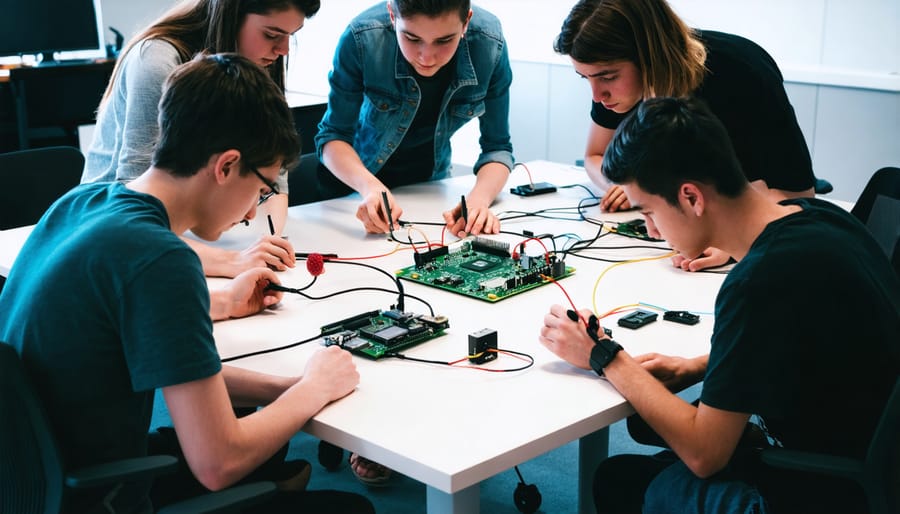
For successful collaborative projects, each student group will need access to at least one Raspberry Pi 4 Model B (2GB or 4GB RAM), though having one Pi per 2-3 students is ideal for maximum engagement. Essential accessories include a microSD card (16GB minimum) for each Pi, power supplies, and HDMI cables for display connection.
Basic peripherals required per workstation include:
– USB keyboard and mouse
– Monitor or display screen
– Network cables or Wi-Fi capability
– USB flash drives for file transfers
For more advanced projects, consider adding:
– Pi Camera Module
– Breadboard and jumper wires
– Basic electronic components (LEDs, resistors, sensors)
– GPIO breakout board
– Cases for protecting the Pis
To facilitate effective collaboration, ensure each group has access to a shared storage solution, either through a local network drive or cloud storage service. A reliable internet connection is crucial for downloading updates and accessing project resources. Having a few spare microSD cards and power supplies on hand is recommended to minimize disruption if technical issues arise.
Network Configuration
When setting up collaborative projects, establishing a reliable and secure networking setup is crucial for effective team communication. Start by creating a dedicated local network for your student groups, preferably using a managed switch to control network traffic. Configure individual Raspberry Pis with static IP addresses to ensure consistent connectivity, and implement SSH key-based authentication for secure remote access.
For larger teams, consider setting up a Git server on one Raspberry Pi to manage version control, allowing students to collaborate on code seamlessly. Enable WPA2 encryption on your wireless network and create separate user accounts with appropriate permissions for each team member.
To maintain security while allowing collaboration, establish a virtual private network (VPN) for remote work sessions. This enables students to access project resources safely from home while protecting sensitive data. Remember to regularly update firewall rules and maintain a whitelist of authorized devices to prevent unauthorized access to your project network.
Exciting Group Project Ideas
Smart Classroom Monitor
Transform your classroom into a smart environment by creating an IoT-based monitoring system using Raspberry Pi. This collaborative project enables students to work together while learning about sensors, data collection, and real-time monitoring.
Start by assembling teams of 3-4 students, each responsible for different aspects of the system. One team can focus on setting up the DHT22 temperature and humidity sensors, another on the light sensors, and a third on the CO2 monitors. The Raspberry Pi serves as the central hub, collecting data from all sensors through GPIO pins.
Using Python, students can create scripts to read sensor data and store it in a database. This presents an excellent opportunity to learn about data management and basic SQL commands. The project can be extended by developing a web interface that displays real-time classroom conditions using frameworks like Flask or Django.
For visualization, students can implement graphs and charts using libraries like Matplotlib or Chart.js. This makes the data easy to understand and track over time. Consider adding features like automatic alerts when conditions fall outside optimal ranges for learning.
The final system can help maintain ideal classroom conditions while teaching valuable skills in electronics, programming, and teamwork. Students learn to solve real-world problems while creating something useful for their learning environment. Remember to document the process and encourage teams to present their contributions to the entire class.
Multi-Player Game Development
Multi-player game development offers an exciting avenue for students to engage in collaborative coding projects while learning essential programming concepts. Using Raspberry Pi as the development platform, students can create engaging games that foster both technical skills and teamwork.
Popular frameworks like Pygame and PyQt provide excellent starting points for building multiplayer games. Students can begin with simple projects like networked Pong or Tic-Tac-Toe, gradually advancing to more complex games like multiplayer platformers or battle arenas. The development process naturally divides into roles: user interface design, game logic programming, network communication, and asset creation.
To facilitate effective collaboration, teams should utilize version control systems like Git, allowing multiple students to work on different game components simultaneously. Regular code reviews and testing sessions help maintain code quality and ensure smooth integration of various game elements.
Some recommended project ideas include:
– A multiplayer quiz game with real-time scoring
– A cooperative maze-solving adventure
– A competitive racing game with split-screen functionality
– A team-based strategy game using network communication
These projects teach valuable lessons in network programming, game physics, user interface design, and most importantly, working as part of a development team. The hands-on experience gained through game development provides practical insights into software engineering principles while keeping students engaged and motivated.
Group Robotics Challenge
Building and programming robots as a team offers students an exciting way to develop both technical and collaborative skills. Teams typically consist of 3-5 students, each taking on specific roles such as mechanical design, programming, documentation, and project management. The challenge involves creating autonomous robots that can perform specific tasks, like navigating mazes, sorting objects by color, or competing in mini-competitions.
Start by equipping each team with a Raspberry Pi kit, basic robotics components, sensors, and mechanical parts. Students should first brainstorm their robot’s design and functionality, creating detailed sketches and specifications. This planning phase is crucial for establishing clear objectives and division of responsibilities.
During the build phase, teams work simultaneously on different aspects: some members focus on assembling the physical structure, while others develop the control software using Python or Scratch. Regular team meetings help synchronize progress and troubleshoot challenges collectively.
The programming component typically includes sensor integration, motor control, and decision-making algorithms. Teams learn to write clean, well-documented code that other members can understand and modify. Encourage students to use version control systems to track changes and facilitate collaboration.
The project culminates in a friendly competition or demonstration where teams showcase their robots’ capabilities. This event not only celebrates achievement but also allows students to learn from other teams’ approaches and solutions. Consider implementing a peer review system where teams provide constructive feedback to each other, fostering a supportive learning environment.
Project Management Tools
Version Control Systems
Version control systems like Git and GitHub are essential tools for collaborative coding projects, enabling students to work together effectively while maintaining code organization and integrity. Git tracks changes in your project’s code, while GitHub provides a platform for sharing and managing these changes among team members.
To get started, students should first install Git on their Raspberry Pis and create GitHub accounts. Team leaders can then create a repository for the project and invite team members as collaborators. Following version control best practices helps ensure smooth collaboration and prevents code conflicts.
Key Git commands students should learn include:
– git clone: Download a repository
– git pull: Get latest changes
– git add: Stage changes
– git commit: Save changes locally
– git push: Upload changes
– git branch: Create separate workspaces
Teams should establish clear branching strategies, with a main branch for stable code and feature branches for development. This prevents conflicts and maintains project stability. Encourage students to write clear commit messages and review each other’s code through pull requests.
GitHub’s project management features, like Issues and Projects boards, help track tasks and progress. Students can use these tools to assign responsibilities, document bugs, and plan feature implementations systematically.
Project Documentation
In collaborative student projects, maintaining effective project documentation is crucial for success. Popular tools like GitHub Wiki, Notion, and Google Docs provide excellent platforms for teams to create and manage shared documentation. These platforms offer real-time collaboration features, version control, and easy organization of project materials.
For Raspberry Pi projects, teams should document hardware configurations, software dependencies, and setup instructions using markdown files in their repository. This makes it easy for team members to replicate environments and troubleshoot issues. Creating templates for common documentation needs, such as meeting notes, technical specifications, and progress reports, helps maintain consistency across the project.
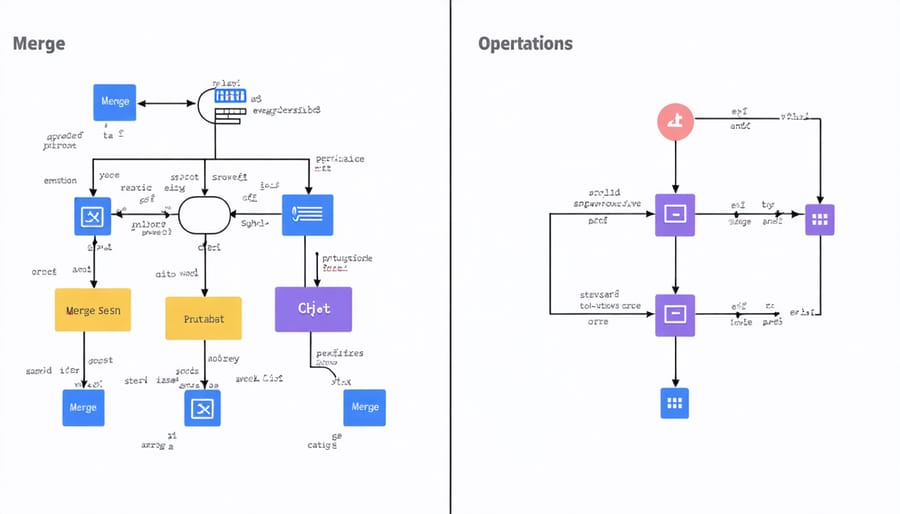
Students should establish clear documentation guidelines, including naming conventions, folder structures, and update procedures. Using tools like Draw.io for diagrams and Lucidchart for flowcharts can help visualize complex system architectures and processes. Regular documentation reviews ensure that information stays current and accessible to all team members.
Consider implementing a simple changelog to track major updates and modifications to the project. This helps team members stay informed about recent changes and provides a historical record of the project’s evolution. Remember to include troubleshooting guides and FAQ sections to address common issues that team members might encounter.
Security Best Practices
When collaborating on student projects, maintaining security is crucial for protecting both the work and the participants. Start by implementing strong user authentication practices – require unique usernames and complex passwords for each team member. Consider using a password manager to help students maintain secure credentials without compromising convenience.
Set up proper access controls by creating different permission levels. Project leaders or teachers should have administrative rights, while team members can have specific roles based on their responsibilities. This prevents accidental deletions or unauthorized changes to critical project components.
Always use secure communication channels when sharing project details. Encourage students to use encrypted messaging platforms and avoid sending sensitive information through regular email. When sharing code or project files, utilize version control systems with private repositories to track changes and maintain security.
Regular backups are essential. Implement an automated backup system that saves project data at predetermined intervals. This protects against data loss and provides a recovery option if security is compromised. Store backups in multiple secure locations, including both local and cloud storage.
Educate students about common security threats like phishing attempts and social engineering. Teach them to verify requests for project access and to be cautious when clicking links or downloading files. Create a security checklist that team members can reference throughout the project.
For projects involving hardware components or physical computing, establish clear guidelines for device access and network security. Use firewalls and ensure all devices connect through secure networks. If working with IoT devices, implement proper encryption and regularly update firmware to patch security vulnerabilities.
Document all security measures and create an incident response plan. This should outline steps to take if a security breach occurs and include contact information for technical support. Regular security audits help identify potential vulnerabilities before they become problems.
Remember that security is an ongoing process. Schedule periodic reviews of security protocols and update them as needed based on new threats or project requirements. Maintaining a secure collaboration environment helps students focus on learning and innovation without compromising their work or personal information.
Collaborative projects using Raspberry Pi offer students an unparalleled opportunity to develop essential skills while creating meaningful technology solutions. Through these team-based initiatives, students not only enhance their technical abilities but also cultivate crucial soft skills like communication, leadership, and problem-solving. The hands-on nature of these projects creates an engaging learning environment where theory meets practical application, making complex concepts more accessible and memorable.
The benefits extend beyond the classroom, preparing students for real-world scenarios where teamwork and technical expertise intersect. By participating in collaborative projects, students learn to manage resources, delegate tasks, and work within deadlines – skills that are invaluable in their future academic and professional careers. The open-ended nature of Raspberry Pi projects also encourages creativity and innovation, allowing students to explore unique solutions to challenges.
For educators and institutions considering implementing collaborative projects, the initial investment in time and resources is far outweighed by the educational returns. Start small with basic projects and gradually increase complexity as students gain confidence. Remember to establish clear guidelines, maintain open communication channels, and celebrate both successes and learning opportunities along the way.
By embracing collaborative Raspberry Pi projects, we’re not just teaching technology – we’re fostering the next generation of innovative problem-solvers who understand the power of working together to achieve common goals.