


Transform raw business data into actionable insights with modern enterprise data analytics platforms – powerful ecosystems that bridge the gap between data collection and strategic decision-making. These sophisticated platforms have evolved from simple reporting tools into comprehensive enterprise-grade solutions that integrate seamlessly with existing infrastructure while enabling real-time analysis, predictive modeling, and automated decision support.
Today’s enterprise analytics platforms combine cloud scalability, machine learning capabilities, and robust security features to handle the exponential growth of corporate data. By centralizing data management, automating analysis workflows, and democratizing access to insights, these platforms empower organizations to make data-driven decisions faster and more accurately than ever before.
Whether you’re a Fortune 500 company processing petabytes of customer data or a growing business seeking to leverage your digital assets, modern analytics platforms offer the flexibility and power to turn your data into a competitive advantage. As we explore the key components, implementation strategies, and best practices for enterprise data analytics platforms, you’ll discover how to build a foundation for data-driven success in your organization.
Hardware Requirements for Enterprise Analytics
Optimal Raspberry Pi Model Selection
When selecting a Raspberry Pi model for enterprise data analytics, several factors need consideration to ensure optimal performance and enterprise computing capabilities. The Raspberry Pi 4 Model B stands out as the top choice, offering up to 8GB of RAM and a 1.8GHz quad-core processor, making it ideal for data processing tasks. Its dual micro-HDMI ports and USB 3.0 connectivity provide excellent peripheral support for monitoring and storage expansion.
For less intensive analytics workloads, the Raspberry Pi 3 Model B+ remains a viable alternative, featuring a 1.4GHz processor and 1GB RAM. This model works well for smaller datasets and basic analytics operations while maintaining cost-effectiveness.
The Compute Module 4 deserves special mention for enterprise deployments, as it offers similar specifications to the Pi 4 but in a more compact form factor suitable for custom installations. Its design allows for better integration with existing infrastructure and custom cooling solutions.
Consider these key specifications when choosing:
– RAM requirements (1GB to 8GB options)
– Processing power needs
– Network connectivity (Gigabit Ethernet vs. Fast Ethernet)
– Storage expansion capabilities
– Power consumption and cooling requirements
– Physical installation constraints
For most enterprise analytics applications, the Raspberry Pi 4 with 8GB RAM provides the best balance of performance, cost, and capability.

Storage and Memory Considerations
When implementing an enterprise data analytics platform on Raspberry Pi, careful consideration of storage and memory requirements is essential for optimal performance. The Raspberry Pi 4’s maximum 8GB RAM configuration provides a solid foundation for analytics operations, but proper memory management is crucial to prevent bottlenecks during data processing.
For storage solutions, consider implementing a tiered approach. Use high-speed SSDs connected via USB 3.0 for frequently accessed data and active processing, while leveraging network-attached storage (NAS) or external HDDs for long-term data retention. A minimum of 256GB SSD storage is recommended for the operating system and analytics software, with additional storage scaling based on your data volume.
To optimize memory usage, implement data partitioning strategies and batch processing for large datasets. Monitor memory consumption using built-in Linux tools like ‘top’ and ‘htop’ to identify potential memory leaks or inefficient resource usage. Consider using memory-efficient analytics libraries and implementing proper garbage collection in your applications.
For distributed setups, each Raspberry Pi node should maintain local cache storage to reduce network overhead. Implement a robust backup solution for critical data, and consider using RAID configurations for improved data reliability and read/write performance when dealing with multiple storage devices.
Setting Up the Analytics Infrastructure
Operating System Configuration
When setting up your Raspberry Pi for data analytics, choosing and optimizing the right operating system is crucial for performance. Raspberry Pi OS (formerly Raspbian) serves as an excellent foundation, offering a lightweight yet capable environment for analytics workloads.
Start by installing the 64-bit version of Raspberry Pi OS, which better supports modern analytics tools and can handle larger datasets more efficiently. After installation, several optimization steps are recommended. First, adjust the GPU memory split to allocate more RAM to the CPU, since analytics workloads are primarily CPU-intensive. This can be done through the raspi-config utility.
Configure your swap space to accommodate larger datasets, typically setting it to at least 2GB. Edit the /etc/sysctl.conf file to optimize kernel parameters for analytics operations, particularly adjusting vm.swappiness and vm.dirty_ratio values for better memory management.
Install essential system utilities and libraries that support analytics operations:
– Python 3 and pip for running analytics scripts
– PostgreSQL for structured data storage
– Redis for in-memory caching
– Essential compression libraries for handling large datasets
Enable SSH for remote management and configure automatic system updates to maintain security. Finally, set up proper logging and monitoring tools to track system performance and resource usage during analytics operations.
Remember to regularly back up your configuration settings and maintain documentation of any customizations made to the system.
Database Implementation
Implementing a robust database system is crucial for any enterprise data analytics platform. For Raspberry Pi-based solutions, several database options offer excellent performance while maintaining resource efficiency. PostgreSQL stands out as a primary choice, offering enterprise-grade features like ACID compliance and complex query capabilities while running smoothly on Raspberry Pi hardware.
To set up your database infrastructure, begin by installing PostgreSQL on your Raspberry Pi cluster. Configure the database with appropriate partitioning schemes to handle large datasets efficiently. For time-series data, which is common in analytics applications, consider implementing TimescaleDB as an extension to PostgreSQL.
Performance optimization is achievable through proper indexing strategies and query optimization. Create indexes on frequently queried columns and partition large tables based on date ranges or other logical divisions. This approach significantly improves query response times, even with limited hardware resources.
For real-time analytics requirements, consider implementing a hybrid approach using Redis as an in-memory cache alongside PostgreSQL. This combination provides fast access to frequently accessed data while maintaining data persistence and reliability.
Remember to configure regular backup schedules and implement replication across multiple Raspberry Pi nodes for high availability. Use connection pooling to manage database connections efficiently and prevent resource exhaustion. Finally, monitor database performance using tools like pgAdmin or Grafana to ensure optimal operation and identify potential bottlenecks early.
Analytics Tools Installation
Setting up analytics tools on your Raspberry Pi-based enterprise platform begins with installing essential software components. Start by updating your system with ‘sudo apt update && sudo apt upgrade’ to ensure compatibility with the latest analytics packages.
First, install Python 3 and pip3, which serve as the foundation for many analytics tools. Next, set up PostgreSQL as your primary database system using ‘sudo apt install postgresql’. For real-time analytics, install Apache Kafka using the official binary downloads from the Apache website.
Essential Python libraries for data analytics include pandas, numpy, and scikit-learn, which can be installed using pip3. Install them with the command ‘pip3 install pandas numpy scikit-learn’. For visualization capabilities, add Matplotlib and Plotly to your toolkit.
Configure Jupyter Notebook for interactive data analysis by running ‘pip3 install jupyter’. This provides a web-based interface for running analytics code and visualizing results. For monitoring and logging, install Prometheus and Grafana using their respective package repositories.
Remember to set up proper user permissions and create dedicated service accounts for each tool. Configure firewalls to allow necessary ports while maintaining security. Test each installation by running basic commands and ensure all services start automatically on system boot.
Document all installation steps and configuration changes in a central repository for future reference and troubleshooting.
Security and Data Protection

Network Security Protocols
Network security is crucial for protecting your enterprise data analytics platform on Raspberry Pi. Implementing a secure network implementation begins with fundamental protocols like SSL/TLS encryption for all data transmissions. Configure your Raspberry Pi to use SSH with key-based authentication rather than password login, and ensure all default credentials are changed.
For enhanced security, implement a robust firewall using UFW (Uncomplicated Firewall) to control incoming and outgoing traffic. Set up VPN access for remote connections, preferably using OpenVPN or WireGuard, which work efficiently on Raspberry Pi hardware. Regular security audits and network monitoring should be performed using tools like Nagios or Zabbix, which can be easily installed on your Pi.
Consider implementing network segmentation to isolate your analytics platform from other network components. Use VLAN tagging to create separate networks for data collection, processing, and management interfaces. Enable intrusion detection systems (IDS) like Snort to monitor network traffic for suspicious activities.
Remember to keep your system updated with the latest security patches and maintain proper access controls through user authentication and role-based access management. Regular backup procedures and disaster recovery plans should be established to protect against data loss and ensure business continuity.
Data Encryption and Backup
Data security is paramount when building an enterprise data analytics platform on Raspberry Pi. Implementing robust encryption and backup solutions ensures data integrity and compliance with security standards. Let’s explore the essential steps to protect your valuable data.
For encryption, utilize Linux’s built-in LUKS (Linux Unified Key Setup) encryption system to secure data at rest. Configure encrypted volumes for sensitive data storage using dm-crypt, which provides military-grade AES-256 encryption. Additionally, implement TLS/SSL encryption for data in transit, ensuring secure communication between your platform components.
Create a comprehensive backup strategy using a combination of local and remote solutions. Set up automated daily incremental backups to an external USB drive connected to your Raspberry Pi, and configure weekly full backups to a remote storage solution like AWS S3 or Google Cloud Storage. Use tools like rsync for efficient differential backups that minimize storage requirements.
Consider implementing a RAID configuration using multiple storage devices for redundancy. While RAID isn’t a backup solution, it provides additional protection against hardware failures. Schedule regular backup testing to verify data integrity and recovery procedures.
For sensitive analytics results and configurations, maintain separate backup schedules and encryption keys. Document your encryption and backup procedures thoroughly, including key management protocols and recovery steps, to ensure business continuity in case of emergencies.
Keep encryption keys and backup credentials in a secure, separate location, preferably using a hardware security module (HSM) or encrypted password manager. Regular audits of your encryption and backup systems help maintain security standards and identify potential vulnerabilities.
Performance Optimization
Resource Management
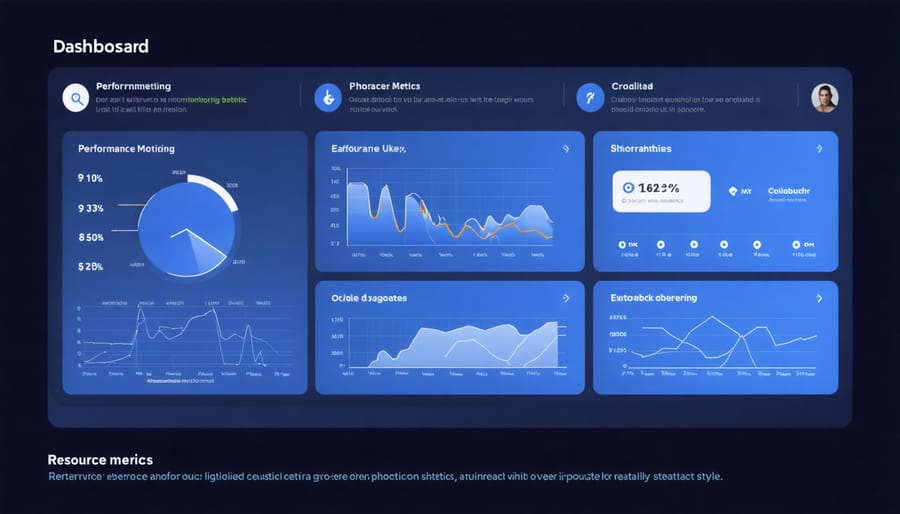
Efficient resource management is crucial for maintaining optimal performance in an enterprise data analytics platform running on Raspberry Pi hardware. To maximize system resources, implement a combination of hardware monitoring tools and software optimization techniques.
Start by configuring proper CPU and memory allocation for different analytics tasks. Use tools like htop or top to monitor system resources in real-time and identify potential bottlenecks. Set up automatic alerts when resource usage exceeds predetermined thresholds to prevent system slowdowns.
Storage optimization is equally important. Implement data compression techniques to reduce storage requirements while maintaining quick access times. Consider using time-series databases for efficient storage of historical data, and implement automatic data archiving policies to manage storage growth.
Network resource management plays a vital role in distributed analytics environments. Configure Quality of Service (QoS) settings to prioritize critical analytics traffic and prevent bandwidth congestion. Monitor network latency and implement load balancing across multiple Raspberry Pi nodes when necessary.
For better resource utilization, consider implementing containerization using lightweight solutions like Docker. This approach allows for better isolation of analytics workloads and more efficient resource allocation. Schedule resource-intensive tasks during off-peak hours to maintain consistent performance during critical business operations.
Remember to regularly review and adjust resource allocation based on usage patterns and performance metrics. This proactive approach helps maintain optimal system performance while maximizing the value of your Raspberry Pi-based analytics platform.
Query Optimization
Query optimization plays a crucial role in ensuring your Raspberry Pi-based enterprise analytics platform performs efficiently. By implementing smart data processing optimization techniques, you can significantly reduce query execution time and resource consumption.
Start by analyzing your query patterns and identifying bottlenecks using built-in monitoring tools. Common optimization strategies include creating appropriate indexes on frequently queried columns, partitioning large tables based on date ranges or categories, and implementing materialized views for complex calculations that don’t require real-time updates.
For Raspberry Pi implementations, it’s especially important to optimize memory usage. Consider using column-based storage formats when dealing with analytical queries, as they allow for better compression and faster data retrieval. Implement query caching mechanisms to store frequently accessed results, reducing the load on your Pi’s processors.
Another effective approach is to break down complex queries into smaller, more manageable chunks. This not only improves performance but also makes troubleshooting easier. Use query hints judiciously to guide the query optimizer when necessary, but avoid over-optimization that might make your queries less maintainable.
Regular maintenance tasks like updating statistics, removing redundant indexes, and cleaning up temporary tables will help maintain optimal query performance over time. Remember to monitor and adjust these optimizations as your data volume grows and usage patterns change.
Scaling Solutions
As your enterprise data analytics platform grows, implementing effective scaling solutions becomes crucial for maintaining performance and reliability. One innovative approach involves scaling with Raspberry Pi clusters, which offers a cost-effective way to handle increased workloads while maintaining system responsiveness.
Horizontal scaling can be achieved by adding more Raspberry Pi nodes to your existing setup, distributing the processing load across multiple devices. This approach works particularly well for parallel processing tasks and can be implemented gradually as your needs grow. Load balancing software helps distribute incoming requests evenly across all nodes, ensuring optimal resource utilization.
Vertical scaling, while limited by hardware capabilities, can be achieved through strategic upgrades to individual Pi units. This includes using newer Pi models with better specifications or optimizing software configurations for improved performance. Implementing caching mechanisms and database partitioning can significantly enhance query response times.
For optimal results, consider implementing a hybrid scaling approach. Use horizontal scaling for computational tasks and data processing, while employing vertical scaling for database operations and storage management. Regular monitoring of system metrics helps identify bottlenecks and determine when to scale up or out, ensuring your platform remains efficient and responsive as your data analytics needs evolve.
The Raspberry Pi has proven itself to be a remarkably versatile and cost-effective solution for enterprise data analytics, offering organizations a unique blend of affordability, flexibility, and powerful capabilities. By leveraging these compact computing devices, businesses can build scalable analytics platforms without the substantial investment typically associated with traditional enterprise solutions.
Throughout this exploration, we’ve seen how Raspberry Pi devices can be configured to handle various aspects of data analytics, from data collection and processing to visualization and reporting. The ability to create custom clusters, implement edge computing solutions, and integrate with existing enterprise systems makes the Raspberry Pi an attractive option for organizations of all sizes.
One of the most compelling advantages is the low barrier to entry, both in terms of cost and technical expertise required. Companies can start small with a single device and gradually expand their analytics infrastructure as needs grow. This scalability, combined with the robust community support and extensive documentation available, ensures that organizations can confidently develop and maintain their analytics platforms.
Looking ahead, the potential for Raspberry Pi in enterprise analytics continues to grow. With each new generation of the device bringing improved processing power and capabilities, organizations can expect even more sophisticated applications. The rise of IoT and edge computing presents additional opportunities for implementing Raspberry Pi-based analytics solutions that can process data closer to the source, reducing latency and bandwidth requirements.
For organizations considering an alternative to traditional enterprise analytics platforms, Raspberry Pi offers a compelling proposition: a cost-effective, flexible, and powerful solution that can grow with your business while maintaining security and reliability standards expected in enterprise environments.