

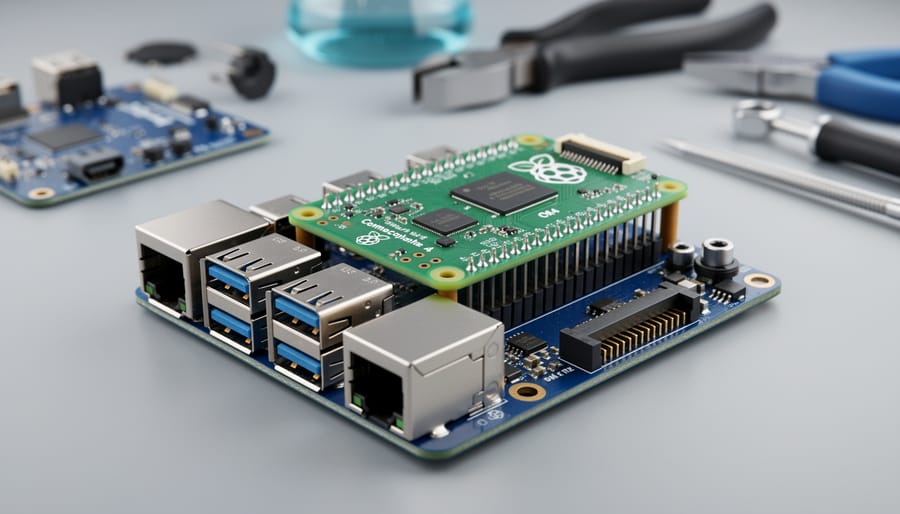
Choose your CM4 carrier board by first identifying your project’s essential interfaces—USB ports, ethernet, GPIO access, camera connectors, and storage options determine which board delivers the functionality you need without paying for unnecessary features.
Match the board’s form factor to your physical constraints. Mini carrier boards like the Waveshare Mini Base Board fit tight enclosures, while full-size options such as the official Raspberry Pi IO Board provide comprehensive connectivity for desktop applications and development work.
Verify power delivery specifications against your Compute Module 4 variant and peripheral requirements. Some carrier boards supply only 5V/3A through USB-C, limiting expansion possibilities, while industrial-grade options offer robust power management with wide voltage input ranges and protection circuitry.
Evaluate manufacturer support and community adoption before purchasing. Boards from established makers include detailed documentation, tested software images, and active forums where you’ll find troubleshooting help and project examples. Lesser-known boards might offer attractive pricing but leave you struggling with sparse documentation and compatibility issues.
Consider expansion capabilities that future-proof your investment. Carrier boards with M.2 slots, PCIe breakouts, or multiple camera interfaces let you scale projects without redesigning your entire system. This flexibility proves invaluable when prototype requirements evolve or when building product families from a single hardware platform.
The right carrier board transforms the CM4 from a bare module into a complete solution tailored to your specific application, whether you’re building industrial controllers, custom NAS systems, robotics platforms, or edge computing devices. Understanding these selection criteria ensures you invest in hardware that accelerates development rather than creating obstacles.
What Makes CM4 Carrier Boards Different From Standard Raspberry Pi Boards
The Raspberry Pi Compute Module 4 represents a significant departure from what many users know and love about traditional Raspberry Pi boards. While standard Raspberry Pi boards come as complete, ready-to-use single-board computers with all ports and connectors built-in, the CM4 takes a modular approach that opens up exciting new possibilities.
At its core, the CM4 is essentially a Raspberry Pi 4 stripped down to its essential components and packaged in a compact form factor. It contains the same powerful processor, RAM options, and capabilities, but without the familiar USB ports, HDMI connectors, Ethernet jack, or GPIO header you’d find on a standard Pi. This is where carrier boards come into play.
Carrier boards are custom circuit boards designed to host the CM4 module and provide the specific connectivity and features your project needs. Think of the CM4 as the brain and the carrier board as the body you design around it. This separation offers tremendous flexibility that standard Raspberry Pi boards simply cannot match.
The key advantage lies in customization. Need multiple Ethernet ports for a network router project? A carrier board can provide that. Building an industrial controller requiring specific voltage inputs and relay outputs? Your carrier board can include exactly those features. Want to integrate the CM4 into a slim enclosure where traditional Raspberry Pi boards won’t fit? The compact CM4 module makes it possible.
This modularity also benefits production environments. Companies can design carrier boards tailored to their exact product requirements, eliminating unnecessary components and reducing costs at scale. For hobbyists and educators, carrier boards bridge the gap between off-the-shelf solutions and fully custom PCB designs, offering professional-grade flexibility without requiring extensive electronics expertise.
Whether you choose a pre-made carrier board or design your own, the CM4 system transforms the Raspberry Pi from a fixed-function board into a flexible computing platform adaptable to virtually any application.
Key Features to Look for in a CM4 Carrier Board
I/O Ports and Connectivity Options
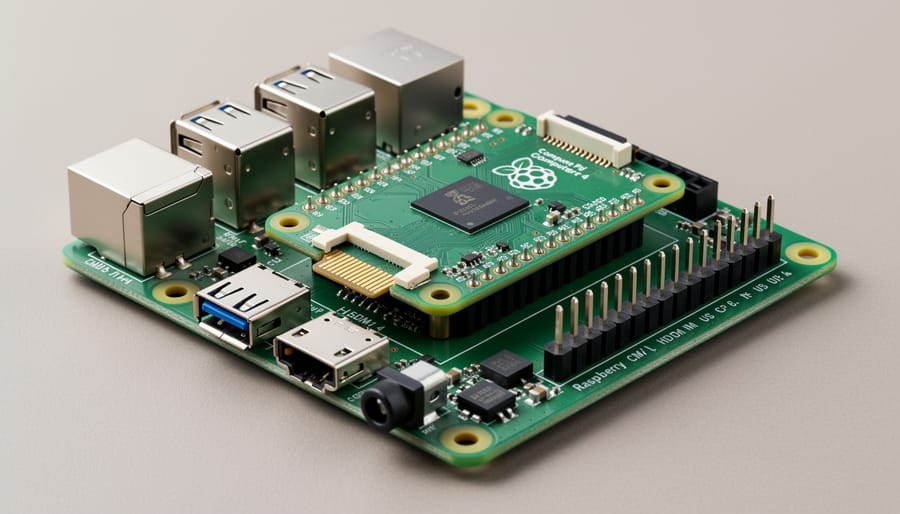
CM4 carrier boards offer diverse connectivity options to suit various project needs. Most boards provide multiple USB ports, typically ranging from two to four USB 2.0/3.0 ports, allowing you to connect peripherals like keyboards, mice, and external storage devices. Gigabit Ethernet is standard on quality carrier boards, ensuring reliable wired networking for projects requiring stable internet connections.
Video output options vary significantly between models. Many boards include HDMI ports (some offering dual HDMI outputs), while others feature DisplayPort or MIPI DSI connectors for direct display connections. This flexibility makes them ideal for digital signage, media centers, and embedded displays.
GPIO access is crucial for hardware projects. Look for boards with exposed 40-pin GPIO headers that provide direct access to the CM4’s pins, enabling integration with sensors, motors, and custom electronics. Some carrier boards break out additional interfaces like I2C, SPI, and UART for advanced applications.
Additional connectivity features often include M.2 slots for NVMe storage, PCIe expansion slots, microSD card readers, and PoE (Power over Ethernet) support. When comparing boards, prioritize connectivity options that align with your project requirements, whether you’re building a home automation hub, robot controller, or compact workstation.
Storage and Memory Support
Storage capabilities vary significantly across CM4 carrier boards, and understanding your options is essential for choosing the right board. The Compute Module 4 itself comes in variants with or without eMMC storage, which directly impacts your carrier board choice.
Many carrier boards feature M.2 slots supporting NVMe SSDs, offering blazing-fast storage speeds perfect for demanding applications like media servers or databases. Look for PCIe Gen 2 x1 compatibility, which the CM4 supports natively. Some premium boards include multiple M.2 slots for expanded storage options.
SATA connections provide another excellent storage solution, particularly for cost-effective bulk storage. Several carrier boards include full-size SATA ports, making it easy to connect 2.5-inch or 3.5-inch drives you might already own.
For CM4 modules without eMMC, a microSD card reader becomes crucial for booting your system. Most carrier boards include this feature, but always verify compatibility with your specific CM4 variant before purchasing.
Consider your project’s storage needs carefully. Video editing projects benefit from NVMe speed, while file servers might prioritize SATA’s capacity advantages. Budget-conscious builds can rely on microSD cards, though performance will be more limited. The beauty of carrier boards lies in this flexibility, letting you match storage solutions to your specific requirements without compromise.
Power Management and Cooling
Power delivery is crucial when selecting a CM4 carrier board. Most boards support 5V USB-C input, with quality designs incorporating voltage regulation circuits to ensure stable power even under heavy computational loads. Check the recommended power supply specifications, as CM4 modules with peripherals attached can draw 3-5 amps during peak operation.
Power over Ethernet (PoE) capability is a valuable feature for headless deployments or projects where cable runs are simplified. Some carrier boards include built-in PoE support through an integrated module, eliminating the need for separate adapters. This proves especially useful for network-attached projects, security cameras, or remote monitoring stations.
Thermal management varies significantly across carrier boards. The CM4 can generate considerable heat during intensive tasks, making adequate cooling essential for sustained performance. Look for boards with mounting holes for heatsinks or fan headers for active cooling. Some premium options include integrated heat spreaders or metal enclosures that double as passive cooling solutions, preventing thermal throttling during extended use.
Form Factor and Mounting Options
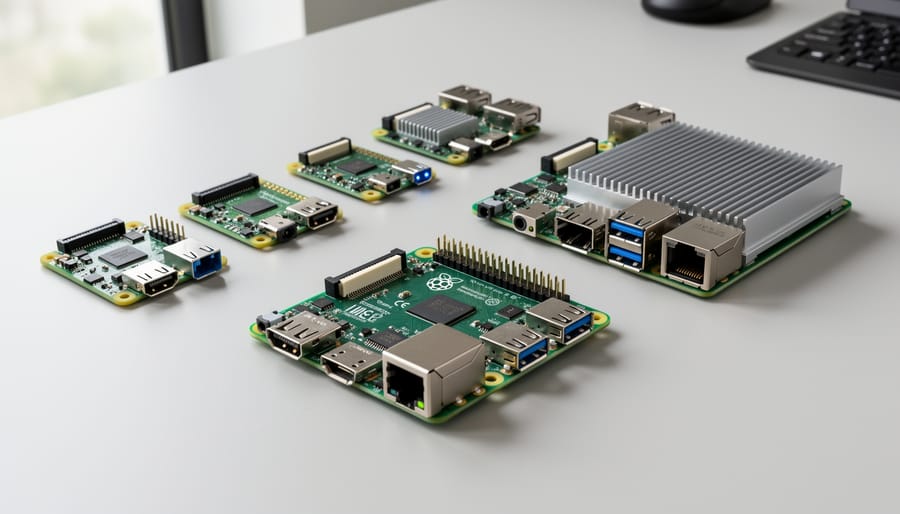
CM4 carrier boards come in diverse form factors to suit different project requirements. Standard sizes range from compact boards barely larger than the CM4 itself (about 55mm x 40mm) to full-size boards exceeding 100mm x 80mm with extensive connectivity options.
Many industrial-focused carriers feature DIN rail mounting capabilities, perfect for automation projects and control panels. These boards typically include mounting holes or clips that snap directly onto standard 35mm DIN rails, making installation in equipment racks straightforward.
Space-constrained projects benefit from minimal carriers that expose only essential connections, while larger boards offer room for additional peripherals and cooling solutions. When selecting a carrier, consider your enclosure dimensions early. Some manufacturers provide compatible cases, while others follow Raspberry Pi’s standard footprint for easy housing. Check mounting hole positions and board dimensions against your enclosure specifications to avoid compatibility issues that could derail your project timeline.
Top CM4 Carrier Boards Compared
Raspberry Pi CM4 IO Board (Official)
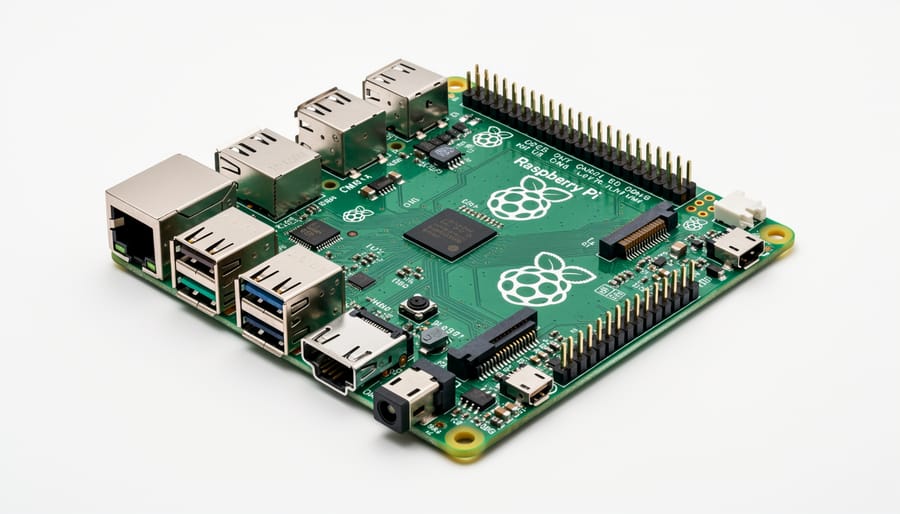
The Raspberry Pi CM4 IO Board serves as the official reference design from the Raspberry Pi Foundation, making it an excellent starting point for anyone new to Compute Module development. Priced around $35, this board provides comprehensive connectivity options that showcase the CM4’s full capabilities.
The IO Board features dual HDMI ports supporting 4K displays, Gigabit Ethernet, USB 2.0 ports, a PCIe x1 slot for expansion, and the standard 40-pin GPIO header you’ll recognize from regular Raspberry Pi boards. It includes a microSD card slot for CM4 Lite modules without onboard storage, plus connectors for dual camera interfaces and a real-time clock battery backup. The PCIe slot opens up exciting possibilities for adding NVMe SSDs or other expansion cards to boost performance.
This board truly shines as a development and prototyping platform. If you’re designing your own custom carrier board, the IO Board provides an invaluable reference implementation with full schematics available. Educators will appreciate its compatibility with existing Raspberry Pi accessories and learning materials. While it’s larger than specialized alternatives and consumes more power, making it less ideal for compact embedded projects, the official IO Board remains unmatched for learning, testing, and general-purpose applications where space isn’t constrained.
Waveshare CM4-IO-BASE Series
Waveshare offers an impressive lineup of CM4 carrier boards that balance features with affordability, making them excellent choices for both beginners and experienced makers. Their CM4-IO-BASE-A is the most straightforward option, providing essential connectivity including HDMI, USB ports, Gigabit Ethernet, and a camera connector at a budget-friendly price point. This stripped-down approach makes it perfect for educational projects or when you need basic functionality without extra complexity.
For those requiring more expansion options, the CM4-IO-BASE-B adds M.2 slots and additional USB ports, ideal for storage-intensive applications or when you need to connect multiple peripherals simultaneously. The standout feature across Waveshare’s lineup is their clear documentation and active community support, which helps troubleshoot issues quickly.
What makes these boards particularly appealing is their modular design philosophy. You can start with a basic model and upgrade later as your project requirements grow, without completely replacing your setup. The boards also maintain compatibility with official Raspberry Pi accessories, ensuring you won’t struggle with proprietary connections. At their price points, typically ranging from 25 to 50 dollars, they represent solid value for project builders on a budget.
DFRobot IoT Router Board
If networking is your primary focus, the DFRobot IoT Router Board deserves serious consideration. This carrier board stands out with its dual Gigabit Ethernet ports, making it an excellent choice for building custom routers, VPN gateways, or network security appliances.
The board’s dual Ethernet configuration lets you set up true routing scenarios where your CM4 manages traffic between two separate networks. This opens up possibilities for home network projects like creating a hardware firewall, network-attached storage with separate management interfaces, or even a dedicated VPN server that sits between your local network and the internet.
Beyond networking, you’ll find a mini PCIe slot that supports 4G/5G modules, perfect for creating cellular backup connections or mobile networking solutions. The board includes USB 3.0 ports, an HDMI output, and standard GPIO access, ensuring it remains versatile despite its networking focus. While it may be overkill for simple projects, anyone wanting to learn about networking concepts or deploy professional-grade network solutions will appreciate the DFRobot IoT Router Board’s robust capabilities at a reasonable price point.
Seeed Studio reRouter CM4
The Seeed Studio reRouter CM4 is purpose-built for networking enthusiasts and IoT developers who need robust connectivity options. What sets this board apart is its dual Gigabit Ethernet ports, making it ideal for router projects, network-attached storage, or IoT gateways that require reliable wired connections.
This carrier board comes with an M.2 slot supporting both B-key and M-key modules, giving you flexibility to add 4G/5G connectivity or NVMe storage. The onboard Real-Time Clock with battery backup ensures accurate timekeeping even during power outages, which is essential for logging and network applications.
The reRouter CM4 supports both passive and active cooling solutions, keeping your compute module running smoothly during intensive networking tasks. With its compact form factor and mounting holes, it fits easily into standard networking enclosures.
At around $50-60, it represents excellent value for anyone building custom router solutions or edge computing devices. The board includes OpenWrt support out of the box, making it beginner-friendly for those new to router projects while offering advanced capabilities for experienced users.
Turing Pi 2
The Turing Pi 2 stands out as a powerful cluster board designed to house up to four CM4 modules simultaneously, transforming your homelab into a compact Kubernetes cluster or distributed computing environment. This mini-ITX format board provides enterprise-level learning opportunities without the massive power consumption or space requirements of traditional server setups.
Each node operates independently with dedicated networking through the onboard gigabit switch, while shared resources include ATX power management and optional NVMe storage for each module. The Turing Pi 2 particularly appeals to developers wanting to experiment with container orchestration, cloud-native applications, or edge computing scenarios in a home environment.
For educators, this board offers an exceptional hands-on platform for teaching distributed systems, networking concepts, and DevOps practices. While the price point sits higher than single-module carriers, the ability to run multiple CM4s with proper cooling and power delivery makes it incredibly valuable for learning advanced topics. Setup requires some networking knowledge, but the comprehensive documentation and active community support make it accessible even for ambitious beginners ready to expand their skills.
Axzez Interceptor
The Axzez Interceptor stands out as a purpose-built solution for demanding industrial environments where reliability is non-negotiable. This ruggedized carrier board features a metal enclosure design that provides excellent heat dissipation, making it ideal for applications running 24/7 in harsh conditions like factory floors or outdoor installations.
What makes the Interceptor particularly appealing for industrial projects is its wide-range power input (9-36V DC) with reverse polarity protection, eliminating worries about power fluctuations common in industrial settings. The board includes dual Gigabit Ethernet ports, USB 3.0 connectivity, and a real-time clock with battery backup to maintain accurate timekeeping during power interruptions.
The Interceptor also provides multiple expansion options through its mPCIe slot, allowing you to add cellular modems or other communication modules for remote monitoring applications. While it carries a premium price tag compared to hobbyist boards, the industrial-grade components and protective features justify the investment for commercial deployments. If you’re building automation systems, edge computing devices, or remote monitoring stations that need to withstand challenging conditions, the Axzez Interceptor delivers the durability and reliability your project demands.
Comparison Summary Table
To help you make an informed decision quickly, here’s a comprehensive comparison of popular CM4 carrier boards. The table below highlights key specifications that matter most for your projects.
The Waveshare CM4-IO-BASE-A offers excellent value at around $25, featuring dual HDMI ports, Gigabit Ethernet, and four USB ports, making it perfect for desktop replacement projects. For industrial applications, the Compute Module 4 IO Board from Raspberry Pi provides the most comprehensive connectivity at $35, including PCIe slots and CSI/DSI interfaces.
Budget-conscious makers will appreciate the DFRobot Router Carrier Board at $20, which focuses on networking capabilities with dual Gigabit Ethernet. Meanwhile, the Turing Pi 2 stands out for cluster computing enthusiasts at $200, supporting up to four CM4 modules simultaneously.
Consider your project requirements carefully: choose boards with PCIe support if you need NVMe storage or expansion cards, prioritize multiple USB ports for peripheral-heavy setups, and ensure adequate cooling solutions for processor-intensive tasks. Most boards include GPIO access and microSD slots, but verify wireless antenna compatibility if using CM4 modules with built-in WiFi. Price differences often reflect specialized features rather than basic functionality, so match your board to your actual needs rather than simply choosing the most expensive option.
Choosing the Right Carrier Board for Your Project
For Home Automation and IoT Projects
For home automation projects and IoT applications, prioritize carrier boards with extensive GPIO accessibility and robust connectivity features. The Waveshare CM4-IO-BASE-B stands out with its breakout headers that expose all GPIO pins, making sensor integration straightforward. It includes dual Gigabit Ethernet ports, ideal for creating network-connected devices. The Seeed Studio Mini Router Board offers excellent wireless capabilities with dual-band WiFi and multiple USB ports for connecting peripherals like Z-Wave or Zigbee adapters. If you need relay control and industrial-grade connectivity, consider the DFRobot IoT Router Board, which features onboard relay outputs perfect for switching lights and appliances. Look for boards supporting PoE (Power over Ethernet) to simplify installations in hard-to-reach locations. These options provide the flexibility needed to build everything from smart thermostats to automated lighting systems.
For Network and Router Applications
If you’re building a network router, firewall, or edge gateway with your CM4, you’ll need a carrier board equipped with multiple Ethernet ports. The DFRobot Router Carrier Board stands out with its dual Gigabit Ethernet ports and robust cooling solution, making it perfect for home networking projects. For more advanced applications, consider the Seeed Studio Dual Gigabit Ethernet Carrier Board, which offers two independent network interfaces plus USB 3.0 support for network-attached storage functionality. If Power over Ethernet is essential for your setup, the Waveshare CM4-POE-UPS-BASE combines PoE input with multiple networking options and battery backup capability. These boards transform your CM4 into a capable networking device that can handle VPN servers, ad-blocking DNS services, or custom firewall configurations. When choosing your board, prioritize the number of Ethernet ports you need and whether PoE support will simplify your installation by eliminating separate power cables.
For Learning and Development
For beginners and educators on a budget, the Waveshare CM4-IO-BASE-A stands out as an excellent starting point. Priced under $30, it offers a well-rounded selection of ports including dual HDMI, USB 3.0, Gigabit Ethernet, and GPIO headers for hands-on experimentation. The Cytron Maker Pi RP2040 carrier board is another affordable option that simplifies prototyping with built-in Grove connectors and motor drivers, making it perfect for robotics projects. Both boards provide comprehensive documentation and active community support, essential for learning. These budget-friendly carriers give you plenty of room to experiment without worrying about damaging expensive equipment while you master the fundamentals of embedded computing.
For Industrial and Commercial Use
For demanding industrial and commercial applications, you’ll need carrier boards built to withstand harsh environments and meet regulatory standards. Look for boards with industrial-grade components rated for extended temperature ranges, typically -40°C to 85°C, ensuring reliable operation in factories, outdoor installations, or automotive settings.
Certifications matter significantly in professional deployments. Seek boards with CE, FCC, and RoHS compliance at minimum, while specialized applications may require additional certifications like UL or ATEX for hazardous locations. These certifications demonstrate the board has undergone rigorous testing for electromagnetic compatibility and safety standards.
Mounting flexibility is essential for integration into existing systems. Quality industrial boards offer multiple mounting options including DIN rail clips, standard hole patterns compatible with equipment racks, and VESA mounts. Ruggedized enclosures with proper ventilation and dust protection further protect your investment in challenging environments where reliability isn’t optional.
Getting Started With Your CM4 Carrier Board
Getting started with your CM4 carrier board is an exciting journey that’s simpler than you might think. Let’s walk through the essential steps to get your setup running smoothly.
First things first: since the CM4 doesn’t include built-in USB or HDMI ports like standard Raspberry Pi boards, you’ll need to flash the operating system before mounting it onto your carrier board. The easiest method is using the rpiboot utility, which allows your computer to recognize the CM4’s onboard eMMC storage as a removable drive.
Start by downloading the rpiboot software from the official Raspberry Pi GitHub repository. Install it on your computer, then connect your CM4 carrier board to your PC using a USB cable. Most carrier boards include a dedicated USB slave port for this purpose. You’ll also need to ensure the board is in boot mode by adjusting the boot select jumper, typically labeled as “BOOT” or “nRPIBOOT” on the carrier board. Check your specific board’s documentation for the exact location.
Once connected and in boot mode, run the rpiboot utility. Your computer should now recognize the CM4’s storage. Download the Raspberry Pi Imager tool and select your desired operating system. Raspberry Pi OS Lite works great for headless projects, while the full desktop version provides a complete user interface. Choose your CM4’s storage as the destination and flash the OS.
After flashing completes, disconnect the board, remove the boot jumper, and power cycle your setup. Your CM4 should now boot into the operating system. For initial configuration, connect peripherals like a keyboard, mouse, and monitor through your carrier board’s ports. Enable SSH in the Raspberry Pi Configuration tool if you plan on remote access.
Remember to update your system immediately by running the standard update commands through the terminal. This ensures you have the latest security patches and software versions, setting a solid foundation for your projects ahead.
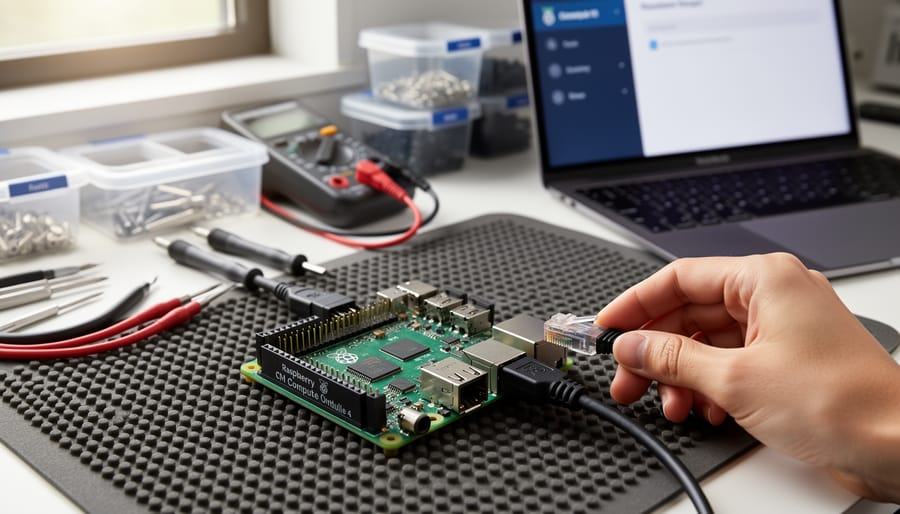
CM4 carrier boards open up a world of possibilities for your Raspberry Pi Compute Module 4, transforming it from a compact module into a fully functional system tailored to your specific needs. Whether you’re building a home automation hub, setting up a game server, creating an industrial control system, or experimenting with robotics, there’s a carrier board designed with your project in mind.
The key to success lies in matching the board’s features to your requirements. Consider factors like connectivity options, expansion capabilities, power requirements, and form factor before making your purchase. Don’t be swayed by boards packed with features you’ll never use, but equally, ensure your chosen board has room for future expansion as your project evolves.
Ready to start building? Explore our extensive collection of project tutorials to see CM4 carrier boards in action. From beginner-friendly guides to advanced implementations, we’ll walk you through each step of bringing your ideas to life. The CM4 ecosystem is vast and growing, so dive in and discover what you can create with the right carrier board powering your next innovation.