


Secure your edge devices’ physical access points immediately with tamper-evident seals and locked enclosures to prevent unauthorized hardware modifications. Deploy network segmentation and automated intrusion detection systems (IDS) to isolate edge devices from your main network, limiting potential attack surfaces. Implement essential security hardening steps including encrypted storage, regular security audits, and zero-trust authentication protocols for all device connections. Configure real-time monitoring and automated incident response systems to detect and neutralize security threats before they compromise your edge infrastructure.
The rising deployment of IoT and edge computing devices has created unprecedented security challenges, with attackers increasingly targeting these vulnerable endpoints. Each connected device represents a potential entry point into your network, making comprehensive security measures critical for protecting sensitive data and maintaining operational integrity. Modern edge security requires a multi-layered approach combining physical safeguards, robust network protocols, and continuous monitoring systems to create a resilient defense against evolving cyber threats.
Physical Security Measures
Secure Housing Solutions
When deploying edge devices like Raspberry Pis in various environments, selecting the right enclosure is crucial for physical security. Start with IP-rated (Ingress Protection) cases that offer protection against dust and water. For outdoor installations, choose at least IP65-rated enclosures, while indoor deployments might suffice with IP54 protection.
Consider tamper-evident features like security screws, seals, or specialized locks that show clear signs of unauthorized access attempts. Some enclosures come with built-in intrusion detection switches that can trigger alerts when the case is opened.
Material selection plays a vital role – while plastic enclosures are cost-effective, aluminum or steel cases offer superior protection against physical tampering and environmental factors. Look for options with proper ventilation to prevent overheating while maintaining security.
For enhanced protection, implement these additional measures:
– Mount enclosures in secure, elevated locations
– Use security cameras to monitor device housing
– Apply tamper-evident stickers across case seams
– Install motion sensors near the installation
– Use cable management solutions that prevent unauthorized disconnection
When installing your device, ensure all ports are properly protected, and any unused ports are sealed. Consider using internal mounting points for additional components like cameras or sensors, rather than external attachments that could compromise the enclosure’s integrity.
Remember to document the installation process and regularly inspect the housing for signs of tampering or wear.

Port and Interface Protection
Protecting the physical ports and interfaces of your Raspberry Pi is crucial to secure physical access and prevent unauthorized data extraction or device tampering. Start by disabling unused USB ports through software configuration in the /boot/config.txt file. Add the line “dtoverlay=disable-usb” to selectively disable USB ports when they’re not needed.
For essential USB ports that must remain active, consider using port blockers or locks. These physical devices plug into USB ports and can only be removed with a special key, preventing unauthorized devices from being connected. Similarly, protect the Ethernet port with a lockable cover when network connections need to be controlled.
The GPIO pins require special attention, as they provide direct access to the system. Use GPIO port covers to prevent unauthorized connections, and implement software-level GPIO access controls through device tree overlays. For additional security, consider applying epoxy or tamper-evident seals over critical ports.
The HDMI port should also be secured, especially in headless setups. Use HDMI port locks or disable the port entirely through software if video output isn’t needed. Remember to protect the SD card slot with a physical cover to prevent card removal or tampering.
Document all port modifications and regularly inspect for signs of tampering. This comprehensive approach to port security helps maintain the integrity of your edge device while allowing necessary functionality.
Network Security Hardening
Firewall Configuration
A robust firewall configuration is essential for protecting your edge devices from unauthorized access and potential threats. Start by implementing a basic network security configuration that includes both incoming and outgoing traffic rules.
Begin with a “deny all” default policy and then specifically allow only the necessary services and ports. For edge devices, common ports to consider include:
– Port 22 (SSH) – restrict to known IP addresses
– Port 80/443 (HTTP/HTTPS) – if running web services
– Custom ports for your specific applications
Use UFW (Uncomplicated Firewall) on your Raspberry Pi for easier management:
1. Enable UFW: sudo ufw enable
2. Allow SSH: sudo ufw allow from 192.168.1.0/24 to any port 22
3. Enable logging: sudo ufw logging on
Consider implementing rate limiting to prevent brute force attacks:
sudo ufw limit ssh/tcp
For advanced protection, set up port knocking or fail2ban to add an extra layer of security. Remember to regularly audit your firewall rules and remove any unnecessary permissions. Keep your rules specific and avoid using overly broad allow statements that might create security vulnerabilities.
Monitor your firewall logs regularly for suspicious activities and adjust rules accordingly. This proactive approach helps maintain optimal security while ensuring your edge device remains accessible for legitimate use.
VPN Implementation
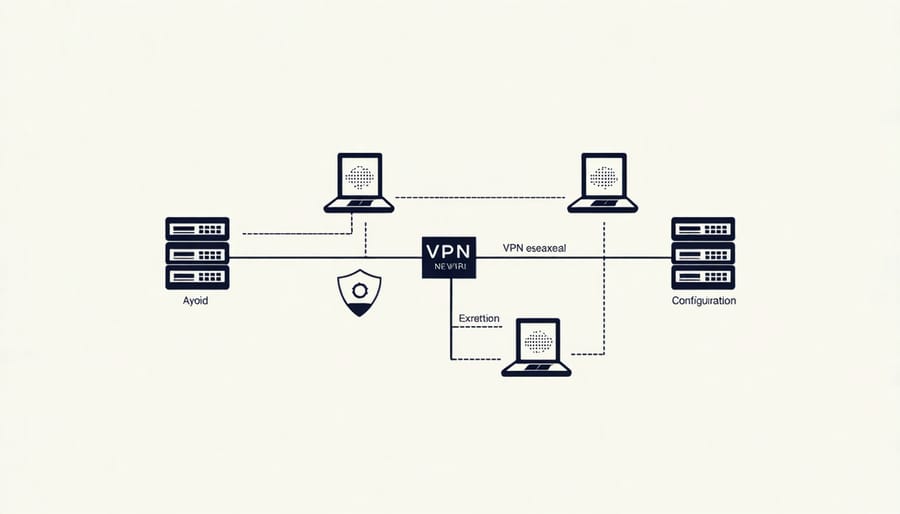
Virtual Private Networks (VPNs) play a crucial role in securing remote access to edge devices, creating an encrypted tunnel between your device and the network it’s connecting to. For Raspberry Pi edge devices, implementing a VPN solution adds an essential layer of security, especially when accessing these devices from outside your local network.
OpenVPN is a popular choice for Raspberry Pi implementations due to its robust security features and open-source nature. Setting up OpenVPN on your edge device involves installing the OpenVPN package, generating necessary certificates, and configuring the server settings. For enhanced security, use strong authentication methods and consider implementing two-factor authentication.
WireGuard offers a modern alternative to OpenVPN, providing excellent performance with a smaller code footprint. It’s particularly suitable for resource-constrained edge devices, offering faster connection speeds and lower computational overhead. When implementing either solution, ensure you’re using strong encryption protocols and regularly updating your VPN configurations.
Key considerations for VPN implementation include:
– Using unique certificates for each client
– Implementing perfect forward secrecy
– Regular key rotation
– Setting up kill switches to prevent unprotected connections
– Monitoring VPN logs for suspicious activities
Remember to configure your firewall rules to allow only VPN traffic when accessing your edge device remotely, effectively creating a secure tunnel for all remote management operations.
Network Monitoring Tools
Network monitoring is crucial for maintaining edge device security, and several essential tools can help you keep track of your Raspberry Pi’s network activity. Wireshark stands out as a powerful packet analyzer that lets you examine network traffic in real-time, helping you identify suspicious activities and potential security breaches.
For continuous monitoring, consider implementing Nagios or Zabbix, which provide comprehensive network oversight and can alert you when unusual patterns emerge. These tools can monitor bandwidth usage, connection attempts, and service availability, giving you a complete picture of your edge device’s network status.
Pi-hole serves a dual purpose as both a network-wide ad blocker and a monitoring tool, providing detailed logs of DNS queries and potential malicious connection attempts. Combined with fail2ban, you can automatically block suspicious IP addresses that show signs of attempted intrusion.
For smaller setups, nethogs and iftop are lightweight command-line tools that show real-time network usage per process and bandwidth consumption respectively. These tools are particularly useful for identifying unexpected network activity that might indicate a security issue.
Remember to regularly check your monitoring tools’ logs and set up automated alerts for critical events. Consider using grafana for visualizing your network data, making it easier to spot trends and anomalies that might require your attention.
System Hardening
OS Security Best Practices
Start with a secure operating system by using the latest Raspberry Pi OS or a security-focused Linux distribution. Keep your system updated by regularly running ‘sudo apt update’ and ‘sudo apt upgrade’ commands to patch security vulnerabilities.
Change the default password for the ‘pi’ user immediately after installation. Create a strong password using a combination of uppercase and lowercase letters, numbers, and special characters. Better yet, create a new user account with administrative privileges and disable the default ‘pi’ user entirely.
Enable SSH key-based authentication and disable password authentication for remote access. This significantly reduces the risk of brute-force attacks. Configure the built-in firewall (UFW) to allow only necessary ports and services, and remove unnecessary software packages to minimize potential attack vectors.
Set up automatic security updates using ‘unattended-upgrades’ to ensure your system stays protected even when you’re not actively maintaining it. Enable logging and regularly review system logs for suspicious activities using tools like ‘logwatch’ or ‘fail2ban’.
Consider implementing disk encryption if your edge device stores sensitive data. Configure proper file permissions and ownership to prevent unauthorized access to critical system files and directories. Finally, disable unnecessary services and protocols that aren’t required for your specific edge computing application.
Remember to document all security changes and maintain a backup of your secure configuration for quick recovery if needed.

Access Control
Access control is a crucial component of edge device security, acting as your first line of defense against unauthorized access. For Raspberry Pi edge devices, implementing robust user management and permission settings helps prevent unauthorized users from accessing sensitive data or making system changes.
Start by creating individual user accounts for everyone who needs access to your edge device, avoiding shared accounts whenever possible. Assign strong passwords to each account and enforce regular password changes. Use the ‘sudo’ command judiciously, granting elevated privileges only to users who absolutely need them for their tasks.
Implement role-based access control (RBAC) to define clear permission boundaries. Create user groups based on responsibilities and assign appropriate permissions to each group. For example, create separate groups for administrators, developers, and monitoring personnel, each with different access levels.
File system permissions are equally important. Use chmod and chown commands to set appropriate read, write, and execute permissions for different files and directories. Consider implementing Access Control Lists (ACLs) for more granular control over file access.
Don’t forget to regularly audit user accounts and permissions. Remove inactive accounts promptly and review access logs periodically to detect any suspicious activity. For additional security, consider implementing two-factor authentication (2FA) for critical systems and maintaining an up-to-date list of authorized users and their access levels.
Update Management
Keeping your edge devices updated is crucial for maintaining robust security. Regular updates patch vulnerabilities, add new security features, and protect against emerging threats. To effectively manage system updates across your edge devices, implement an automated update strategy combined with careful testing procedures.
Start by enabling automatic security updates for critical patches while maintaining control over major system updates. This balanced approach ensures you’re protected against urgent threats without risking system stability. For Raspberry Pi devices, use the built-in unattended-upgrades package to automate security updates, but schedule major updates during maintenance windows.
Create a testing environment that mirrors your production setup. Test updates here first to identify potential compatibility issues before deploying them across your device fleet. Consider using configuration management tools like Ansible or Puppet to orchestrate updates across multiple devices consistently.
Maintain detailed logs of all updates and establish a rollback plan for cases where updates cause unexpected issues. Keep image backups of working configurations and document your update procedures thoroughly. For mission-critical devices, implement redundancy so you can update devices without service interruption.
Remember to regularly audit your update infrastructure and verify that all devices are running the latest approved versions of software. This systematic approach to update management helps maintain security without compromising system stability.
Data Protection
Encryption Implementation
Implementing strong encryption on edge devices is crucial for protecting sensitive data both at rest and in transit. For Raspberry Pi devices, several encryption methods can be effectively deployed following established data encryption best practices.
Start by enabling full disk encryption using LUKS (Linux Unified Key Setup). This provides a robust foundation for data protection, especially if your device is physically compromised. The process involves creating an encrypted partition during the initial setup or encrypting existing partitions using the dm-crypt framework.
For data in transit, implement TLS/SSL encryption for all network communications. Install OpenSSL and configure your applications to use HTTPS instead of HTTP. Generate strong SSL certificates and regularly rotate encryption keys to maintain security integrity.
Consider using GPG for file-level encryption, particularly useful for protecting configuration files and sensitive data stored on external storage devices. Implementation involves installing the gnupg package and creating encryption keys using:
“`
gpg –gen-key
gpg -e filename
“`
For IoT applications, lightweight encryption algorithms like AES-128 or ChaCha20 are recommended as they provide strong security while maintaining performance on resource-constrained devices. These can be implemented using Python’s cryptography library or dedicated hardware encryption modules compatible with the Raspberry Pi’s GPIO pins.

Secure Data Handling
Securing data on edge devices requires a multi-layered approach that covers both storage and transmission. When storing sensitive data locally, always implement encryption using robust algorithms like AES-256. For Raspberry Pi devices, tools like LUKS (Linux Unified Key Setup) provide full disk encryption, while VeraCrypt offers encrypted containers for specific data sets.
For data in transit, implement TLS/SSL encryption for all network communications. When setting up your edge device, configure it to use only secure protocols and avoid sending unencrypted data over the network. Consider using VPNs or SSH tunnels for remote access and data transfer.
Regular data backups are essential, but they must be secured too. Create encrypted backups using tools like Duplicity or Restic, and store them in separate, secure locations. Implement secure key management practices by using a hardware security module (HSM) or secure key storage solution.
For temporary data handling, use RAM-based storage when possible and ensure proper data wiping procedures are in place. Tools like shred or secure-delete can help safely remove sensitive information from storage devices.
Remember to validate all data inputs and implement proper access controls. Use role-based access control (RBAC) to limit data access to authorized users only, and maintain detailed logs of all data access and modifications while protecting the logs themselves from tampering.
Securing edge devices, particularly Raspberry Pi systems, requires a multi-layered approach that combines physical security, network protection, system hardening, and data safeguards. By implementing the security measures discussed throughout this guide, you can significantly reduce the risk of unauthorized access and potential breaches of your edge devices.
Remember that security is an ongoing process, not a one-time setup. Regular security audits, software updates, and password rotations should become part of your maintenance routine. Pay special attention to your network configuration, keeping unnecessary ports closed and maintaining strong encryption protocols for all communications.
Physical security remains your first line of defense – ensure your devices are stored in secure locations and protected from tampering. Complement this with robust authentication methods, including strong passwords and, where possible, two-factor authentication. Regular monitoring of system logs and network traffic can help you identify and respond to potential security threats before they become serious issues.
Don’t forget to back up your data regularly and maintain secure copies of your device configurations. This ensures quick recovery in case of security incidents or hardware failures. Consider implementing automated security tools and scripts to maintain consistent security practices across multiple devices.
For Raspberry Pi enthusiasts building edge computing projects, security should never be an afterthought. Whether you’re setting up a home automation system, building a network monitoring tool, or creating an IoT device, incorporating these security measures from the start will help protect your projects and data from potential threats. Stay informed about new security vulnerabilities and best practices to keep your edge devices secure in an ever-evolving technological landscape.