


Transform your technical projects into captivating showcase pieces by mastering three essential elements: visual documentation, functional demonstrations, and engaging narratives. Showcase projects serve as powerful portfolio pieces, especially in collaborative development environments, where clear presentation can spark innovation and inspire others.
Document your development process through high-quality photos, videos, and code snippets that highlight key technical achievements. Create a compelling project narrative that connects your technical solutions to real-world problems, demonstrating both practical application and innovation potential. Build interactive demonstrations that allow others to experience your project’s functionality firsthand, whether through live demos, web interfaces, or downloadable code repositories.
Structure your showcase documentation in layers, providing both quick-overview summaries for casual viewers and detailed technical specifications for fellow developers. This approach ensures your project resonates with diverse audiences while maintaining its educational value and technical credibility.
By focusing on these core presentation strategies, your showcase projects become more than just technical achievements – they transform into powerful tools for knowledge sharing, career advancement, and community engagement in the rapidly evolving tech landscape.
What Makes a Raspberry Pi Project Showcase-Worthy
Technical Innovation
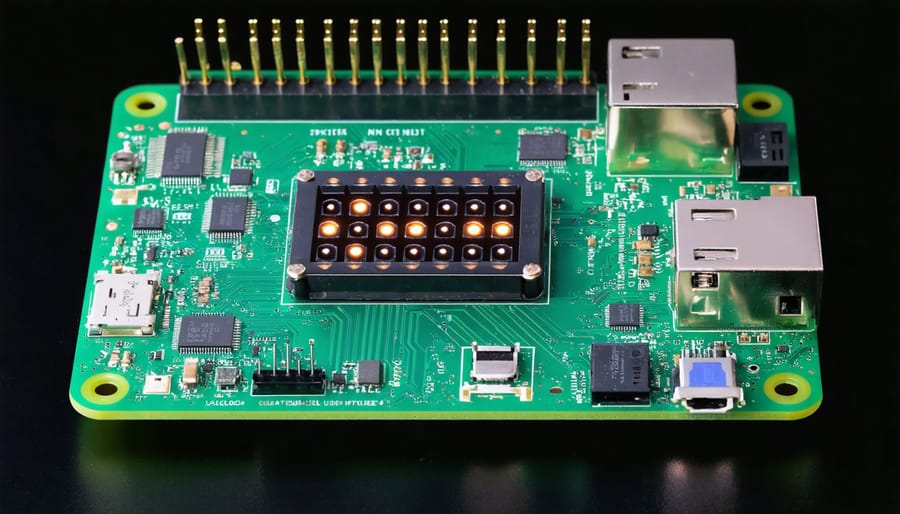
Showcase projects often stand out through their innovative technical implementations that push the boundaries of what’s possible with single-board computers. Projects that combine multiple technologies, such as machine learning with sensor arrays or IoT connectivity with custom hardware interfaces, demonstrate exceptional technical creativity. For example, some builders integrate computer vision systems with mechanical components to create automated sorting systems or smart security solutions.
Successful showcase projects frequently feature unique approaches to common challenges. This might include developing custom PCB shields for specialized functionality, implementing efficient power management systems for portable applications, or creating novel ways to handle data processing and storage. Many builders also experiment with alternative programming languages or frameworks to achieve better performance or introduce new capabilities.
The most impressive technical innovations often come from solving real-world problems in unexpected ways. This could involve using sensors in new configurations, developing custom APIs for better integration, or creating innovative user interfaces that make complex systems more accessible. The key is to balance technical sophistication with practical utility, ensuring that the innovation serves a clear purpose rather than existing solely for its own sake.
Documentation Quality
Clear documentation is the backbone of any successful showcase project, serving as a bridge between your creation and those who want to learn from or replicate it. Start by writing a comprehensive README file that outlines your project’s purpose, features, and technical requirements. Include step-by-step setup instructions that guide users from initial installation to final configuration.
Don’t underestimate the power of well-commented code. Add meaningful comments that explain not just what your code does, but why specific decisions were made. This helps others understand your thought process and makes your project more valuable as a learning resource.
Create a dedicated documentation folder containing detailed guides, troubleshooting tips, and configuration examples. Include clear photographs or diagrams of hardware setups, especially for projects involving multiple components. If your project requires specific GPIO pin configurations or hardware modifications, document these with precise diagrams and explanations.
Consider maintaining a changelog to track project evolution and include a section for known issues and their workarounds. Remember, good documentation often makes the difference between a project that inspires others and one that collects digital dust.
Building Your First Showcase Project
Planning and Scope
Planning a showcase project requires careful consideration to effectively demonstrate your skills and creativity. Start by identifying the specific competencies you want to highlight – whether it’s programming, hardware integration, data visualization, or user interface design. This focus will help you choose a project that aligns with your goals.
Consider your target audience and what would impress them most. For example, if you’re building a portfolio for potential employers, focus on projects that demonstrate industry-relevant skills. For maker communities, innovative solutions and creative applications might be more impactful.
Break down your project into manageable components and create a realistic timeline. A well-scoped project should be complex enough to be impressive but achievable within your available time and resources. Aim for projects that can be completed within 2-4 weeks to maintain momentum and ensure completion.
Document your planning process, including initial sketches, component lists, and technical requirements. This documentation not only helps in project execution but also demonstrates your professional approach to problem-solving.
Include features that showcase both technical proficiency and practical application. For instance, if building a smart home device, combine sensor integration with a user-friendly interface and data logging capabilities. This multi-faceted approach demonstrates breadth of knowledge while keeping the project focused and purposeful.
Remember to plan for documentation and presentation from the start. Consider how you’ll demonstrate the project’s functionality through videos, live demos, or interactive elements.
Collaboration Tools and Platforms
Effective collaboration is crucial when developing showcase projects, and choosing the right tools can significantly impact your success. GitHub remains the go-to platform for version control and project hosting, offering features like issue tracking, project boards, and Wiki documentation. To create professional documentation, consider using platforms like Read the Docs or GitBook, which integrate seamlessly with your GitHub repositories.
For real-time collaboration, Visual Studio Code’s Live Share feature enables multiple developers to work on the same codebase simultaneously. This is particularly useful when setting up a remote development setup with team members across different locations.
Trello and Jira are excellent for project management, helping you track tasks and milestones. For quick communication and file sharing, Discord and Slack have become popular among maker communities, offering dedicated channels for different project aspects and integration with other development tools.
Cloud platforms like Google Drive or Dropbox are essential for storing and sharing project assets, documentation, and large files. Consider using Figma or Miro for collaborative design work and brainstorming sessions, especially when planning user interfaces or project architecture.
Remember to choose tools that match your team’s technical expertise and project requirements. The best collaboration setup is one that enhances productivity without creating unnecessary complexity.
Presenting Your Project
Creating an Engaging Demo
Creating an engaging demo is crucial for showcasing your Raspberry Pi project effectively. Start by identifying your project’s most impressive or unique features – these should be the focal points of your demonstration. Keep your demo concise and focused, aiming for a duration of 3-5 minutes to maintain viewer interest.
Structure your demonstration like a story, beginning with a clear problem statement or project goal, followed by your solution in action. Include real-world applications or use cases to help viewers connect with your project’s purpose. When possible, incorporate interactive elements that allow observers to experience the project firsthand.
Visual appeal matters significantly. Ensure your project’s interface (if applicable) is clean and intuitive. Use LED indicators, displays, or other visual feedback mechanisms to make the project’s operation clear and engaging. If your project involves physical components, arrange them neatly and consider creating an enclosure or case for a professional finish.
For added impact, prepare both a “quick demo” version lasting 30 seconds and a detailed walkthrough for those who want to learn more. Document your demonstration steps beforehand and practice them to ensure smooth execution. Consider potential questions viewers might have and prepare clear, concise answers.
Remember to highlight both the technical achievements and practical benefits of your project. This balanced approach helps engage both technical and non-technical audiences, making your showcase more memorable and effective.
Project Documentation Standards
Clear and comprehensive documentation is essential for any showcase project, serving as both a reference guide and a showcase of your attention to detail. Start by creating a dedicated README.md file that includes a compelling project title, a brief description, and eye-catching images or screenshots of your finished build.
Document your project’s requirements thoroughly, listing all hardware components, software dependencies, and any specific versions needed. Include a step-by-step installation guide that walks readers through the setup process, ensuring they can replicate your project successfully.
Break down your documentation into logical sections: Overview, Requirements, Installation, Configuration, Usage, and Troubleshooting. Use clear headings and maintain consistent formatting throughout. Include code snippets where relevant, but ensure they’re properly formatted and commented for clarity.
For hardware-based projects, include detailed wiring diagrams or pinout configurations. Add photos of critical assembly steps to help viewers understand the physical construction process. Document any modifications or custom solutions you implemented during development.
Remember to include proper attribution for any third-party resources or libraries used in your project. Maintain a changelog to track project updates and improvements. Consider adding a “Contributing” section if you’re open to community involvement.
Finally, proofread your documentation carefully and have someone else review it to ensure clarity and completeness. Good documentation can make the difference between a project that inspires others and one that gets overlooked.
Leveraging Community Feedback
Gathering and Implementing Feedback
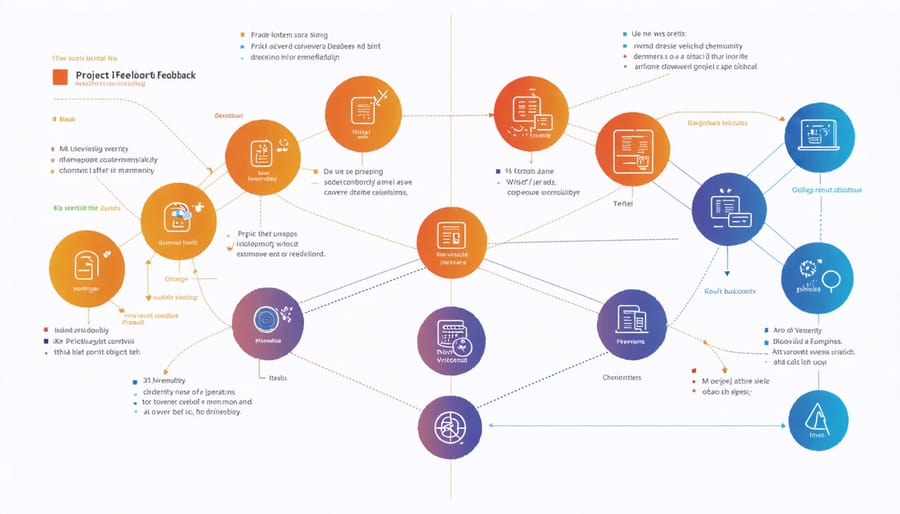
Gathering feedback is crucial for improving your showcase project and building a supportive community around it. Start by creating multiple feedback channels, such as GitHub Issues, project forums, or social media platforms where users can easily share their thoughts and suggestions. Consider implementing a structured feedback form that asks specific questions about user experience, features, and potential improvements.
When collecting feedback, focus on both quantitative data (usage statistics, error rates) and qualitative information (user comments, feature requests). Document all feedback systematically, and prioritize suggestions based on their potential impact and feasibility. This organized approach helps you identify patterns and make informed decisions about project improvements.
Don’t forget to actively engage with your community by responding to comments and acknowledging contributions. This encourages more users to contribute to open source projects and creates a positive feedback loop. When implementing changes based on feedback, maintain transparency by updating your project documentation and keeping contributors informed about how their input has shaped the project’s development.
Remember to balance community suggestions with your project’s core vision and technical constraints. Not every suggestion needs to be implemented, but each should be considered and responded to respectfully.
Building on Success
Success breeds success, and your showcase project can serve as a springboard for future innovations. Use the feedback and experience gained from your initial project to identify areas for improvement and expansion. Document the challenges you encountered and the solutions you developed, as these insights will prove invaluable for future projects.
Consider creating a series of related projects that build upon your original concept. If your first showcase was a smart home automation system, you might expand it to include additional rooms, new types of sensors, or more sophisticated control mechanisms. This iterative approach helps build a comprehensive portfolio while demonstrating your growing expertise.
Network with other creators who have shown interest in your work. Collaborative opportunities often arise from showcase presentations, leading to larger and more ambitious projects. Don’t hesitate to reach out to potential partners or mentors who can help take your ideas to the next level.
Remember to maintain an updated project blog or repository, making it easier to track your progress and share your journey with others. This documentation becomes a valuable resource for both your future endeavors and the broader maker community.
Embarking on a showcase project is more than just creating something technically impressive – it’s about sharing your passion, inspiring others, and contributing to the vibrant maker community. Through careful documentation, thoughtful presentation, and attention to detail, you can transform your project from a personal achievement into a valuable resource for others.
Remember that every successful showcase project starts with a clear vision and grows through iteration and refinement. Whether you’re building an automated garden system, a retro gaming console, or a home automation hub, focus on solving real problems and documenting your journey thoroughly. The process of creating a showcase project will not only improve your technical skills but also enhance your ability to communicate complex ideas effectively.
Don’t let perfectionism hold you back – start with what you have and improve as you go. Share your progress, embrace feedback from the community, and be open to collaboration. Every great project started as a simple idea, and yours could be the next inspiration for countless others in the maker community.
Ready to begin? Take that first step today. Choose your project idea, gather your materials, and start building. The maker community is waiting to see what you’ll create, and your showcase project could be the spark that ignites someone else’s creative journey.