

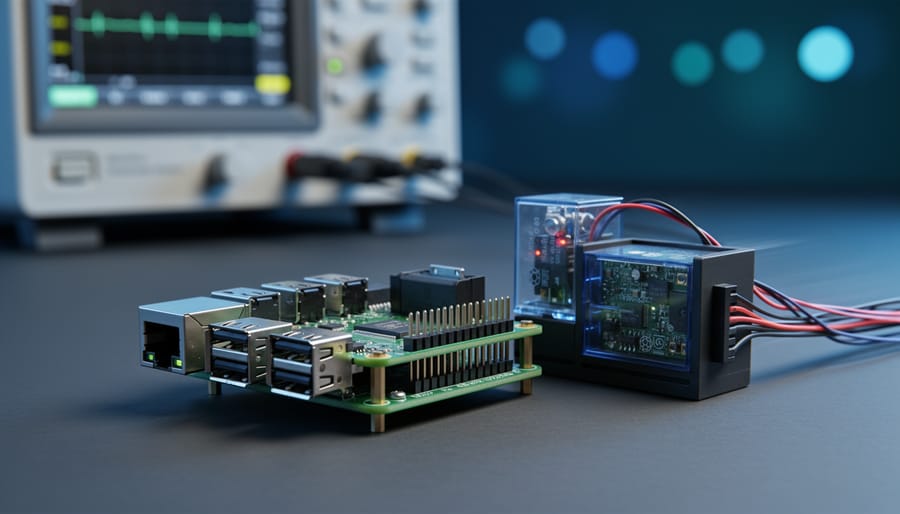
Standard Linux isn’t a real-time operating system, but you can transform your Raspberry Pi into one using patches like PREEMPT_RT, which reduce kernel latency from milliseconds to microseconds. This matters when you’re building projects that demand predictable, deterministic responses: industrial controllers, robotics, audio processing systems, or anything where missing a deadline by even a few milliseconds causes failure.
Here’s what most people misunderstand: Linux is incredibly capable, but its default kernel prioritizes throughput over timing guarantees. When a process needs the CPU, standard Linux decides when that happens based on fairness and efficiency, not strict deadlines. For a media server or web application, that’s perfect. For a motor controller that must respond within 100 microseconds or risk mechanical damage, it’s a problem.
The good news? You don’t always need to rebuild your entire system. The PREEMPT_RT patch converts the standard Linux kernel into a real-time variant by making critical sections preemptible. Other options like Xenomai and RTAI exist, each with trade-offs in complexity, performance, and community support. The Raspberry Pi’s accessibility makes it an excellent platform for learning these technologies without expensive industrial hardware.
Before diving into implementation, you need to answer one critical question: does your project actually require hard real-time guarantees, or will soft real-time suffice? Many applications people assume need real-time capabilities work fine with standard Linux after some optimization. Understanding this distinction saves significant development time and complexity.
This guide walks through what makes an operating system “real-time,” why vanilla Linux falls short, and how to evaluate and implement the right solution for your Raspberry Pi project. Whether you’re prototyping an industrial application or exploring embedded systems development, you’ll learn exactly what these technologies offer and when they’re worth the effort.
Understanding Real-Time Requirements: What Makes an OS ‘Real-Time’
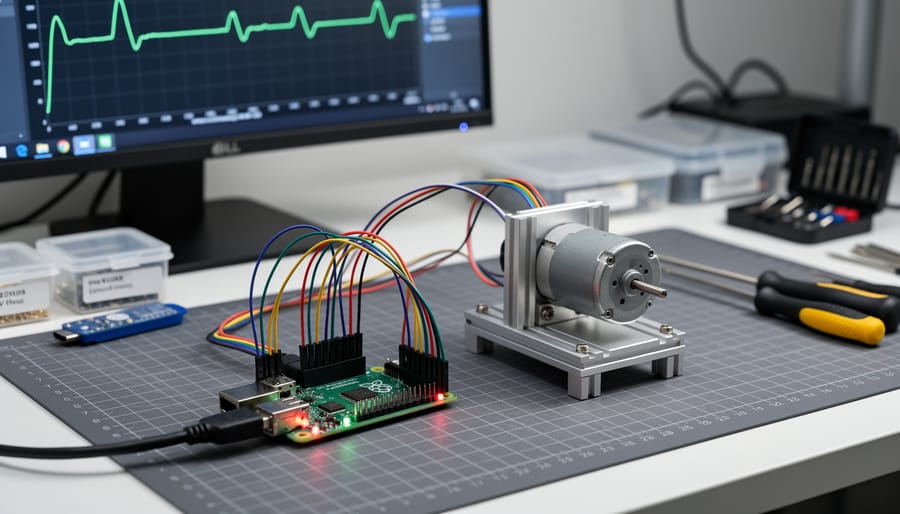
When evaluating whether you need a real-time operating system, the critical question isn’t “how fast can it process?” but rather “can it respond by a specific deadline, every single time?” This distinction defines the fundamental difference between general-purpose operating systems and real-time systems.
A real-time operating system guarantees predictable, deterministic behavior. While your standard Linux installation might complete a task in 5 milliseconds on average, an RTOS ensures the task finishes within 10 milliseconds maximum, without fail. That consistency matters more than speed for applications like industrial sensors reading critical values or motor controllers preventing mechanical damage.
- Determinism
- The ability of a system to produce the same timing behavior under the same conditions, making response times predictable rather than merely fast on average.
- Latency
- The time between when an event occurs (like a sensor input) and when the system begins responding to it. Real-time systems minimize and guarantee maximum latency values.
- Jitter
- Variation in timing between repeated operations. An RTOS minimizes jitter so tasks execute at consistent intervals, which matters for precise control applications.
- Hard Real-Time
- Systems where missing a deadline causes system failure or危harm, such as airbag deployment controllers or medical devices. These require absolute timing guarantees.
- Soft Real-Time
- Systems where occasional deadline misses degrade performance but don’t cause catastrophic failure, like video streaming or user interface responsiveness.
- Preemption
- The ability to interrupt a running task to handle a higher-priority event immediately, essential for meeting real-time deadlines.
Understanding these terms clarifies why you might need real-time Linux on your Raspberry Pi. A video streaming project tolerates soft real-time performance where dropped frames occasionally occur. A quadcopter’s stabilization system requires hard real-time guarantees because delayed motor corrections mean crashes.
The Raspberry Pi’s ARM processor has plenty of speed for most tasks, but without real-time modifications, Linux’s scheduler might delay urgent operations while handling lower-priority background processes. An RTOS restructures this priority system to ensure time-critical code runs precisely when needed, trading some throughput efficiency for timing predictability. That tradeoff makes sense when deadlines matter more than average performance.
Why Standard Linux Isn’t Real-Time (By Default)

Standard Linux distributions, including Raspbian/Raspberry Pi OS, were designed with throughput and fairness in mind, not deterministic timing. This architectural philosophy creates several fundamental obstacles to real-time performance.
The kernel contains numerous non-preemptive sections where critical operations must complete before lower-priority tasks can run. When your time-sensitive application needs immediate CPU access, it might wait while the kernel finishes housekeeping tasks like memory management or file system operations. These delays are unpredictable, ranging from microseconds to milliseconds depending on what the kernel happens to be doing.
Priority inversion compounds these issues. Imagine your high-priority motor control task waiting for a resource held by a low-priority logging task. If a medium-priority task starts running, it can block both the low-priority task holding the lock and your critical high-priority task. Standard Linux schedulers don’t inherently prevent this scenario, potentially stalling time-critical operations indefinitely.
The scheduling system itself introduces latency. Linux uses a general-purpose scheduler optimized for overall system responsiveness and fairness across all processes. While it performs well for typical workloads, it can delay high-priority tasks by tens or hundreds of microseconds as it evaluates scheduling decisions. This jitter makes it impossible to guarantee that your control loop will execute within a specific time window.
Interrupt handling presents another challenge. Hardware interrupts in standard Linux trigger software interrupt handlers that can run for extended periods. Your real-time task might need to wait while the system processes network packets, disk operations, or USB events. Worse, interrupt priorities are largely fixed by hardware, not your application’s needs.
Memory management adds further unpredictability. Page faults occur when your program accesses memory that isn’t currently in RAM, forcing the kernel to fetch data from swap space or reload code pages. This can introduce millisecond-scale delays at arbitrary moments.
Virtual memory itself creates overhead through address translation and cache effects. Dynamic memory allocation can trigger garbage collection or memory compaction, introducing variable delays.
These architectural decisions make standard Linux excellent for general computing but problematic when you need guaranteed response times measured in microseconds. Understanding these limitations helps you recognize when real-time modifications become necessary for your Raspberry Pi projects.
Real-Time Linux Solutions for Raspberry Pi

PREEMPT_RT Patch: Turning Linux Into an RTOS
The RT-PREEMPT patch transforms Linux’s kernel into a deterministic platform by making nearly every section preemptible. Standard Linux occasionally locks critical code sections, forcing time-sensitive tasks to wait unpredictably. RT-PREEMPT eliminates these bottlenecks by converting interrupt handlers into kernel threads that can be prioritized and interrupted, allowing urgent tasks to preempt almost anything.
At its core, the patch replaces spinlocks with mutexes that support priority inheritance, preventing lower-priority processes from blocking critical ones. It also moves most interrupt processing into schedulable threads instead of handling them in non-preemptible contexts. This architectural shift doesn’t make your Pi faster, but it makes response times consistent and bounded.
Installing RT-PREEMPT requires compiling a patched kernel. You’ll need to download kernel sources matching your Raspberry Pi model, apply the appropriate RT patch from, and enable PREEMPT_RT_FULL during configuration. The build process takes time on a Pi, so cross-compiling on a faster machine speeds things up considerably. Once installed, you can verify the real-time capabilities and measure baseline latency:
uname -a | grep PREEMPT_RT
sudo apt-get install rt-tests
sudo cyclictest -m -Sp90 -i200 -h400 -q
The cyclictest tool reveals your system’s true latency behavior. On a Raspberry Pi 4 with standard Linux, maximum latencies often exceed 200 microseconds during load. With RT-PREEMPT properly configured, worst-case latencies typically drop below 50 microseconds, even under stress. That’s the difference between missed motor control steps and smooth, predictable operation.
Real-world improvements show up in projects requiring consistent timing. A robotics team running vision processing and servo control simultaneously found standard Linux caused occasional stutters. After switching to RT-PREEMPT, their control loops maintained sub-10-microsecond jitter, eliminating mechanical hiccups entirely. The patch doesn’t eliminate all delays, but it makes them predictable enough to build reliable time-critical systems.
Xenomai: Dual-Kernel Real-Time Framework
Xenomai takes a fundamentally different approach to real-time Linux by running a separate co-kernel alongside the standard Linux kernel. Instead of modifying Linux itself, Xenomai inserts an interrupt pipeline layer that intercepts hardware interrupts before Linux sees them. This co-kernel handles time-critical tasks with microsecond-level precision while Linux continues managing non-critical operations like networking and file systems.
The dual-kernel architecture delivers impressive deterministic performance. Real-time tasks run in their own domain with guaranteed latency, completely isolated from Linux’s scheduling decisions and memory management overhead. When a hardware interrupt arrives, Xenomai’s co-kernel processes it immediately without waiting for Linux to finish whatever it’s doing. Only after handling the critical work does Xenomai pass control back to Linux for housekeeping tasks.
This separation makes Xenomai particularly suited for hard real-time applications where missing a deadline isn’t acceptable. Industrial control systems, precision motor control, and high-speed data acquisition benefit from Xenomai’s ability to maintain sub-100 microsecond latencies even under heavy system load. Your real-time code runs in kernel space with direct hardware access, avoiding the unpredictable delays of system calls.
The trade-off is complexity. Xenomai applications require specialized APIs rather than standard POSIX calls, and debugging dual-kernel systems demands more expertise than traditional Linux development. On Raspberry Pi specifically, Xenomai support lags behind x86 platforms. You’ll need to build custom kernels, and the Raspberry Pi’s shared interrupt architecture can introduce challenges. Community support exists but remains smaller than PREEMPT_RT’s ecosystem, making troubleshooting more time-consuming for newcomers.
RTAI: Real-Time Application Interface
RTAI (Real-Time Application Interface) represents another dual-kernel approach to real-time Linux, originally developed at the Politecnico di Milano. Like Xenomai, RTAI inserts a microkernel layer between the hardware and standard Linux, intercepting interrupts to guarantee deterministic response times for critical tasks. The architecture allows real-time threads to execute with microsecond-level precision while regular Linux processes run in the background.
Compared to Xenomai, RTAI historically focused more on raw performance and minimal overhead, particularly for industrial automation and scientific data acquisition. It provides lower-level hardware access and tighter control over interrupt handling. However, this performance comes with steeper learning curves and less abstraction, making development more challenging for newcomers.
The practical reality for Raspberry Pi users is that RTAI support has become increasingly problematic. Active development has slowed considerably compared to PREEMPT_RT and Xenomai, with limited recent updates targeting ARM architectures. While RTAI technically can run on Raspberry Pi hardware, finding maintained kernel patches for current models proves difficult. The community resources and documentation lag behind more actively supported alternatives.
For new Raspberry Pi projects requiring hard real-time capabilities, RTAI’s declining momentum makes it a risky choice. Unless you’re maintaining legacy industrial equipment already running RTAI or need its specific low-level features, Xenomai or PREEMPT_RT offer better-supported paths forward. The limited ARM development activity means you’ll likely encounter compatibility issues and reduced community support when troubleshooting problems.
Dedicated RTOS Options vs. Real-Time Linux
Choosing between real-time Linux and a dedicated RTOS for your Raspberry Pi project fundamentally depends on what you’re actually trying to accomplish. Real-time Linux solutions let you keep the full power of Linux, its networking stack, file systems, development tools, and massive library ecosystem, while adding deterministic timing where you need it. Dedicated RTOS platforms like FreeRTOS or Zephyr take the opposite approach: you get extremely predictable timing and minimal overhead, but you’re working in a much more constrained environment.
| Approach | Typical Latency | Learning Curve | Ecosystem | Best Use Cases |
|---|---|---|---|---|
| RT Linux (PREEMPT_RT) | 50-100 microseconds | Moderate (Linux knowledge helps) | Full Linux userland and libraries | Complex projects needing both real-time and rich OS features |
| Dual-kernel (Xenomai) | 10-30 microseconds | Steep (requires understanding both kernels) | Xenomai APIs plus Linux | Hard real-time with occasional Linux interaction |
| Dedicated RTOS (FreeRTOS, Zephyr) | 1-5 microseconds | Moderate to steep (embedded systems focus) | Limited, purpose-built libraries | Pure real-time tasks, minimal resource requirements |
FreeRTOS excels when you need single-digit microsecond response times and don’t require Linux’s heavyweight services. It’s perfect for projects where you’re building tight control loops or connect sensors that demand immediate, guaranteed response. The trade-off? You lose easy access to network protocols, complex file handling, and the vast Python ecosystem most Raspberry Pi users rely on.
Real-time Linux makes sense when your project needs both worlds: maybe you’re collecting sensor data with microsecond precision but also serving it over a web interface, or running a motor controller that occasionally needs to log to a database. The dual-kernel approaches like Xenomai sit in the middle, giving you hard real-time performance for critical tasks while keeping standard Linux available for everything else.
If you’re reading config files, displaying graphics, or doing any significant network communication alongside your timing-critical code, real-time Linux is usually the pragmatic choice. Reserve dedicated RTOS platforms for scenarios where every microsecond counts and you can live without Linux’s conveniences.
Real-World Applications: When You Actually Need RTOS on Raspberry Pi
Not every Raspberry Pi project needs real-time Linux. If you’re building a web server, media center, or weather station that checks sensors every few minutes, standard Raspbian handles these tasks perfectly fine. The question isn’t whether real-time sounds impressive, it’s whether your application will fail if a task runs 10 milliseconds late instead of on time.
Motor control represents the clearest case for real-time capabilities. A CNC machine cutting metal or a 3D printer laying down filament needs position updates every few milliseconds. Miss that deadline and your stepper motors drift out of sync, creating visible defects or dimensional errors. Standard Linux might delay your control loop by 50 milliseconds during a disk write operation, which translates to botched parts and wasted material.
Industrial automation similarly demands deterministic timing. A packaging line sorting products at high speed can’t tolerate unpredictable gaps in sensor reads. If your vision system misses a trigger window because Linux decided to run a background process, defective products slip through. Production facilities running 24/7 need microsecond-level guarantees, not “usually fast enough” performance.
Audio processing hits timing walls quickly. Professional audio interfaces require sample-perfect timing at 48kHz or higher rates. A single missed deadline creates an audible click or dropout. Musicians recording multi-track sessions won’t accept glitches that appear randomly when the operating system gets busy. Low-latency audio work benefits substantially from RT-PREEMPT patches.
Data acquisition from fast sensors creates another real-time scenario. High-speed vibration monitoring for predictive maintenance needs consistent sampling rates to catch frequency components that indicate bearing failure. Dropping samples or introducing timing jitter corrupts your frequency analysis. Applications involving real-time sensing for security systems face similar constraints when milliseconds matter for accurate capture.
Robotics falls into a middle category. A hobby robot vacuum tolerates occasional timing variations without consequence. An autonomous drone maintaining stable flight through PID control loops running at 400Hz absolutely cannot. The difference lies in consequences, will timing failures cause minor inconvenience or catastrophic results?
Sensor fusion combining IMU, GPS, and vision data benefits from real-time processing when you’re building navigation systems, but a simple orientation display works fine with standard Linux scheduling. Evaluate your actual deadline requirements, not theoretical ideals.
Getting Started: Setting Up Real-Time Linux on Your Raspberry Pi
Setting up RT-PREEMPT on your Raspberry Pi requires patience, but the process is straightforward if you follow these steps methodically. You’ll be working with kernel compilation, which takes time but isn’t difficult. Before starting, back up any important data and set aside two to three hours for compilation on a Raspberry Pi 4 or 5.
- Update your system and install build dependencies: Run `sudo apt update && sudo apt upgrade`, then install essential tools with `sudo apt install git bc bison flex libssl-dev make libncurses5-dev`.
- Download the kernel source matching your Raspberry Pi OS version: Check your current kernel with `uname -r`, then clone the corresponding source from the official Raspberry Pi GitHub repository.
- Obtain the RT-PREEMPT patch: Visit ‘s RT patch directory and download the patch version that matches your kernel source, ensuring version numbers align exactly.
- Apply the patch to your kernel source: Navigate to your kernel directory and run `patch -p1 < path-to-rt-patch.patch`. Address any conflicts if they appear, though matched versions typically apply cleanly.
- Configure kernel options: Run `make menuconfig` and navigate to “Kernel Features” to enable “Fully Preemptible Kernel (RT)” and disable any power-saving features that introduce latency.
- Compile the kernel: Execute `make -j4` (adjust the number based on your Pi model’s cores). This step takes the longest, expect 60 to 90 minutes on a Raspberry Pi 4.
- Install modules and the new kernel: Run `sudo make modules_install` followed by `sudo make install`. Copy the new kernel to your boot partition and update your config.txt to boot from it.
- Reboot and verify: After restarting, check `uname -a` for “PREEMPT RT” in the output, confirming you’re running the real-time kernel.
Test your real-time performance using cyclictest, the standard benchmarking tool. Install it with `sudo apt install rt-tests`, then run `sudo cyclictest -m -Sp99 -i200 -h400 -q` for ten minutes under system load. You should see maximum latencies under 100 microseconds on a properly configured system.
Fine-tuning matters as much as installation. Consider power optimization techniques to reduce thermal throttling, which can impact timing predictability. Similarly, implementing proper embedded security measures protects your real-time applications from interference. Isolate specific CPU cores for real-time tasks using the `isolcpus` boot parameter, and lock your application’s memory with `mlockall()` to prevent page faults during critical operations.
Performance Tuning and Best Practices
Getting real-time Linux running is just the start. Fine-tuning your Raspberry Pi’s performance separates a working RTOS from one that reliably hits microsecond deadlines.
Start with CPU isolation using the `isolcpus` kernel parameter. On a Raspberry Pi 4 or 5, dedicate specific cores to real-time tasks while letting housekeeping processes run on others. Add `isolcpus=2,3` to `/boot/cmdline.txt` to reserve cores 2 and 3 exclusively for your time-critical code. This prevents the scheduler from randomly placing unrelated processes where they’ll interfere with deterministic execution.
Lock your real-time process memory with `mlockall(MCL_CURRENT | MCL_FUTURE)` in your code. When Linux swaps memory to disk, it introduces unpredictable delays that wreck timing guarantees. Memory locking keeps everything in RAM where access times stay consistent.
Configure interrupt affinity to steer hardware interrupts away from real-time cores. Check `/proc/interrupts` to identify which IRQs matter, then use `/proc/irq/[number]/smp_affinity` to bind them to non-isolated cores. Your GPIO-triggered sensor data can arrive on core 0 while core 2 handles the time-sensitive response without interference.
Priority inversion happens when a low-priority task holding a resource blocks a high-priority one. Use priority inheritance mutexes (`PTHREAD_PRIO_INHERIT`) in your pthread code. The kernel temporarily boosts the blocking task’s priority, preventing the classic scenario where your critical thread waits indefinitely.
Test everything with `cyclictest`, the standard benchmarking tool for real-time latency. Run it overnight with `cyclictest -p 95 -t4 -n -m -l 100000000` to stress-test worst-case latencies across all cores. Aim for maximum latencies under 100 microseconds. Anything consistently higher suggests configuration problems or tasks that shouldn’t run on real-time cores.
Disable unnecessary services and kernel features. Turn off power management, frequency scaling, and the graphical desktop. Each active component adds potential latency spikes that compromise determinism.
Real-time Linux on Raspberry Pi isn’t a one-size-fits-all solution. Before diving into kernel patches and configuration tweaks, step back and honestly assess your project’s timing requirements. If you’re reading temperature sensors every few seconds or controlling LEDs based on button presses, standard Raspberry Pi OS will handle it beautifully. The complexity and maintenance overhead of real-time solutions simply aren’t worth it for these applications.
However, if your project involves motor control with microsecond-level timing, data acquisition that can’t tolerate missed samples, or industrial automation where timing failures create safety issues, real-time Linux becomes genuinely valuable. The RT-PREEMPT patch offers the most accessible entry point, bringing deterministic behavior without completely abandoning the familiar Linux ecosystem you already know.
Start by measuring your current system’s performance using tools like cyclictest. You might be surprised to find that your timing requirements fall within standard Linux’s capabilities, or you’ll gain concrete data showing exactly where you need improvement. This evidence-based approach prevents premature optimization and helps you choose the right solution.
The Linux Foundation’s Real-Time Linux project maintains excellent documentation and mailing lists where developers share implementation experiences. The Raspberry Pi forums also host active discussions about real-time applications, with users posting kernel configurations and benchmark results. Between these communities and the hands-on guidance we’ve covered, you have everything needed to make an informed decision and implement real-time capabilities when your project truly demands them.