

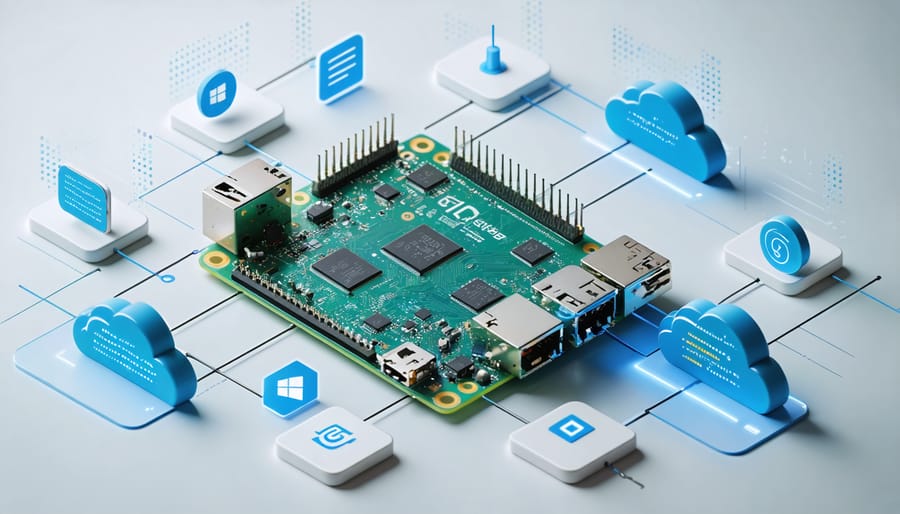
Transform your Raspberry Pi into a powerful edge computing hub with Windows IoT Core, Microsoft’s lightweight operating system designed specifically for embedded devices and smart applications. This versatile combination empowers makers and developers to create enterprise-grade IoT solutions using familiar Windows development tools and APIs, while leveraging the Raspberry Pi’s compact form factor and robust hardware capabilities. Whether you’re building automated home systems, industrial sensors, or smart displays, Windows IoT Core provides the perfect bridge between traditional Windows development and the innovative world of IoT computing. Its seamless integration with Azure cloud services, support for Universal Windows Platform (UWP) apps, and comprehensive security features make it an ideal choice for both hobbyist projects and professional deployments. Deploy your first Windows IoT project within minutes using Visual Studio’s remote debugging capabilities and access a vast ecosystem of compatible sensors and hardware components.
Why Windows IoT Core on Raspberry Pi?
Enterprise-Grade Security Features
Windows IoT on Raspberry Pi comes equipped with robust security features designed for enterprise environments. The platform leverages TPM (Trusted Platform Module) support, ensuring secure boot and protecting sensitive data through hardware-based encryption. This makes it an excellent choice for organizations implementing edge computing capabilities in their infrastructure.
The system includes built-in BitLocker device encryption, Azure Active Directory integration, and Windows Update for Business support. These enterprise-grade features enable secure device management and seamless integration with existing Windows infrastructure. Administrators can implement group policies, manage certificates, and control device access through Microsoft’s familiar management tools.
Additional security measures include secure app deployment through the Windows Store for Business, network isolation capabilities, and configurable firewall settings. The platform also supports modern authentication protocols and encrypted communications, making it suitable for IoT deployments in regulated industries like healthcare and finance.
For development teams, the security development lifecycle (SDL) tools and threat modeling capabilities help ensure applications meet corporate security standards from the ground up.
Visual Studio Integration
Visual Studio provides a seamless development experience for Windows IoT projects on Raspberry Pi, offering powerful tools and features that streamline the creation process. With the Visual Studio IoT extension, developers can easily create, deploy, and debug applications directly from their development environment to their Raspberry Pi devices.
The integrated development environment includes project templates specifically designed for Windows IoT Core, making it simple to get started with new projects. These templates come with pre-configured settings and necessary references, saving valuable setup time. Developers can write code in familiar languages like C#, Visual Basic, or C++, leveraging the full power of the .NET Framework.
One of the standout features is the remote debugging capability, which allows developers to test and troubleshoot their applications in real-time on the Raspberry Pi while viewing logs and diagnostics from their development machine. The Device Portal interface provides comprehensive monitoring and management tools, enabling developers to track performance metrics and manage deployed applications efficiently.
Visual Studio’s IntelliSense and code completion features further enhance the development process, offering context-aware suggestions and documentation while coding for Windows IoT Core projects.
Setting Up Windows IoT Core
Hardware Requirements
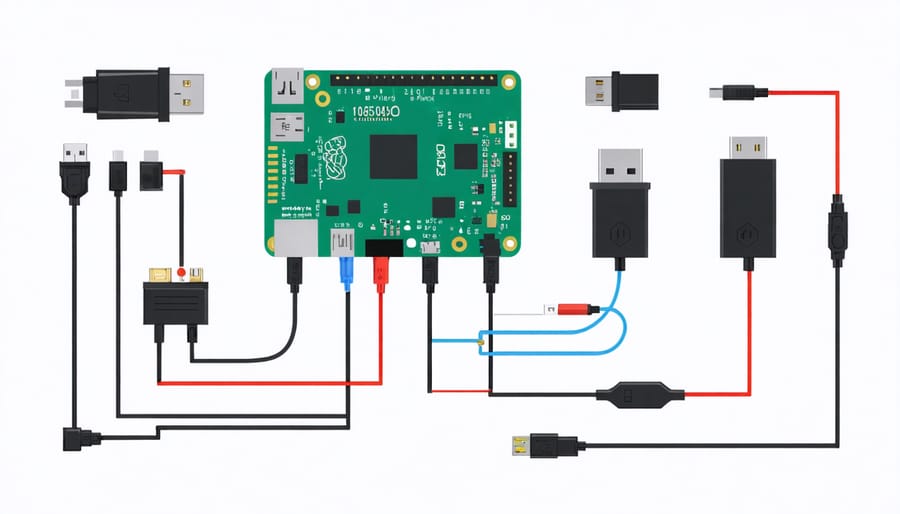
To run Windows IoT Core on your Raspberry Pi, you’ll need compatible hardware that meets the minimum requirements. The officially supported Raspberry Pi models include the Raspberry Pi 2 Model B, Raspberry Pi 3 Model B, and Raspberry Pi 3 Model B+. While newer models like the Pi 4 are not officially supported, they may work with community-developed solutions.
Essential components for your setup:
– Raspberry Pi board (mentioned above)
– MicroSD card (minimum 8GB, Class 10 recommended)
– 5V power supply (2.5A for Pi 3, 2A for Pi 2)
– HDMI display or monitor
– USB keyboard and mouse
– Ethernet cable or Wi-Fi capability (built-in for Pi 3)
Additional recommended items:
– Raspberry Pi case for protection
– Heat sinks for better thermal management
– Active cooling fan for extended use
– MicroSD card reader for initial setup
– USB hub for additional peripherals
For optimal performance, use a high-quality power supply and a reliable microSD card from reputable manufacturers. These components significantly impact system stability and overall performance when running Windows IoT Core.
Installation Process
To install Windows IoT Core on your Raspberry Pi, start by downloading the Windows IoT Core Dashboard from Microsoft’s official website. This tool streamlines the installation process and helps manage your devices. Once downloaded, install and launch the Dashboard on your Windows PC.
Insert a microSD card (minimum 8GB) into your computer. In the Dashboard, select “Set up a new device” and choose “Raspberry Pi 2 & 3” from the device type dropdown. Select “Windows IoT Core” as the OS Build and your microSD card as the drive. Click “Download and Install” to begin the process.
While the image downloads and installs, prepare your Raspberry Pi by connecting a display, keyboard, and mouse. Ensure you have a stable internet connection through either Ethernet or Wi-Fi. Once the installation completes, safely eject the microSD card and insert it into your powered-off Raspberry Pi.
Power on your Raspberry Pi and wait for the initial setup process. The first boot may take several minutes as Windows IoT Core configures itself. Once booted, you’ll see the default app displaying the device’s IP address and basic information.
To manage your device remotely, return to the Windows IoT Core Dashboard on your PC. Under “My Devices,” your Raspberry Pi should appear automatically if it’s on the same network. Click on the device to access the Windows Device Portal, where you can configure settings, deploy apps, and monitor performance.
Remember to set a strong administrator password for your device through the Device Portal to ensure security. You’re now ready to start developing and deploying IoT applications on your Raspberry Pi.
Real-World Applications
Smart Home Integration
Windows IoT Core transforms your Raspberry Pi into a powerful hub for home automation, enabling you to create sophisticated smart home solutions. One popular project involves building a smart lighting control system that can manage multiple rooms through voice commands or a mobile app. By connecting relay modules to your Raspberry Pi’s GPIO pins, you can control traditional light fixtures while integrating with services like Cortana for voice activation.
Temperature and humidity monitoring systems are another practical application. Using DHT22 sensors connected to your Raspberry Pi, you can create a network of environmental monitors throughout your home. The data can be displayed on a web dashboard and trigger automated responses, such as activating fans or sending alerts when conditions exceed specified thresholds.
Security automation is particularly compelling with Windows IoT Core. By connecting a camera module to your Raspberry Pi, you can build a smart doorbell system that captures images of visitors, provides two-way audio communication, and even integrates with facial recognition services through Azure Cognitive Services. The system can send notifications to your smartphone and maintain a log of all visitors.
For enhanced climate control, you can develop a smart thermostat that learns from your preferences. The project typically involves temperature sensors, relay controls for your HVAC system, and a touch-screen interface. Windows IoT Core’s rich development environment allows you to create sophisticated algorithms that optimize energy usage while maintaining comfort.
These projects can be interconnected through a central hub, creating a comprehensive home automation system that’s both powerful and cost-effective. The Windows IoT Dashboard makes managing multiple devices straightforward, allowing you to monitor and control your entire smart home network from a single interface.
Industrial IoT Solutions
Windows IoT on Raspberry Pi has become increasingly popular for industrial IoT applications, offering robust solutions for manufacturing, automation, and smart facility management. Companies are leveraging this powerful combination to create cost-effective monitoring systems, automated production lines, and intelligent warehouse solutions.
The platform excels in data collection and analysis, enabling businesses to implement predictive maintenance systems that can monitor equipment performance and detect potential failures before they occur. For instance, manufacturing facilities use Raspberry Pi devices running Windows IoT to track machine temperatures, vibration patterns, and production metrics in real-time.
In warehouse environments, these systems power inventory management solutions with barcode scanning capabilities and automated stock tracking. The integration with existing Windows infrastructure makes it easier for businesses to incorporate these devices into their current operations without significant overhead or compatibility issues.
Smart agriculture represents another growing sector, where Windows IoT-powered Raspberry Pi devices monitor soil conditions, control irrigation systems, and manage greenhouse environments. The platform’s ability to handle multiple sensors while maintaining stable connectivity makes it ideal for remote monitoring applications.
Security and surveillance systems benefit from the Windows IoT ecosystem, as it supports advanced features like motion detection, facial recognition, and remote monitoring through secure channels. The enterprise-grade security features of Windows IoT provide peace of mind for businesses implementing these solutions in sensitive environments.
For businesses considering implementation, the platform offers excellent scalability options, allowing organizations to start small and expand their IoT infrastructure as needed. The familiar Windows development environment also reduces the learning curve for IT teams already working with Microsoft technologies.
Troubleshooting Common Issues
Performance Optimization
To maximize your Windows IoT deployment on Raspberry Pi, implementing proper performance optimization techniques is crucial. Start by managing background processes and disabling unnecessary services through the Windows Device Portal. This helps to optimize edge device performance and reduce system overhead.
Configure your storage settings wisely by using a high-quality Class 10 microSD card with at least 16GB capacity. Enable write caching for better disk performance, but remember to implement a proper shutdown procedure to prevent data corruption.
Memory management is essential for stable operation. Limit the number of concurrent applications and implement proper memory cleanup in your code. Consider using the Windows IoT Core Task Manager to monitor resource usage and identify memory leaks.
For networking optimization, disable unused network protocols and services. If your application requires network connectivity, implement efficient data caching and compression techniques to reduce bandwidth usage.
Regular system maintenance is vital. Keep your Windows IoT Core installation updated with the latest security patches and performance improvements. Use the Windows IoT Core Dashboard to monitor system health and perform periodic cleanup of temporary files and logs.
Enable hardware acceleration when available, particularly for graphics-intensive applications. This offloads processing from the CPU to dedicated hardware, improving overall system responsiveness and reliability.
Network Connectivity
Network connectivity issues are common when setting up Windows IoT on Raspberry Pi, but most can be resolved with systematic troubleshooting. First, ensure your Raspberry Pi is properly connected to your network via either Ethernet or Wi-Fi. For Ethernet connections, check if the cable is securely plugged in and the port lights are active. When using Wi-Fi, verify that your network credentials are correctly entered in the Windows IoT Dashboard.
If your device isn’t showing up in the dashboard, try performing a network scan using the “My Devices” tab. Sometimes, Windows IoT Core devices may have trouble acquiring an IP address. In such cases, temporarily setting a static IP address can help establish initial connectivity. Remember to configure your router’s firewall to allow Windows IoT Core communication on ports 8080 and 22.
For devices that suddenly lose connectivity, a simple power cycle often resolves the issue. If problems persist, check the Windows IoT Core device portal for network diagnostics. Common fixes include updating the network adapter drivers, resetting the network stack, and ensuring your router’s DHCP server is functioning correctly.
Security settings can also impact connectivity. Verify that your network’s security protocol (WPA2, etc.) is compatible with Windows IoT Core, and that any network-level security software isn’t blocking the device’s communications. For remote connections, enable Windows IoT Remote Server and configure the appropriate firewall rules.
Windows IoT on Raspberry Pi opens up a world of possibilities for both hobbyists and professionals alike. By combining the familiarity of the Windows ecosystem with the versatility of the Raspberry Pi, you can create powerful IoT solutions that bridge the gap between enterprise and DIY projects. The platform’s robust security features, seamless integration with Azure cloud services, and extensive development tools make it an excellent choice for building connected devices and smart solutions.
Whether you’re creating an automated home system, developing industrial sensors, or building educational projects, Windows IoT provides the stability and reliability needed for successful deployment. The ability to leverage existing Windows development skills and tools like Visual Studio makes the learning curve much gentler for developers already familiar with the Microsoft ecosystem.
As you embark on your Windows IoT journey with Raspberry Pi, remember that the community is vast and supportive. Take advantage of Microsoft’s documentation, online forums, and the countless projects shared by other enthusiasts. Start small, experiment often, and gradually build more complex solutions as your confidence grows.
The future of IoT is bright, and Windows IoT on Raspberry Pi puts you at the forefront of this technological revolution. Don’t wait to begin your first project – the tools and resources are readily available, and the possibilities are limitless. Your next innovative IoT solution could be just a Raspberry Pi and Windows IoT installation away.