

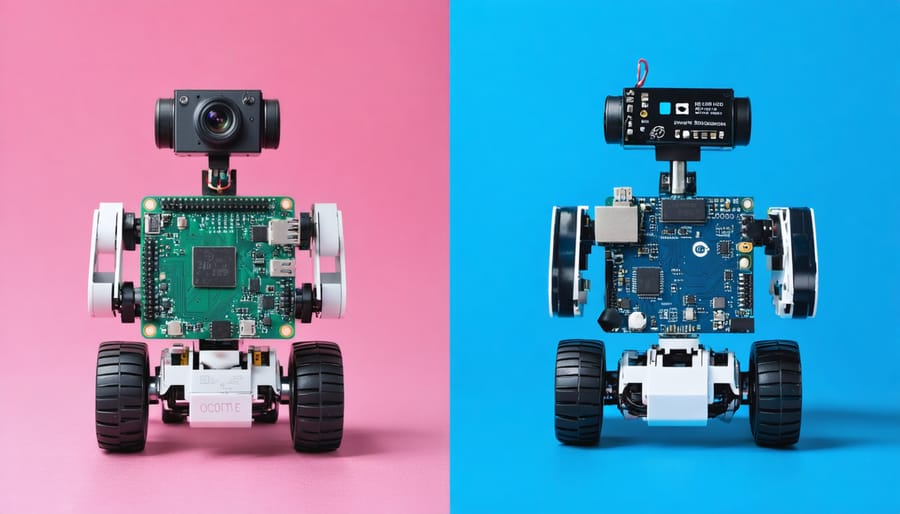
Choosing between Raspberry Pi and Arduino for robotics projects demands careful consideration of your specific needs and technical requirements. While getting started with Raspberry Pi offers a full-fledged computer system capable of complex processing, machine learning, and vision applications, Arduino excels in real-time control and sensor integration with its dedicated microcontroller architecture. The distinction becomes crucial when building robots: Raspberry Pi powers sophisticated autonomous navigation and AI-driven decisions, while Arduino handles precise motor control and rapid sensor responses with minimal latency. This fundamental difference shapes not only your project’s capabilities but also its complexity, power requirements, and cost considerations – factors that can make or break your robotics endeavor. Understanding these platforms’ strengths helps you make an informed decision that aligns with your project goals, whether you’re building a simple line-following robot or a complex autonomous system.

Core Hardware Differences
Processing Power
When it comes to processing power, the Raspberry Pi and Arduino represent two distinctly different classes of computing devices. The Raspberry Pi 4, with its quad-core ARM Cortex-A72 processor running at 1.5GHz and up to 8GB of RAM, offers significantly more computational power than the Arduino’s ATmega microcontroller, which typically runs at 16MHz with just 2KB of RAM.
This difference in processing capability directly impacts what each platform can handle in robotics applications. The Raspberry Pi can run a full operating system, process complex algorithms, handle computer vision tasks, and manage multiple operations simultaneously. This makes it ideal for advanced robotics projects requiring machine learning, real-time video processing, or complex sensor data analysis.
In contrast, the Arduino’s simpler architecture excels at real-time control and precise timing of hardware operations. While it can’t match the Pi’s raw computing power, it responds more predictably to inputs and can handle time-sensitive tasks with greater reliability. For projects requiring precise motor control or rapid sensor reading, the Arduino’s dedicated processing approach often proves more effective despite its lower specifications.
Consider your project’s requirements carefully – if you need high-level processing for AI or complex calculations, choose the Pi. For straightforward control systems and time-critical operations, the Arduino might be the better choice.
Memory and Storage
When it comes to memory and storage, the Raspberry Pi and Arduino offer distinctly different capabilities that suit various robotics applications. The Raspberry Pi 4 comes with options for 2GB, 4GB, or 8GB of RAM, making it capable of running complex algorithms, computer vision tasks, and multiple processes simultaneously. It also uses microSD cards for storage, allowing you to easily store large datasets, program files, and even operating system images.
In contrast, the Arduino Uno has just 2KB of SRAM and 32KB of flash memory for program storage. While this might seem limited, it’s actually perfectly suited for many robotics applications where you need quick, reliable execution of specific tasks without the overhead of an operating system.
The storage differences particularly impact project complexity. Raspberry Pi’s abundant memory enables advanced features like simultaneous sensor processing, wireless communication, and video streaming. Arduino’s limited but efficient memory is ideal for dedicated tasks like motor control, sensor reading, and basic automation. For projects requiring data logging or AI capabilities, Raspberry Pi’s superior memory and storage make it the clear choice, while Arduino excels in real-time control applications where minimal latency is crucial.
Programming Environment and Ease of Use
Arduino Programming
The Arduino platform’s programming environment, known as the Arduino IDE (Integrated Development Environment), offers a straightforward approach to coding your robotics projects. Built on Arduino programming fundamentals, the IDE uses a simplified version of C++ that’s more accessible to beginners while maintaining powerful capabilities for advanced users.
The programming language combines the efficiency of C++ with Arduino-specific functions and libraries, making it easier to control motors, read sensors, and manage other robotic components. Users appreciate the extensive collection of pre-built libraries that handle common tasks like motor control, sensor reading, and communication protocols.
One of the key advantages of Arduino programming is its hardware-focused approach. The code you write directly controls the microcontroller’s pins and peripherals, offering precise timing and real-time control crucial for robotics applications. The IDE includes helpful features like syntax highlighting, code verification, and a serial monitor for debugging.
For beginners, the Arduino community has created numerous example sketches that can be modified and combined to create complex robotics projects. The setup() and loop() structure of Arduino programs makes it intuitive to understand program flow, while the simplified syntax reduces the learning curve compared to traditional C++ programming.
Raspberry Pi Programming
The Raspberry Pi’s programming environment offers significant flexibility through its Linux-based operating system, with Python being the most popular language choice. Python’s extensive libraries and frameworks make it particularly well-suited for robotics projects, offering high-level programming capabilities that can handle complex tasks like computer vision and machine learning.
Popular robotics frameworks like ROS (Robot Operating System) run natively on the Pi, enabling developers to create sophisticated robotic applications. The combination of OpenCV and Python allows for advanced image processing and computer vision projects, while libraries like GPIO Zero simplify hardware interaction for beginners.
The Linux environment provides access to powerful development tools, including integrated development environments (IDEs) like Thonny and Visual Studio Code. This makes debugging and code organization more manageable compared to Arduino’s more basic IDE. Additionally, the Pi supports multiple programming languages beyond Python, including C++, Java, and Node.js, giving developers the freedom to choose their preferred language.
For beginners, the Python-based approach offers a gentler learning curve with more readable code and extensive online resources. The ability to run a full operating system also means you can develop and test your code directly on the Pi, using familiar tools like text editors and terminal commands. This comprehensive development environment makes the Raspberry Pi an excellent choice for complex robotics projects that require sophisticated programming capabilities.
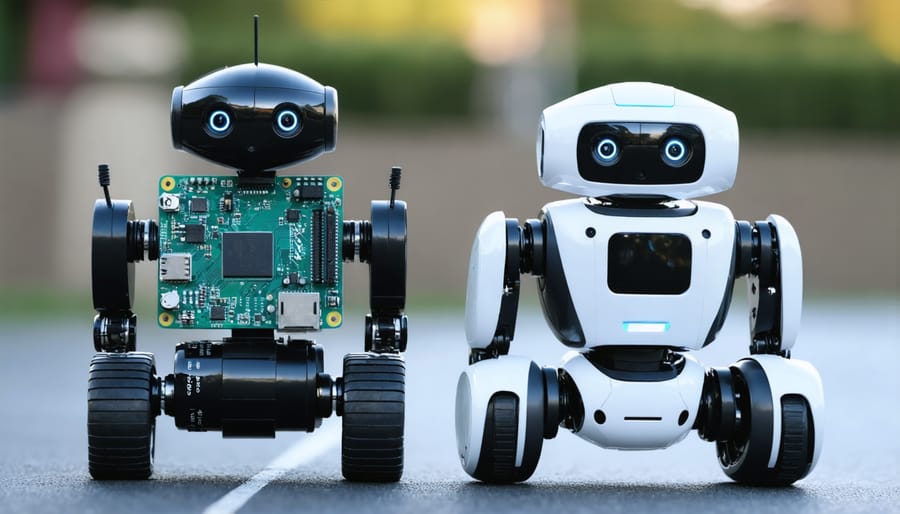
Project Capabilities
Arduino’s Sweet Spot
When it comes to basic robotics and automation projects, Arduino truly shines as a go-to platform. Its straightforward nature and specialized design make it perfect for tasks like reading sensors, controlling motors, and handling real-time responses – all essential elements in robotics projects.
Arduino excels in projects that require precise timing and direct hardware control. Whether you’re building a line-following robot, creating an automated plant watering system, or designing a simple robotic arm, Arduino’s microcontroller architecture ensures reliable and consistent performance. The platform’s ability to handle analog inputs and generate PWM signals makes it particularly effective for motor control applications.
One of Arduino’s greatest strengths lies in its extensive collection of libraries and shields specifically designed for robotics components. Need to control servos? There’s a library for that. Want to interface with motor drivers? Arduino’s got you covered. This ecosystem of compatible hardware and software solutions makes it incredibly easy to get your robotics projects up and running quickly.
The platform’s low power consumption and ability to run without an operating system make it ideal for autonomous robots and other battery-powered projects. Unlike more complex systems, Arduino can start controlling motors and reading sensors immediately after power-up, without waiting for an OS to boot.
For makers just starting their robotics journey, Arduino provides a gentle learning curve while still offering enough capability for sophisticated projects. Its simplicity in handling basic automation tasks makes it an excellent choice for educational robotics projects and prototyping basic robotic systems.
Raspberry Pi’s Strengths
The Raspberry Pi stands out as a powerhouse for complex robotics applications, particularly when it comes to advanced processing capabilities and sophisticated control systems. As a full-fledged computer, it excels at handling resource-intensive tasks that would overwhelm simpler microcontrollers.
One of the Pi’s greatest strengths lies in its ability to run computer vision projects and machine learning algorithms. With its powerful processor and ability to run Linux-based operating systems, it can process real-time video feeds, perform object detection, and execute complex AI algorithms – capabilities that are essential for creating intelligent, autonomous robots.
The Pi’s robust networking capabilities make it ideal for connected robotics projects. Whether you’re building a robot that needs to communicate over Wi-Fi, Bluetooth, or ethernet, the Pi handles these protocols natively. This makes it perfect for IoT robotics applications, remote-controlled bots, and projects requiring internet connectivity.
The platform also shines in projects requiring multimedia integration. Its ability to handle audio processing, display graphics, and manage multiple USB peripherals simultaneously makes it suitable for interactive robots with rich user interfaces. The HDMI output allows for direct connection to displays, enabling sophisticated control panels and real-time visual feedback.
For projects requiring extensive data storage or logging, the Pi’s support for SD cards and USB storage provides ample space for storing sensor data, program files, and media content. This, combined with its ability to run databases and web servers, makes it an excellent choice for data-driven robotics applications.
Cost and Resource Requirements
When choosing the right robotics platform, cost considerations play a crucial role in the decision-making process. Let’s break down the financial aspects of both platforms to help you make an informed choice.
The Arduino Uno typically costs between $20-30 for an official board, while genuine Raspberry Pi 4 boards start at around $35-55, depending on the RAM configuration. However, these base prices don’t tell the complete story. For robotics projects, you’ll need additional components for both platforms.
Arduino Additional Components:
– Motor drivers: $5-15
– Sensors (basic kit): $15-30
– Power supply/battery pack: $10-20
– Chassis and wheels: $15-40
– Total starter kit: $65-135
Raspberry Pi Additional Components:
– MicroSD card: $10-20
– Power supply: $8-15
– Motor HAT/controller: $20-35
– Sensors: $15-30
– Chassis and wheels: $15-40
– Total starter kit: $103-195
Power consumption is another important consideration. Arduino boards are extremely energy-efficient, typically drawing 20-50mA during operation. This makes them ideal for battery-powered robots, often running for days on a single set of batteries. In contrast, Raspberry Pi consumes significantly more power, drawing 600-1000mA during normal operation, requiring more substantial power supplies and reducing battery life.
For beginners working on simple robotics projects, Arduino’s lower initial cost and power requirements make it more accessible. However, if you’re planning more complex projects requiring computer vision or advanced processing, the additional cost of the Raspberry Pi might be justified by its enhanced capabilities and potential to eliminate the need for separate computers in your setup.
Keep in mind that these costs can vary based on your location, component quality, and whether you choose official or third-party products. Many starter kits are available for both platforms, often offering better value than purchasing components separately.
Making the Right Choice
Choosing between Raspberry Pi and Arduino for your robotics project doesn’t have to be complicated. The key is to evaluate your specific needs against several critical factors.
Start by assessing your project’s requirements. If your robot needs to process complex data, run multiple tasks simultaneously, or interface with cameras and displays, Raspberry Pi is likely your better choice. However, if your project focuses on precise motor control, sensor reading, or real-time responses, Arduino might be more suitable.
Consider your programming experience. Arduino’s simplified C++ environment makes it ideal for beginners learning basic robotics concepts. Raspberry Pi’s Linux-based system offers more flexibility but requires familiarity with Python or other programming languages.
Budget also plays a crucial role. Arduino boards are generally more affordable and require fewer accessories to get started. Raspberry Pi might need additional components like power supplies, SD cards, and peripherals, though its versatility often justifies the higher initial investment.
Think about your long-term goals. If you’re planning to expand your project with features like computer vision, AI, or web connectivity, Raspberry Pi provides a more scalable platform. For focused, single-purpose robots that prioritize reliability and simple control systems, Arduino remains the go-to choice.
Remember, there’s no wrong choice – many successful projects combine both platforms to leverage their respective strengths. Start with the platform that best matches your immediate needs and current skill level.
Both Raspberry Pi and Arduino have their distinct advantages in robotics projects, making the choice dependent on your specific needs. Arduino excels in simple, dedicated control tasks and real-time operations, making it perfect for beginners and projects requiring precise timing. Raspberry Pi, with its superior processing power and versatility, is ideal for complex robotics projects involving computer vision, machine learning, or network connectivity. For those just starting, Arduino offers a gentler learning curve and more straightforward programming experience. However, advanced makers might prefer Raspberry Pi’s capabilities for sophisticated applications. Consider starting with Arduino for basic robotics projects and graduating to Raspberry Pi as your skills and project requirements grow. Many successful robotics projects even combine both platforms, leveraging the strengths of each to create more capable and efficient systems.