

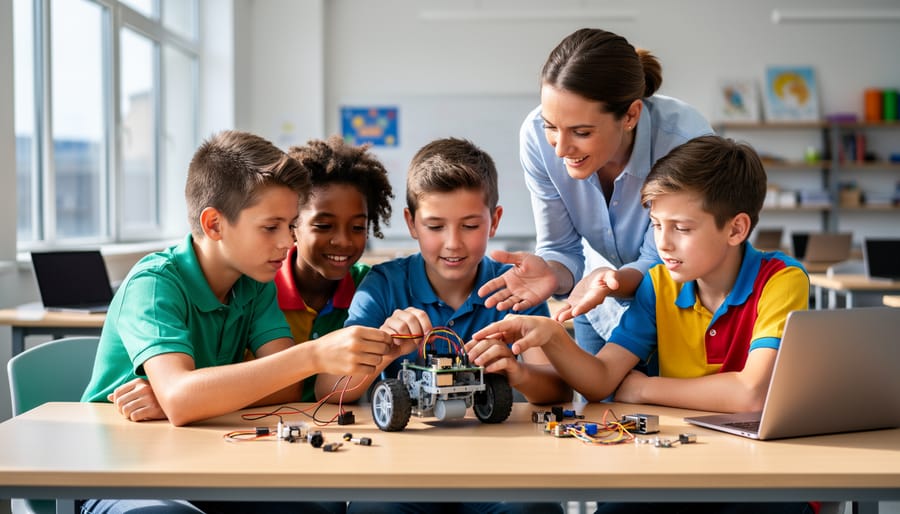
Start with a $35 Raspberry Pi 4 Model B and a basic robotics kit to launch a classroom program that teaches coding, electronics, and problem-solving without breaking your budget. Schools across the globe have proven this credit-card-sized computer transforms traditional computer science classes into hands-on innovation labs where students build line-following robots, automate weather stations, and create AI-powered projects using Python and Scratch.
The implementation barrier is lower than you think. A single classroom set requires approximately $800-1200 for ten workstations, compared to $3000-5000 for traditional computer lab upgrades. Teachers with zero robotics experience successfully launch programs within 4-6 weeks using free curriculum resources from the Raspberry Pi Foundation and established learning pathways that scale from elementary block coding to high school sensor integration and machine learning applications.
Real-world results validate the investment. Students participating in Raspberry Pi robotics programs demonstrate measurably higher engagement in STEM subjects, with 73% reporting increased interest in technology careers according to recent educational studies. Whether you’re considering a pilot program for your computer club or planning district-wide adoption, understanding the practical setup requirements, age-appropriate project options, and proven implementation strategies will determine your program’s success from day one.
What Makes Raspberry Pi Perfect for Educational Robotics
The Price Point That Changes Everything
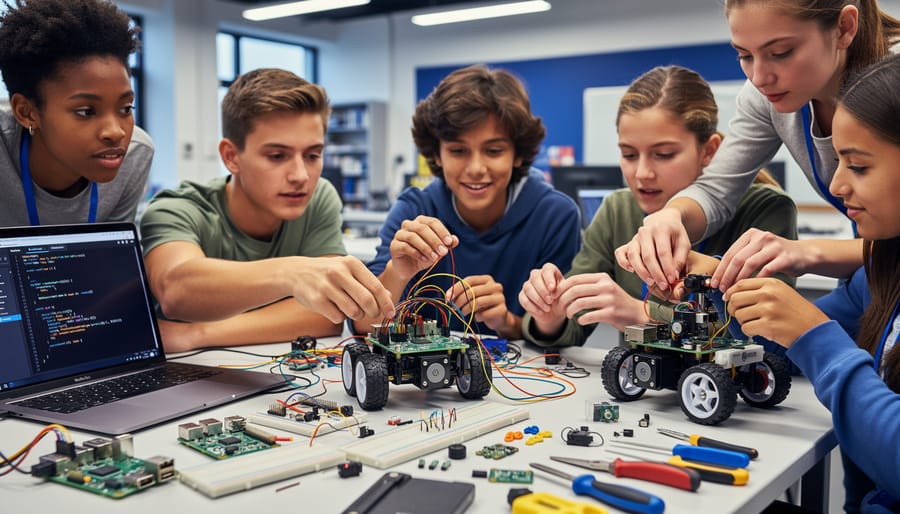
The financial barrier that once limited robotics education has essentially vanished with Raspberry Pi. At around $35 for a Raspberry Pi 4, schools can equip an entire classroom of 30 students for roughly $1,050 in computing hardware alone. Compare this to traditional computer labs where a single desktop workstation costs $500-800, requiring $15,000-24,000 for the same classroom capacity.
This price difference transforms what’s possible in educational settings. Instead of students taking turns with expensive equipment or watching demonstrations on a single shared device, each student can have hands-on experience with their own hardware. The low cost also means less anxiety about potential damage during experimentation—a crucial factor when teaching robotics to younger students who learn best through trial and error.
Schools can also afford to maintain spare units for replacements, something unthinkable with premium educational technology. Many districts report that the money saved on hardware allows them to invest more in sensors, motors, and robotics kits that connect to the Pi. When you factor in that Raspberry Pi boards are reusable year after year across different projects and grade levels, the cost-per-student-hour drops dramatically, making quality robotics education genuinely accessible rather than a privilege reserved for well-funded schools.
Real Programming, Not Simplified Toys
One of Raspberry Pi’s greatest strengths in education is that students work with genuine programming languages from day one. Instead of proprietary systems that don’t transfer beyond the classroom, learners engage with Python—one of the world’s most in-demand programming languages used by companies like Google, Netflix, and NASA. This means the skills students develop have immediate real-world value.
Scratch, the visual programming environment included with Raspberry Pi OS, provides an excellent gateway for younger students or absolute beginners. But here’s the key difference: Scratch isn’t a dead end. It’s a stepping stone that naturally progresses to text-based coding. Students can see how the logic blocks they’ve mastered translate directly into Python syntax.
This progression matters enormously for building genuine computer science foundations. When students learn Python on Raspberry Pi, they’re writing the same code that powers professional applications. They can install real libraries, interact with APIs, and build projects that solve actual problems. There’s no artificial ceiling limiting what they can create.
The Raspberry Pi ecosystem also introduces students to Linux, command-line interfaces, and GPIO programming—skills that many university computer science programs assume as prerequisites. By experiencing authentic development environments rather than educational approximations, students gain confidence and competence that extends far beyond their school projects.
Hardware That Grows With Student Skills
One of Raspberry Pi’s greatest strengths in educational robotics is its ability to grow alongside student capabilities. Beginners can start with simple projects like making an LED blink—requiring just a few lines of Python code and basic wiring. As confidence builds, students progress to light-sensitive circuits, servo motor control, and distance sensors that respond to their environment.
The real magic happens through the GPIO (General Purpose Input/Output) pins. These 40 physical pins transform the Raspberry Pi from a basic computer into a robotics brain. Each pin can be programmed to send or receive signals, connecting motors, sensors, cameras, and custom circuits. Students who master basic GPIO operations can advance to controlling wheeled robots that follow lines or avoid obstacles.
More advanced learners tackle projects involving robotic arms with multiple degrees of freedom, voice-controlled devices using microphones, or even autonomous vehicles with computer vision capabilities. The modular nature means schools can start with minimal investment—a Raspberry Pi, breadboard, and basic components—then gradually expand their toolkit. This scalability ensures your robotics program remains relevant whether teaching primary students their first coding lesson or challenging secondary students to build competition-ready autonomous systems.
Popular Raspberry Pi Robotics Projects for Classrooms
Beginner Projects: Line-Following Robots
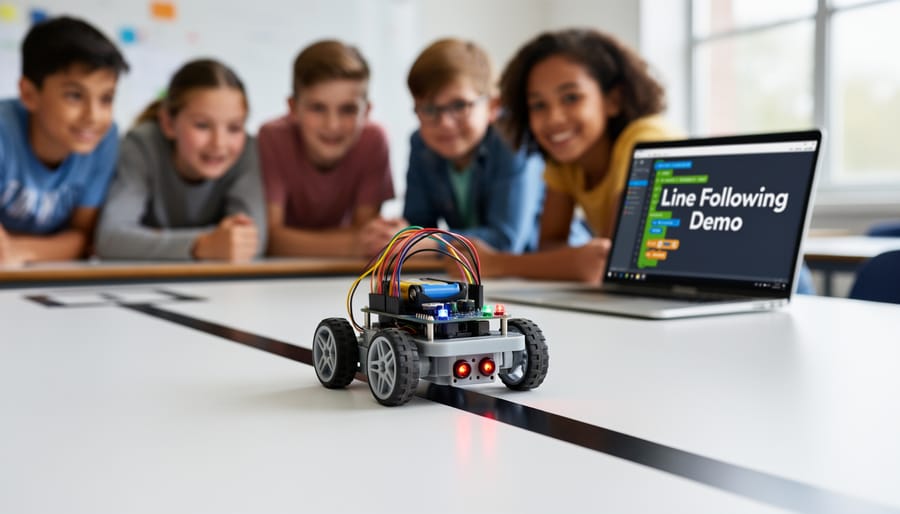
Line-following robots represent an ideal entry point for students beginning their robotics journey with Raspberry Pi. These engaging projects teach fundamental programming concepts while demonstrating real-world sensor applications. To build your first robot, you’ll need a Raspberry Pi (any model works, though Pi Zero W offers cost savings), a motor controller board like the L298N, two DC motors with wheels, infrared sensors or a camera module for line detection, and a portable power supply.
The beauty of line-following robots lies in their simplicity: sensors detect a colored line on the ground, sending data to the Pi, which processes the information and adjusts motor speeds accordingly. Students learn if-then logic, while loops, and sensor calibration through hands-on experimentation. Most schools start with infrared sensors since they’re affordable (under $5) and straightforward to program. As students advance, they can upgrade to camera-based tracking using OpenCV, introducing image processing concepts. These projects typically take 2-3 classroom sessions to complete, making them perfect for middle and high school curricula.
Intermediate Projects: Camera-Enabled Rovers
Camera-enabled rovers take robotics education to the next level by introducing students to computer vision fundamentals. By mounting a Raspberry Pi Camera Module on a wheeled robot chassis, learners can explore real-world applications like remote surveillance, object tracking, and autonomous navigation.
Start with a basic project where students stream live video from their rover to a laptop or tablet. This teaches networking concepts and remote control principles. Using Python libraries like OpenCV, students can then add object detection capabilities, programming their rovers to identify colored objects or follow lines on the floor.
More advanced projects include creating a rover that recognizes specific objects using machine learning models, or implementing facial detection to have the robot follow a person around the room. These projects introduce artificial intelligence concepts in an accessible, hands-on way that makes abstract ideas tangible.
The beauty of camera-enabled rovers is their scalability. Beginners can start with simple remote viewing, while advanced students can explore complex computer vision algorithms. This progression keeps students engaged as their skills develop, and the visual nature of these projects makes them particularly exciting for classroom demonstrations and school showcases.
Advanced Projects: Autonomous Navigation Systems
Once students master basic robotics, autonomous navigation systems represent an exciting leap forward. These advanced projects integrate multiple sensors working simultaneously—ultrasonic sensors for distance measurement, infrared sensors for line following, and camera modules for visual recognition.
A compelling starter project involves building a self-navigating robot that maps its environment. Students combine distance sensors with Python programming to create obstacle-avoidance algorithms. The robot makes real-time decisions about which direction to turn, introducing concepts like conditional logic and sensor fusion. This hands-on approach helps demystify how self-driving cars process information.
Machine learning adds another dimension to navigation systems. Using TensorFlow Lite on Raspberry Pi, students can train simple models to recognize objects or follow colored markers. While computationally intensive, these projects teach fundamental AI concepts without requiring expensive hardware. A traffic sign recognition project, for example, demonstrates how robots interpret visual data to make decisions.
GPS modules combined with compass sensors enable outdoor navigation challenges. Students program waypoint navigation, teaching their robots to travel between specific coordinates while avoiding obstacles. These projects naturally incorporate mathematics, physics, and computer science, making them perfect for interdisciplinary learning.
The complexity of these systems encourages collaborative problem-solving, as students troubleshoot sensor interference, optimize algorithms, and debug multi-threaded code together.
Essential Hardware and Kits for School Robotics Programs
Best Raspberry Pi Models for Robotics
Choosing the right Raspberry Pi model for school robotics projects depends on complexity, budget, and learning objectives. The Raspberry Pi 4 stands out as the most versatile option, offering 2GB to 8GB RAM and quad-core processing power. It excels in advanced projects involving computer vision, multiple sensors, and complex programming tasks. For robotics clubs tackling autonomous vehicles or AI-powered robots, the Pi 4’s performance justifies its higher price point.
The Raspberry Pi Zero and Zero W offer compelling alternatives for simpler projects. These compact boards cost significantly less, making them ideal for budget-conscious schools running line-following robots or basic sensor experiments. The Zero W includes WiFi connectivity, enabling remote control capabilities without additional hardware.
For beginners just starting with robotics fundamentals, the Pi Zero provides adequate processing power for learning motor control, basic sensors, and introductory programming. Schools can equip entire classrooms at a fraction of the cost. Meanwhile, advanced students benefit from upgrading to the Pi 4 when projects demand real-time image processing or simultaneous multitasking. Consider starting with Pi Zero models for foundational courses, then transitioning to Pi 4 for specialized robotics electives or competition teams.
Complete Robotics Kits vs. Building From Scratch
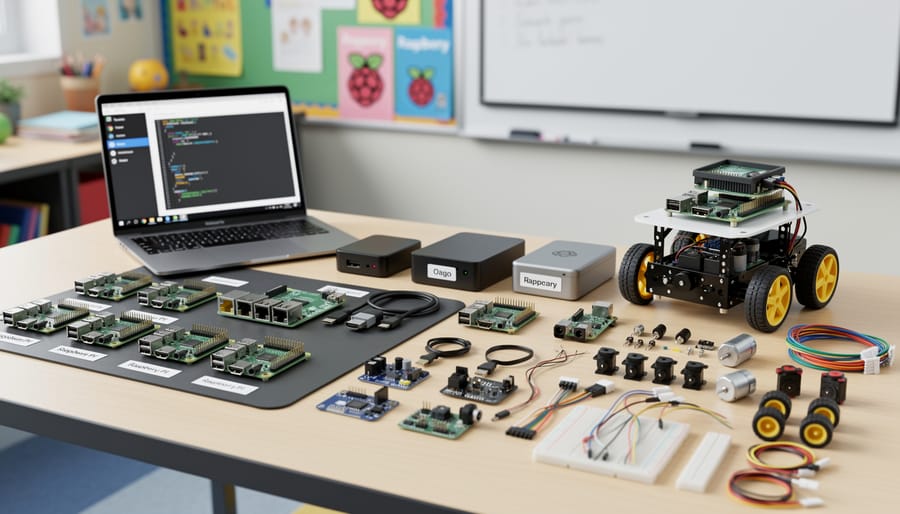
When equipping your classroom for robotics education, you’ll face a fundamental choice: purchasing complete kits or building projects from scratch. Both approaches have merit, and understanding the trade-offs helps you make the best decision for your students and budget.
Complete kits like the CamJam EduKit, GoPiGo, and SunFounder Robotics Kit offer significant advantages for classroom settings. They include all necessary components, detailed instructions, and structured lesson plans that align with curriculum standards. The CamJam EduKit, priced around $20, provides excellent value for learning basic robotics concepts including motors, sensors, and LED control. GoPiGo, at approximately $100, offers a more robust platform with expandability options and strong community support. These kits minimize setup time and eliminate the frustration of missing or incompatible components, allowing teachers to focus on instruction rather than troubleshooting hardware issues.
However, building from scratch offers distinct educational benefits. Sourcing individual components teaches students valuable skills in parts selection, specification comparison, and budget management. Students gain deeper understanding of how components interact when they must research and connect everything themselves. This approach typically costs 20-30% less than equivalent kits and provides flexibility to customize projects based on specific learning objectives.
The downside? Building from scratch requires more preparation time, stronger technical knowledge, and patience when components don’t work as expected. For beginners or time-constrained educators, this can derail momentum.
The sweet spot for most schools is a hybrid approach: start with complete kits to establish foundational knowledge and build confidence, then transition to custom-built projects as students and teachers gain experience. This progression naturally scaffolds learning while maintaining engagement and allowing for creative exploration once basics are mastered.
Setting Up Your First Classroom Robotics Lab
Software and Operating Systems to Start With
Getting started with Raspberry Pi in schools is straightforward when you choose the right software foundation. For beginners, Raspberry Pi OS (previously called Raspbian) with the desktop environment is the ideal starting point. This free, officially supported operating system comes pre-loaded with educational tools and provides a familiar desktop interface that students recognize from traditional computers.
Two essential programming environments come built-in and perfectly suit classroom learning. Thonny IDE serves as an excellent Python editor designed specifically for beginners. Its simple interface highlights syntax errors clearly and includes a debugger that helps students understand how their code executes step-by-step. For younger learners or those new to programming concepts, Scratch offers visual, block-based coding that makes logic and sequencing intuitive without worrying about syntax.
Both tools support hands-on robotics projects without requiring additional software purchases. Thonny works seamlessly with GPIO pins for controlling motors and sensors, while Scratch includes extensions for popular robotics kits. The learning curve is gentle, allowing teachers to focus on concepts rather than troubleshooting installations. Simply flash the SD card with Raspberry Pi OS using the official Imager tool, boot up, and these programs are ready to use immediately—making classroom setup remarkably stress-free.
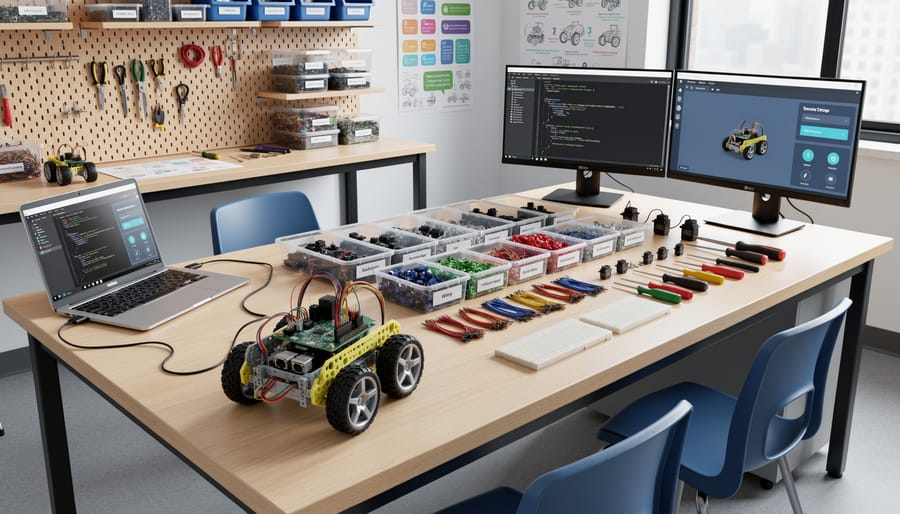
Classroom Management Tips for Multiple Robots
Managing multiple Raspberry Pi robots in a classroom environment requires thoughtful organization and proactive planning. Start by dividing students into teams of 3-4, assigning clear roles such as programmer, hardware assembler, tester, and documentation lead. Rotate these roles regularly so everyone gains hands-on experience with different aspects of robotics.
Label everything. Use color-coded stickers or numbered tags for each robot kit and its components. This simple step prevents mix-ups and makes inventory checks quick and painless. Create a component checklist for each team to verify all parts are present at the start and end of each session, reducing lost items significantly.
Implement a centralized troubleshooting station where students can test individual components before assuming hardware failure. Common issues often stem from loose connections, insufficient power supply, or SD card corruption rather than broken parts. Keep spare SD cards with pre-configured images ready to swap in when needed. Setting up a remote desktop setup allows you to monitor and assist multiple teams simultaneously without physically moving between workstations.
Establish a project timeline with clear milestones. Break larger projects into weekly goals that teams can realistically achieve within class periods. Use a visible progress board where teams track their advancement, fostering healthy competition and accountability.
Create a shared troubleshooting document where students log problems and solutions. This crowdsourced knowledge base becomes invaluable as recurring issues are documented with student-friendly explanations. Encourage peer-to-peer support by designating advanced students as team mentors who can assist with basic questions, freeing you to handle more complex challenges. Finally, schedule regular backup sessions where students save their code to cloud storage or USB drives, preventing devastating data loss.
Real Success Stories from Schools Using Raspberry Pi Robotics
Schools worldwide are discovering transformative results by integrating robotics into their classrooms, with compelling data showing the real impact of Raspberry Pi in education.
At Westwood Middle School in Massachusetts, introducing Raspberry Pi-powered robotics kits led to a 42% increase in computer science elective enrollment within just one academic year. Their “Robot Lab Fridays” program engaged 150 students who built line-following robots and automated weather stations. The school reported that 78% of participating students showed improved problem-solving skills on standardized assessments, while attendance rates in STEM classes jumped by 15%.
Riverside Secondary School in the UK transformed their struggling technology department through a Raspberry Pi robotics initiative. Starting with just ten starter kits, they trained students to build obstacle-avoiding robots using ultrasonic sensors and basic Python programming. Within two years, the program expanded to include after-school clubs with over 90 active members. Most impressively, three students from this program went on to compete in national robotics competitions, placing second in their category.
Lincoln Elementary in Texas provides an inspiring example of reaching younger learners. Their third-grade teachers integrated simple Raspberry Pi projects like LED traffic lights and basic sensor experiments into weekly lessons. Teachers documented that students previously disengaged in traditional math lessons became enthusiastic participants, with classroom participation rates improving by 35%. Parents reported children discussing programming concepts at home and requesting additional project materials.
These success stories share common elements: administrative support, teacher training, and starting with achievable projects. Schools consistently report increased student confidence in technical subjects, improved collaboration skills, and greater interest in pursuing technology careers. The relatively low cost of Raspberry Pi hardware means even schools with limited budgets can replicate these programs and achieve similar measurable outcomes in student engagement and academic performance.
Raspberry Pi has genuinely transformed how schools approach robotics education, breaking down barriers that once made this field feel exclusive or intimidating. The beauty of starting with Raspberry Pi lies in its flexibility—you don’t need to overhaul your entire curriculum or secure massive funding right away. Begin with a single classroom project, perhaps a line-following robot or a simple sensor experiment, and let student enthusiasm guide your expansion. As you’ve seen throughout this article, the hardware costs remain manageable, the learning curve is gentle enough for beginners yet deep enough for advanced learners, and the real-world applications directly translate to valuable STEM skills.
The long-term benefits extend far beyond coding and circuit design. Students develop critical thinking, collaborative problem-solving abilities, and the confidence to tackle complex challenges—skills that serve them regardless of their eventual career paths. Teachers consistently report increased engagement, particularly among students who previously showed little interest in traditional classroom subjects. By embracing Raspberry Pi robotics, you’re not just teaching technology; you’re opening doors to innovation, creativity, and a generation of students prepared for an increasingly digital future. Start small, experiment fearlessly, and watch your robotics program grow organically.