

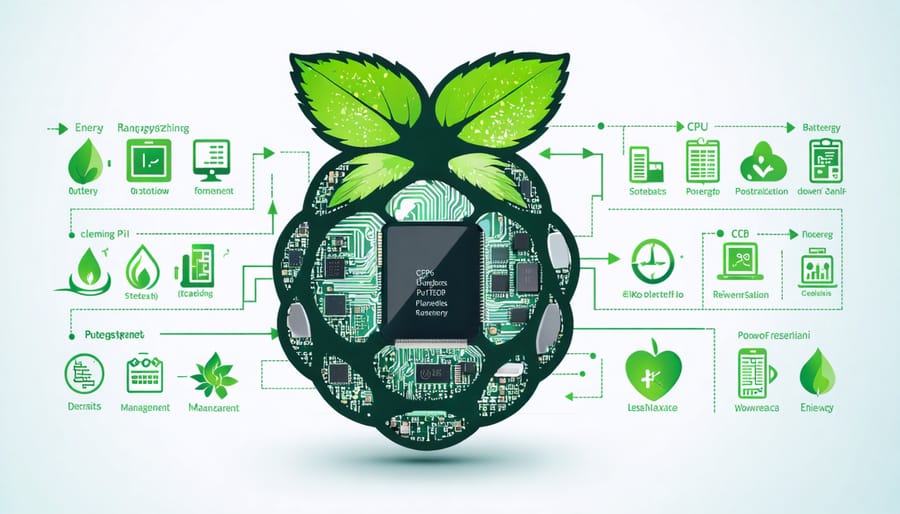
Transform your Raspberry Pi into an energy-efficient powerhouse by implementing dynamic CPU scaling, which automatically adjusts processing power based on real-time demands. Monitor power consumption patterns through GPIO pins with simple Python scripts that track voltage and current draw, enabling data-driven optimization decisions. Configure sleep states and wake-on-LAN functionality to reduce idle power consumption while maintaining remote accessibility. Disable unnecessary hardware components like HDMI output, Bluetooth, and WiFi when not actively required to extend battery life by up to 30%.
The intersection of behavioral patterns and energy efficiency represents a critical frontier in embedded systems development. By understanding how your Raspberry Pi responds to different usage patterns, you can implement intelligent power management strategies that significantly reduce energy consumption without compromising performance. This approach combines hardware optimization with smart software solutions, creating systems that adaptively manage power based on actual usage requirements.
Modern IoT applications demand sophisticated power management solutions, and the Raspberry Pi’s versatility makes it an ideal platform for experimenting with behavioral energy efficiency techniques. Whether you’re developing battery-powered sensors or optimizing server applications, these strategies provide a foundation for creating sustainable, long-lasting solutions.
Understanding Power Consumption Patterns
Active vs. Idle Power States
Understanding power consumption patterns in Raspberry Pi devices reveals two primary operational states: active and idle. In active state, your Pi is running at full capacity, executing programs and processing data, which typically draws between 400-700mA depending on the model and workload. During idle state, when no active processing occurs but the system remains powered on, consumption drops to 100-200mA.
The difference between these states presents significant opportunities for energy optimization. By identifying when your Pi can safely transition to idle state and implementing proper sleep modes, you can reduce overall power consumption by up to 60%. This becomes particularly crucial for battery-powered projects where every milliamp counts.
For example, a weather station project might only need to collect data every 15 minutes. Programming it to enter idle state between measurements can extend battery life from days to weeks. Similarly, a home automation hub can remain in low-power mode until triggered by sensor input, dramatically reducing its energy footprint while maintaining responsiveness.

Common Energy Drains
When optimizing your Raspberry Pi project for energy efficiency, it’s essential to understand which components typically consume the most power. The processor (CPU) is often the biggest energy drain, especially during intensive computational tasks or when running at full clock speed. Network connectivity, particularly Wi-Fi and Bluetooth modules, can significantly impact power consumption even when idle.
USB peripherals are another major power sink, with external hard drives and webcams being particularly demanding. The GPU becomes a considerable energy consumer during video playback or graphics-intensive applications. LED indicators, while small, can collectively draw notable power over time if left constantly illuminated.
Temperature also plays a crucial role, as higher operating temperatures lead to increased power consumption. When the CPU temperature rises, the cooling fan (if present) activates, creating an additional power drain. Display output through HDMI can consume substantial power, especially at higher resolutions or brightness settings.
Memory operations and storage devices (SD cards or SSDs) also contribute to overall power consumption, particularly during frequent read/write operations.
Smart Coding Practices for Energy Efficiency
Efficient Loop Structures
When writing code for your Raspberry Pi projects, loop structures can significantly impact energy consumption. The way you implement loops can mean the difference between efficient operation and unnecessary CPU cycles. Instead of using traditional for loops with fixed iterations, consider using while loops with clear exit conditions that can break early when requirements are met. This prevents unnecessary iterations and reduces processor load.
For data processing tasks, implement batch processing where possible. Rather than processing items one at a time in a tight loop, gather them into reasonable-sized chunks. This approach reduces the overall number of loop iterations and allows the CPU to work more efficiently with cached data.
Generator expressions and list comprehensions are often more energy-efficient than traditional loops in Python, as they’re optimized at the interpreter level. However, be cautious with nested loops, as they can exponentially increase processing time and energy consumption. When nested loops are unavoidable, place the smaller iteration set in the outer loop to minimize the total number of iterations.
Consider using itertools functions from Python’s standard library for common loop patterns. Functions like islice, chain, and cycle are highly optimized and can replace manual loop implementations, leading to better performance and lower energy consumption. Remember to implement appropriate sleep intervals in monitoring loops to prevent excessive CPU usage when continuous checking isn’t necessary.

Memory Management Techniques
Efficient memory management plays a crucial role in reducing energy consumption on your Raspberry Pi. Start by monitoring your RAM usage with tools like ‘free -h’ and ‘top’ to identify memory-hungry processes. Keep your running services lean by disabling unnecessary background processes and daemons that aren’t essential for your project.
Implement proper garbage collection practices in your applications, especially for Python projects. Use context managers (with statements) to ensure resources are properly released, and consider implementing manual garbage collection calls in long-running applications using the gc module. Be mindful of memory leaks by avoiding circular references and properly closing file handles and network connections.
For web applications, implement caching strategies wisely. While caching can improve performance, excessive cache size can lead to unnecessary memory usage. Set appropriate cache limits and implement regular cache clearing mechanisms. Consider using memory-efficient data structures like generators instead of lists when handling large datasets, and utilize streaming approaches for file operations where possible.
Regularly restart long-running applications to prevent memory fragmentation and maintain optimal performance. This simple practice can significantly reduce your Pi’s overall power consumption.
Background Process Optimization
Background processes can significantly impact your Raspberry Pi’s energy consumption. Start by using the ‘top’ or ‘htop’ commands to identify resource-hungry processes running in the background. Consider implementing automated scripts that temporarily suspend non-essential services when they’re not needed.
For development projects, optimize your code to minimize unnecessary background operations. Use efficient sleep modes and implement proper process termination when tasks complete. If you’re running a headless setup, disable the GUI and unnecessary services like Bluetooth or Wi-Fi when not in use.
Schedule intensive tasks during low-usage periods using cron jobs, and implement proper logging mechanisms that don’t constantly write to storage. Consider using lightweight alternatives for common services – for example, replacing Apache with Nginx for web serving tasks.
Remember to regularly audit your startup processes using ‘systemctl’ and disable any unnecessary services. This not only improves energy efficiency but also enhances overall system performance and reduces wear on your SD card.
Hardware Configuration Strategies
CPU Governor Settings
The CPU governor plays a crucial role in managing your Raspberry Pi’s power consumption by controlling how the processor adjusts its frequency and voltage in response to system load. The default “ondemand” governor works well for most use cases, but you can optimize power efficiency by selecting alternative governors based on your specific needs.
For maximum energy savings, the “powersave” governor locks the CPU at its lowest frequency. While this significantly reduces power consumption, it comes at the cost of performance. Conversely, the “conservative” governor provides a more balanced approach, scaling frequency more gradually than “ondemand” and potentially saving power during light workloads.
To change the governor, you can use the command:
“`bash
sudo cpufreq-set -g powersave
“`
For projects requiring consistent performance with power efficiency, consider the “schedutil” governor, which makes frequency scaling decisions based on the CPU scheduler. This often results in better power efficiency without sacrificing responsiveness.
You can also create custom governor profiles using the sysfs interface. For example, setting a lower maximum frequency during battery operation:
“`bash
echo 600000 > /sys/devices/system/cpu/cpu0/cpufreq/scaling_max_freq
“`
Remember that governor settings persist only until reboot. For permanent changes, add your preferred settings to /etc/rc.local or create a systematic service.
Peripheral Power Management
USB devices and peripherals can significantly impact your Raspberry Pi’s power consumption. Each connected device draws power, even when idle, so managing them effectively is crucial for energy efficiency. Start by conducting an audit of your connected peripherals and remove any that aren’t actively needed for your current project.
For USB devices that must remain connected, consider using a powered USB hub with individual switches. This allows you to selectively power down devices when they’re not in use while maintaining the connection for quick access later. Many modern USB hubs include power indicators, making it easy to monitor which devices are drawing power.
You can also leverage the Raspberry Pi’s software controls to manage USB power. Using terminal commands like ‘uhubctl’ enables programmatic control over USB ports, allowing you to automatically disable ports during periods of inactivity. For example, you might power down an external hard drive during nighttime hours or disable a webcam when motion detection isn’t needed.
Additionally, choose energy-efficient peripherals when possible. Look for devices with low power ratings and those that support USB power management features. Some peripherals offer sleep modes that can be activated through software controls, providing another layer of power optimization.
Remember that wireless peripherals like Bluetooth keyboards and mice typically consume more power than their wired counterparts, so consider this trade-off when selecting devices for battery-powered projects.
Monitoring and Testing Tools
Power Monitoring Solutions
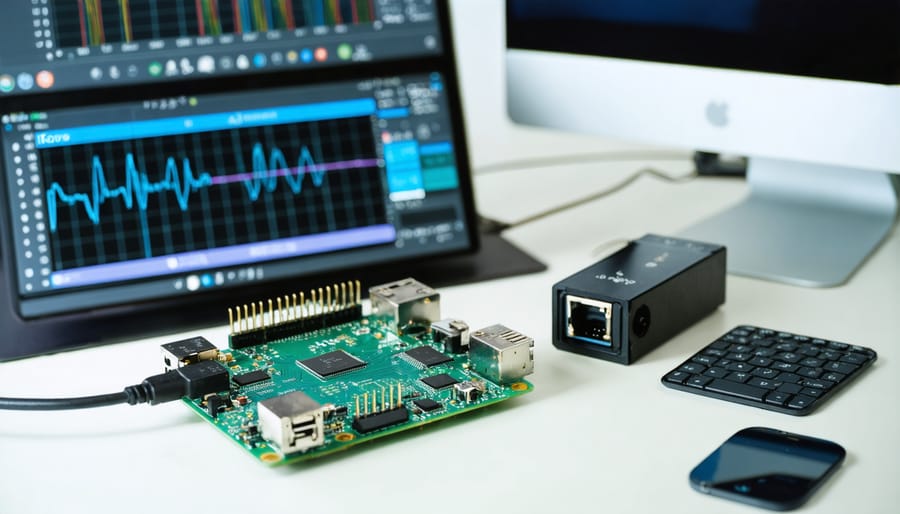
Modern power monitoring solutions for Raspberry Pi projects range from simple software tools to sophisticated hardware implementations. For software monitoring, tools like PowerTop and sysbench provide detailed insights into power consumption patterns, helping makers identify energy-hungry processes and optimize their code accordingly.
On the hardware side, popular options include the INA219 current sensor breakout board, which can measure both current and voltage with high precision. This sensor, when combined with a Raspberry Pi, enables real-time power monitoring through I2C communication. The ADS1115 16-bit ADC is another versatile option, offering multiple channels for monitoring different power rails simultaneously.
For those seeking comprehensive monitoring capabilities, the PiJuice HAT includes built-in power management features and detailed usage analytics. It provides accurate readings of current draw, battery status, and charging cycles through an intuitive Python API.
Open-source monitoring platforms like EmonPi build upon these foundations, offering ready-to-use solutions for energy monitoring. These systems can track power usage over time, generate usage reports, and even trigger alerts when consumption patterns deviate from expected norms.
Remember to consider the monitoring solution’s own power overhead when implementing these tools, as some options may consume significant power themselves.
Performance Benchmarking
To effectively measure the impact of behavioral energy efficiency techniques, it’s essential to establish reliable benchmarking methods. Start by creating a baseline measurement of your Raspberry Pi’s power consumption using a USB power meter or multimeter. Record measurements during different operational states: idle, under moderate load, and at peak performance.
For accurate testing, run standardized workloads that reflect your project’s typical usage patterns. Use tools like stress-ng to simulate CPU-intensive tasks, or create custom scripts that mirror your application’s behavior. Monitor power consumption over extended periods (at least 30 minutes per test) to account for varying load conditions and temperature effects.
Document key metrics including:
– Average power consumption (in watts)
– Peak power draw
– Energy usage over time (watt-hours)
– Temperature variations
– Performance metrics (CPU frequency, memory usage)
Compare these measurements before and after implementing energy-efficiency strategies. For battery-powered projects, measure actual runtime improvements. Use logging tools like PowerTop to identify power-hungry processes and verify the effectiveness of your optimization efforts.
Remember that environmental factors like ambient temperature can affect results, so maintain consistent testing conditions. Create a spreadsheet to track improvements over time, helping you identify which strategies deliver the best returns for your specific use case.
Implementing behavioral energy efficiency in your Raspberry Pi projects isn’t just about technical optimizations – it’s about creating sustainable, long-lasting solutions that benefit both your projects and the environment. By following the strategies outlined in this guide, you can significantly reduce power consumption while maintaining optimal performance. Remember that small changes, like implementing proper sleep modes and optimizing your code, can lead to substantial energy savings over time.
The combination of hardware modifications and software optimizations we’ve discussed provides a comprehensive approach to energy efficiency. Start with the basics, such as voltage regulation and CPU frequency scaling, then gradually implement more advanced techniques as you become comfortable with the concepts. Don’t forget to monitor and measure your improvements to ensure your optimization efforts are yielding the desired results.
As you continue your journey toward eco-friendly computing practices, remember that behavioral energy efficiency is an iterative process. Keep experimenting with different approaches, share your findings with the community, and stay updated on new energy-saving techniques. Your efforts not only contribute to longer battery life and lower operating costs but also help promote sustainable computing practices in the broader Raspberry Pi community.
Take the first step today by implementing these strategies in your next project, and you’ll be amazed at the difference they can make in your Pi’s energy consumption and overall performance.