


Powering multiple Raspberry Pi devices demands precise voltage management and reliable distribution methods to ensure optimal performance and system stability. Whether you’re building a compact cluster for home automation or scaling up to a professional-grade Pi farm, selecting the right power supply solution becomes critical for long-term success. Modern power management options range from dedicated power supply units (PSUs) capable of delivering clean, stable power to multiple Pis simultaneously, to custom-built distribution boards that optimize space and reduce cable clutter. This guide explores proven methods to power your multi-Pi setup efficiently, covering essential considerations like voltage requirements, current draw calculations, and practical wiring solutions that maintain system reliability while preventing potential damage from insufficient or unstable power delivery.
Understanding Power Requirements for Multiple Raspberry Pis
Power Consumption Calculations
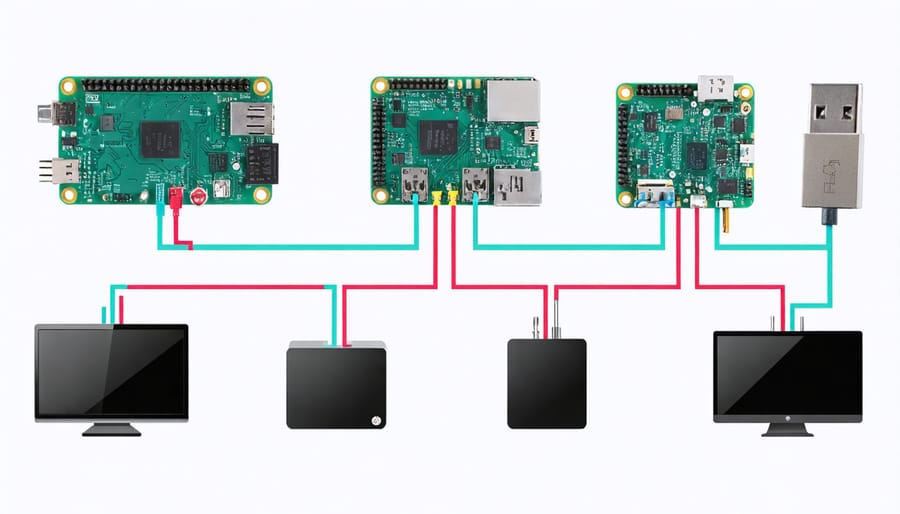
To accurately calculate your multi-Pi setup’s power requirements, start with a detailed power consumption analysis for each model. The Raspberry Pi 4 typically draws 3W at idle and up to 6.4W under load, while the Pi 3B+ uses about 2.5W idle and 5.1W at maximum. Earlier models consume less, with the Pi 3B requiring around 1.9W idle and 4.7W under load.
For accessories, factor in USB devices (0.5W each), HATs (varying from 0.1W to 2W), and cooling solutions (0.5W for fans). Calculate your total power needs by multiplying the maximum power draw of each Pi by the number of units, then add accessory requirements. Include a 20% safety margin to account for power spikes and future expansion.
For example, a cluster of four Pi 4s with cooling fans would need:
(6.4W × 4 Pi units) + (0.5W × 4 fans) × 1.2 (safety margin) = 31.68W minimum capacity
This calculation ensures your power supply can handle the combined load while maintaining stable operation across all units.
Safety Margins and Peak Usage
When powering multiple Raspberry Pis, it’s crucial to account for power spikes and maintain adequate safety margins. Each Pi can experience sudden power draws during intensive operations like boot-up or heavy processing tasks. A good rule of thumb is to add a 20% buffer to your calculated power requirements for safe operation.
For example, if you’re running four Raspberry Pi 4 units that typically draw 3A each, your baseline requirement would be 12A. Adding the safety margin brings this to approximately 15A. This extra headroom helps prevent voltage drops and ensures stable operation across all devices.
To optimize power efficiency and manage peak usage effectively, consider implementing a staggered boot sequence for your Pis. This prevents multiple units from drawing maximum power simultaneously during startup.
Monitor your power supply’s temperature during operation, especially when running near capacity. If it feels warm to the touch, you may need to upgrade to a higher-rated power supply or improve ventilation. Remember that operating too close to your power supply’s limits can reduce its lifespan and potentially compromise the stability of your Pi cluster.
Power Supply Options for Multiple Raspberry Pis
Dedicated Power Supplies
When powering multiple Raspberry Pi units, using dedicated power supplies offers distinct advantages and challenges compared to shared power solutions. Each Raspberry Pi can be equipped with its own official power supply, typically rated at 5V/3A, ensuring stable and reliable power delivery to individual units.
The main benefit of dedicated power supplies is isolation – each Pi operates independently, reducing the risk of power-related issues affecting multiple units simultaneously. This approach also makes it easier to identify and troubleshoot power-related problems since each unit has its own power source.
However, dedicated power supplies require more power outlets and physical space. For a cluster of 4 Pis, you’ll need 4 separate wall outlets or a power strip with sufficient spacing to accommodate multiple power adapters. This setup can become unwieldy as your cluster grows, potentially increasing power consumption and heat generation.
Cost is another consideration – purchasing individual power supplies for each Pi can be more expensive than a single shared power solution. Additionally, cable management becomes more challenging with multiple power cords running to different units.
For small clusters (2-4 Pis), dedicated power supplies often provide the most straightforward and reliable solution. However, as your cluster size increases, you may want to consider alternative power distribution methods to improve efficiency and reduce complexity.
Remember to use high-quality power supplies that meet the Raspberry Pi’s specifications to prevent voltage drops and ensure stable operation.
Power Distribution Units (PDUs)
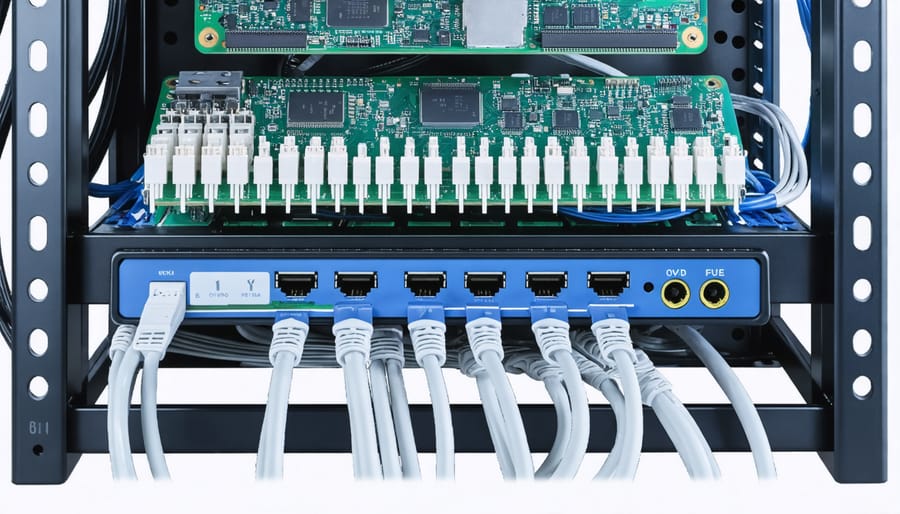
Power Distribution Units (PDUs) offer a professional solution for managing multiple Raspberry Pi devices from a centralized power source. These rack-mounted units typically provide multiple outlets with individual switches, allowing you to control power to each Pi independently while monitoring power consumption across your setup.
Most PDUs designed for Raspberry Pi clusters come with built-in surge protection and overload prevention, making them ideal for protecting your investment. They commonly feature either 5V DC outputs specifically matched to Pi requirements or standard AC outlets that can accommodate multiple USB power supplies.
When selecting a PDU for your Raspberry Pi setup, consider units with remote management capabilities. These smart PDUs allow you to monitor power usage, restart individual Pis remotely, and set up automated power cycling schedules through network interfaces. This functionality is particularly valuable for headless setups or when managing Pi clusters in remote locations.
Installation is straightforward: mount the PDU in your rack or case, connect your Pis using appropriate power cables, and configure any management software if available. For optimal performance, ensure your PDU’s total power capacity exceeds your combined Pi requirements by at least 20% to account for power spikes and future expansion.
Remember to label each outlet clearly and maintain proper cable management to keep your setup organized and easily maintainable. Many PDUs also include logging features, helping you track power-related issues and optimize your cluster’s energy consumption.
USB Power Hubs
USB power hubs designed specifically for Raspberry Pi clusters offer a convenient and efficient solution for powering multiple boards simultaneously. These specialized hubs typically feature high-current USB ports, often delivering up to 2.5A per port, which meets the power requirements of even the more demanding Pi models.
Popular options include the CAMTOA Raspberry Pi Power Hub and the GeekWorm Raspberry Pi Cluster Power Supply, both offering reliable power distribution with built-in overcurrent protection. These hubs commonly feature 4-8 ports, making them ideal for small to medium-sized Pi clusters.
When selecting a USB power hub, look for features like:
– Individual port power switches
– LED indicators for active ports
– Short circuit protection
– Quality power filtering
– UL certification for safety
The main advantage of using dedicated USB power hubs is their compact form factor and simplified cable management. Instead of dealing with multiple power adapters, you only need one wall outlet and a single power supply unit. This not only reduces clutter but also makes your setup more portable.
Remember to verify the power specifications of your chosen hub matches your Pi models’ requirements. Most modern Raspberry Pi boards need 5V/2.5A, so ensure each port can deliver sufficient current. Some premium hubs even offer voltage monitoring and smart power management features for enhanced reliability.
Setting Up a Reliable Power Infrastructure
Wiring and Cable Management
Proper cable management is crucial when powering multiple Raspberry Pis, not just for aesthetics but also for safety and maintenance. Start by labeling each power cable with its corresponding Pi unit using cable markers or labels. This simple step will save you considerable time during troubleshooting or system modifications.
When routing power cables, use cable ties or Velcro straps to bundle them neatly, maintaining at least a small gap between bundles to prevent heat buildup. Consider installing a cable management tray or rack if your setup is permanent. This keeps cables off the ground and reduces the risk of accidental disconnections.
For power distribution, arrange your power strips or USB hubs in a logical pattern that minimizes cable crossing. Keep high-voltage cables separated from data cables to prevent potential interference. If using a custom power distribution board, ensure all connections are properly strain-relieved to prevent damage to the connectors over time.
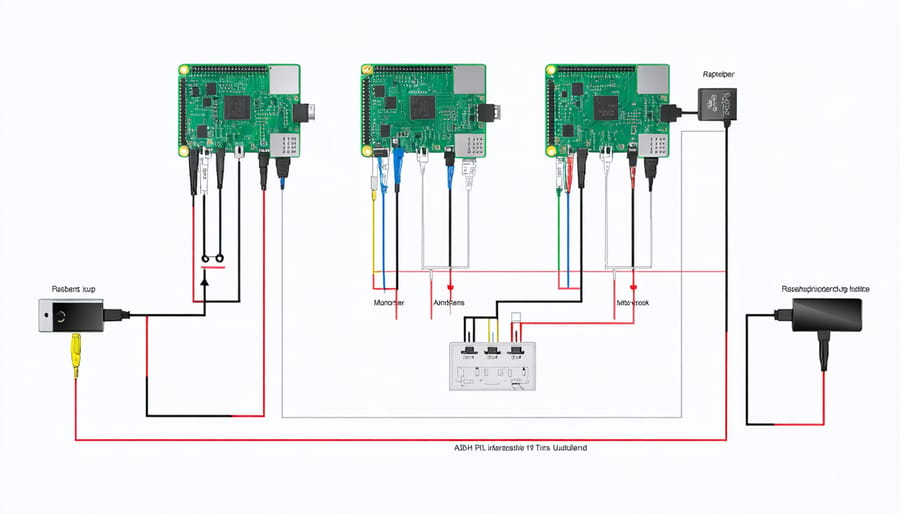
Create a wiring diagram documenting your setup, including which Pi connects to which power port. This documentation is invaluable when expanding or maintaining your system. For larger installations, consider implementing a color-coding system for different power rails or Pi clusters.
Remember to leave some slack in your cables to prevent tension on the connectors, but avoid excessive loose cabling that could become tangled. If possible, route cables along the edges of your mounting surface and use cable channels or conduits for a professional finish.
Regular inspection of cable conditions, especially near connection points, helps identify potential issues before they become problems. Replace any cables showing signs of wear or damage immediately to maintain system reliability.
Monitoring and Protection Systems
Implementing proper monitoring and protection systems is crucial when powering multiple Raspberry Pi devices simultaneously. Setting up a comprehensive power monitoring system helps prevent damage to your devices while ensuring optimal performance.
Start by installing voltage and current monitoring tools like INA219 sensors for each Pi. These affordable components can track power consumption in real-time and alert you to potential issues. Connect them to a master Pi that can log and display power usage metrics through tools like Grafana or Prometheus.
Protection mechanisms should include both hardware and software solutions. Install proper fusing for each device, using fast-blow fuses rated slightly above each Pi’s maximum current draw. Implement surge protectors and voltage regulators to guard against power spikes and fluctuations.
For software protection, configure automatic shutdown scripts that trigger when voltage drops below safe levels or when temperature thresholds are exceeded. Tools like WiringPi and GPIO can help monitor these parameters effectively.
Consider implementing a UPS (Uninterruptible Power Supply) system for critical applications. Modern UPS units often include USB connectivity, allowing your Pis to respond to power events automatically.
Regular monitoring of power consumption patterns helps identify potential issues before they become problems. Keep logs of voltage levels, current draw, and temperature readings. This data can help optimize power distribution and predict potential failures before they occur.
Remember to set up email or SMS notifications for critical events, ensuring you can respond quickly to any power-related issues in your Pi cluster.
Troubleshooting Common Power Issues
When managing multiple Raspberry Pis, power-related issues can be frustrating but are often easy to resolve. Here are common problems and their solutions to keep your Pi cluster running smoothly.
Under-voltage warnings are frequently encountered when powering multiple Pis. If you see a lightning bolt icon on your screen, it indicates insufficient power delivery. Check that your power supply meets the combined amperage requirements of all connected Pis and consider upgrading to a higher-capacity PSU if necessary.
Boot failures or random shutdowns often stem from inadequate power distribution. Ensure your power cables are of sufficient gauge and length – shorter, thicker cables minimize voltage drop. For optimal performance, use cables rated at 20AWG or lower, especially when daisy-chaining multiple units.
Interference between Pis can cause stability issues. Keep power lines separated from data cables and use shielded cables when possible. Installing ferrite beads on power cables can help reduce electromagnetic interference.
Heat-related power problems are common in clustered setups. To reduce power consumption and heat generation, disable unused features like HDMI output and WiFi when not needed. Proper ventilation and cooling solutions are essential for maintaining stable power delivery.
Uneven power distribution across Pis can lead to performance inconsistencies. Use a powered USB hub with individual port protection or dedicated power rails for each Pi. This ensures each unit receives consistent power regardless of the load on other devices.
If you’re experiencing intermittent connectivity issues, check for loose power connections and ensure power strips or distribution boards are properly rated for your setup’s total power draw. Consider implementing a monitoring solution to track voltage levels and identify potential problems before they affect system stability.
Remember to regularly inspect power connections and cables for signs of wear or damage, especially in permanent installations. Preventive maintenance can help avoid unexpected power-related failures in your multi-Pi setup.
Powering multiple Raspberry Pi devices doesn’t have to be complicated when you follow the right approach. By understanding your power requirements, choosing an appropriate power supply solution, and implementing proper safety measures, you can create a reliable setup for your Pi cluster. Whether you opt for a dedicated power supply unit, USB hub solution, or PoE implementation, ensure your choice matches your project’s specific needs and future scalability requirements. Remember to monitor power consumption, maintain proper cooling, and regularly check connections to prevent potential issues. For best results, start with a well-planned power distribution system and invest in quality components that can handle your total power requirements with some headroom for expansion. By following these guidelines, you’ll create a stable and efficient power setup that keeps your Raspberry Pi cluster running smoothly for all your computing needs.