


Transform your Raspberry Pi into a powerful cloud computing node by combining the versatility of this compact computer with modern cloud technologies. From serving as a personal cloud storage solution to functioning as an edge computing device, the Raspberry Pi opens up countless possibilities for cloud-based projects. Recent advancements in containerization and IoT platforms have made it easier than ever to integrate Raspberry Pi devices into cloud infrastructures, enabling remote monitoring, data processing, and automated deployment of applications.
Cloud integration empowers your Raspberry Pi to handle tasks far beyond its physical limitations. Whether you’re building a home automation system, setting up a remote development environment, or creating a distributed sensor network, cloud connectivity provides the scalability and accessibility needed for modern applications. Leading platforms like AWS IoT Core, Google Cloud IoT, and Microsoft Azure IoT Hub now offer specific tools and SDKs optimized for Raspberry Pi deployment, making it possible to leverage enterprise-grade cloud services on this affordable hardware.
The marriage of cloud computing and Raspberry Pi democratizes advanced technology, allowing developers and hobbyists to experiment with sophisticated architectures without significant investment. This accessibility has sparked a revolution in DIY cloud projects, from personal NAS solutions to edge computing nodes in larger IoT networks.

Why Cloud Development for Raspberry Pi Makes Sense
Cost and Resource Efficiency
One of the most compelling reasons to embrace cloud computing with Raspberry Pi is the significant cost savings it offers. By leveraging various cloud integration architectures, users can optimize resource utilization and reduce overall project expenses. Instead of investing in multiple Raspberry Pi units for different tasks, cloud solutions allow you to maximize the capabilities of a single device through efficient resource sharing and allocation.
Cloud-based implementations enable on-demand scaling without the need for additional hardware purchases. When your project requires more processing power or storage, you can temporarily boost resources through cloud services rather than buying new equipment. This flexibility is particularly valuable for educational institutions and hobbyists working with limited budgets.
Moreover, cloud solutions often include built-in monitoring tools that help identify resource bottlenecks and optimization opportunities. This leads to better power management and extended hardware lifespan, further reducing long-term costs. The ability to remotely manage and update multiple Raspberry Pi devices through cloud platforms also cuts down on maintenance time and operational expenses.
Accessibility and Collaboration
Cloud-based Raspberry Pi projects revolutionize the way makers and developers collaborate by breaking down geographical barriers. With your Pi connected to the cloud, you can access your projects, monitor sensors, and control devices from anywhere with an internet connection. This accessibility transforms personal projects into collaborative endeavors, enabling team members across different time zones to work together seamlessly.
Remote access capabilities make it easy to share code, troubleshoot issues, and manage updates without being physically present at the device. Teams can utilize version control systems, collaborative development environments, and shared dashboards to streamline their workflow. This is particularly valuable for educational settings, where students and instructors can work on projects together, even in remote learning scenarios.
The cloud also enables real-time data sharing and visualization, making it simple to monitor project status and performance metrics. Multiple team members can simultaneously access sensor data, control interfaces, and project documentation, fostering a more efficient and inclusive development environment. Whether you’re working on a home automation system, environmental monitoring station, or educational project, cloud connectivity transforms your Raspberry Pi into a powerful collaborative tool.
Popular Cloud Platforms for Pi Development
GitHub Codespaces
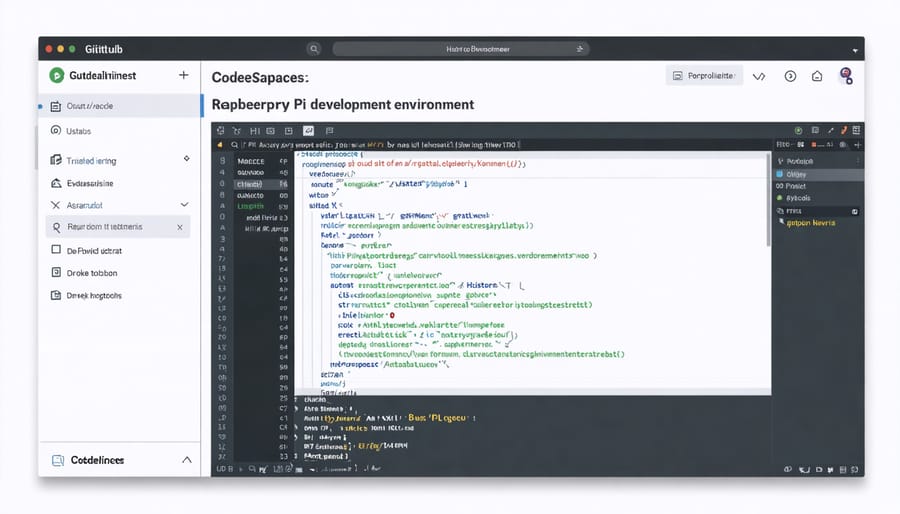
GitHub Codespaces offers a powerful cloud-based development environment that’s perfectly suited for Raspberry Pi projects. This service provides a complete, customizable workspace accessible through any web browser, eliminating the need for local development setup. With Codespaces, you can write, test, and deploy code for your Raspberry Pi directly from the cloud.
The platform comes pre-configured with essential development tools and can be further customized with Visual Studio Code extensions specific to Raspberry Pi development. You can access your project files, terminal, and debugging tools from anywhere, making it ideal for remote development and collaboration.
Setting up a Codespace for Raspberry Pi development is straightforward. Simply create a new repository or open an existing one, click the “Code” button, and select “Open with Codespaces.” The environment supports Python, Node.js, and other popular languages commonly used in Pi projects. You can even configure port forwarding to test web applications and services running on your Pi.
One particularly useful feature is the ability to save and share development configurations, making it easier for teams to maintain consistent development environments across projects.
Raspberry Pi specific Cloud IDEs
Several cloud-based Integrated Development Environments (IDEs) have been specifically designed for Raspberry Pi development, making it easier than ever to code and manage your projects remotely. These specialized platforms offer features tailored to Pi development while maintaining the convenience of cloud accessibility.
Code Server Pi is a popular choice that provides a VS Code-like experience optimized for Raspberry Pi. It includes pre-configured GPIO libraries and Pi-specific extensions, allowing developers to start coding immediately without extensive setup.
Pi-Cloud IDE stands out with its intuitive interface and built-in terminal access, enabling direct communication with your Pi’s hardware components. The platform supports multiple programming languages commonly used in Pi projects, including Python, Node.js, and C++.
For those interested in AWS integration for Pi projects, AWS Cloud9 offers seamless compatibility with Raspberry Pi development. It provides collaborative features and debugging tools specifically optimized for IoT and embedded systems development.
WebIDE-Pi is another noteworthy option, featuring automatic project backups, version control integration, and a robust set of debugging tools. Its lightweight nature makes it particularly suitable for older Pi models or situations with limited bandwidth.
These specialized cloud IDEs typically include:
– Pre-installed Raspberry Pi libraries and dependencies
– Real-time GPIO pin monitoring and control
– Integrated terminal access
– Automatic project synchronization
– Built-in version control
– Collaborative development features
Choose the platform that best matches your project requirements and development style, considering factors like performance needs, collaboration requirements, and specific hardware interactions.
Setting Up Your First Cloud Environment
Initial Configuration
Before diving into cloud configurations, let’s ensure your Raspberry Pi is properly set up for cloud connectivity. Start by downloading the latest version of Raspberry Pi OS and flashing it to your microSD card using the Raspberry Pi Imager tool. Once booted, open the terminal and run ‘sudo apt update’ followed by ‘sudo apt upgrade’ to ensure your system is up to date.
Enable SSH access by either creating an empty file named ‘ssh’ in the boot partition or using the Raspberry Pi Configuration tool. This allows remote access to your Pi, which is essential for cloud operations. Set a strong password for the default ‘pi’ user or create a new user account for enhanced security.
Configure your network connection by either connecting to Wi-Fi through the desktop interface or editing the wpa_supplicant.conf file for headless setup. For static IP assignment, modify the dhcpcd.conf file to ensure consistent network accessibility.
Install essential cloud-related packages using:
“`
sudo apt install python3-pip
sudo pip3 install requests
sudo apt install git
“`
Enable I2C and SPI interfaces if you plan to connect sensors or additional hardware through the GPIO pins. These can be activated through ‘raspi-config’ under the Interfacing Options menu.
Finally, set up your timezone correctly using ‘sudo timedatectl set-timezone’ followed by your region, as accurate time synchronization is crucial for cloud services. Consider enabling automatic updates for security patches and implementing basic firewall rules using ‘ufw’ for enhanced protection.
Remember to reboot your Raspberry Pi after making these changes to ensure all configurations are properly applied.
Security Best Practices
When deploying your Raspberry Pi in the cloud, implementing robust security measures is crucial to protect your device and data. Start by changing the default credentials immediately after setup – this includes both the default ‘pi’ username and password. Create a strong password using a combination of uppercase, lowercase, numbers, and special characters.
Enable SSH key-based authentication instead of password authentication for remote access. This provides an additional layer of security by requiring a private key to establish connections. Remember to disable root SSH login and configure your firewall rules to allow only necessary ports and services.
Regular system updates are essential for maintaining security. Set up automatic security updates or create a schedule for manual updates to ensure your system stays protected against known vulnerabilities. When it comes to cloud-based storage security, encrypt sensitive data both in transit and at rest using industry-standard encryption protocols.
Install and configure a reliable firewall solution like UFW (Uncomplicated Firewall) to control incoming and outgoing traffic. Monitor your system logs regularly for suspicious activities and consider implementing intrusion detection systems like Fail2ban to protect against brute force attacks.
If your Pi is exposed to the internet, use a reverse proxy or VPN for secure remote access. This adds an extra security layer and helps prevent direct exposure of your services to potential threats. Finally, regularly backup your configuration and data, and maintain an access control list to track who has permission to access your cloud-based Pi resources.
Real-World Applications
IoT Development
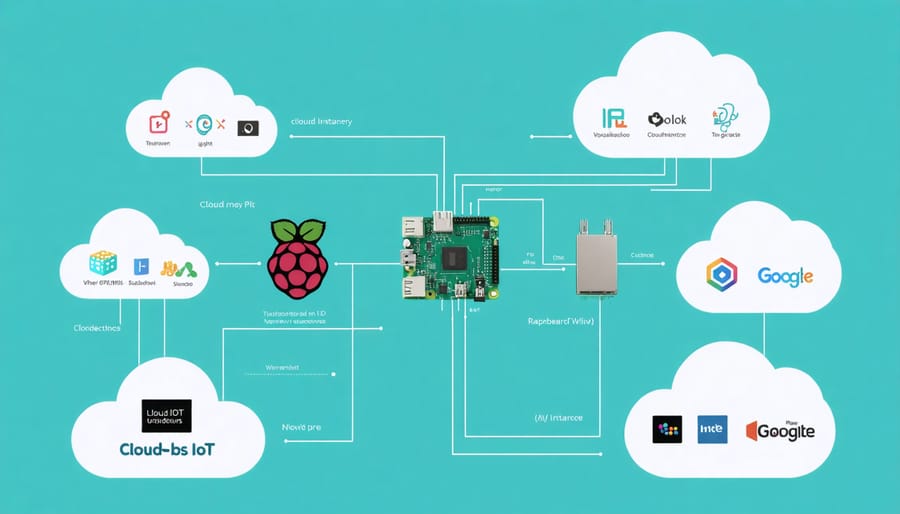
The Raspberry Pi’s versatility shines in IoT development, where cloud integration opens up endless possibilities for innovative projects. From smart home automation to industrial monitoring systems, developers can leverage cloud services to create sophisticated IoT solutions. One popular approach is building cloud-ready Kubernetes clusters for managing distributed IoT devices.
A common starter project involves creating a temperature and humidity monitoring system that uploads data to cloud platforms like AWS IoT Core or Google Cloud IoT. By connecting DHT22 sensors to your Raspberry Pi and implementing MQTT protocol, you can stream real-time environmental data to cloud dashboards for analysis and visualization.
Another exciting application is developing a cloud-connected security camera system. Using the Raspberry Pi Camera Module with motion detection software, you can automatically upload captured images or video streams to cloud storage and receive instant notifications on your mobile device.
For agriculture enthusiasts, creating an automated greenhouse management system is particularly rewarding. By combining soil moisture sensors, automated watering systems, and cloud connectivity, your Raspberry Pi can maintain optimal growing conditions while providing remote monitoring capabilities through web interfaces.
These projects demonstrate how cloud integration enhances the Raspberry Pi’s capabilities, enabling sophisticated IoT solutions that are both practical and scalable.
Educational Projects
Cloud-based Raspberry Pi projects offer exciting opportunities for educational environments, making technology learning more accessible and engaging. Schools and educational institutions can leverage cloud platforms to create virtual labs where students can experiment with Raspberry Pi configurations without physical hardware constraints.
One popular approach is setting up a classroom-wide programming environment where students can write and test Python code remotely on shared Raspberry Pi resources. This setup allows multiple students to work simultaneously while learning basic programming concepts and IoT fundamentals. Teachers can monitor progress in real-time and provide immediate feedback through cloud-based dashboards.
Weather station projects have proven particularly successful in educational settings. Students can collect environmental data using Raspberry Pi sensors, store it in cloud databases, and create visualizations to understand weather patterns. This hands-on experience combines hardware interaction, data analysis, and cloud computing concepts in an engaging way.
Another effective educational application is creating distributed computing projects where multiple Raspberry Pis work together through cloud coordination. Students learn about networking, load balancing, and parallel processing while working on practical problems like image processing or scientific calculations.
For younger students, simple web-based interfaces can be created to control LED displays or basic robotics projects remotely through the cloud, making technology learning more interactive and fun. These projects help develop problem-solving skills while introducing fundamental concepts in cloud computing and IoT architecture.
Cloud-based development for Raspberry Pi represents a significant leap forward in how we approach DIY computing projects. By embracing cloud solutions, you gain the flexibility to work on your projects from anywhere, collaborate with others seamlessly, and leverage powerful development tools without being constrained by local hardware limitations.
The benefits we’ve explored throughout this article – from simplified deployment processes to enhanced backup capabilities and remote management – make cloud-based development an attractive option for both beginners and experienced Pi enthusiasts. The ability to access your development environment from any device, share resources with team members, and maintain consistent project states across multiple machines can significantly streamline your workflow.
Getting started with cloud development for your Raspberry Pi projects doesn’t require extensive technical knowledge. With the various platforms and tools available today, you can begin with basic setups and gradually expand your capabilities as you become more comfortable with the cloud environment.
We encourage you to take the first step into cloud-based Raspberry Pi development. Start small with a simple project, perhaps moving your existing development environment to the cloud, or setting up remote management for your Pi. As you gain confidence, you can explore more advanced features and possibilities that cloud platforms offer.
Remember, the cloud isn’t just about convenience – it’s about expanding the possibilities of what you can achieve with your Raspberry Pi. Whether you’re an educator, hobbyist, or professional developer, cloud integration can help take your projects to the next level.