

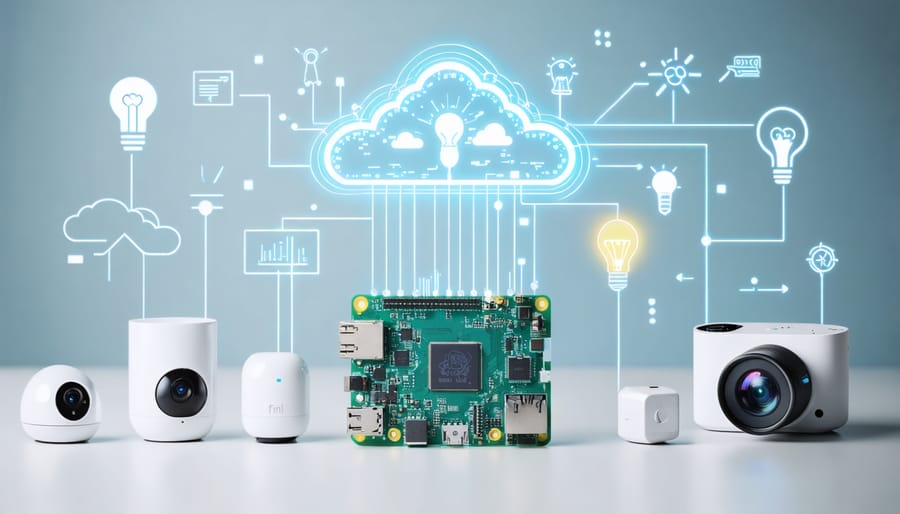
Transform your Raspberry Pi into a powerful IoT hub by leveraging the Windows IoT Core capabilities alongside Linux-based alternatives. This versatile single-board computer serves as an ideal foundation for building sophisticated Internet of Things solutions, combining affordable hardware with robust development possibilities.
The Raspberry Pi’s IoT core functionality extends far beyond simple sensor monitoring, enabling real-time data processing, edge computing, and seamless cloud integration. Whether you’re creating smart home automation systems, industrial monitoring solutions, or educational IoT projects, the Pi’s extensive GPIO pins and networking capabilities provide the perfect starting point for IoT innovation.
Recent advancements in IoT frameworks and operating systems specifically designed for the Raspberry Pi have dramatically simplified the development process, making it accessible to both beginners and experienced developers. With support for multiple programming languages, including Python, Node.js, and C#, developers can quickly prototype and deploy IoT applications while maintaining enterprise-grade security standards.
By combining the Pi’s processing power with modern IoT platforms, creators can build scalable, cost-effective solutions that rival commercial alternatives at a fraction of the cost. This convergence of affordable hardware and powerful software capabilities has established the Raspberry Pi as a cornerstone of the IoT revolution.
What Makes Raspberry Pi IoT Core Special
Core Architecture Benefits
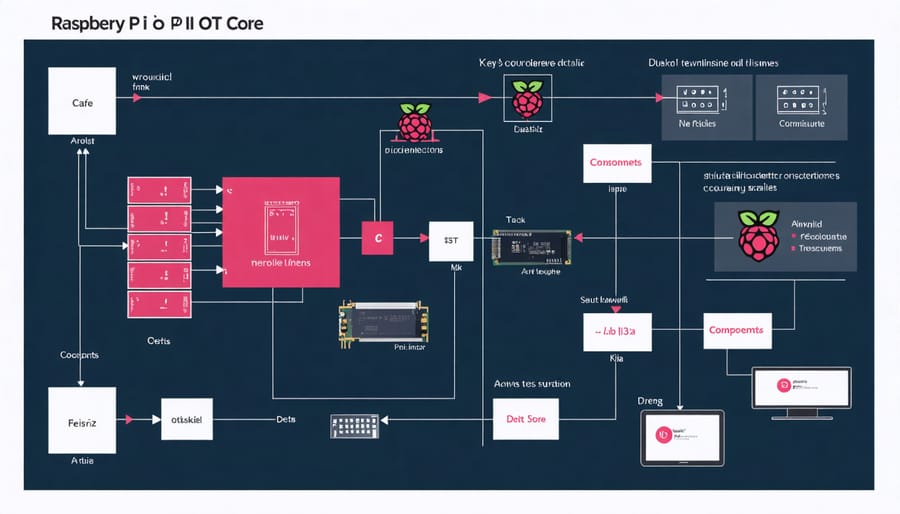
The Raspberry Pi IoT Core architecture offers a robust foundation for building scalable and efficient Internet of Things solutions. At its heart, the architecture leverages the Pi’s versatile hardware capabilities while implementing a lightweight, modular software stack optimized for IoT applications. This design enables seamless integration of sensors, actuators, and network interfaces while maintaining efficient resource utilization.
One of the primary benefits is the architecture’s enhanced edge computing capabilities, allowing for local data processing and reduced latency in IoT applications. The modular nature of the architecture supports easy customization and expansion, making it ideal for both simple hobby projects and complex industrial implementations.
The architecture also incorporates built-in security features, including encrypted communication protocols and secure boot options, ensuring your IoT devices remain protected against potential threats. Its support for multiple connectivity options, from Wi-Fi and Bluetooth to LoRaWAN, provides flexibility in deployment scenarios while maintaining consistent performance and reliability.
Additionally, the architecture’s lightweight design ensures optimal power consumption, making it suitable for battery-powered and remote IoT installations where energy efficiency is crucial.
Security Features
The Raspberry Pi IoT Core incorporates several robust security features to protect your IoT devices and data. At its foundation, the system uses encrypted communications through SSL/TLS protocols, ensuring secure data transmission between devices and cloud services. User authentication is handled through a combination of traditional username/password systems and optional two-factor authentication.
Device security is enhanced through secure boot mechanisms and regular security updates, which help protect against unauthorized access and potential vulnerabilities. The platform also supports role-based access control (RBAC), allowing administrators to define specific permissions for different users and applications.
For data protection, the IoT Core implements end-to-end encryption for sensitive information, both in transit and at rest. The system also includes built-in firewall capabilities and port security, helping to prevent unauthorized network access.
Additionally, the platform supports hardware security modules (HSM) for storing cryptographic keys and performing secure operations. Developers can also implement custom security policies and integrate third-party security solutions to meet specific project requirements.
Setting Up IoT Core on Your Raspberry Pi
Hardware Requirements
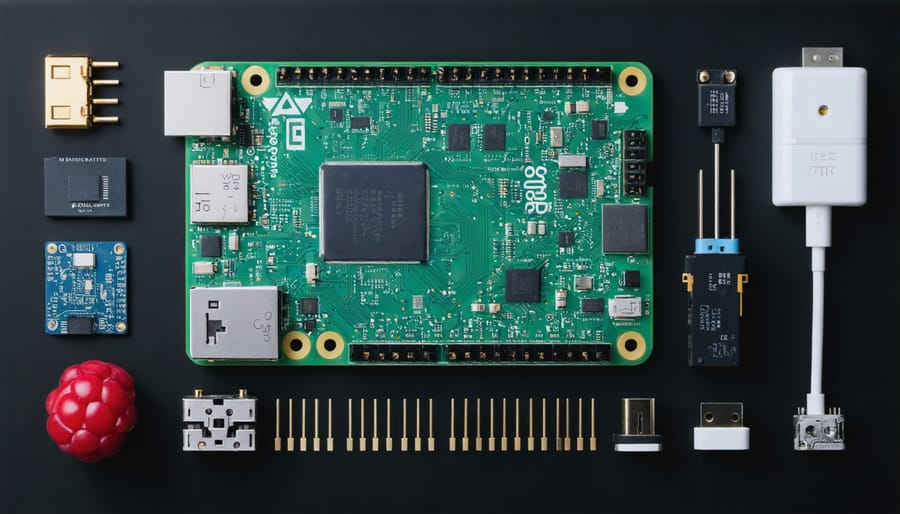
To build a Raspberry Pi IoT Core system, you’ll need several essential components. The foundation is a Raspberry Pi board, with the Raspberry Pi 4 Model B (2GB or 4GB RAM) being the recommended choice for optimal performance. A reliable power supply rated at 5V/3A with USB-C connection is crucial for stable operation.
For storage, you’ll need a microSD card (minimum 16GB, Class 10) to install the operating system and store your IoT applications. A case with proper ventilation is recommended to protect your Pi and maintain appropriate operating temperatures.
For networking, while the Pi 4 includes built-in Wi-Fi and Bluetooth, you might need an Ethernet cable for more stable connections in production environments. Additional components depend on your specific IoT project but commonly include:
– Sensors (temperature, humidity, motion)
– Actuators or relays
– Jumper wires
– Breadboard for prototyping
– GPIO headers
– USB keyboard and mouse (for initial setup)
– HDMI cable and display (for configuration)
Optional but recommended items include a cooling fan or heatsinks for temperature management, especially in enclosed spaces or continuous operation scenarios.
Installation Steps
To get started with Raspberry Pi IoT Core, follow these step-by-step installation instructions:
1. Begin by downloading the latest version of Raspberry Pi OS Lite from the official Raspberry Pi website. This lightweight version is ideal for IoT applications.
2. Flash the OS image to your microSD card using Raspberry Pi Imager or Balena Etcher. Before ejecting, create an empty file named ‘ssh’ in the boot partition to enable SSH access.
3. Insert the microSD card into your Raspberry Pi and connect it to power and ethernet. Wait approximately 90 seconds for the initial boot process.
4. Connect to your Raspberry Pi via SSH using the default credentials (username: pi, password: raspberry). It’s crucial to change these credentials immediately for security.
5. Update your system by running:
sudo apt update
sudo apt upgrade
6. Install the IoT Core dependencies:
sudo apt install python3-pip
sudo pip3 install azure-iot-device
Common troubleshooting tips:
– If SSH connection fails, verify your Pi’s IP address using your router’s admin panel
– For Wi-Fi connectivity issues, ensure your country code is correctly set in raspi-config
– If facing permission errors during installation, verify you’re using sudo when required
– For slow performance, check your Pi’s temperature and consider adding heat sinks
After completing these steps, your Raspberry Pi will be ready for IoT development. Remember to regularly update your system and maintain proper cooling for optimal performance. For enhanced security, consider enabling UFW firewall and disabling unnecessary services.
The installation process typically takes 15-20 minutes, depending on your internet connection speed and familiarity with Linux commands.
Real-World Applications
Smart Home Integration
The Raspberry Pi IoT Core excels in smart home automation, offering endless possibilities for creating a connected living space. Through smart device implementation, you can transform your home into an intelligent ecosystem that responds to your needs.
One popular project involves creating a smart lighting system using IoT Core. By connecting LED strips or smart bulbs to your Raspberry Pi, you can control lighting through voice commands, smartphone apps, or automated schedules. The system can even respond to ambient light levels or motion detection for enhanced energy efficiency.
Temperature and humidity monitoring represents another practical application. Using DHT22 or BME280 sensors connected to your Raspberry Pi, you can build a climate control system that automatically adjusts your HVAC equipment based on real-time readings. This setup can be expanded to include smart thermostats and ventilation controls.
Security automation is particularly compelling, with possibilities including smart doorbell cameras, motion-activated surveillance, and automated door locks. The Raspberry Pi can process video feeds in real-time and send notifications to your mobile device when activity is detected.
For garden enthusiasts, automated irrigation systems can be created using soil moisture sensors and water pumps controlled by the Raspberry Pi. The system can water plants based on soil conditions and weather forecasts, ensuring optimal growing conditions while conserving water.
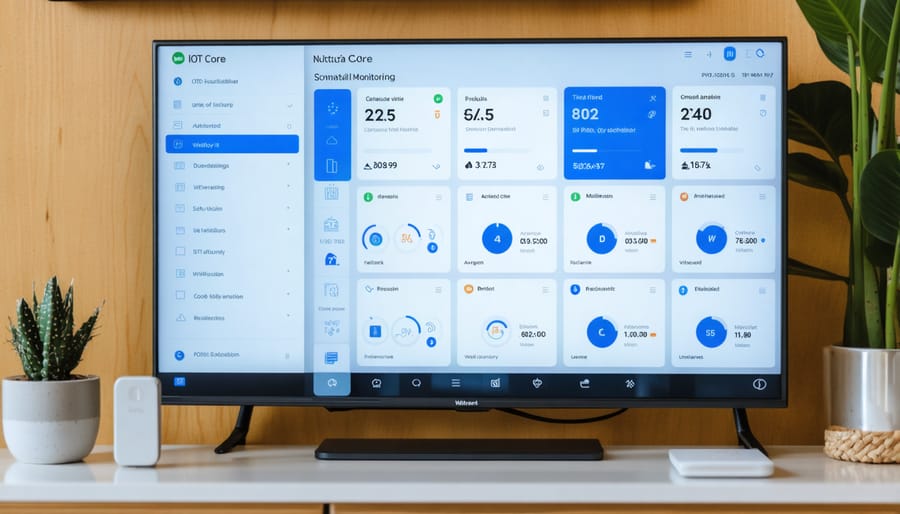
These projects can be integrated into a unified home automation hub, with the Raspberry Pi IoT Core serving as the central controller. Using protocols like MQTT or REST APIs, you can create custom dashboards to monitor and control all your smart home devices from a single interface.
Industrial IoT Solutions
The Raspberry Pi IoT Core has proven itself as a robust foundation for industrial IoT applications, offering a cost-effective way to implement smart manufacturing solutions and automated monitoring systems. Companies worldwide are leveraging these compact devices to transform their operations through data collection, process automation, and remote monitoring capabilities.
For industrial applications, Raspberry Pi devices can be configured to handle multiple sensors and actuators simultaneously, making them ideal for production line monitoring and quality control systems. Many businesses use clusters of Raspberry Pis to create scalable IoT networks that can monitor everything from temperature and humidity to machine vibrations and power consumption.
The scalability options are particularly impressive, with organizations able to start small and expand their IoT infrastructure as needed. Cloud integration platforms like AWS IoT Core and Azure IoT Hub provide enterprise-level support for managing large fleets of Raspberry Pi devices, enabling secure data transmission and centralized device management.
Several success stories demonstrate the industrial potential of Raspberry Pi IoT solutions. Manufacturing plants have implemented predictive maintenance systems using Raspberry Pis to monitor equipment health and prevent costly downtime. Agricultural businesses have deployed networks of Raspberry Pis for automated greenhouse management and crop monitoring.
To ensure reliability in industrial settings, companies often implement redundancy measures and robust power management solutions. Industrial-grade cases and cooling systems are available to protect Raspberry Pis in harsh environments, while watchdog systems help maintain continuous operation.
The low initial investment and high customization potential make Raspberry Pi IoT solutions an attractive option for businesses looking to modernize their operations without significant upfront costs. With proper implementation and maintenance, these systems can deliver enterprise-grade performance while maintaining the flexibility and accessibility that Raspberry Pi is known for.
Performance Optimization Tips
Resource Management
Managing resources effectively is crucial when running IoT applications on a Raspberry Pi. To optimize edge performance, start by monitoring CPU usage, memory consumption, and storage utilization using built-in tools like top, htop, or custom monitoring scripts.
Implement proper memory management by regularly clearing cache and closing unused processes. Consider using lightweight services and optimizing your code to reduce resource overhead. For IoT applications requiring continuous operation, set up automatic cleanup routines to prevent log files and temporary data from consuming valuable storage space.
Temperature management is equally important – ensure proper ventilation and consider adding a cooling solution if your IoT application demands intensive processing. Monitor the Pi’s temperature using vcgencmd measure_temp and implement throttling mechanisms when necessary.
For power management, disable unnecessary hardware features through raspi-config and implement sleep modes during idle periods. If running on battery power, use power-efficient coding practices and consider using external power management modules.
Network resource optimization is vital for IoT applications. Implement data compression before transmission, use efficient protocols like MQTT, and consider local data processing to reduce bandwidth usage. Schedule network-intensive tasks during off-peak hours to maintain consistent performance across your IoT deployment.
Network Optimization
Optimizing your Raspberry Pi’s network performance is crucial for reliable IoT operations. Start by enabling hardware-based WiFi power management with the command ‘iwconfig wlan0 power off’, which can significantly reduce latency in wireless communications. For better stability, consider using a static IP address instead of DHCP, which you can configure in the /etc/dhcpcd.conf file.
To minimize network congestion, implement data buffering and compression techniques in your IoT applications. Use lightweight protocols like MQTT instead of HTTP when possible, as they create less network overhead. For time-sensitive applications, prioritize UDP over TCP where guaranteed delivery isn’t critical.
Consider using a dedicated WiFi adapter with an external antenna for improved signal strength, especially in areas with weak coverage. Position your Raspberry Pi away from metal objects and other electronic devices that might cause interference.
Monitor your network performance using tools like iperf3 or speedtest-cli to identify bottlenecks. Enable QoS (Quality of Service) on your router to prioritize IoT traffic when necessary. For critical applications, maintain a fallback connection using ethernet or a cellular module.
Remember to regularly update your network drivers and firmware to benefit from performance improvements and security patches. If operating multiple IoT devices, implement load balancing and consider using a mesh network topology to distribute network traffic efficiently.
The Raspberry Pi IoT Core opens up a world of possibilities for innovators, makers, and tech enthusiasts. By combining the accessibility and affordability of the Raspberry Pi with robust IoT capabilities, you can create sophisticated connected devices that solve real-world problems. Whether you’re monitoring environmental conditions, automating home systems, or developing industrial sensors, the platform provides the flexibility and power needed for diverse applications.
The key advantages of using Raspberry Pi for IoT projects are clear: cost-effectiveness, extensive community support, rich documentation, and seamless integration with various sensors and peripherals. The ability to run full operating systems while maintaining low power consumption makes it an ideal choice for both prototyping and production environments.
As you embark on your IoT journey with Raspberry Pi, remember that the learning curve might seem steep at first, but the rewards are worth the effort. Start with simple projects and gradually build up to more complex implementations. Take advantage of the vast array of available resources, from online tutorials to community forums, and don’t hesitate to experiment with different approaches.
The future of IoT is bright, and Raspberry Pi continues to be at the forefront of this technological revolution. Whether you’re a hobbyist, educator, or professional developer, now is the perfect time to start building your first IoT project. The skills you develop will be invaluable in our increasingly connected world.