

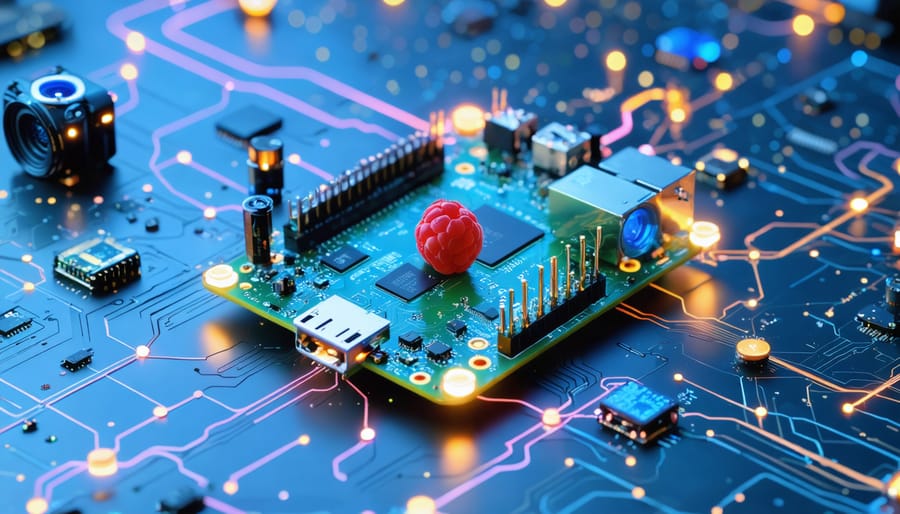
Transform your Raspberry Pi into an intelligent navigation system by mastering AI-powered path planning, real-time obstacle avoidance, and advanced sensor integration. Modern automation with Raspberry Pi has revolutionized autonomous navigation, making it accessible to hobbyists and developers alike. Implementing AI navigation combines machine learning algorithms for path optimization, computer vision for environmental awareness, and sensor fusion for precise positioning – all achievable using readily available hardware and open-source frameworks.
The convergence of affordable computing power and sophisticated AI libraries has democratized autonomous navigation systems, enabling makers to build everything from simple line-following robots to complex delivery drones. Whether you’re developing an indoor mapping robot or crafting an autonomous vehicle prototype, understanding the fundamental principles of AI navigation unlocks endless possibilities for creating intelligent, self-guided systems that can adapt to dynamic environments and make real-time decisions.
This guide breaks down the essential components, algorithms, and implementation strategies needed to build robust AI navigation solutions on the Raspberry Pi platform, with practical examples and code snippets to accelerate your development journey.
Understanding AI Navigation Fundamentals
Sensor Integration and Data Processing
The Raspberry Pi’s versatility shines in navigation systems through its ability to integrate multiple sensors for accurate positioning and environmental awareness. Common sensors include ultrasonic sensors for distance measurement, IMU (Inertial Measurement Unit) for motion tracking, and GPS modules for global positioning. These sensors connect to the Pi through GPIO pins or I2C interfaces, creating a comprehensive sensory network.
Data processing begins with sensor fusion, where the Pi combines inputs from multiple sensors to create a more accurate picture of its environment. For example, when an ultrasonic sensor detects an obstacle, the IMU data helps determine the system’s orientation, while GPS provides absolute position coordinates. The Pi processes this raw data using Python libraries like NumPy for numerical computations and filtering algorithms to reduce noise and improve accuracy.
Real-time processing is crucial for navigation, and the Raspberry Pi handles this through efficient multithreading and interrupt-based sensor reading. Modern AI navigation systems often implement Kalman filters to predict movement and correct sensor errors, ensuring smooth and reliable navigation even when individual sensors provide imperfect data.

Machine Learning Models for Navigation
Several machine learning models have proven particularly effective for navigation tasks in Raspberry Pi projects. Convolutional Neural Networks (CNNs) excel at processing visual data, making them ideal for obstacle detection and path recognition through camera feeds. These networks can analyze environmental features and identify navigable paths in real-time.
Reinforcement Learning (RL) algorithms, particularly Deep Q-Networks (DQN), enable autonomous systems to learn optimal navigation strategies through trial and error. These models work by rewarding successful navigation decisions and penalizing collisions or inefficient routes, gradually improving their performance over time.
For simpler navigation tasks, Decision Trees and Random Forests offer good results with lower computational requirements. These models work well for basic obstacle avoidance and path planning, especially when processing sensor data from ultrasonic or infrared sensors.
LSTM (Long Short-Term Memory) networks are particularly useful for predicting movement patterns and planning sequential navigation steps. They can remember previous states and decisions, making them excellent for complex navigation scenarios where context matters.
When choosing a model, consider your Raspberry Pi’s processing capabilities and the complexity of your navigation task. Starting with simpler models and gradually scaling up often yields the best results.
Setting Up AI Navigation on Raspberry Pi
Hardware Requirements and Setup
To build an AI navigation system using a Raspberry Pi, you’ll need several key components. Start with a Raspberry Pi 4 Model B (8GB RAM recommended) as your primary processing unit. For vision capabilities, include a Raspberry Pi Camera Module V2 or better, which provides essential visual input for navigation tasks.
Essential sensors include an ultrasonic distance sensor (HC-SR04) for obstacle detection, a 9-axis IMU (MPU-9250) for orientation and movement tracking, and wheel encoders if you’re building a mobile platform. These components are crucial for applications ranging from simple robotics to complex industrial automation applications.
For power management, use a 5V/3A power supply for the Raspberry Pi and a separate battery pack (such as a 12V LiPo) for motors if building a mobile robot. You’ll also need a motor driver board (L298N recommended) to control DC motors effectively.
Assembly requires basic soldering skills and tools. Mount the camera module to the designated port on the Raspberry Pi. Connect the sensors to the GPIO pins following standard pinout diagrams, ensuring proper voltage levels through level shifters where necessary. Secure all components in a suitable case or chassis, maintaining proper ventilation for the Raspberry Pi.
Remember to double-check all connections before powering up the system to avoid potential damage to components.
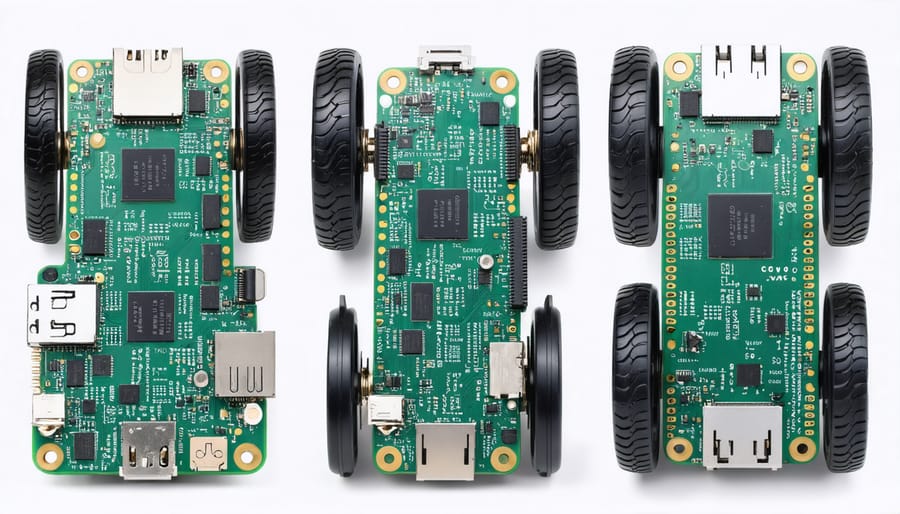
Software Installation and Configuration
Before diving into AI navigation implementation, you’ll need to set up several essential software packages on your Raspberry Pi. Start by ensuring your Raspberry Pi OS is up to date by running ‘sudo apt update’ and ‘sudo apt upgrade’ in the terminal.
Install Python 3 and pip if they aren’t already on your system:
“`
sudo apt install python3 python3-pip
“`
Next, install the key libraries for AI navigation:
“`
pip3 install numpy opencv-python tensorflow keras
“`
For real-time navigation capabilities, you’ll also need ROS (Robot Operating System). Add the ROS repository and install the base package:
“`
sudo sh -c ‘echo “deb http://packages.ros.org/ros/ubuntu $(lsb_release -sc) main” > /etc/ros/sources.list’
sudo apt install ros-noetic-desktop-full
“`
Configure your environment variables by adding this line to your ~/.bashrc file:
“`
source /opt/ros/noetic/setup.bash
“`
Finally, install additional navigation-specific packages:
“`
sudo apt install ros-noetic-navigation
pip3 install pyserial gps
“`
Remember to reboot your Raspberry Pi after completing these installations. Test each component by importing the libraries in Python to ensure everything is working correctly before proceeding with your navigation project.
Training Your Navigation Model
Training your AI navigation model requires a systematic approach combining data collection, preprocessing, and iterative refinement. Start by gathering diverse training data that represents various scenarios your robot might encounter. This should include different lighting conditions, obstacle types, and environmental layouts.
Begin with supervised learning by creating a labeled dataset of navigation scenarios. Use your Raspberry Pi camera to capture images of clear paths and obstacles, ensuring you collect at least 1000 samples for initial training. Organize these into categories like “clear path,” “obstacle ahead,” and “turning required.”
When preprocessing your data, normalize the images and apply augmentation techniques such as rotation, flipping, and brightness adjustment to improve model robustness. This helps your navigation system perform well under different real-world conditions.
Choose an appropriate neural network architecture – a convolutional neural network (CNN) works well for most navigation tasks. Start with a simple model and gradually increase complexity as needed. Monitor your training metrics carefully, watching for overfitting signs.
During training, use cross-validation to ensure your model generalizes well. Start with a learning rate of 0.001 and implement learning rate decay. Train in small batches of 32-64 images to maintain stable learning progression.
Test your model frequently in controlled environments before deploying it in real-world scenarios. Fine-tune parameters based on performance metrics and gradually introduce more challenging navigation tasks as the model improves.
Real-World Applications and Use Cases
Autonomous Robots and Vehicles
The world of autonomous robots and vehicles has been transformed by AI navigation capabilities, particularly in projects powered by Raspberry Pi. From self-navigating delivery robots to intelligent lawn mowers, these systems demonstrate the practical applications of AI pathfinding and obstacle avoidance. Hobbyists and makers are creating impressive projects like line-following robots that use computer vision to navigate predefined paths, and autonomous drones that map their environment in real-time using sensor fusion.
One popular project among enthusiasts is the self-driving robot car, which combines ultrasonic sensors, cameras, and machine learning algorithms to navigate indoor spaces safely. These projects often serve as stepping stones toward more complex manufacturing automation systems and industrial applications.
Educational institutions are also embracing these technologies, using small autonomous robots to teach students about AI, navigation algorithms, and sensor integration. Projects like the PiBot, a fully autonomous robot platform, allow students to experiment with different navigation strategies while learning fundamental concepts in robotics and artificial intelligence.
The maker community continues to push boundaries with innovative applications, from automated warehouse robots to agricultural monitoring vehicles. These projects typically combine ROS (Robot Operating System) with custom Python scripts running on Raspberry Pi, making advanced robotics accessible to hobbyists and small-scale innovators.
Indoor Navigation Systems
Indoor navigation systems represent a fascinating intersection of AI and spatial awareness technology, particularly useful in complex environments like shopping malls, airports, and large office buildings. These systems typically combine multiple technologies to achieve accurate positioning and pathfinding capabilities.
The core components usually include Wi-Fi triangulation, Bluetooth beacons, and inertial measurement units (IMUs). Modern implementations often integrate machine learning algorithms to improve accuracy and adapt to changing indoor environments. For instance, a typical setup might use strategically placed Bluetooth beacons that communicate with mobile devices, while AI algorithms process the signal strength data to determine precise locations.
What makes indoor navigation particularly challenging is the need to account for obstacles, room layouts, and dynamic changes in the environment. AI systems address this by maintaining digital maps and using computer vision to recognize landmarks and update pathfinding algorithms in real-time. Some advanced systems even incorporate crowd behavior analysis to optimize routing during peak hours.
For DIY enthusiasts, implementing a basic indoor navigation system can start with a Raspberry Pi equipped with proximity sensors and a camera module. The Pi can run lightweight machine learning models to process sensor data and make navigation decisions. Popular frameworks like TensorFlow Lite make it possible to implement object detection and path planning algorithms without requiring extensive computational resources.
As this technology continues to evolve, we’re seeing increasing integration with augmented reality (AR) for more intuitive navigation experiences, making indoor wayfinding more accessible and user-friendly than ever before.

Troubleshooting and Optimization
Performance Optimization Tips
To maximize the performance of your AI navigation system, start by optimizing your sensor data processing. Implement data filtering techniques to reduce noise and improve accuracy, such as Kalman filters for sensor fusion or moving average filters for smoother readings. These methods are particularly valuable in industrial Raspberry Pi solutions where precision is crucial.
Consider using multi-threading to handle sensor inputs and navigation algorithms separately. This approach prevents processing bottlenecks and ensures smoother operation. Memory management is equally important – implement efficient data structures and clear unused variables regularly to maintain optimal system performance.
Reduce computational load by implementing adaptive sampling rates. For example, increase sensor sampling frequency only when detecting significant changes in the environment or during critical navigation phases. During steady-state operation, lower sampling rates can conserve resources without compromising safety.
Fine-tune your path planning algorithms by implementing local path optimization. Consider using techniques like dynamic window approach (DWA) or timed elastic bands (TEB) for smoother trajectory generation. These methods help balance computational efficiency with path quality.
Finally, maintain a regular calibration schedule for your sensors and actuators. Environmental factors can affect sensor accuracy over time, so periodic recalibration ensures consistent performance. Document your optimization efforts and track performance metrics to identify areas for future improvement.
Common Issues and Solutions
When implementing AI navigation systems, several common challenges can arise, but most have straightforward solutions. One frequent issue is sensor data inconsistency, which can cause erratic navigation behavior. This can be resolved by implementing proper sensor calibration routines and using data filtering techniques to smooth out readings.
Path planning failures often occur when the AI encounters unexpected obstacles or dynamic environments. Implementing redundant path-planning algorithms and maintaining an updated environmental map can help overcome these challenges. Additionally, incorporating obstacle avoidance protocols with adjustable sensitivity levels can prevent collision-related issues.
Processing delays can significantly impact navigation performance, especially on resource-constrained systems. Optimizing code efficiency, implementing multi-threading where appropriate, and prioritizing critical navigation tasks can help maintain responsive performance.
Battery management is another crucial concern, as power-hungry sensors and processors can quickly drain resources. Implementing power-saving modes and smart sensor polling intervals can extend operational time without compromising navigation accuracy.
Memory leaks and system crashes can occur during extended operation periods. Regular system health monitoring, implementing proper error handling, and maintaining cleanup routines can prevent these issues. For critical applications, implementing a failsafe mode that allows the system to safely return to a known position can prevent potential damage or loss.
By anticipating these common issues and implementing appropriate solutions early in the development process, you can create more reliable and robust AI navigation systems.
AI navigation with Raspberry Pi represents an exciting frontier in DIY robotics and autonomous systems. Throughout this guide, we’ve explored the fundamental concepts, hardware requirements, and practical implementation steps needed to create your own AI-powered navigation solutions. From basic sensor integration to advanced machine learning algorithms, the possibilities are virtually limitless when combining Raspberry Pi’s versatility with modern AI capabilities.
As technology continues to evolve, we can expect to see even more sophisticated navigation solutions emerging from the maker community. Future developments may include improved object recognition, more efficient path-planning algorithms, and enhanced integration with cloud-based AI services. Whether you’re building a simple line-following robot or developing a complex autonomous drone, the foundation laid in this guide will help you navigate the exciting world of AI-powered automation.
Remember to start small, test thoroughly, and gradually build upon your successes. The journey into AI navigation is as rewarding as the destination itself.