


Transform your Raspberry Pi into a robust edge data management hub by implementing efficient data collection protocols, real-time processing algorithms, and strategic storage solutions. Start with edge computing implementation basics: configure local databases for temporary storage, establish data filtering mechanisms to reduce transmission overhead, and optimize sensor sampling rates based on application requirements.
Edge data management revolutionizes how IoT devices handle information at the network periphery. By processing data closer to its source, your Raspberry Pi projects can achieve faster response times, reduced bandwidth consumption, and enhanced privacy compliance. Modern edge computing architectures leverage distributed processing capabilities, enabling smart decisions without constant cloud connectivity.
Deploy intelligent caching mechanisms, implement fault-tolerant data synchronization, and utilize compressed storage formats to maximize your Pi’s limited resources. These strategies ensure reliable data handling even in bandwidth-constrained or intermittently connected environments, making your edge computing projects more resilient and efficient.
Why Edge Data Management Matters for Your Pi
The Real Cost of Poor Edge Data Management
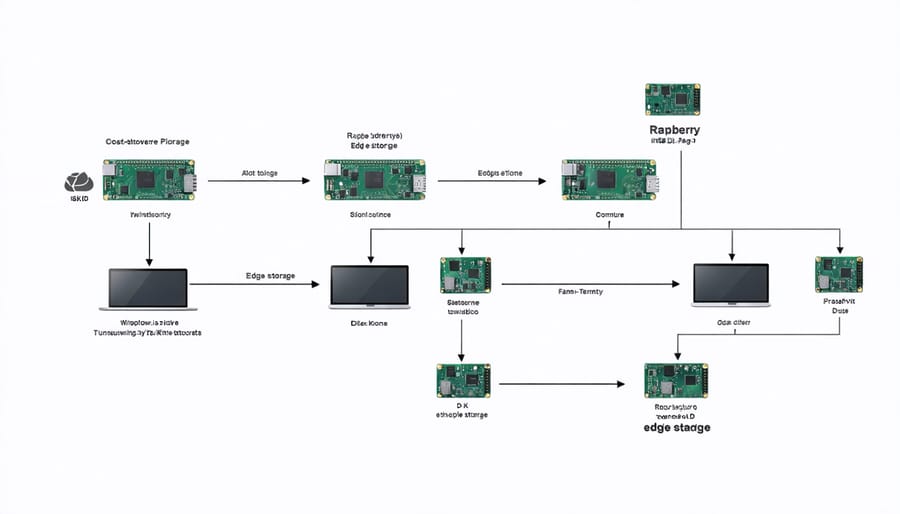
Poor edge data management on Raspberry Pi projects can lead to significant performance bottlenecks and resource drain. When data isn’t properly handled at the edge, your Pi might struggle with unnecessary storage usage, increased CPU load, and slower response times. For instance, collecting sensor data without proper filtering can quickly fill up your SD card and strain system resources.
Consider a weather monitoring station that collects temperature readings every second. Without proper data management, you’re storing 86,400 readings daily – most of which might be redundant. This not only wastes storage space but also makes data retrieval and analysis slower and more resource-intensive.
The impact extends beyond storage concerns. Inefficient data handling can lead to increased power consumption, which is crucial for battery-powered projects. Network bandwidth can also become a bottleneck when raw data is transmitted without local processing or compression. This becomes particularly problematic in remote installations where network connectivity is limited or expensive.
Additionally, poor data management practices can compromise data integrity and make system maintenance more challenging, potentially leading to project failures or unreliable results.
Local vs. Cloud Storage Trade-offs
When designing edge data management solutions, choosing between local and cloud storage requires careful consideration of several factors. While storage options for Raspberry Pi have evolved significantly, each approach has distinct advantages and trade-offs.
Local storage offers immediate data access, lower latency, and independence from internet connectivity. It’s ideal for sensitive data that requires strict privacy controls and applications that need real-time processing. However, local storage is limited by physical capacity and lacks built-in redundancy, making it vulnerable to hardware failures.
Cloud storage, conversely, provides virtually unlimited capacity, automatic backups, and easy data sharing capabilities. It enables remote access and simplified collaboration but introduces dependency on internet connectivity and potential bandwidth limitations. Monthly costs can also accumulate as data volumes grow.
A hybrid approach often works best for edge devices, combining local storage for immediate processing and temporary data with cloud backup for long-term storage and data analysis. This strategy maximizes the benefits of both options while minimizing their respective drawbacks.
Smart Storage Solutions for Edge Data
Efficient Data Caching Techniques
Efficient data caching on your Raspberry Pi can significantly boost performance while helping to optimize storage efficiency. Let’s explore some practical caching techniques that work well for edge computing scenarios.
First, implement a multi-level caching strategy. Store frequently accessed data in RAM using tools like Redis or Memcached, which provide lightning-fast access times. For less frequent but still important data, utilize the Pi’s local storage with a well-structured file-based cache.
Consider implementing these proven caching patterns:
– Time-based expiration for dynamic data
– LRU (Least Recently Used) cache for limited memory scenarios
– Write-through caching for critical data
– Cache warming for predictable data access patterns
When configuring your cache, start small with about 15-20% of your available RAM. Monitor your application’s performance and adjust accordingly. Remember to implement cache invalidation triggers to maintain data consistency, especially for distributed edge systems.
For optimal results, categorize your data based on access patterns:
– Hot data: Frequently accessed (keep in RAM)
– Warm data: Occasionally needed (local storage)
– Cold data: Rarely accessed (cloud storage)
This tiered approach ensures efficient resource utilization while maintaining responsive edge operations.
Data Compression Methods That Work
When working with Raspberry Pi devices, choosing the right compression method is crucial for optimizing storage and transmission efficiency. Lossless compression techniques like LZ4 and Snappy are particularly well-suited for edge devices, offering excellent compression speeds with minimal CPU overhead. These algorithms prioritize decompression speed, which is essential for quick data access on resource-constrained devices.
For text-based data such as logs and sensor readings, dictionary-based compression methods like DEFLATE work exceptionally well. They can achieve compression ratios of up to 70% while maintaining reasonable processing demands. If you’re dealing with time-series data, specialized algorithms like Gorilla compression can reduce storage requirements by up to 90% by efficiently encoding timestamps and repeated values.
When handling binary data or images, consider using zstd (Zstandard) compression, which offers an excellent balance between compression ratio and speed. For projects where every byte counts, combining techniques like delta encoding with general-purpose compression can yield impressive results. For example, storing only the changes between subsequent sensor readings before compression can significantly reduce data size.
Remember to benchmark different compression methods with your specific data types, as performance can vary significantly based on data patterns and content. Start with fast, lightweight algorithms and only move to more complex solutions if the compression gains justify the additional processing overhead.

Smart Data Filtering at the Edge
Smart data filtering at the edge is crucial for managing the limited storage and processing capabilities of Raspberry Pi devices. By implementing intelligent filtering mechanisms, you can significantly reduce data storage requirements while ensuring that only relevant information is processed and stored.
One effective approach is implementing threshold-based filtering, where your Pi only stores data points that exceed predetermined values. For example, in a temperature monitoring system, you might only record readings that deviate more than 2°C from the baseline, reducing unnecessary data storage while capturing significant events.
Another powerful technique is time-based decimation, where you adjust the sampling rate based on activity levels. During periods of low activity, your Pi can reduce its sampling frequency, while automatically increasing it when detecting important changes or events. This adaptive approach ensures efficient resource usage without compromising data quality.
Pattern recognition filters can also be implemented using simple Python scripts. These filters can identify and store only meaningful data patterns while discarding noise or redundant information. For instance, in a motion detection system, you can configure your Pi to store video fragments only when actual movement is detected, rather than continuous recording.
Remember to regularly test and adjust your filtering parameters to maintain the right balance between data reduction and information preservation. Start with conservative filters and gradually optimize them based on your specific use case and storage constraints.
Practical Implementation Steps
Setting Up Your Storage Architecture
Setting up your edge storage architecture requires careful planning and a systematic approach. Start by assessing your data requirements, including expected volume, frequency of collection, and retention needs. For Raspberry Pi deployments, consider using a combination of local and networked storage solutions to balance performance and reliability.
Begin with a primary storage device – typically the Pi’s SD card or an attached SSD for improved speed and durability. Create separate partitions for your operating system and data storage to prevent system updates from affecting your data space. When implementing data backup strategies, configure automated backups to network-attached storage (NAS) or cloud storage for critical data.
To optimize performance, implement a tiered storage approach:
– Tier 1: High-speed local storage (SSD) for immediate data processing
– Tier 2: Network storage for medium-term retention
– Tier 3: Cloud or archive storage for long-term preservation
Configure your storage system to automatically move data between tiers based on age and importance. Use data compression techniques to maximize storage capacity, but be mindful of the processing overhead on your Pi. Enable journaling on your file system to prevent data corruption during power failures.
Monitor your storage usage regularly and set up alerts for when capacity reaches 80%. This gives you time to expand storage or archive older data before running out of space. Remember to regularly test your storage configuration to ensure it meets your performance requirements and maintains data integrity.
Monitoring and Optimization Tools
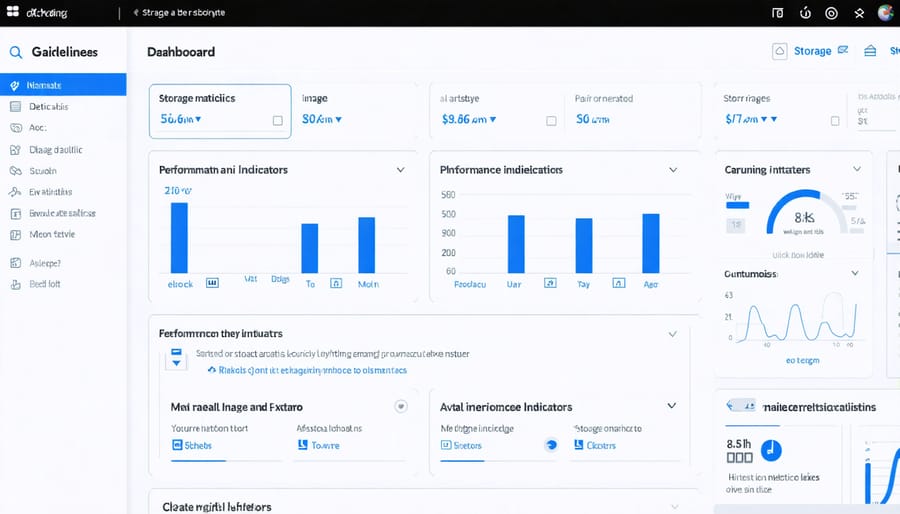
Monitoring and optimizing edge data management on your Raspberry Pi requires a combination of built-in tools and third-party solutions to ensure optimal performance. The most essential monitoring tool is htop, which provides real-time insights into CPU usage, memory consumption, and running processes. For storage monitoring, df and du commands offer quick snapshots of disk usage and available space.
For more comprehensive monitoring, consider implementing Prometheus with Node Exporter on your Pi. This combination allows you to track system metrics over time and create custom dashboards using Grafana. These tools are particularly useful when managing multiple edge devices, as they provide centralized monitoring capabilities.
Storage performance can be evaluated using tools like iotop and iostat, which measure input/output operations and help identify bottlenecks. For file system optimization, using tools like e4defrag helps maintain storage efficiency by reducing fragmentation on ext4 file systems.
Temperature monitoring is crucial for edge devices, as storage performance can be affected by thermal conditions. The vcgencmd measure_temp command provides essential temperature readings for your Pi. Consider setting up automated alerts when temperatures exceed safe thresholds.
For network monitoring, iftop and nethogs help track bandwidth usage and identify which processes are consuming network resources. This is particularly important when managing data transfers between edge devices and central storage.
Remember to implement logging tools like logrotate to prevent log files from consuming too much storage space. Regular monitoring of log files helps identify potential issues before they become critical problems affecting your edge data management system.
Troubleshooting Common Issues
When managing data at the edge with your Raspberry Pi, you might encounter several common issues. Here’s how to address them effectively:
If you’re experiencing slow data processing, first check your Pi’s CPU and memory usage using the ‘top’ command. Often, reducing the sampling rate or implementing batch processing can help resolve performance bottlenecks. Consider using a cooling solution if thermal throttling is affecting performance.
Storage space running low? Implement data retention policies to automatically archive or delete old data. You can use simple cron jobs to manage this, or set up circular buffers that maintain only the most recent data points. Additionally, compressing data before storage can significantly reduce space requirements.
Network connectivity issues frequently disrupt edge data operations. Set up a local cache to store data during outages, and implement automatic retry mechanisms for failed transmissions. Using a reliable queuing system can ensure no data is lost during network disruptions.
For data corruption problems, implement checksums for all stored data and maintain backup copies of critical information. Regular validation of stored data can help catch issues early. If you’re working with sensitive data, ensure proper encryption is in place both at rest and in transit.
Memory leaks can be particularly troublesome in long-running edge applications. Monitor your application’s memory usage over time and implement proper cleanup procedures. Using logging tools can help identify where memory issues occur.
Successfully managing data at the edge with your Raspberry Pi projects requires a thoughtful balance of efficiency, security, and practicality. By implementing the strategies discussed throughout this guide, you can create robust edge computing solutions that make the most of your Pi’s capabilities while ensuring reliable data handling.
Remember to start small and gradually expand your edge data management implementation. Begin with basic data collection and local storage, then progressively add features like data filtering, compression, and real-time processing as your project evolves. Regular testing and monitoring of your system’s performance will help you identify bottlenecks and optimization opportunities early on.
Keep security at the forefront of your implementation by regularly updating your software, implementing strong encryption, and following best practices for access control. Consider creating backup procedures and failsafe mechanisms to protect your valuable edge data.
For those just starting with edge data management on Raspberry Pi, focus on mastering one concept at a time. Whether it’s setting up local databases, implementing data preprocessing, or configuring network protocols, taking a step-by-step approach will lead to more sustainable and successful projects.
As edge computing continues to evolve, stay informed about new tools and techniques that could enhance your projects. Join the Raspberry Pi community, share your experiences, and learn from others who are tackling similar challenges. With dedication and the right approach, you can build sophisticated edge data management solutions that serve your specific needs effectively.