


Transform your Raspberry Pi into a powerful IoT hub with cutting-edge 5G connectivity. This revolutionary combination unleashes unprecedented possibilities for real-time data processing, remote monitoring, and edge computing applications. By integrating 5G capabilities, your Raspberry Pi can achieve ultra-low latency communications, handle massive IoT device networks, and process data at speeds previously unattainable with traditional connectivity methods.
The marriage of 5G technology with Raspberry Pi’s versatile computing platform opens new frontiers in industrial automation, smart city infrastructure, and advanced robotics projects. Whether you’re building an autonomous drone control system, implementing remote sensor networks, or developing next-generation IoT applications, 5G-enabled Raspberry Pi provides the perfect foundation for innovation.
This guide walks you through essential hardware requirements, step-by-step setup procedures, and practical applications to harness the full potential of 5G technology in your Raspberry Pi projects. From selecting the right 5G HAT (Hardware Attached on Top) to configuring network parameters, you’ll learn everything needed to elevate your IoT projects to the next level.
Essential Hardware Requirements
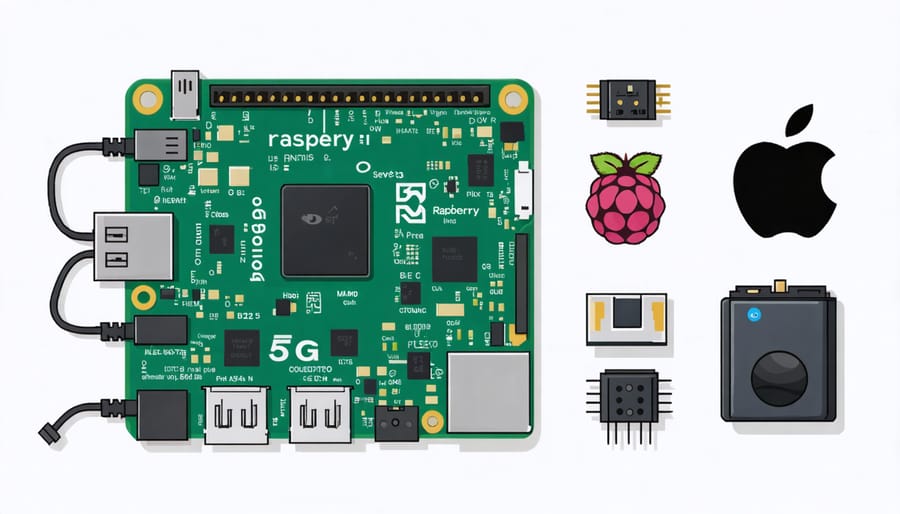
Compatible 5G HATs and Modules
Several expansion modules for Raspberry Pi now support 5G connectivity, offering exciting possibilities for IoT projects. The Waveshare SIM8200EA-M2 5G HAT stands out as a popular choice, providing broad network compatibility and speeds up to 2.5Gbps. This module supports both SA and NSA networks, making it versatile for various deployment scenarios.
The RAK5G-WG458 is another robust option, featuring industrial-grade components and excellent thermal management. It’s particularly suitable for outdoor IoT applications and offers built-in GPS functionality. For users seeking a compact solution, the SixFab 5G/LTE Cellular Modem Kit provides a smaller footprint while maintaining high-speed connectivity.
When choosing a 5G module, consider these key specifications:
– Network band compatibility
– Power consumption requirements
– Physical dimensions and mounting options
– Operating temperature range
– Built-in features (GPS, antenna options)
– Driver support for Raspberry Pi OS
Most current 5G HATs are compatible with Raspberry Pi 4 Model B and Compute Module 4, though some may work with older Pi models. Remember to check the specific voltage requirements and ensure your power supply can handle the additional load of the 5G module, as these components typically demand more power than standard HATs.
Power Supply Considerations
When implementing 5G connectivity on your Raspberry Pi, proper power supply becomes crucial due to the increased power demands of 5G hardware. A standard 5V/3A power supply may not be sufficient, as 5G modules can draw significant power during data transmission. We recommend using a high-quality power supply rated at 5V/4A minimum to ensure stable operation.
To avoid power-related issues, use the official Raspberry Pi USB-C power supply or a reputable third-party alternative that meets these specifications. Watch out for cheap power adapters that might claim high amperage but fail to deliver consistent power, leading to unstable performance or system crashes.
If you’re powering additional peripherals alongside your 5G module, consider using a powered USB hub to distribute the load. Monitor your system’s power consumption using the command line tool vcgencmd get_throttled to check for under-voltage warnings.
For mobile applications, a high-capacity power bank rated at 20,000mAh or higher with Power Delivery (PD) support will provide several hours of continuous operation. Remember to implement proper power management in your projects to optimize battery life.
Setting Up Your 5G-Enabled Raspberry Pi
Software Prerequisites
To get started with 5G connectivity on your Raspberry Pi, you’ll need to ensure your system is properly updated and equipped with the necessary software packages. Begin by updating your Raspberry Pi OS to the latest version using the terminal commands ‘sudo apt update’ followed by ‘sudo apt upgrade’.
Install the required network management tools by executing ‘sudo apt install network-manager’ and ‘sudo apt install modemmanager’. These packages are essential for managing your 5G modem connection.
For USB modem support, you’ll need to install ‘usb-modeswitch’ using ‘sudo apt install usb-modeswitch’. This utility helps your Raspberry Pi recognize and properly configure USB cellular modems.
Enable SSH access for remote management by running ‘sudo raspi-config’ and activating SSH under Interface Options. Additionally, install Python packages for modem control with ‘pip install pyserial’ if you plan to develop custom scripts for managing your 5G connection.
Finally, ensure your firewall settings allow cellular data connections by reviewing and updating your iptables rules as needed. Keep your system regularly updated to maintain compatibility with newer 5G hardware.

Module Installation and Configuration
Setting up 5G connectivity on your Raspberry Pi requires careful attention to hardware assembly and configuration. Start by ensuring your Raspberry Pi is powered off and disconnected from any power source. The 5G module typically connects to the Pi via USB or HAT (Hardware Attached on Top) interface, depending on your chosen module.
For USB-based modules, simply insert the 5G modem into an available USB port on your Raspberry Pi. If you’re using a HAT-style module, carefully align the GPIO pins with the corresponding headers on your Pi and gently press down until firmly seated. Secure the module using the provided mounting hardware if applicable.
Next, attach the antenna(s) to the designated connectors on your 5G module. Most modules require at least two antennas for optimal performance – one for the main signal and another for diversity. Ensure the antennas are positioned vertically and away from metal objects that could interfere with signal reception.
Insert your 5G-capable SIM card into the module’s SIM slot. Many carriers now offer IoT-specific data plans suitable for Raspberry Pi projects. Double-check that your SIM is activated and properly provisioned for 5G service.
Before powering up, verify all connections are secure and components are properly seated. Connect your power supply and boot up your Raspberry Pi. The system should automatically detect the 5G module, though you may need to install specific drivers or software packages depending on your module’s manufacturer.
Initial configuration typically involves running several terminal commands to establish the connection. Most 5G modules come with manufacturer-specific setup utilities that guide you through the process of configuring APN settings, authentication methods, and network preferences.
Network Configuration
To configure 5G connectivity on your Raspberry Pi, start by connecting your 5G HAT or modem to the GPIO pins, ensuring a secure physical connection. Power up your Raspberry Pi and open the terminal to begin the network setup process.
First, update your system packages:
“`
sudo apt update && sudo apt upgrade -y
“`
Install the necessary network management tools:
“`
sudo apt install network-manager modemmanager -y
“`
Enable and start the ModemManager service:
“`
sudo systemctl enable ModemManager
sudo systemctl start ModemManager
“`
Check if your 5G modem is recognized using:
“`
mmcli -L
“`
Configure your APN settings by creating a new connection:
“`
sudo nmcli connection add type gsm ifname ‘*’ con-name ‘5G’ apn ‘your-provider-apn’
“`
Replace ‘your-provider-apn’ with the APN provided by your cellular carrier. To activate the connection:
“`
sudo nmcli connection up 5G
“`
Verify your connection status:
“`
nmcli connection show
“`
For automatic connection at startup, edit the /etc/network/interfaces file to include:
“`
auto 5G
iface 5G inet dhcp
“`
Remember to configure your firewall settings appropriately and implement security measures to protect your 5G connection. Monitor your data usage regularly to avoid exceeding your plan limits.
Practical IoT Applications
Remote Monitoring Systems
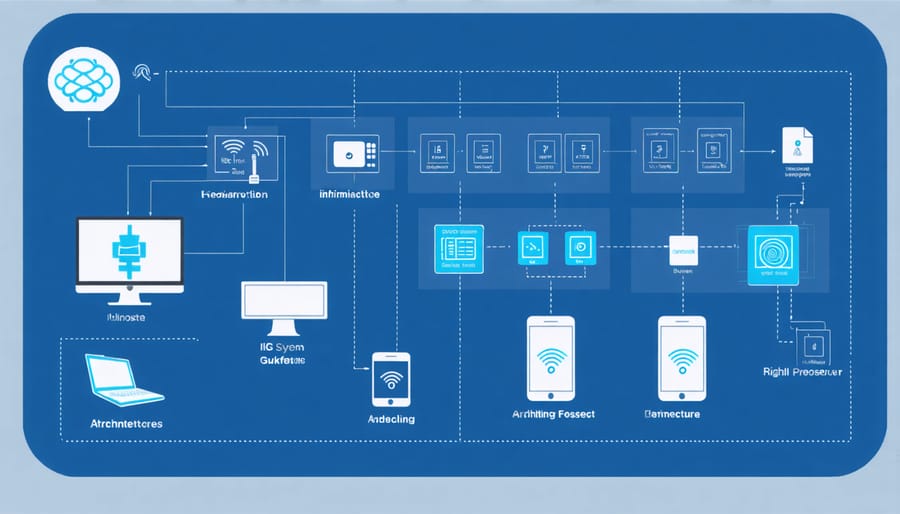
5G connectivity has revolutionized remote monitoring capabilities for Raspberry Pi projects. With ultra-low latency and high-speed data transmission, you can create sophisticated monitoring systems that provide real-time insights. By connecting IoT sensors to your Raspberry Pi, you can monitor environmental conditions, security systems, or industrial equipment from anywhere.
Popular monitoring applications include real-time video surveillance systems that stream HD footage without lag, agricultural monitoring stations that track soil moisture and weather conditions, and smart factory solutions that monitor production lines. The combination of 5G’s bandwidth and Raspberry Pi’s processing power enables the transmission of large amounts of sensor data, making it ideal for applications requiring immediate response times.
For example, a remote weather station built with a Raspberry Pi and 5G connectivity can collect and transmit temperature, humidity, wind speed, and rainfall data every few seconds. This real-time data transmission allows for more accurate weather predictions and immediate alerts for severe weather conditions, demonstrating the practical benefits of 5G-enabled monitoring systems.
Edge Computing Solutions
The combination of 5G connectivity and Raspberry Pi opens up powerful possibilities for edge computing applications. By processing data closer to its source, edge computing reduces latency and bandwidth usage while enhancing real-time capabilities. When setting up a professional IoT network setup, you can leverage your Raspberry Pi as an edge computing node to handle tasks like data preprocessing, local AI inference, and immediate decision-making.
Popular edge computing implementations include video analytics, smart manufacturing monitoring, and environmental sensing. The Raspberry Pi’s GPIO pins enable direct sensor integration, while 5G connectivity ensures rapid data transmission when cloud communication is necessary. Using containers like Docker makes it easy to deploy and manage edge computing workloads on your Pi.
To optimize edge computing performance, consider using lightweight operating systems like DietPi or Alpine Linux, implementing efficient data caching strategies, and utilizing edge-specific frameworks like AWS Greengrass or Azure IoT Edge. These solutions help balance local processing capabilities with cloud resources while maintaining reliable 5G connectivity.
Real-time Data Processing
The integration of 5G connectivity with Raspberry Pi opens up exciting possibilities for real-time data processing. With data transfer speeds up to 10 Gbps, your Pi can handle complex analytics tasks that were previously impossible with older connectivity options. This high-speed connection enables immediate processing of sensor data, video streams, and IoT device inputs with minimal latency.
To implement real-time processing, you’ll need to configure your Raspberry Pi with appropriate data handling libraries such as NumPy for numerical computations or pandas for data analysis. The 5G module’s high bandwidth allows for simultaneous processing of multiple data streams, making it ideal for applications like industrial monitoring, smart agriculture, or traffic management systems.
A practical example would be creating a smart monitoring system that processes sensor data from multiple sources. The system can collect temperature, humidity, and air quality readings, analyze them in real-time, and trigger immediate actions when predefined thresholds are exceeded. The low latency of 5G ensures that critical alerts are transmitted without delay, making it perfect for time-sensitive applications.
For optimal performance, consider implementing edge computing principles to process data locally before transmission, reducing bandwidth usage and response times.
Troubleshooting and Optimization
Common Connectivity Issues
When implementing 5G connectivity on your Raspberry Pi, you might encounter several common issues. Poor signal strength is often the primary concern, which can be resolved by repositioning your device or using an external antenna for better reception. If your 5G module isn’t being recognized, double-check the USB connections and ensure your Pi’s firmware is up to date.
Network configuration problems frequently occur during initial setup. Make sure your APN settings match your carrier’s requirements, and verify that your SIM card is properly activated for 5G service. Some users experience high latency or unstable connections, which can often be improved by adjusting the module’s power management settings or updating the modem firmware.
Driver compatibility issues may arise, especially with newer 5G modules. Always check that your chosen module has Linux support and compatible drivers for your Raspberry Pi’s operating system version. If you’re experiencing excessive power consumption, consider using a powered USB hub or a higher-capacity power supply rated at least 3A.
For persistent connectivity problems, try testing your setup with different network modes (4G/5G) to isolate whether the issue is specific to 5G connectivity or a broader hardware problem.
Performance Optimization Tips
To maximize your Raspberry Pi’s 5G performance, start by positioning your 5G HAT or modem in an area with optimal signal strength. Use a quality USB 3.0 port for better power delivery and data throughput. Monitor your device temperature, as excessive heat can impact connection stability – consider adding a small cooling fan if needed.
Regular firmware updates for both your 5G module and Raspberry Pi are crucial for maintaining peak performance. Configure your APN settings correctly and experiment with different band selections if your modem supports it. For better network stability, use a high-quality antenna and position it away from metal objects or sources of interference.
Implement connection monitoring scripts to automatically reset the connection if speeds drop below acceptable levels. If you’re running multiple processes, consider using Quality of Service (QoS) settings to prioritize critical network traffic. For projects requiring constant connectivity, set up a failover system using both 5G and ethernet connections.
Remember to regularly clean your system’s temporary files and optimize your operating system’s network settings for improved throughput. These adjustments can significantly enhance your 5G connection’s reliability and speed.
The integration of 5G connectivity with Raspberry Pi opens up exciting possibilities for IoT projects, offering unprecedented speed, reliability, and scalability. By combining the versatility of Raspberry Pi with 5G capabilities, makers and developers can create sophisticated IoT solutions that operate with minimal latency and maximum efficiency. The future potential is vast, from smart city applications and industrial automation to advanced remote monitoring systems and edge computing projects. As 5G networks continue to expand and evolve, Raspberry Pi enthusiasts can expect even more opportunities to innovate and develop cutting-edge solutions. Whether you’re a hobbyist, educator, or professional developer, embracing 5G technology in your Raspberry Pi projects will ensure you stay at the forefront of IoT development, ready to tackle the challenges and opportunities of tomorrow’s connected world.